New See exactly what you're overpaying AWS in under 60 seconds. Try the Calculator for free →

Best Azure Cost Optimization Tools in 2026

The best Azure cost optimization tools include Usage.ai, Microsoft Cost Management, Azure Advisor, ProsperOps, CloudZero, Finout, IBM Cloudability, Vantage, Harness, and IBM Kubecost. They address different problems, from managing Savings Plans and Reservations to rightsizing virtual machines, allocating costs, and optimizing AKS workloads. Choose based on which changes will actually reduce your Azure bill.
Picture of Haider Ali
Cloud & FinOps Content Specialist

Haider Ali

Cloud & FinOps Content Specialist
October 22, 2026

·

18 min read
Best Azure Cost Optimization Tools in 2026
In this article
Key takeaways
1
For commitment savings: Usage.ai and ProsperOps focus on managing eligible cloud discounts.
2
For free optimization: Microsoft Cost Management and Azure Advisor provide native spending analysis and recommendations.
3
For FinOps visibility: CloudZero, Finout, and Cloudability help teams allocate and understand spending.
4
For better results: Right-size workloads before purchasing commitments, then measure savings after fees.

Best Azure cost optimization tools compared

The biggest difference between these platforms is what they actually do with your cost data.
Tool Best for What it does Main limitation
Usage.ai Commitment savings Analyzes usage and manages supported commitment decisions Does not implement VM rightsizing
Microsoft Cost Management Azure spending visibility Tracks costs, budgets, and forecasts Limited automated remediation
Azure Advisor Native optimization Recommends rightsizing and discounts Recommendations need validation
ProsperOps Automated commitments Manages supported discount portfolios Commitment obligations remain
CloudZero Engineering cost intelligence Attributes spending to products and customers Savings require follow-through
Finout Cost allocation Consolidates and allocates cloud spending Allocation requires governance
IBM Cloudability Enterprise FinOps Supports planning, allocation, and optimization Product scope varies
Vantage Cost reporting Provides dashboards, budgets, and alerts Azure automation is limited by feature
Harness CCM Engineering workflows Connects cost insights with optimization actions Requires operational controls
IBM Kubecost AKS optimization Analyzes Kubernetes workload costs Kubernetes-focused
Important: Cost visibility, optimization recommendations, and automated savings are different capabilities. A tool that identifies $10,000 in potential savings does not necessarily reduce the bill by $10,000.

10 Best Azure Cost Optimization Tools Reviewed

Azure cost optimization tools solve different problems, from tracking spending and rightsizing resources to automating commitments and allocating Kubernetes costs. Here are 10 options, including their key features, advantages, limitations, and pricing.

1. Usage.ai: Best for Azure Commitment Optimization
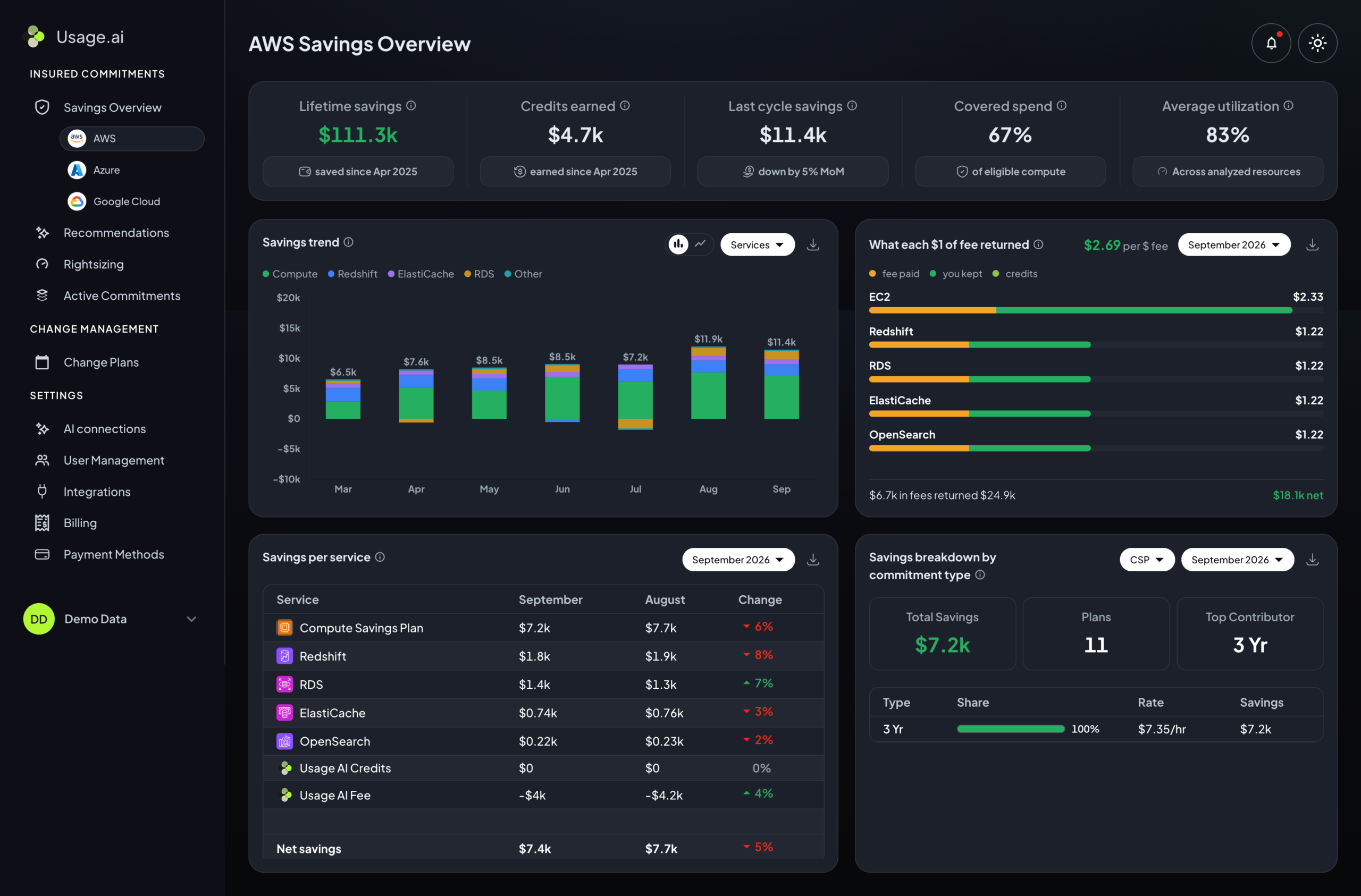
Usage.ai dashboard for automated cloud commitment optimization and savings management

Usage.ai helps businesses optimize eligible Azure Reservations and Savings Plans through automated purchasing, coverage monitoring, and ongoing commitment management.

Key features:

  • Autopilot: Automates supported commitment purchases within configured controls.
  • CoPilot: Lets teams review recommendations before purchasing.
  • Flex Commitments: Provides conditional Cashback protection for qualifying commitments.

Pros: Reduces manual purchasing work while maintaining approval controls.

Cons: Focuses on commitments rather than direct infrastructure changes; Flex protection has eligibility restrictions.

Pricing: Share of realized savings for applicable services.

Bottom line: Best for teams that want automated Azure commitment management with purchasing controls.

2. Microsoft Cost Management: Best for Azure Spending Visibility
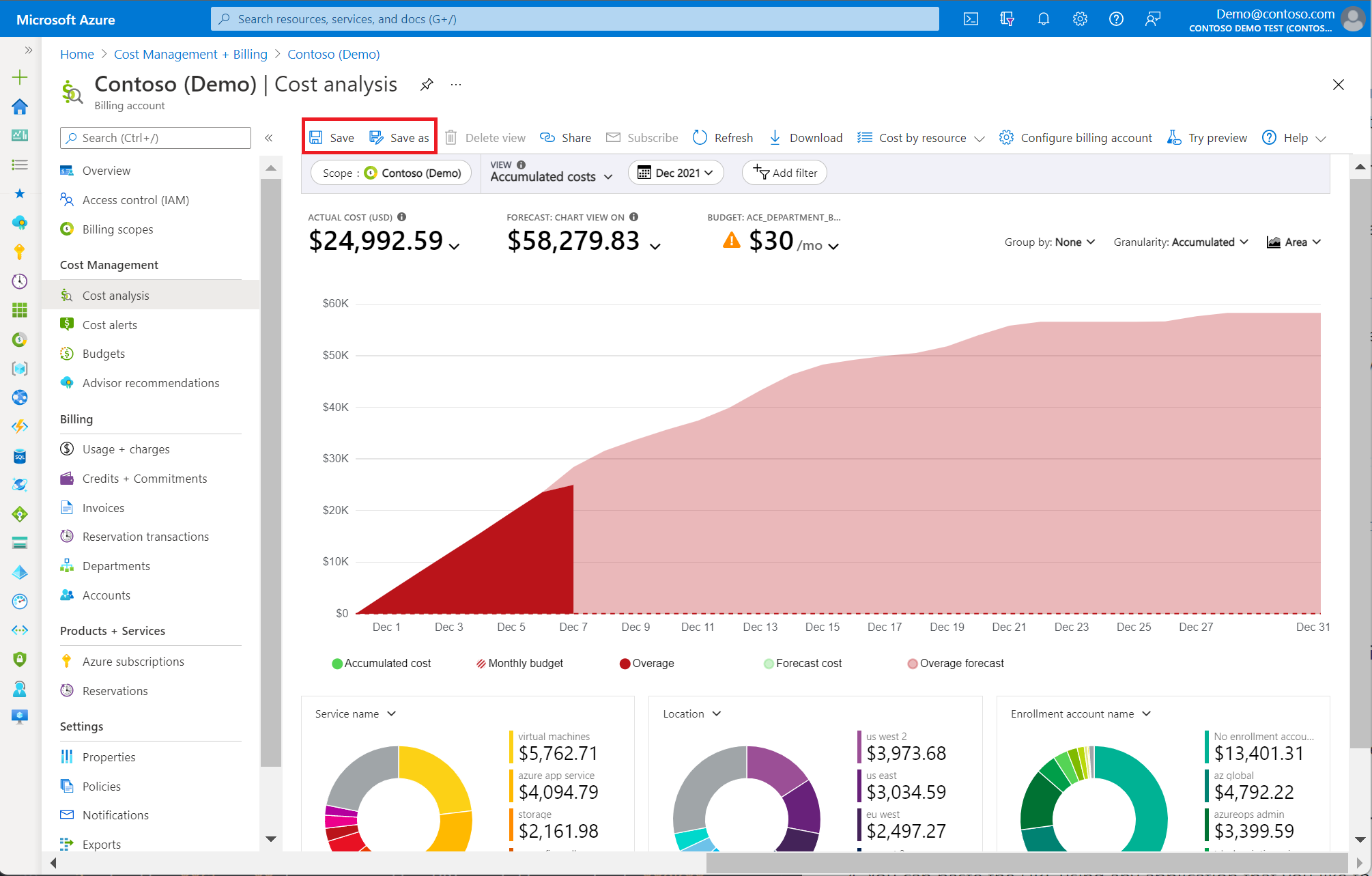
Microsoft Cost Management dashboard for Azure spending analysis and budgeting

Microsoft Cost Management helps teams analyze Azure billing data, track spending trends, and manage budgets directly within the Azure environment.

Key features:

  • Cost analysis: Breaks down spending by service, subscription, and resource group.
  • Budgets: Tracks spending against configured thresholds.
  • Exports: Provides billing data for external reporting.

Pros: Native Azure billing visibility with included core capabilities.

Cons: Most optimization actions still require manual implementation.

Pricing: Core capabilities are included; related services may incur charges.

Bottom line: Best starting point for understanding where your Azure budget is going.

3. Azure Advisor: Best for Free Rightsizing Recommendations
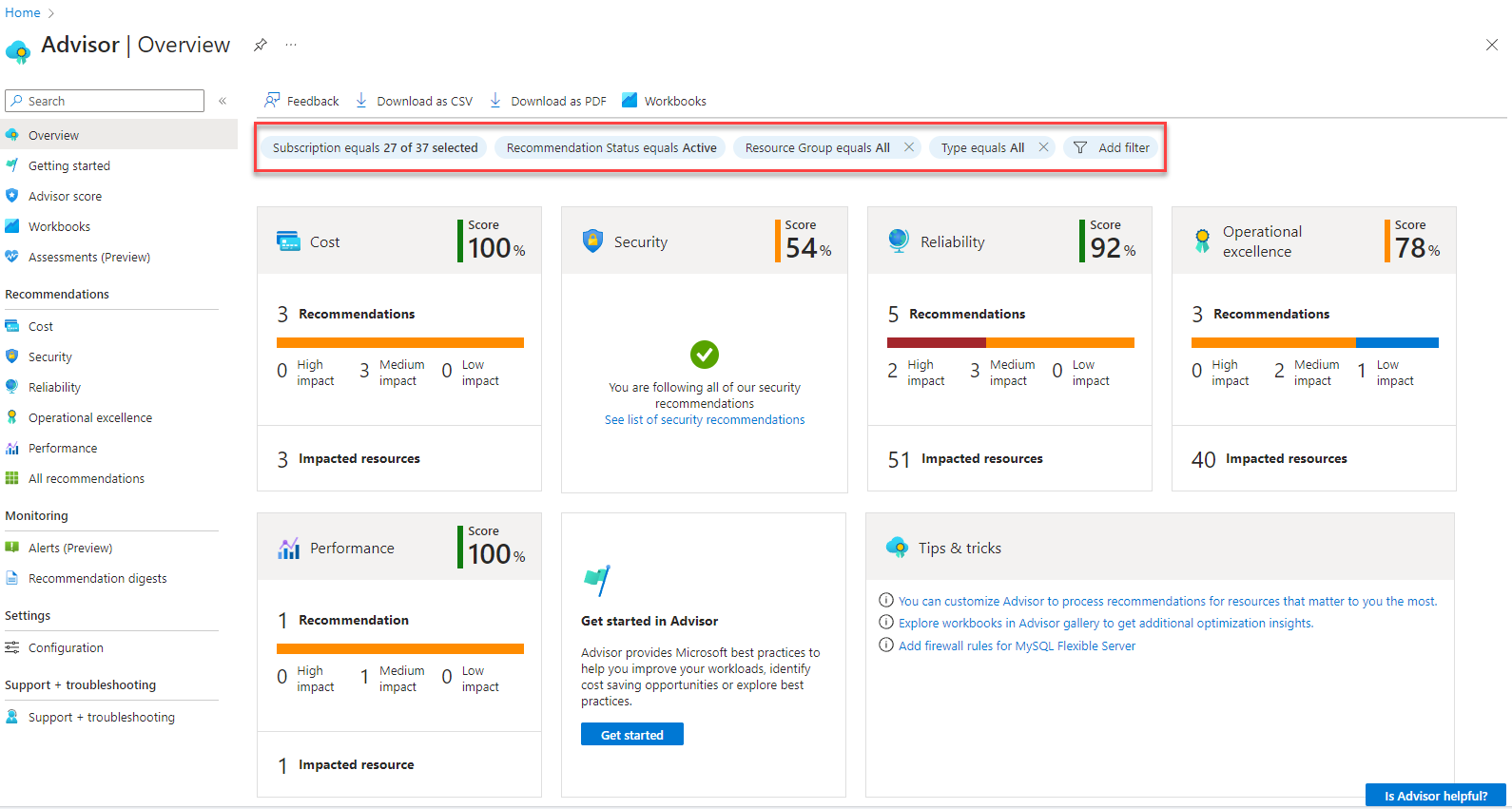
Azure Advisor dashboard showing resource rightsizing and cost optimization recommendations

Azure Advisor analyzes supported Azure resources to identify potential savings from underutilized VMs, commitment purchases, and configuration improvements.

Key features:

  • VM rightsizing: Identifies potentially oversized virtual machines.
  • Reservations: Highlights eligible commitment opportunities.
  • Recommendations: Provides guidance across cost, performance, and reliability.

Pros: Free recommendations based on Azure resource data.

Cons: Changes require validation and often manual implementation.

Pricing: Free.

Bottom line: Best for finding straightforward Azure resource optimization opportunities.

4. ProsperOps: Best for Automated Azure Discount Management
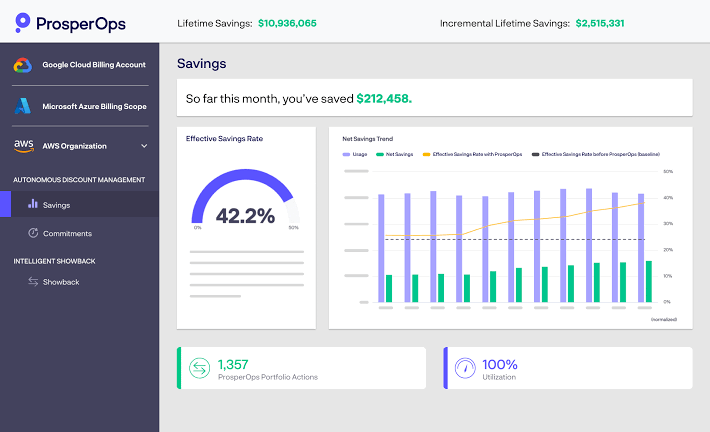
ProsperOps dashboard for cloud commitment coverage and savings optimization

ProsperOps automates supported cloud commitment management, helping organizations improve discount coverage and reduce manual purchasing decisions as usage changes.

Key features:

  • Automation: Manages supported Azure commitment purchases.
  • Coverage analysis: Evaluates eligible usage and discount coverage.
  • Savings reporting: Tracks commitment management results.

Pros: Reduces ongoing commitment administration.

Cons: Commitment obligations and savings-based fees require evaluation.

Pricing: Savings-based pricing for applicable services.

Bottom line: Best for teams looking to automate cloud discount management.

5. CloudZero: Best for Engineering Cost Intelligence
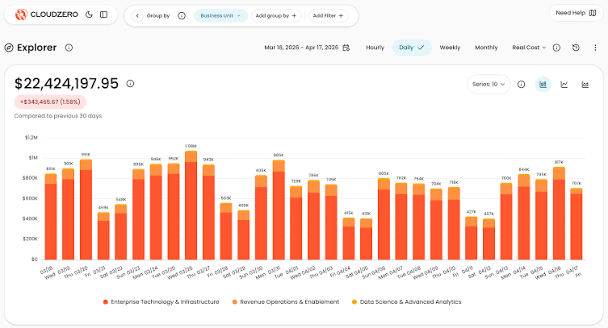
CloudZero dashboard for cloud cost allocation and engineering unit economics

CloudZero connects cloud spending to engineering and business metrics, helping companies understand infrastructure costs by product, customer, or service.

Key features:

  • Cost allocation: Attributes spending to engineering and business dimensions.
  • Unit economics: Measures infrastructure cost per customer or product.
  • Anomaly detection: Flags unusual spending patterns.

Pros: Connects cloud costs to business outcomes.

Cons: Accurate attribution requires maintained allocation rules.

Pricing: Custom subscription pricing.

Bottom line: Best for engineering teams tracking the cost of delivering their products.

6. Finout: Best for Shared Cloud Cost Allocation
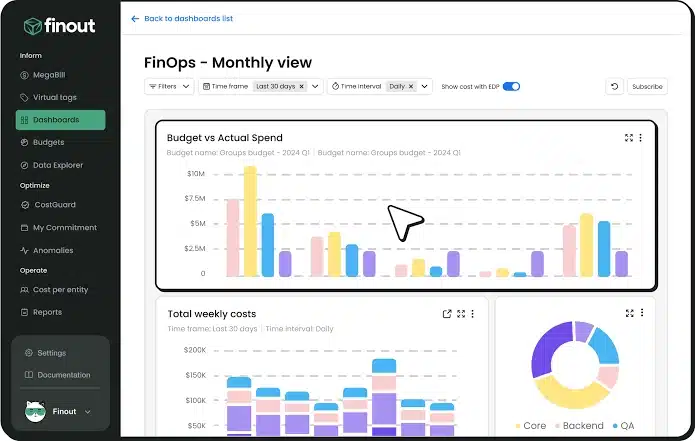
Finout dashboard for shared infrastructure cost allocation and reporting

Finout consolidates supported cloud and technology spending, helping organizations distribute shared infrastructure costs across teams, products, and departments.

Key features:

  • Multi-source visibility: Combines supported cloud, Kubernetes, and SaaS costs.
  • Shared allocation: Distributes common expenses across teams.
  • Reporting: Supports business-level cost accountability.

Pros: Makes shared infrastructure spending easier to understand.

Cons: Cost allocation does not directly eliminate resource waste.

Pricing: Commercial contract pricing.

Bottom line: Best for organizations struggling to assign shared Azure costs accurately.

7. IBM Apptio Cloudability: Best for Enterprise FinOps Governance
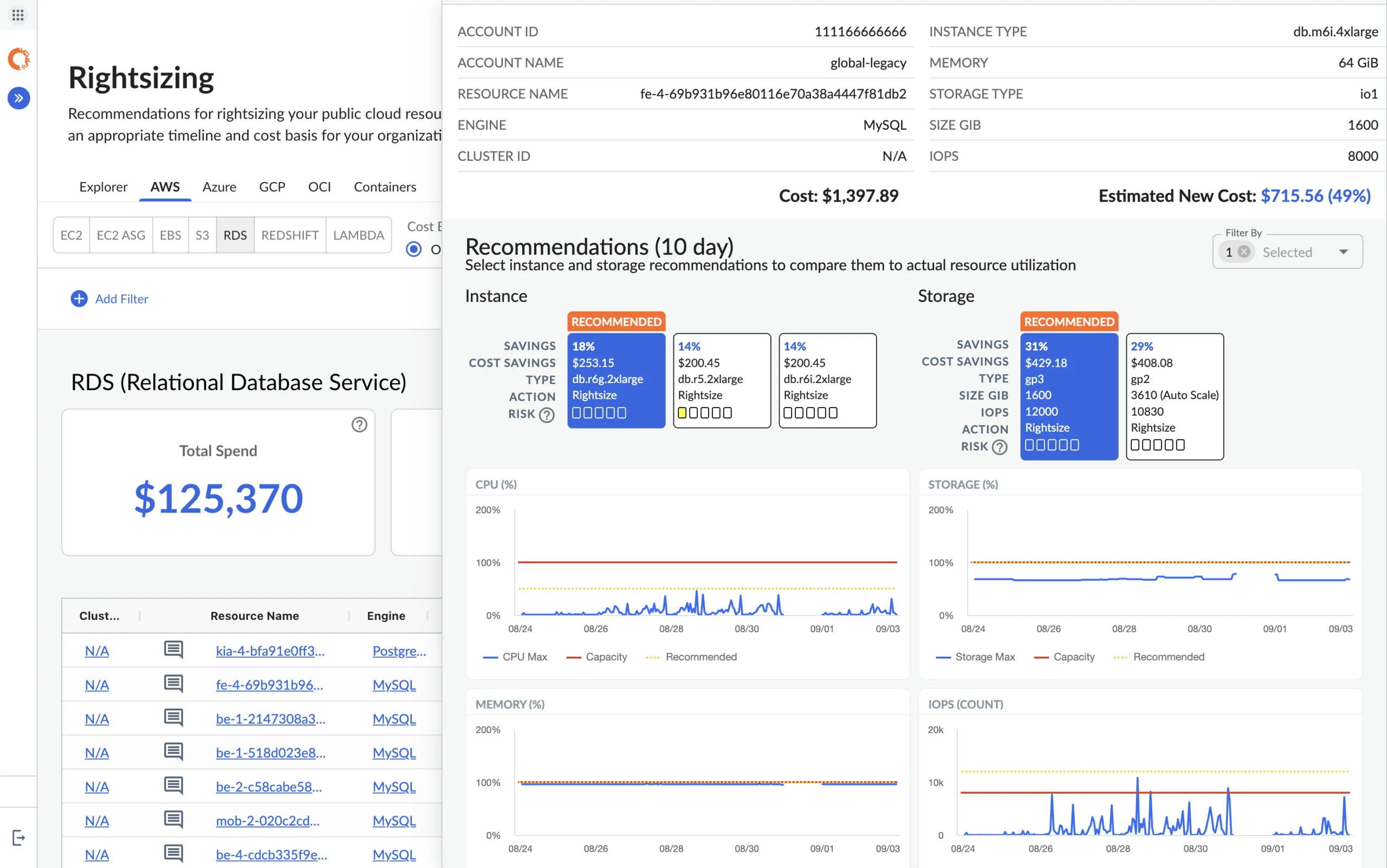
IBM Apptio Cloudability dashboard for enterprise cloud cost governance and forecasting

IBM Apptio Cloudability provides centralized cloud financial management for enterprises needing consistent cost allocation, forecasting, and governance across supported cloud environments.

Key features:

  • Allocation: Organizes spending across business units.
  • Forecasting: Supports budgets and financial planning.
  • Optimization: Identifies potential cloud savings opportunities.

Pros: Supports complex enterprise FinOps processes.

Cons: Implementation can be involved, and automation may require separate products.

Pricing: Custom enterprise pricing.

Bottom line: Best for large organizations needing centralized cloud financial governance.

8. Vantage: Best for Simple Cloud Cost Reporting
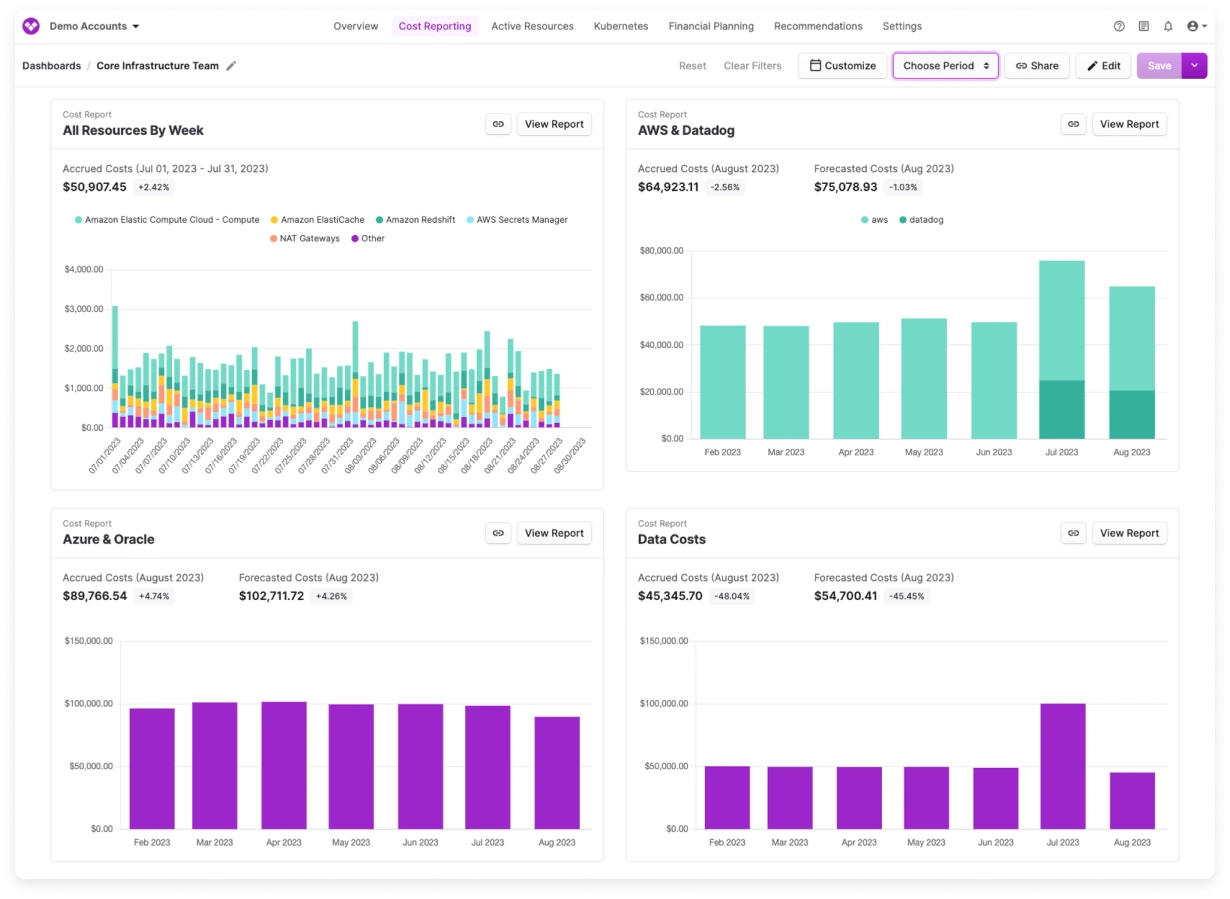
Vantage dashboard showing cloud spending reports and budget tracking

Vantage helps teams monitor cloud spending through accessible dashboards, cost allocation, and alerts across supported infrastructure providers.

Key features:

  • Dashboards: Visualizes spending across providers.
  • Virtual tagging: Groups expenses using reporting rules.
  • Alerts: Highlights budget changes and unusual costs.

Pros: Straightforward reporting across supported providers.

Cons: Visibility does not automatically resolve inefficient resources.

Pricing: Free and paid tiers, depending on usage and features.

Bottom line: Best for teams that need clear cloud cost dashboards without complex setup.

9. Harness Cloud Cost Management: Best for Engineering Cost Controls

Harness Cloud Cost Management dashboard for engineering cost controls and resource optimization

Harness connects cloud spending visibility with engineering workflows and supported automation, helping teams reduce waste from eligible idle resources.

Key features:

  • Cost visibility: Tracks infrastructure spending.
  • AutoStopping: Stops supported idle resources to reduce runtime costs.
  • Optimization: Provides resource management recommendations and controls.

Pros: Connects cost management with engineering operations.

Cons: Automated actions require appropriate permissions and safeguards.

Pricing: Commercial pricing based on selected capabilities.

Bottom line: Best for engineering teams that want operational cost controls beyond reporting.

10. IBM Kubecost: Best for AKS Cost Visibility
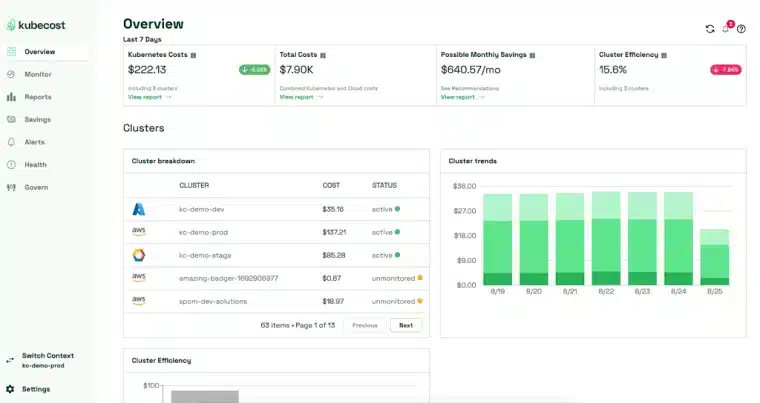
IBM Kubecost dashboard showing Azure Kubernetes Service workload cost allocation

IBM Kubecost helps teams understand Azure Kubernetes Service (AKS) costs by allocating infrastructure spending to Kubernetes workloads, namespaces, and deployments.

Key features:

  • Workload allocation: Attributes spending to Kubernetes resources.
  • Efficiency analysis: Identifies potential CPU and memory improvements.
  • Shared costs: Explains cluster infrastructure overhead.

Pros: Detailed Kubernetes cost attribution.

Cons: Lower container requests do not always reduce Azure infrastructure bills.

Pricing: Free and enterprise offerings.

Bottom line: Best for teams optimizing AKS workloads and understanding cluster spending.

Which Azure Cost Optimization Tool Should You Choose?

Start with the source of unnecessary spending, not the longest feature list. Use the table below to match your main Azure cost challenge with the most relevant tool.

If your main problem is… Start with…
High eligible on-demand compute costs Usage.ai or ProsperOps
Unexpected Azure spending Microsoft Cost Management
Oversized or underused VMs Azure Advisor
Unclear cost per customer CloudZero
Shared infrastructure allocation Finout
Enterprise budgeting and governance IBM Cloudability
Simple cost dashboards Vantage
Engineering remediation workflows Harness
Expensive AKS workloads IBM Kubecost

Bottom line: Start with Microsoft Cost Management and Azure Advisor for native cost visibility and recommendations. Add a specialized tool when you need commitment automation, engineering cost controls, advanced allocation, or Kubernetes cost analysis.
If your main problem is... Start with...
High eligible on-demand compute costs Usage.ai or ProsperOps
Unexpected Azure spending Microsoft Cost Management
Oversized or underused VMs Azure Advisor
Unclear cost per customer CloudZero
Shared infrastructure allocation Finout
Enterprise budgeting and governance IBM Cloudability
Simple cost dashboards Vantage
Engineering remediation workflows Harness
Expensive AKS workloads IBM Kubecost
For most organizations, one platform will not solve every problem. Azure’s native tools can provide a baseline, while specialized products address gaps in automation, allocation, or workload optimization.

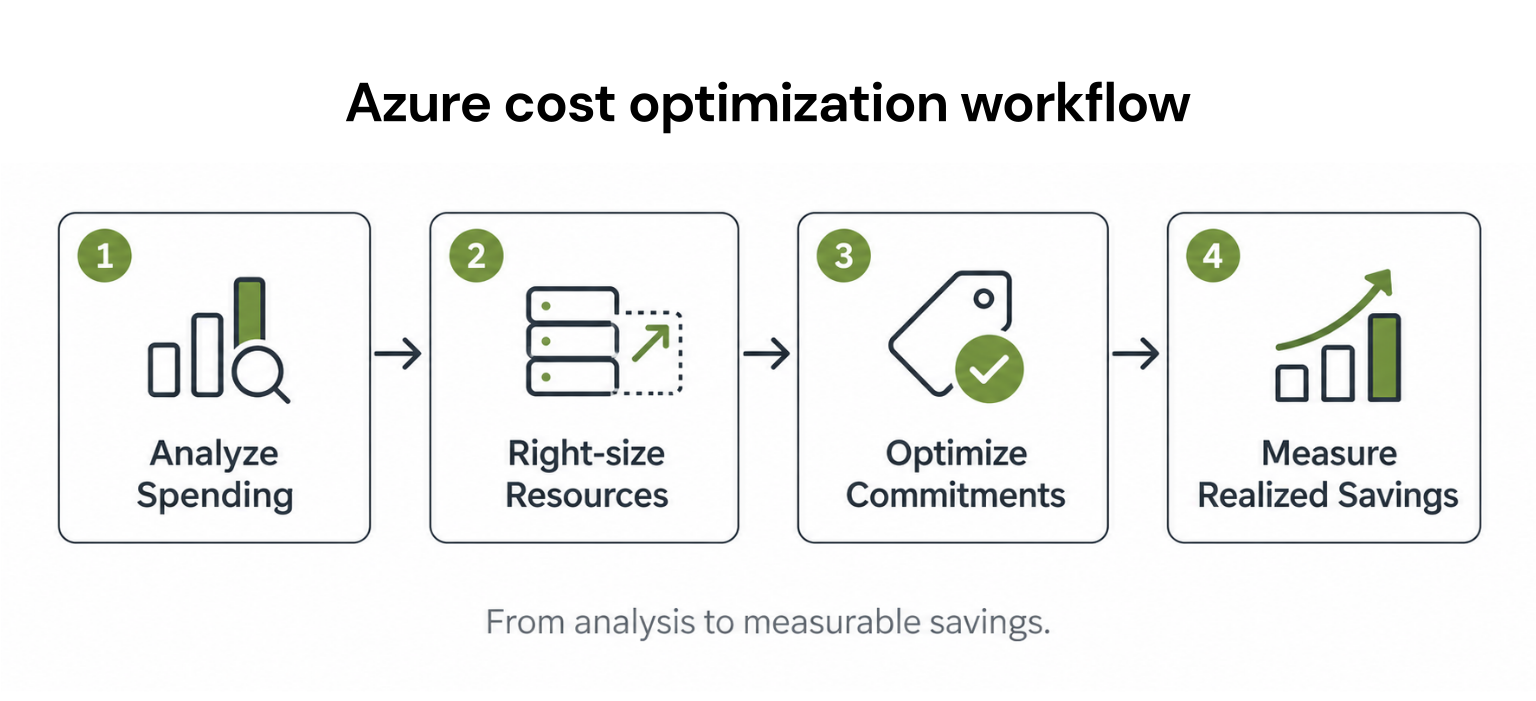
How to reduce Azure costs: A practical example

Consider a business spending $20,000 per month on eligible Azure VM compute.

Before purchasing a Savings Plan, its engineering team identifies oversized resources and reduces compute spending by 15%.

The business then evaluates commitment discounts against the smaller, more efficient workload.
Step Monthly compute cost
Original spending $20,000
After 15% rightsizing savings $17,000
After illustrative 20% commitment savings on remaining eligible usage $13,600
Total reduction $6,400 (32%)
Illustrative calculation, not published Azure pricing. Actual discounts depend on service eligibility, existing benefits, terms, and usage.

The important point is that discounts should be applied to the remaining eligible spend, not the original $20,000.

Adding 15% and 20% would incorrectly suggest 35% savings.

This is why rightsizing and commitment optimization should be evaluated together.

Azure Reservations vs. Savings Plans: What should you optimize?

Reservations and Savings Plans both offer discounts for eligible Azure usage, but they work differently.
Factor Azure Reservations Azure Savings Plans
Commitment Eligible resource or service Fixed hourly spending
Term Commonly one or three years One or three years
Flexibility Depends on reservation type Applies across eligible compute usage
Best suited for Predictable workloads Variable eligible compute usage
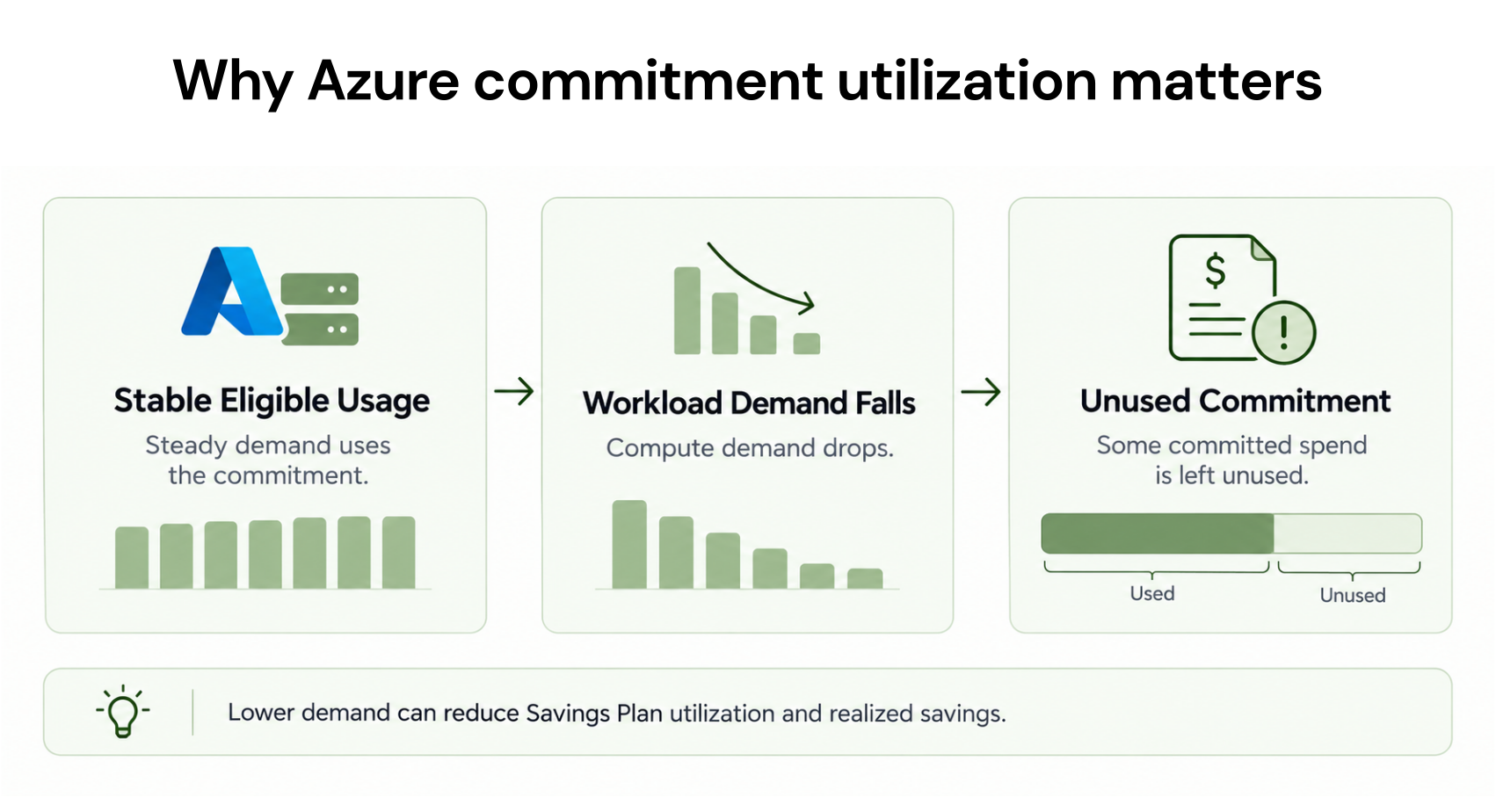
Main risk Unused reservation benefits Unused hourly commitment
A Savings Plan can be more flexible across eligible compute usage, but that does not make it risk-free.

Microsoft’s Azure Savings Plan documentation explains that unused hourly commitment does not roll forward. Purchases cannot be canceled or refunded.

Before committing, review historical usage, expected infrastructure changes, existing reservations, and whether the expected savings justify the obligation.

Azure-native vs. third-party optimization tools

Microsoft Cost Management and Azure Advisor are useful starting points because they provide native cost information and recommendations.

Third-party software becomes valuable when it solves a problem those tools do not address efficiently.
Requirement Azure-native approach When third-party tools help
Spending analysis Cost Management Multi-cloud or business-specific reporting
VM recommendations Azure Advisor Advanced workflows or remediation
Cost allocation Azure cost analysis and tagging Complex shared-cost allocation
Commitment purchasing Native purchasing and analysis Ongoing portfolio automation
AKS cost analysis Azure monitoring and billing Workload-level allocation and optimization
Before buying another platform, ask it to demonstrate the exact action you need on your own Azure data.

A dashboard is useful, but the evaluation should establish who acts on recommendations, how savings are measured, and what happens when usage changes.

How Usage.ai helps optimize Azure commitments

At Usage.ai, we help businesses evaluate eligible savings and manage supported cloud commitments as workloads change.

Our read-only assessment approach helps teams review opportunities before granting purchasing permissions. With CoPilot and Autopilot, teams can approve recommendations or automate supported commitment decisions.

For qualifying commitments, Flex Insured Commitments helps address underutilization risk under the program’s terms. Azure-specific eligibility should be confirmed.

Our applicable pricing is based on a share of realized savings rather than a separate upfront platform fee.

Final recommendation

There is no single best Azure cost optimization tool for every organization.

Start with Microsoft Cost Management and Azure Advisor to understand spending and identify opportunities. Add specialized tools when you need deeper allocation, engineering optimization, or commitment automation.

Most importantly, measure results against a realistic baseline. A tool should help you reduce costs, improve decisions, or save meaningful operational effort, not simply create another dashboard.
OPTIMIZE YOUR AZURE COMMITMENTS
Unlock More Azure Commitment Savings

Discover eligible savings opportunities, optimize Azure commitments, and manage financial risk as your cloud usage changes.

Disclosure: This guide is published by Usage.ai, which is included in the comparison. Product descriptions are based on documented capabilities rather than independent hands-on testing of every platform. Pricing, features, and supported services may change.

Frequently asked questions

What are the best Azure cost optimization tools in 2026?

The best Azure cost optimization tools include Microsoft Cost Management, Azure Advisor, Usage.ai, ProsperOps, CloudZero, Finout, IBM Cloudability, Vantage, Harness, and IBM Kubecost. The right choice depends on whether you need spending visibility, VM rightsizing, commitment management, cost allocation, or Kubernetes optimization.

What is the best free Azure cost optimization tool?

Microsoft Cost Management and Azure Advisor are strong free starting points. Cost Management provides billing analysis, budgets, and forecasts, while Azure Advisor identifies potential savings opportunities. Together, they help teams understand Azure spending and prioritize optimization without purchasing a separate cost management platform.

Can Azure cost optimization tools automatically reduce cloud costs?

Some tools automate supported actions such as commitment purchasing, resource scheduling, or infrastructure optimization. Others provide recommendations that engineers must implement. Check which Azure services are supported, whether approvals are required, and how the vendor calculates realized savings before enabling automation.

What is the difference between Azure FinOps and cost optimization?

Azure cost optimization focuses on reducing unnecessary cloud spending through rightsizing, efficient resource usage, and discounts. FinOps is broader. It also covers budgeting, forecasting, allocation, financial accountability, and collaboration between finance and engineering teams.

Are third-party Azure cost optimization tools worth paying for?

They can be when they deliver measurable value beyond native Azure capabilities. Compare the savings actually achieved, software fees, implementation work, and financial risk. A specialized tool may be worthwhile for commitment automation or advanced allocation, but basic cost reporting may not require another subscription.

Share
Facebook
X
LinkedIn
Reddit
See cloud commitment management in action.
More from Usage.ai
Latest from our blogs