
 AWS
AWS Microsoft Azure
 Google Cloud

This guide compares Amazon ECS on EC2 and Fargate using current Linux/x86 pricing in US East (N. Virginia), including break-even guidance for different workloads. Fargate pricing also applies to Amazon EKS, but EKS has separate cluster charges and requirements and does not support Fargate Spot.
The Short Answer
EC2 is usually more economical when containers run continuously and fit efficiently onto appropriately sized instances. It also provides more instance, storage, networking, and accelerator choices.Fargate is usually stronger when workloads are intermittent, scaling is unpredictable, or eliminating server management is worth a higher compute rate. Neither option is universally cheaper, so compare the same requested resources and billable runtime before deciding.
How EC2 and Fargate Pricing Works
With the Amazon ECS EC2 launch type, you add EC2 instances to the cluster and ECS places tasks on them. You pay for each running instance even when containers use only part of its CPU or memory, so efficient task placement and scaling directly affect unit cost.EC2 also gives you broad control over instance families, processors, GPUs, storage, operating systems, networking, and purchasing models. That control is valuable, but your team remains responsible for capacity planning, instance updates, ECS agent maintenance, scaling policies, and the host operating system.
With Fargate, you specify a supported CPU and memory combination for each task. AWS manages the underlying servers, and charges accrue from the start of the container-image download until the task terminates, rounded to the nearest second with a one-minute minimum for Linux tasks.
For Linux/x86 in us-east-1, current On-Demand Fargate rates are $0.04048 per vCPU-hour and $0.004445 per GB-hour. Fargate includes 20 GiB of ephemeral storage; configured storage beyond that is billed separately.
EC2 vs Fargate Cost Comparison
These figures assume Linux/x86 in US East (N. Virginia), 730 monthly hours, continuously running tasks, and current public On-Demand rates. Each EC2 figure represents one whole instance; its effective per-task cost depends on task density after host overhead and capacity headroom. EC2 pricing excludes EBS, public IPv4 addresses, load balancing, logging, data transfer, and other supporting services.| Requested task size | Fargate hourly | Fargate monthly | EC2 reference | EC2 monthly |
|---|---|---|---|---|
| 0.5 vCPU / 1 GB | $0.024685 | $18.02 | t3.small: 2 vCPU / 2 GiB | $15.18 |
| 1 vCPU / 2 GB | $0.04937 | $36.04 | t3.medium: 2 vCPU / 4 GiB | $30.37 |
| 2 vCPU / 4 GB | $0.09874 | $72.08 | t3.large: 2 vCPU / 8 GiB | $60.74 |
| 4 vCPU / 16 GB | $0.23304 | $170.12 | r6a.xlarge: 4 vCPU / 32 GiB | $165.56 |
For the 4-vCPU/16-GB comparison, the r6a.xlarge is a raw instance-price reference. At 730 hours, its compute price is about $4.56 lower than the equivalent Fargate task, but a four-vCPU task reservation consumes all of the instance’s registered ECS CPU capacity. Treat this as a compute-price comparison, not proof of equivalent performance or lower total cost after storage, operations, and capacity headroom.
Use the AWS Fargate pricing page and EC2 On-Demand pricing to verify rates for your region and architecture. For a broader treatment of EC2 purchasing models and supporting charges, see our Amazon EC2 pricing guide.
Fargate Break-Even: When Is EC2 Cheaper?
Break-even should refer to billable task runtime or reserved task capacity, not measured CPU utilization. Fargate bills the CPU and memory requested by a running task even when the application uses only part of them.Break-even occurs when the total cost of running a deployable EC2 fleet equals the Fargate cost for the equivalent workload. Calculate it using the fleet’s actual capacity requirements and each Fargate task’s requested resources and billable runtime.
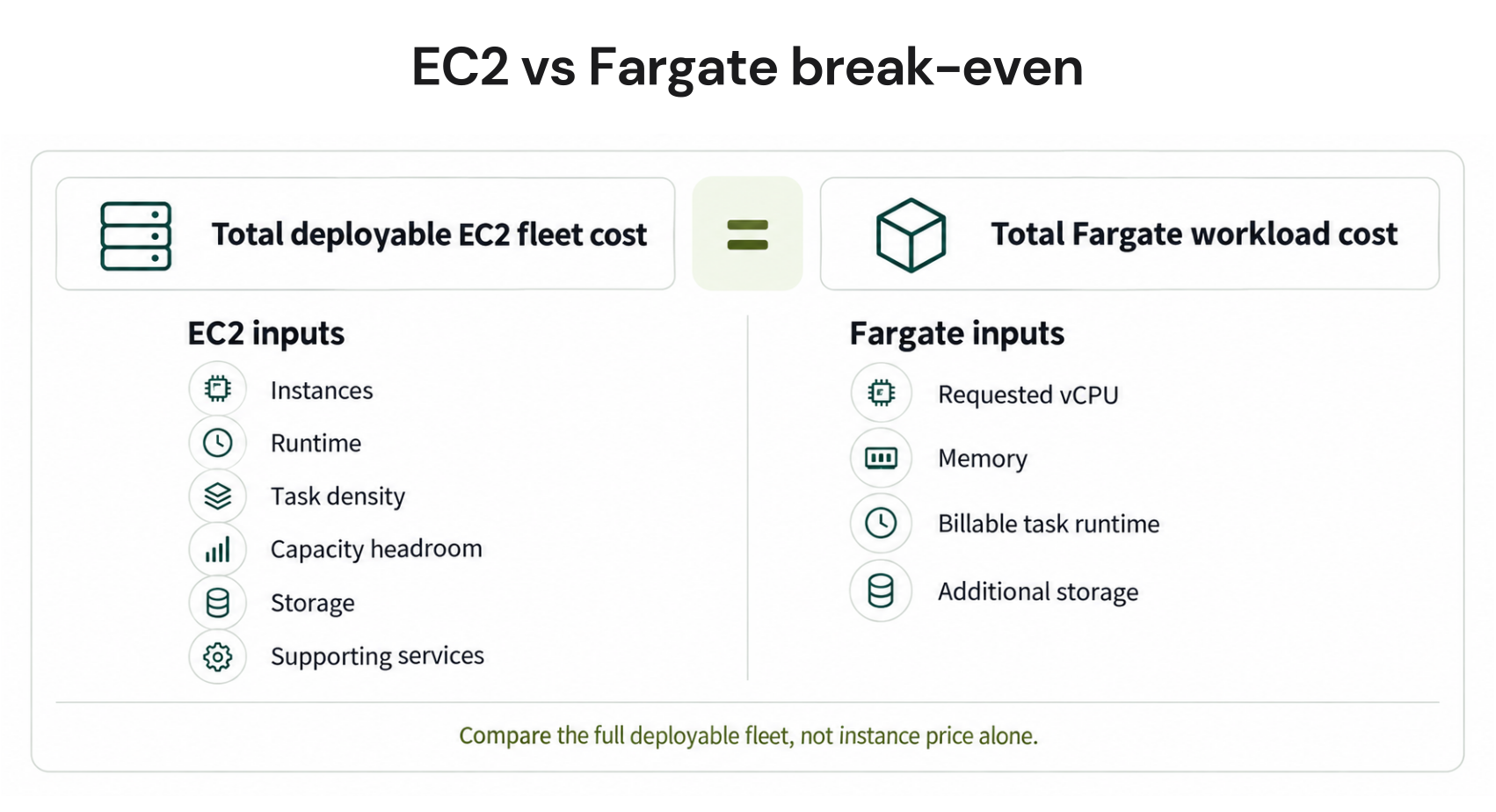
This is not a universal threshold. A different task shape, EC2 family, architecture, scaling pattern, commitment, storage requirement, or packing density produces a different answer. EC2 also rarely achieves perfect packing, while a Fargate service must actually stop or scale down to avoid compute charges.
Hidden Costs and Operational Tradeoffs
An EC2 comparison should include EBS, host-level monitoring, public IPv4 addresses when used, and the engineering work required to maintain and scale the fleet. Fargate includes underlying server management, but it does not eliminate application autoscaling, observability, networking, or task right-sizing.Private-subnet Fargate tasks may send outbound traffic through a NAT gateway, which adds hourly and data-processing charges. Appropriate VPC endpoints can keep supported AWS-service traffic private, although interface endpoints have their own per-AZ hourly and processing fees.
For ECR image pulls without internet access, the design normally needs ECR interface endpoints and an S3 gateway endpoint.
Fargate supports defined task configurations up to 32 vCPUs and 244 GB of memory. EC2 is the appropriate choice when a single task requires an unsupported shape, GPU access, privileged host capabilities, or specialized instance hardware.
Before choosing either option, check requested task resources against P95 usage, minimum service task count, deployment overlap, and scale-down behavior. Oversized Fargate tasks waste requested capacity; poorly packed EC2 clusters waste provisioned capacity.
Fargate Spot vs EC2 Spot
Fargate Spot runs interruption-tolerant Amazon ECS tasks on spare Fargate capacity at up to 70% below regular Fargate pricing.It supports Linux tasks on x86 and ARM, and interrupted tasks receive a two-minute warning through EventBridge and SIGTERM. Amazon EKS does not support Fargate Spot.
EC2 Spot Instances can be up to 90% below On-Demand pricing and offer a wider choice of instance types. They can produce a lower infrastructure price when a team combines good bin packing with diversified Spot capacity, but the team must manage instances, capacity strategy, draining, replacement, and interruption resilience.
Choose Fargate Spot when operational simplicity matters and tasks can restart safely. Choose EC2 Spot when greater infrastructure control and deeper potential discounts justify the additional capacity-management work; compare current prices rather than assuming either is always cheapest.
How Commitments Change the Comparison
Stable EC2 and Fargate usage can qualify for commitment discounts. EC2 Reserved Instances and EC2 Instance Savings Plans can provide discounts of up to 72%, while Compute Savings Plans provide broader flexibility across eligible EC2, Fargate, and Lambda usage.For Fargate, Compute Savings Plans discount eligible vCPU and memory charges; AWS currently advertises Fargate savings of up to 50%. Rates vary by region, architecture, operating system, term, payment option, and usage type, so the maximum is a ceiling rather than the rate every task receives.
A single Compute Savings Plan can apply across EC2, Fargate, and Lambda when sufficient hourly commitment remains. AWS applies the benefit to eligible usage offering the highest savings percentage first, rather than permanently assigning one plan to a particular service.
Commit only against a stable hourly floor after right-sizing and accounting for existing commitments. The sibling guide to Lambda and Fargate Savings Plan coverage explains eligible charges and mixed-workload sizing in detail.
EC2 vs Fargate Decision Matrix
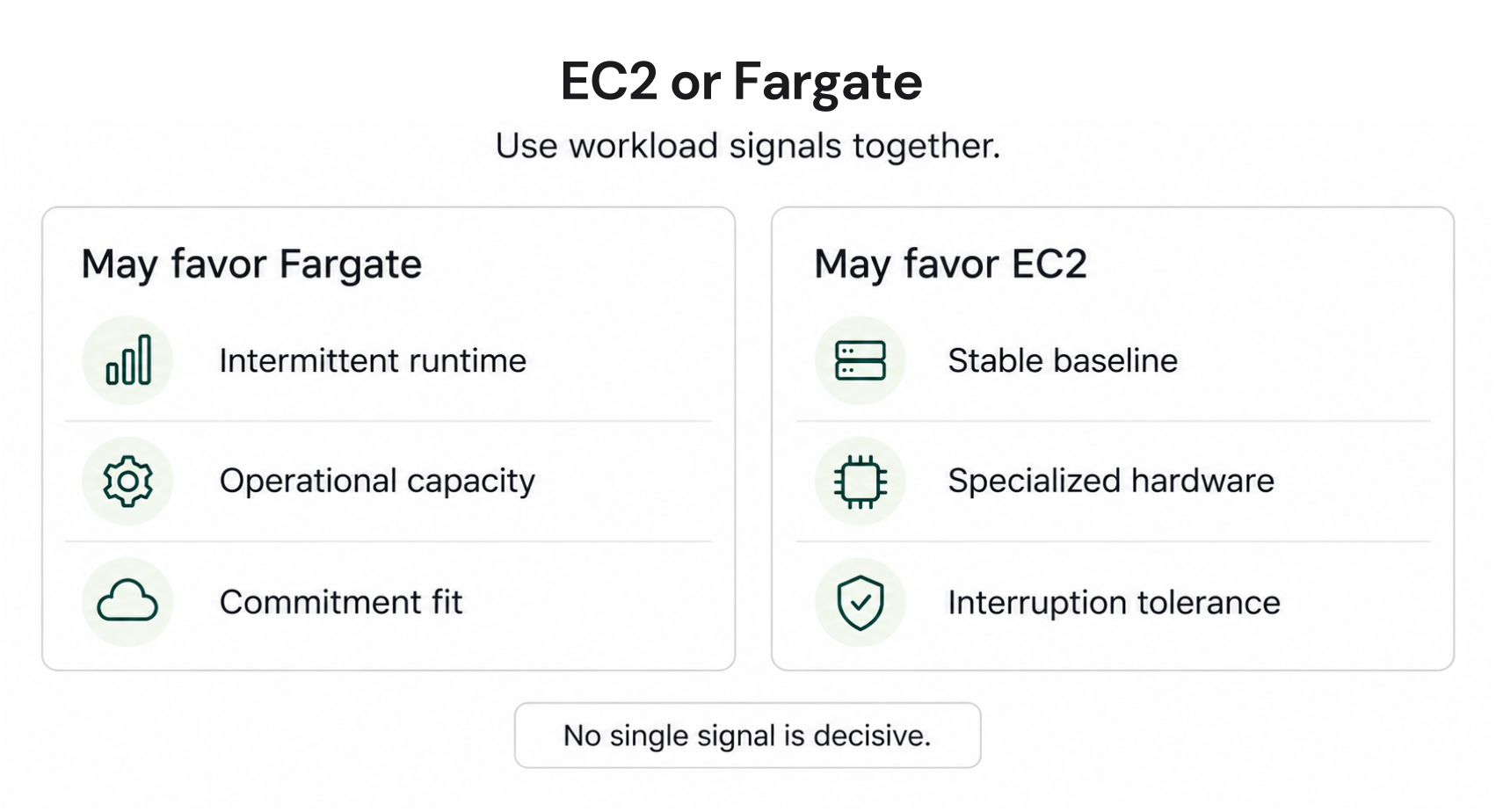
| Workload signal | Favor Fargate | Favor EC2 |
|---|---|---|
| Runtime | Intermittent or scale-to-zero | Continuous baseline |
| Demand | Bursty or difficult to predict | Stable and predictable |
| Capacity efficiency | EC2 would leave meaningful idle capacity | Tasks pack efficiently on instances |
| Operations | Limited capacity for host management | Platform team manages the fleet |
| Hardware | Supported Fargate task shape | GPU, specialized hardware, or unsupported shape |
| Interruption tolerance | Fargate Spot for eligible ECS tasks | EC2 Spot with diversified capacity |
| Commitments | Compute Savings Plan for a stable Fargate floor | RI or Savings Plan for stable EC2 usage |
The decision should be revisited after material changes in traffic, architecture, instance generation, task sizing, or team capacity. A workload that fits Fargate during its early growth phase may later develop a stable baseline that is cheaper to operate on well-packed EC2 capacity.
How Usage.ai Manages Commitment Risk
The difficult part of a hybrid environment is not whether Compute Savings Plans are technically eligible. It is deciding how much stable EC2 and Fargate usage can safely be committed without creating stranded spend when workloads change.With Flex Insured Commitments, teams can get up to 57% savings of a three-year AWS commitment with none of the commitment risk.
If eligible usage drops and a qualifying Flex Commitment costs more than the On-Demand rate for the same usage, we provide cashback protection on the difference, subject to program terms.
We analyze eligible usage, recommend commitment levels, and purchase approved commitments through the provider API. Our fee is a percentage of realized savings, so customers pay only when the program produces verified savings.
Review eligible usage, current coverage, and commitment risk through a read-only savings assessment with no infrastructure changes.
Frequently asked questions
Is Fargate more expensive than EC2?
Not always. Fargate has a higher rate in the matched example, but it can cost less when tasks stop or scale down enough to avoid the idle EC2 capacity required to keep a cluster available.
What is Fargate pricing per vCPU?
For Linux/x86 in us-east-1, Fargate currently charges $0.04048 per vCPU-hour plus $0.004445 per GB-hour of requested memory. Region, operating system, architecture, Spot use, storage, and Savings Plans can change the final rate.
Can one Savings Plan cover both?
Yes. A Compute Savings Plan can apply to eligible EC2, Fargate, and Lambda usage, subject to its remaining hourly commitment and AWS’s benefit-application order.
What is Fargate’s maximum task size?
Amazon ECS on Fargate supports specified configurations up to 32 vCPUs and 244 GB of memory. Confirm that the required CPU-memory combination and platform are supported before selecting it.
When should I choose Fargate?
Choose Fargate when variable runtime, faster operational setup, or avoiding host management matters more than minimizing the raw compute rate. Use EC2 when workloads are stable, pack efficiently, or require infrastructure capabilities Fargate does not provide.




