
 AWS
AWS Microsoft Azure
 Google Cloud
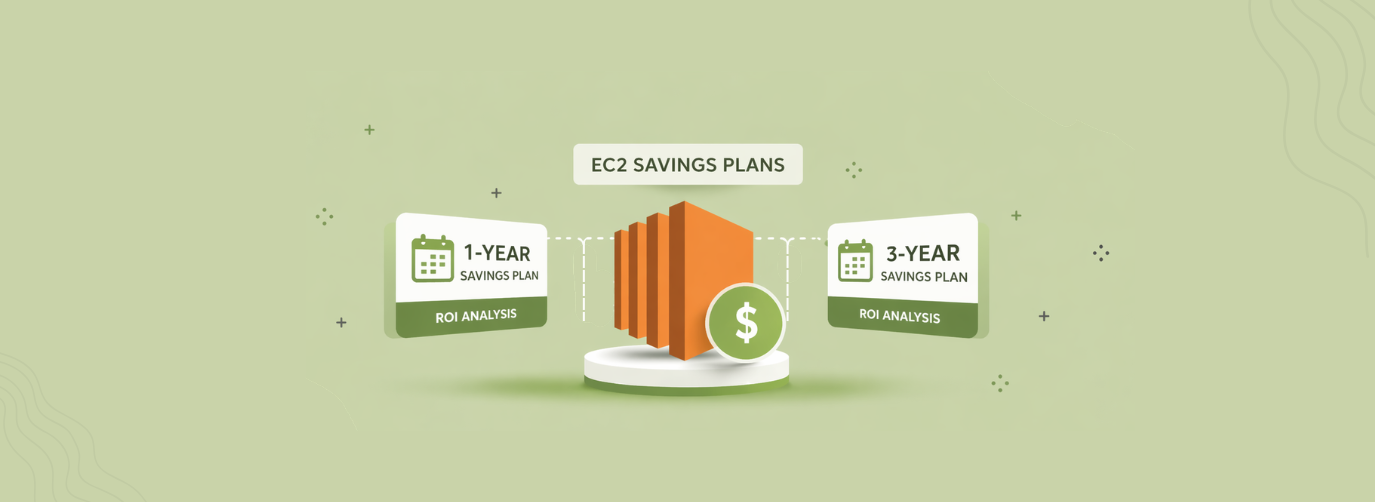
This 1-year vs 3-year EC2 Savings Plans guide compares the economics of each term and explains how to choose based on workload stability, flexibility, and commitment risk—not headline discounts.
The decision also depends on which Savings Plan type fits your workload. An EC2 Instance Savings Plan offers a higher maximum discount but is tied to a specific instance family and Region, while a Compute Savings Plan provides broader flexibility across EC2 usage and eligible services.
For most teams, the right approach is to establish a realistic baseline first, compare the actual 1-year and 3-year offers, and then decide how much commitment risk the business is willing to accept.
The short answer
Choose a 3-year EC2 Savings Plan when you have strong evidence that the relevant EC2 instance-family usage in a Region will remain stable for most of the term and the additional discount is worth the longer commitment. Choose a 1-year plan when your workload is changing, your instance-family strategy is uncertain, or your finance team values flexibility more than the maximum available discount.The important distinction is that an EC2 Instance Savings Plan is not simply a commitment to keep running one exact instance size. It applies to a specific instance family in a specific AWS Region, while allowing flexibility across sizes, operating systems, and tenancy within that scope.
AWS offers both 1-year and 3-year Savings Plans. You commit to a specific amount of eligible spend per hour, and the commitment term cannot be changed after purchase.
The Savings Plan rate for covered usage is set when you purchase the plan, while eligible usage above the hourly commitment is charged at the applicable On-Demand rate. See AWS: How Savings Plans apply to usage.
Comparing 1-Year and 3-Year EC2 Savings Plans
AWS currently offers two Savings Plan types relevant to EC2:- Compute Savings Plans: up to 66% off On-Demand rates, with flexibility across EC2 instance families, sizes, Regions, operating systems, and tenancy. They can also apply to eligible Fargate and Lambda usage.
- EC2 Instance Savings Plans: up to 72% off On-Demand rates, in exchange for committing to a specific instance family in a specific Region.
| Factor | 1-year term | 3-year term |
|---|---|---|
| Commitment period | 365 days | 1,095 days |
| Potential discount | Lower than equivalent 3-year term | Higher than equivalent 1-year term |
| Forecasting requirement | Lower | Higher |
| Exposure if usage falls | Shorter | Longer |
| Best fit | Changing or uncertain workloads | Stable, predictable baseline |
| Reassessment opportunity | Every year | After the longer term expires |
Also read: EC2 Savings Plans: How They Work, What They Cover & How to Buy
What happens if your usage falls below the commitment?
This is the central risk in the 1-year versus 3-year decision.Suppose you commit to $10/hour of Savings Plan usage. AWS applies Savings Plan pricing to eligible usage up to that commitment each hour.
If your eligible usage is below the commitment, the unused portion does not become a refundable balance that you can carry forward. AWS continues to charge according to the commitment for the term. Here’s a simple hypothetical example:
- Commitment: $10/hour
- Actual eligible usage: $7/hour
- Unused commitment: $3/hour
- Hours in a three-year term: 26,280
- Potential stranded commitment exposure: $78,840
So: ($10 − $7) × 26,280 = $78,840
The precise economic loss depends on the Savings Plan rate and the On-Demand cost of the usage that remains. The example simply illustrates how a persistent unused commitment can accumulate.
The important question is not simply whether you have used that family historically. It is whether you have a credible reason to expect that usage to remain relevant throughout the commitment.
A settled architecture roadmap
A planned migration from one instance family to another can reduce the value of an EC2 Instance Savings Plan.For example, moving from one Intel-based family to a newer or Arm-based family can leave the original family-specific commitment underutilized. An EC2 Instance Savings Plan does not automatically follow usage to a different family.
A Compute Savings Plan provides broader flexibility because it can continue applying across eligible EC2 families and Regions, as well as Fargate and Lambda.
Predictable baseline demand
A workload that runs continuously is easier to model than one with strong seasonality or frequent scale-down periods.However, “24/7 production” alone does not make a 3-year commitment safe. You still need to examine whether the amount and type of compute are likely to remain stable.
When is a 1-year plan safer?
A 1-year term is generally easier to defend when the cost of being wrong is high.Consider a shorter term when:
- An instance-family migration is being evaluated.
- A major architecture change is planned.
- Your workload is scaling rapidly or shrinking.
- You expect regional expansion or consolidation.
- You are moving workloads between EC2, Fargate, and Lambda.
- Your baseline has meaningful seasonal variation.
- Finance wants annual opportunities to reassess the commitment.
- You do not have enough historical data to establish a reliable baseline.
The important point is that 1-year does not mean “low risk.” It means the period over which an incorrect commitment can remain exposed is shorter.
How to calculate the 1-year vs 3-year break-even
Your actual break-even depends on the rates available for the workload and how you model renewals.Start with two effective hourly costs:
For a stable eligible workload consuming H hours, the simplified cumulative cost comparison is:
If you are comparing one 3-year purchase with three sequential 1-year purchases, you must also specify the assumed rate for each renewal. Do not assume that today’s 1-year rate will remain unchanged for years two and three.
If the assumed 1-year effective rate is constant, the three-year comparison is:
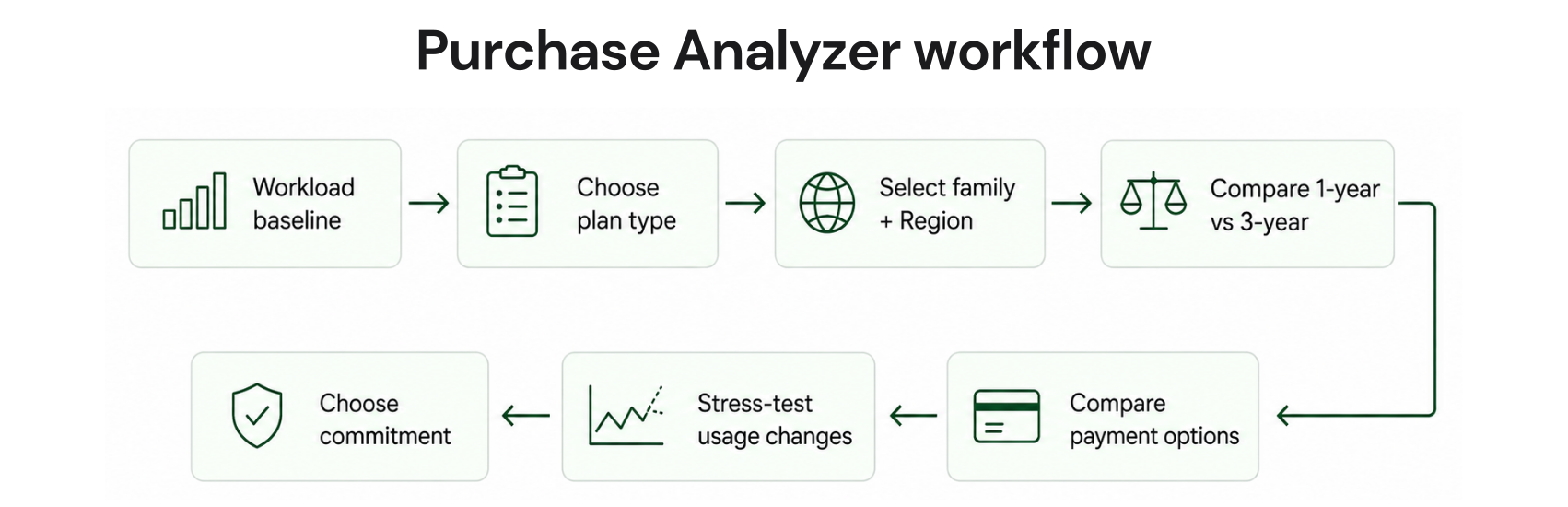
A Checklist to compare your actual AWS offers before purchase
Choose the Savings Plan type that matches the workload.
For an EC2 Instance Savings Plan, select the eligible instance family and Region.
Compare the exact No Upfront, Partial Upfront, and All Upfront offers for the same scope.
Run matched 1-year and 3-year Purchase Analyzer scenarios using the same conservative hourly commitment and lookback period.
Stress-test planned migrations, minimum hourly demand, and the payer-account or linked-account scope that matches your Savings Plans discount-sharing configuration.
A decision framework for Finance, FinOps, and Engineering
| Role | Ask this first | Lean 1-year when | Lean 3-year when |
|---|---|---|---|
| Finance | How much capital can we expose? | Flexibility or annual budgeting matters | Multi-year commitment is financially acceptable |
| FinOps | How reliable is the baseline? | Coverage or utilization is uncertain | Eligible baseline is consistently stable |
| Engineering | What changes are planned? | Migration, modernization, or family changes are likely | Architecture and family strategy are settled |
| Platform/Cloud | How concentrated is compute? | Multiple families or Regions are changing | One family/Region dominates predictably |
Should you use Compute Savings Plans instead?
Term length is only half of the decision.If your EC2 environment changes families or Regions frequently, a Compute Savings Plan may be more appropriate than an EC2 Instance Savings Plan because its coverage is broader.
AWS states that Compute Savings Plans automatically apply across EC2 instance families, sizes, Regions, operating systems, and tenancy. They can also apply to eligible Fargate and Lambda usage.
EC2 Instance Savings Plans are narrower but offer the higher maximum discount.
A useful sequence is therefore:
First choose the coverage model → then choose the term.
How payment options change the decision
AWS offers three payment options:- No Upfront: no upfront payment; recurring payments apply through the term.
- Partial Upfront: part of the commitment is paid upfront and the remainder is paid over the term.
- All Upfront: the commitment is paid upfront.
The payment option changes cash flow and can change effective pricing, but it does not eliminate the risk that eligible usage falls below the commitment.
For Finance teams, model these as two separate questions:
- How much will this commitment cost?
- How much capital am I willing to expose if the workload changes?
Common mistakes to avoid
1. Committing before rightsizing
Do not lock a discount onto infrastructure that you already expect to resize. Establish a realistic compute baseline before purchasing a long-term commitment.2. Treating maximum discount as expected savings
“Up to 72%” is a ceiling, not a forecast. AWS publishes different Savings Plan rates for different configurations. Always model the actual instance family, Region, operating system, tenancy, term, and payment option you intend to purchase.3. Committing to the peak
Peak usage is not necessarily your commitment baseline.If demand varies significantly, committing to the maximum observed hourly spend can create underutilization when demand returns to normal.
4. Ignoring architecture changes
A 3-year commitment should be reviewed against the engineering roadmap.Planned migrations to new instance families, Regions, Fargate, Lambda, or other architectures can materially change the amount of eligible usage available to a commitment.
5. Confusing utilization with coverage
These metrics answer different questions.- Utilization asks how much of your purchased commitment is being consumed.
- Coverage asks how much eligible usage is receiving commitment benefits.
How Usage.ai fits
At Usage.ai, we focus on the pricing and commitment layer after eligible usage has been identified. Our Flex Commitment Program is designed for teams that want to capture commitment-related savings while reducing the financial exposure associated with traditional long-term commitments.After a customer approves a recommendation, Usage.ai purchases and manages the commitment on their behalf.
Teams can achieve 30–50% savings on covered cloud spend, on average, while reducing the traditional commitment risk. Usage.ai charges a percentage of realized savings, and eligible commitments include cashback protection for underutilization.
The result is a managed commitment strategy that combines cloud discounts, automated management, flexibility, and protection, without replacing the infrastructure optimization needed to make workloads efficient.
Final recommendation
There is no universally superior term.Choose 3 years when your eligible EC2 baseline is stable, the relevant instance family and Region are unlikely to change, and the incremental discount is worth exposing the business to a longer commitment.
Choose 1 year when your environment is changing or the cost of being wrong matters more than maximizing the nominal discount.
Before choosing either term, evaluate whether a Compute Savings Plan or EC2 Instance Savings Plan better matches the workload itself. AWS’s two EC2-relevant Savings Plan types trade maximum discount for flexibility, so term length should not be considered in isolation.
For eligible AWS workloads, we can help you access up to 57% savings associated with a three-year AWS commitment while reducing long-term commitment exposure through our Flex Commitment Program and cashback protection.
Ready to compare your options? Book a 15-Minute Savings Assessment.
Connect in 15 minutes. No contracts, no infrastructure changes. See your savings before committing.
Frequently asked questions
Is a 3-year EC2 Savings Plan always better than a 1-year plan?
No. A 3-year plan can have a deeper discount, but the benefit depends on how consistently you can consume the commitment. A lower-discount 1-year plan can produce better risk-adjusted economics when your workload is changing.
Can I cancel an AWS Savings Plan after purchasing it?
AWS Savings Plans cannot be cancelled during the term, and their commitment terms cannot be changed after purchase.
What happens if my EC2 usage drops?
The commitment continues for the purchased term. If eligible usage falls below the commitment, part of the commitment may go unused, reducing the economic benefit of the plan.
Does an EC2 Instance Savings Plan lock me to one instance size?
No. It is tied to an instance family and Region, but AWS allows the benefit to apply across instance sizes within that family, as well as operating systems and tenancy.
Should I choose a Compute Savings Plan or EC2 Instance Savings Plan?
Choose based on flexibility requirements. Compute Savings Plans apply across EC2 families and Regions and can also cover eligible Fargate and Lambda usage. EC2 Instance Savings Plans are narrower but offer the higher maximum discount.
Can I use Savings Plans for Spot Instances?
No. Savings Plans do not apply to Spot usage. Spot is a separate purchasing model with interruptible capacity and separate pricing.
Do Savings Plans reserve EC2 capacity?
No. A Savings Plan provides discounted pricing for eligible usage; it does not reserve EC2 capacity. If your workload requires guaranteed EC2 capacity in a particular Availability Zone, evaluate an On-Demand Capacity Reservation separately.




