AWS
AWS Microsoft Azure
 Google Cloud

Most FinOps teams managing cloud spend above $100K/month share a common frustration: dashboards full of data and not enough engineering bandwidth to act on it. The manual cycle of pulling a cost report, spotting an anomaly, filing a ticket, and waiting for engineering to close it is how cloud waste compounds quietly for weeks.
AI agents for FinOps break that cycle. They do not just surface the problem. The best ones act on it, or route it directly to the right person with the specific action already drafted.
The challenge is that the term “AI agent for FinOps” now gets applied to tools across a wide range, from a chatbot that answers questions about last month’s bill to a platform that autonomously purchases Savings Plans and pays you cashback if they go underutilized. These are not the same category. Evaluating them on the same criteria leads to buying the wrong tool.
This guide defines what makes a genuine FinOps AI agent, maps the autonomy spectrum from explain-only to fully autonomous, and gives an honest per-tool breakdown of the seven platforms most commonly evaluated in 2026. Each entry covers what the tool is genuinely good at and where it falls short, because knowing who a tool is wrong for is as useful as knowing who it is right for.
If you are at the start of your evaluation, start with the two-category framework below. It will save you from comparing tools that are solving fundamentally different problems.
What Are AI Agents for FinOps?
AI agents for FinOps are software systems that do cost analysis work autonomously, without waiting for a human to run a query, open a dashboard, or file a ticket. They watch your cloud spend continuously, identify problems and opportunities, and either execute optimizations or route recommendations for human approval.
The phrase “AI agent” gets overused in this space. Here is a working definition that separates real agents from glorified dashboards:
A genuine AI FinOps agent does at least three things: ingests usage data continuously (not on a weekly or monthly batch), applies multi-step reasoning to connect usage patterns to a cost action, and either executes that action or produces a structured, actionable output (a Jira ticket, a Slack alert, a purchase order) without a human manually triggering each step.
A tool that shows you a cost dashboard with an AI chatbot bolted on is not an agent. It is a reporting tool with a natural-language interface. Both are useful. They are not the same thing.
The Autonomy Spectrum
Not all AI FinOps agents operate the same way. Understanding where a tool sits on this spectrum is the first decision in your evaluation:
| Autonomy Level | What It Does | Example Actions | Human Role |
| Level 1: Explain | Answers cost questions in natural language | “Why did our AWS bill spike this week?” | Asks the question; acts on the answer manually |
| Level 2: Recommend | Surfaces specific, ranked optimization actions | “Resize these 14 EC2 instances to save $4,200/month” | Reviews recommendations; manually implements |
| Level 3: Route | Creates tickets or alerts for engineering teams | Opens a Jira issue with rightsizing details | Approves or rejects; engineering team closes |
| Level 4: Act (approval-gated) | Executes changes after human approval | Purchases a Savings Plan after a FinOps lead approves | Reviews before execution |
| Level 5: Fully Autonomous | Executes changes without per-action approval | Buys commitments, resizes resources, cancels idle services | Sets policy guardrails; reviews outcomes |
No level is inherently better. Level 5 autonomy without guardrails is a liability in a regulated environment. Level 1 autonomy in a $2M/month cloud account means your team is still doing most of the work manually.
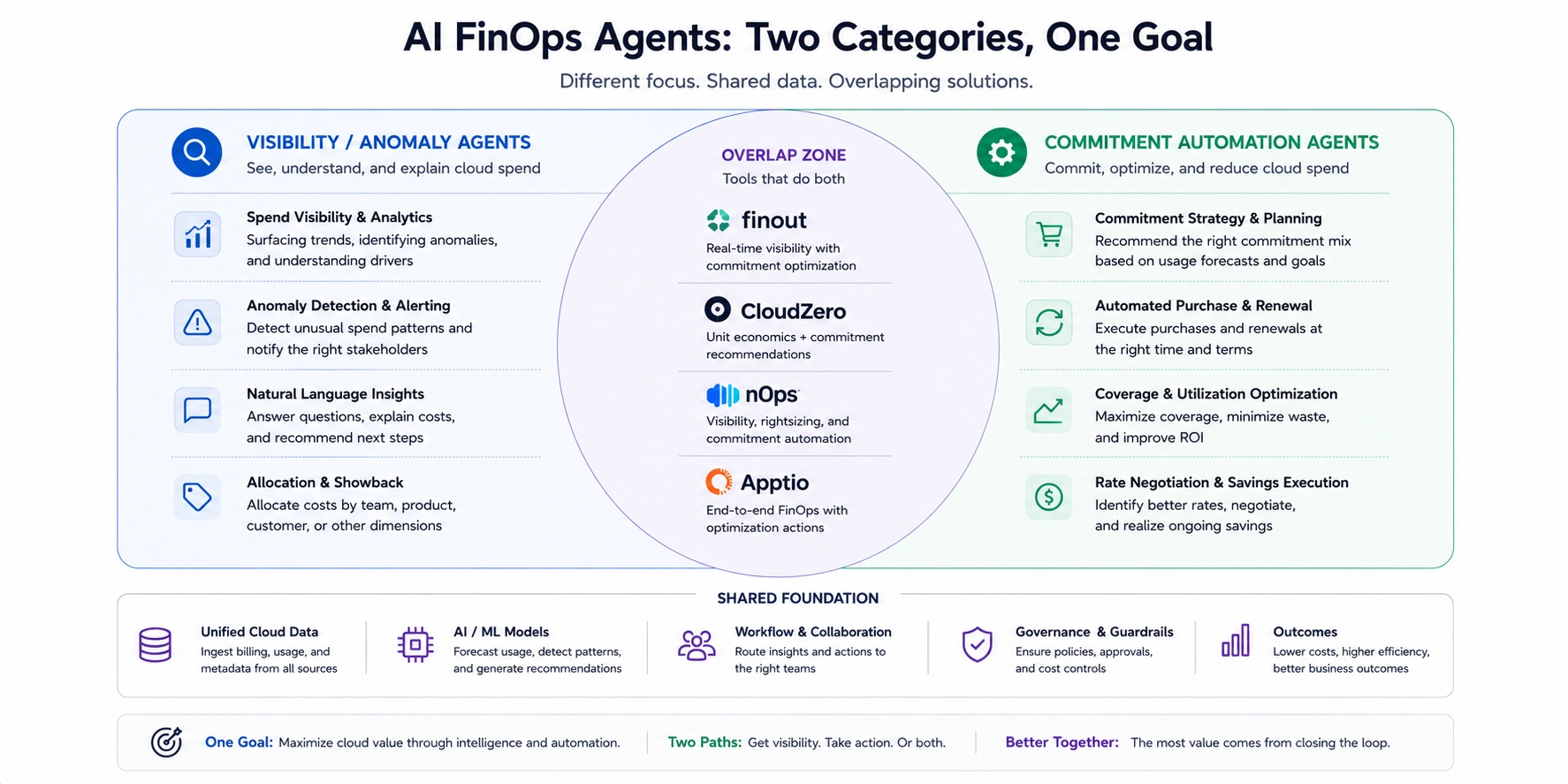
Two Distinct Agent Categories in FinOps
Before evaluating any vendor, decide which category of problem you are solving:
Category A: Visibility and Anomaly Agents
These platforms focus on understanding where your money goes, detecting unexpected spend, and producing reports that finance and engineering teams can act on. They typically operate read-only. Examples: Amnic, Cloudgov.ai, Finout (Billy agent), Vantage.
Category B: Commitment Automation Agents
These platforms focus on automatically purchasing and managing cloud commitments (Savings Plans, Reserved Instances, Committed Use Discounts) to reduce your per-unit compute cost. They require scoped write access to purchase on your behalf. Examples: Usage.ai, Clara by nOps (partial), Vantage Autopilot (partial).
Most buyers need elements of both. The mistake is evaluating a Category A tool on Category B criteria, or vice versa.
How We Evaluated These Platforms
Each platform in this guide was evaluated against six dimensions that predict real-world outcomes:
- Agent depth and autonomy: Does it only answer questions, or does it act? What level of the autonomy spectrum does it reach? What guardrails are available?
- Recommendation refresh rate: How often does the platform update its recommendations based on new usage data? A 24-hour refresh and a 72-hour refresh produce meaningfully different outcomes at scale.
- Multi-cloud and Kubernetes coverage: Does it work across AWS, Azure, GCP, and containerized workloads, or is it single-cloud?
- Commitment automation depth: Can it purchase and manage Savings Plans, Reserved Instances, and Committed Use Discounts? Does it protect against underutilization?
- Access model and trust: Does it require read-only access or write access? What is the security review process?
- Fee model transparency: Is the fee a percentage of realized savings, a flat subscription, or a hybrid? Is there a fee if no savings are produced?
The Best AI Agents for FinOps in 2026
Quick Comparison Table
| Tool | Best For | Autonomy Level | Cloud Coverage | Access Model | Fee Model |
| Usage.ai | Commitment automation across AWS, Azure, GCP with buyback guarantee | Level 4-5 | AWS, Azure, GCP | Billing-layer only | % of realized savings only; zero fee if no savings |
| Amnic | Multi-cloud visibility, read-only AI agents | Level 2-3 | AWS, Azure, GCP, K8s | Read-only | % of cloud spend, free trial |
| Finout (Billy) | Hybrid cost allocation, microservices cost intelligence | Level 2 | AWS, Azure, GCP, Snowflake, Databricks | Read-only | Subscription (tiered) |
| Vantage | Multi-cloud visibility + Autopilot commitment purchasing | Level 2-4 | AWS, Azure, GCP, K8s, 20+ SaaS | Read + scoped write | Subscription + % of commitment savings |
| Clara by nOps | AWS-first: anomaly detection + autonomous SP/RI/Spot management | Level 4-5 | AWS-first, K8s | Write access | Fixed fee + % of savings |
| Cloudgov.ai | Regulated teams: read-only multi-cloud governance, approval-gated IaC remediation | Level 2-3 | AWS, Azure, GCP, Snowflake, MongoDB | Read-only | Free starter, then tiered |
| Mavvrik | AI/ML teams tracking GPU hours and LLM token costs | Level 3-4 | Cloud + on-prem GPU, K8s, LLM tokens | Read + guardrails | Custom quote |
Pricing and access model details reflect publicly available sources as of June 2026. Confirm current terms directly with each vendor before purchasing.
1. Usage.ai
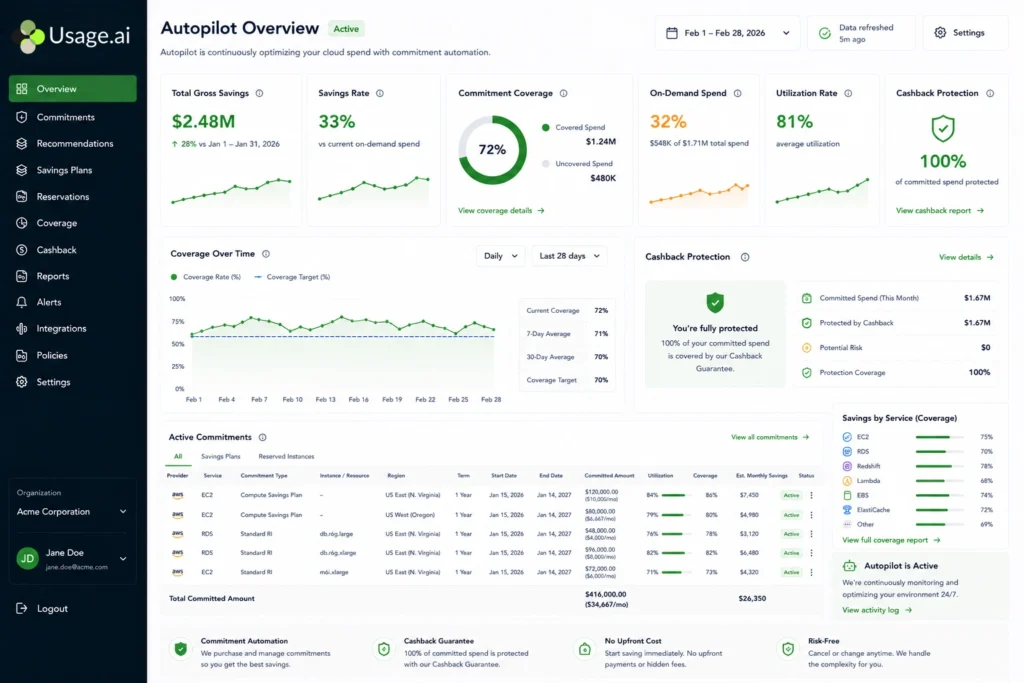
Best for: FinOps teams managing meaningful AWS, Azure, or GCP spend who want commitment purchasing fully automated with underutilization protection and a fee model that charges nothing unless savings are realized.
Usage.ai is a commitment automation platform. Its Autopilot engine purchases and manages Savings Plans, Reserved Instances, and Committed Use Discounts across AWS, Azure, and GCP on a 24-hour recommendation refresh cycle. AWS Cost Explorer refreshes every 72+ hours, a 3-day lag that at $6,000-$12,000/day in uncovered compute translates into measurable, compounding cost. Setup takes 30 minutes, billing-layer access only, no infrastructure changes required.
The core differentiator is the Insured Flex Commitment model. Every commitment carries a buyback guarantee: if usage patterns shift and a commitment goes underutilized, Usage.ai returns the unused value as cashback in real money, not platform credits. Native AWS commitments carry 1-3 year lock-in with no buyback. Usage.ai commitments adjust quarterly with no penalty for scaling down.
Usage.ai’s documented strengths:
- Autonomous commitment purchasing across AWS, Azure, and GCP; Savings Plans, RIs, and CUDs under one platform
- 24-hour recommendation refresh catches commitment waste 3 days earlier than AWS-native tools
- Buyback guarantee returns cashback in real money, not credits, when commitments go underutilized
- Performance-only fee: percentage of realized savings, zero fee if nothing is saved; $91M+ verified savings across 300+ enterprise customers including Motive, EVGo (NASDAQ: EVGO), Secureframe, and Blank Street Coffee
Limitations to know: Usage.ai is a commitment automation platform, not a cost visibility or reporting tool. It does not offer the allocation depth of Finout, the SaaS integration breadth of Vantage, or Kubernetes-specific cost allocation. Teams that need both deep reporting and autonomous commitment purchasing typically pair Usage.ai with a lightweight visibility tool or native cloud dashboards.
Pricing: Percentage of realized savings only. No platform fee. Zero fee if Usage.ai saves nothing.
See exactly what you’re overpaying in under 60 seconds. Try our Calculator for free →
2. Amnic
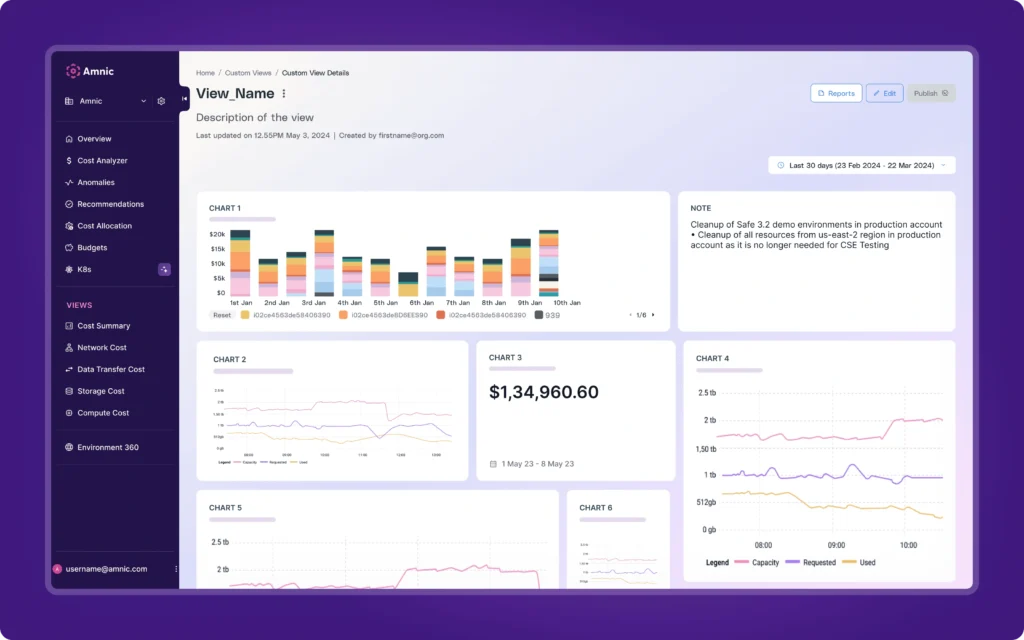
Best for: Multi-cloud teams that want agent-driven FinOps with zero write access and plain-language cost answers for every role.
Amnic runs four context-aware AI agents on top of a unified cost view across AWS, Azure, GCP, and Kubernetes. The agents map to distinct FinOps jobs: X-Ray benchmarks your cloud financial health and surfaces the top cost leaks in under 30 seconds. Insights provides role-aware answers in plain English so a CFO and an SRE can both query the same dataset and get appropriately framed answers. Governance watches budget drift and runs root-cause analysis on anomalies. Reporting builds persona-specific outputs on demand.
The platform is read-only by design. No infrastructure changes. No write access required. This makes Amnic a low-friction option for teams that need executive and engineering-level cost visibility but are not ready to grant a third-party tool the ability to execute changes.
Amnic’s documented strengths:
- Four specialized agents covering different FinOps functions rather than one general-purpose chatbot
- Agentless architecture with read-only access, which typically clears security review faster than write-access tools
- Kubernetes cost allocation alongside AWS, Azure, and GCP in a single view
- Amazon Bedrock AI cost tracking for teams with AI workloads
Limitations to know: Amnic operates at the visibility layer. It recommends and routes. It does not purchase commitments autonomously or offer underutilization protection. Teams seeking commitment automation will need a separate tool.
Pricing: Custom, percentage of cloud spend. Free trial available. Verify current pricing at amnic.com.
3. Finout (Billy)
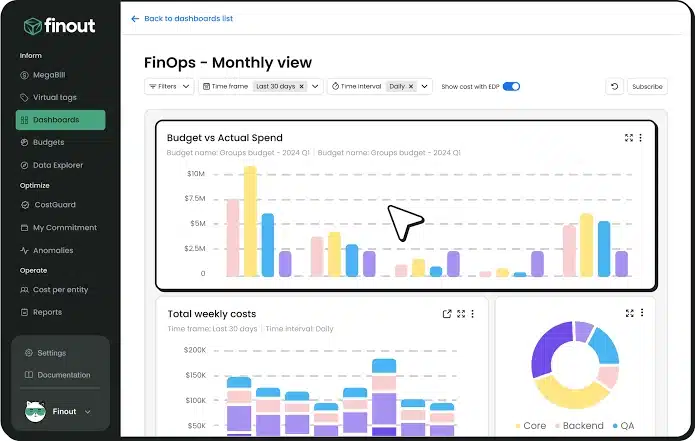
Best for: Teams with complex microservices, shared costs, or hybrid cloud and SaaS infrastructure that needs precise cost allocation before optimization can happen.
Finout’s core product is a virtual cost allocation layer it calls MegaBill, which ingests data from AWS, Azure, GCP, Snowflake, Databricks, Datadog, Kubernetes, and 100+ other sources and maps every dollar to a team, product, or customer. The AI agent layer, called Billy, sits on top of this unified dataset and answers cost questions in plain language, surfaces anomalies, and generates cost reports.
Finout is a strong Category A tool. The allocation depth is genuinely differentiated, particularly for organizations running a mix of cloud infrastructure, data platforms like Databricks, and AI inference providers like Anthropic. Getting allocation right is a prerequisite to meaningful optimization, and Finout is the most thorough platform in this list for that step.
Finout’s documented strengths:
- MegaBill allocation layer maps costs across multi-cloud, Kubernetes, and 100+ SaaS services in a single view
- Strong chargeback and showback reporting with customizable unit economics
- Billy AI agent handles natural-language cost queries and automated anomaly detection
- OpenAI, Anthropic, and Cursor integrations for AI spend tracking
Limitations to know: Finout is primarily a cost intelligence and allocation platform. It does not autonomously purchase Savings Plans or Reserved Instances. Teams focused on commitment automation will need to pair Finout with a specialist tool.
Pricing: Subscription-based, tiered by cloud spend volume. Verify current tiers at finout.io.
4. Vantage
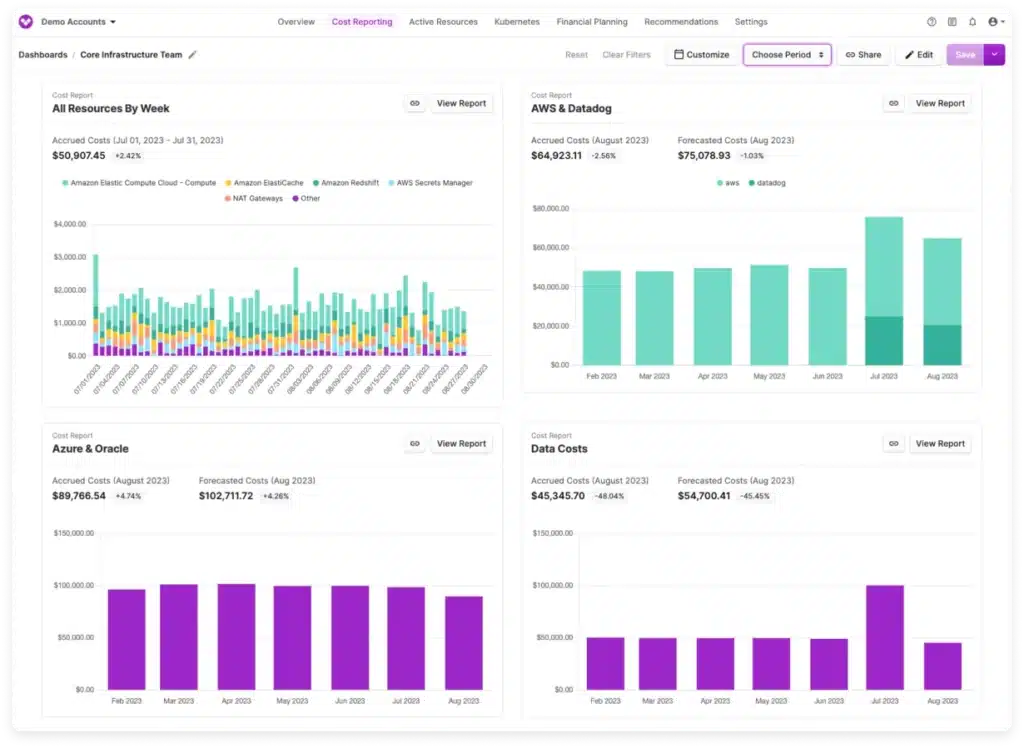
Best for: Teams that want multi-cloud cost visibility with continuous recommendations AND optional automated commitment purchasing under a single platform.
Vantage covers the widest breadth of any tool in this list: AWS, Azure, GCP, Kubernetes, and 20+ SaaS integrations including Datadog, Snowflake, and Confluent. The platform delivers a continuous recommendation engine that updates as usage patterns change, rather than running on a weekly batch. The Automated FinOps Agent handles waste elimination tasks like removing unattached EBS volumes and idle load balancers automatically based on configured policies.
Vantage Autopilot adds commitment purchasing automation, profiling your compute spend and making automatic or approval-based Savings Plan purchases to maximize coverage.
Vantage’s documented strengths:
- Broadest SaaS and multi-cloud integration coverage of any tool evaluated
- Continuous, always-on recommendation engine rather than periodic batch analysis
- Automated FinOps Agent for waste cleanup under policy guardrails
- Vantage Autopilot for Savings Plan purchasing, though this is narrower in scope than specialist commitment automation tools
- Cost reports and unit cost tracking for per-customer or per-feature economics
Limitations to know: Vantage’s fee model is subscription-based rather than pure performance-based. You pay a platform fee regardless of savings realized. Autopilot’s commitment purchasing covers Savings Plans but is not as deep as specialist commitment automation platforms for organizations with complex RI portfolios across multiple cloud providers. If commitment automation is your primary objective, evaluate Vantage Autopilot alongside a specialist tool before deciding.
Pricing: Tiered subscription by cloud spend. Vantage FinOps Agent is 5% of commitment savings plus a token fee. Verify at vantage.sh.
Also read: AWS Data Transfer Costs- The Complete Guide
5. Clara by nOps
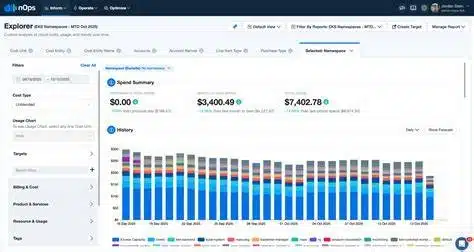
Best for: AWS-first engineering teams that want an AI agent to turn cost insights directly into action on commitments, Spot instances, and rightsizing without dashboard review.
nOps is an AWS-focused FinOps platform, and Clara is its AI agent layer. Clara connects cost analysis to autonomous action: it detects anomalies, identifies the root cause, and routes actions for execution. Compute Copilot, nOps’s Spot orchestration engine, runs alongside Clara to autonomously manage Spot fleets, shift workloads between instance types, and reduce interruptions.
For AWS-heavy teams that want a single platform to handle Savings Plan and RI management, Spot automation, EKS cost allocation, and rightsizing recommendations, nOps covers more of that stack than any other tool in this comparison. The depth of AWS integration is genuine.
nOps’s documented strengths:
- Clara agent connects anomaly detection to root-cause analysis to action in a single workflow
- Compute Copilot provides autonomous Spot instance management with interruption handling
- Deep AWS billing integration with real-time anomaly detection and forecasting
- EKS cost allocation and Kubernetes rightsizing within the same platform
Limitations to know: nOps is AWS-first. Azure and GCP coverage exists but is not as deep as native AWS capabilities. Teams running meaningful multi-cloud workloads should evaluate this coverage carefully. Fee model involves both a fixed platform fee and a percentage of savings.
Pricing: Fixed fee plus percentage of savings. Verify at nops.io.
6. Cloudgov.ai
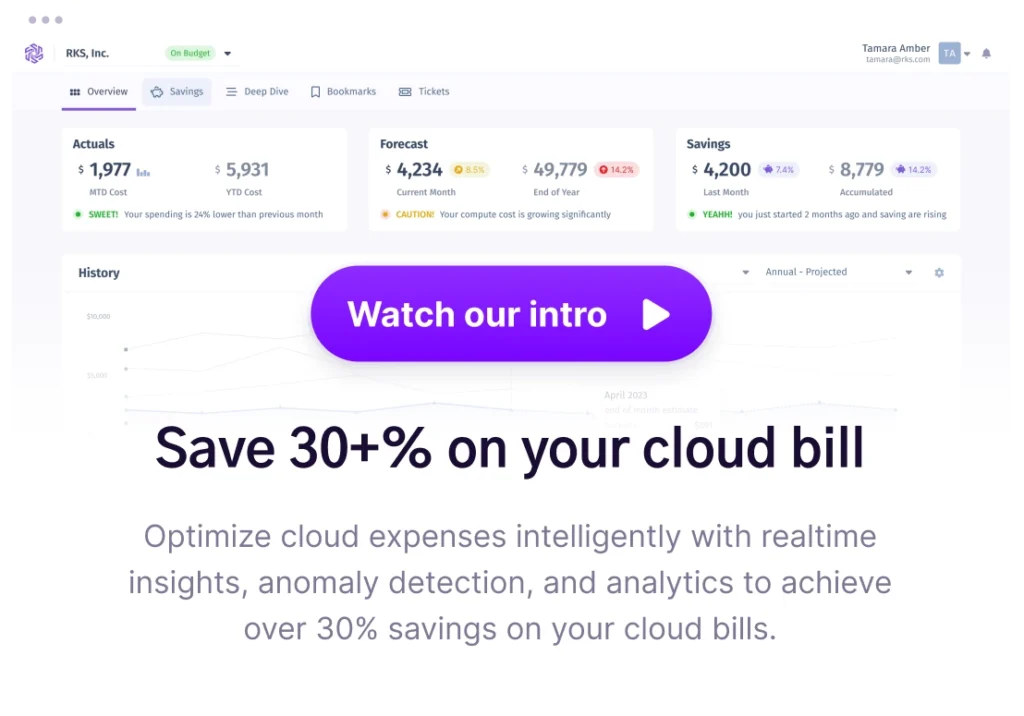
Best for: Regulated teams (financial services, healthcare, government) that need autonomous multi-cloud cost governance with full audit trails and no write access to cloud environments.
Cloudgov.ai is built around a read-only, continuous governance model. Its agents monitor spend across AWS, Azure, GCP, Snowflake, and MongoDB around the clock, surface anomalies, and generate remediation plans that route to engineering teams through Jira integration as IaC pull requests. No direct execution. Every action goes through an approval workflow.
This architecture is deliberately designed for environments where a third-party tool taking autonomous write action would fail a security or compliance review. The Jira integration means recommendations land directly in existing engineering workflows rather than requiring engineers to log into a separate platform.
Cloudgov.ai’s documented strengths:
- Read-only architecture suitable for regulated environments where write access to cloud accounts is restricted
- Continuous around-the-clock spend monitoring with anomaly detection across AWS, Azure, GCP, Snowflake, and MongoDB
- Jira integration routes IaC remediation tasks directly to engineering queues
- Approval-gated workflow keeps humans in control of every executed change
- Free starter tier available for initial evaluation
Limitations to know: Cloudgov.ai does not autonomously purchase commitments or manage Savings Plans. The approval-gated model means optimization speed depends on how quickly engineering teams close tickets. Teams with high-volume commitment portfolios will need a separate tool.
Pricing: Free starter tier, then custom tiered pricing. Verify at cloudgov.ai.
7. Mavvrik
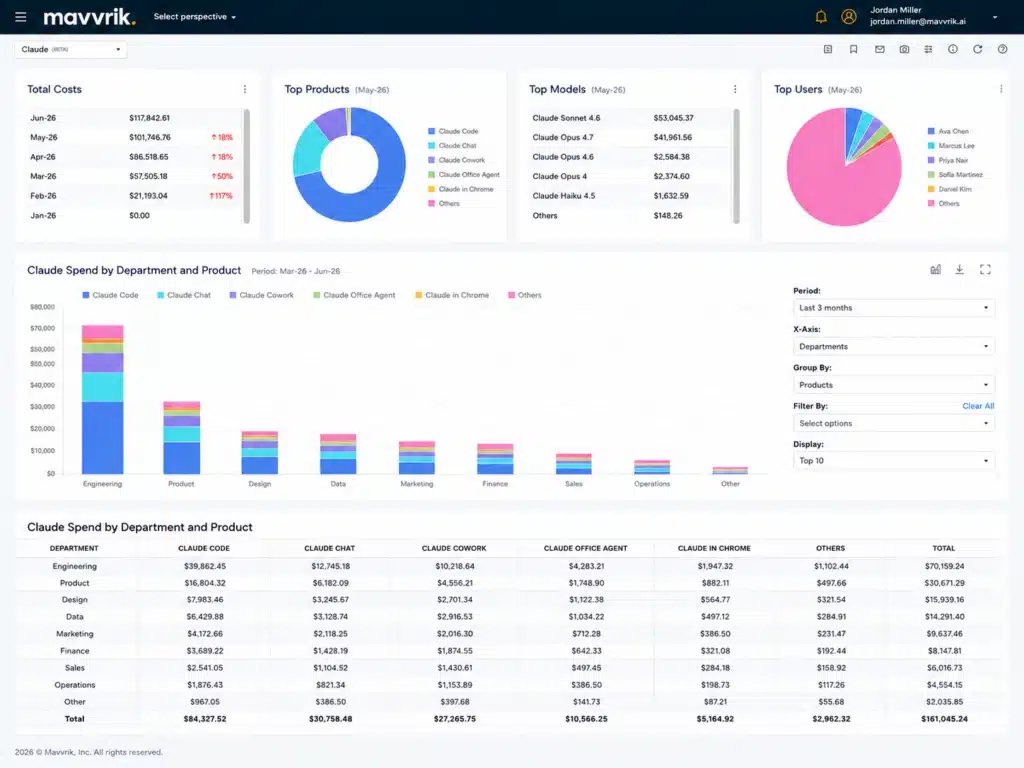
Best for: AI and ML teams whose single largest cost driver is GPU compute or LLM inference tokens rather than general-purpose cloud compute.
Mavvrik is the most specialized tool in this list. It tracks GPU hours and LLM token costs across cloud providers and on-prem GPU clusters, rightsizes GPU clusters autonomously based on utilization patterns, and produces cost-per-model-run reporting that general-purpose FinOps tools do not produce.
As AI workloads have grown from a line item to a primary cost center at many organizations, the inability of standard FinOps tools to attribute cost at the model run or inference call level has become a real gap. Mavvrik is purpose-built for that gap.
Mavvrik’s documented strengths:
- GPU cluster cost tracking across cloud (AWS p3, p4d, g4dn families, GCP A100/H100, Azure ND series) and on-prem
- LLM token cost tracking per model, per team, per project
- Autonomous GPU rightsizing based on utilization
- Cost-per-inference reporting for teams tracking AI unit economics
Limitations to know: Mavvrik is not a general-purpose FinOps platform. Teams with diverse cloud spend across databases, networking, storage, and compute need a broader tool for the majority of their bill. Mavvrik solves a specific slice.
Pricing: Custom quote. Contact mavvrik.ai.
Which Tool Should You Choose?
The right answer depends on your primary problem, not on which tool has the longest feature list.
Choose by your primary problem
If your bill is opaque and you cannot explain where money goes: Start with a visibility tool. Amnic, Finout, or Vantage cover this, with Finout strongest for hybrid multi-cloud and SaaS allocation and Amnic strongest for organizations wanting read-only AI agents across cloud and Kubernetes with no security risk.
If you are overpaying on compute and your Savings Plan or RI coverage is below 70%: A commitment automation tool will produce the fastest ROI. Usage.ai covers AWS, Azure, and GCP. nOps (Clara) is deeper on AWS only but includes Spot and EKS automation. Both charge a percentage of savings, so there is no fee risk if the savings do not materialize.
If GPU costs are your fastest-growing line item: Mavvrik is currently the only tool in this list that provides GPU-level cost tracking and autonomous rightsizing for AI workloads. Pair it with a general-purpose visibility tool.
If you operate in a regulated environment: Read-only tools are your starting point. Amnic and Cloudgov.ai both operate read-only. Cloudgov.ai adds the Jira-based remediation routing that regulated engineering teams typically need for audit purposes.
If you want a single platform covering visibility and commitment automation: Vantage comes closest, with Autopilot for Savings Plans and broad multi-cloud reporting. Understand that Vantage Autopilot’s commitment depth is narrower than specialist tools, and the subscription fee model means you pay regardless of savings.
Decision Framework
| I need… | Start with… |
| Plain-language cost answers for my whole team | Amnic or Finout (Billy) |
| Automated Savings Plan and RI purchasing | Usage.ai or Clara by nOps |
| Multi-cloud visibility plus lightweight commitment automation | Vantage |
| Regulated environment, read-only, approval-gated | Cloudgov.ai |
| GPU and LLM token cost tracking | Mavvrik |
| Full AWS FinOps stack (commitment + Spot + K8s) | Clara by nOps |
Also read: Usage-Based Pricing in Cloud Infrastructure: Why do Bills Spike
What “Agentic FinOps” Actually Means for Your Cloud Bill
The word “agentic” describes a mode of operation, not a feature. A truly agentic FinOps platform reduces the work your team does per dollar saved, not just the number of dashboards they check.
At $500K/month in cloud spend, the cost of delayed recommendations is concrete. AWS Cost Explorer refreshes every 72+ hours. A platform refreshing every 24 hours identifies commitment waste three days sooner. At $6,000 to $12,000 per day in uncovered compute spend, that lag compounds to $18,000 to $36,000 per refresh cycle. Over a year, the difference between a 24-hour refresh and a 72-hour refresh is not a feature comparison bullet point. It is a measurable outcome that shows up in your quarterly cloud bill.
Similarly, commitment underutilization is not an abstract risk. If you purchase Savings Plans covering $200K/month in compute and then scale down a product line by 30%, you are paying $60K/month for compute you no longer use. A buyback guarantee that returns that value as cash changes the financial calculus on how aggressively you can commit.
These are the mechanisms that make the difference between a FinOps tool that saves you 15% and one that saves you 40%.

Frequently Asked Questions
1. What is an AI agent for FinOps?
An AI agent for FinOps is a software system that continuously monitors cloud spend, applies multi-step reasoning to identify waste or optimization opportunities, and either executes cost actions or routes structured recommendations for human approval. True FinOps agents differ from dashboards with AI features in that they operate without manual triggering of each analysis step. Examples include tools that autonomously purchase Savings Plans, open remediation tickets when anomalies are detected, or rightsize compute clusters based on real-time usage patterns.
2. How do AI FinOps agents reduce cloud costs?
AI FinOps agents reduce cloud costs through four primary mechanisms: first, continuous monitoring that identifies waste faster than manual review cycles; second, commitment automation that purchases Savings Plans and Reserved Instances at the right coverage level without manual analysis; third, anomaly detection that catches unexpected spend spikes before they run for days undetected; and fourth, rightsizing recommendations that match instance sizes to actual usage rather than provisioned capacity. The combination of faster detection and autonomous execution is what separates AI agents from traditional FinOps dashboards.
3. What is the difference between a FinOps AI agent and a FinOps dashboard?
A FinOps dashboard shows you historical spend data and flags issues for a human to act on. An AI agent for FinOps applies reasoning to that data and takes or recommends the next action without waiting for a human to run the analysis. The practical difference: a dashboard tells you that your Savings Plan coverage dropped to 60% last week; an AI agent either purchases additional coverage automatically or opens a ticket with the specific purchase recommendation, the expected savings, and the implementation instructions. Dashboards are passive; AI agents are active.
4. Do AI FinOps agents require write access to cloud accounts?
It depends on the tool and the level of autonomy. Read-only agents (Amnic, Cloudgov.ai, Finout) require only read permissions and are suitable for environments with strict security controls. Commitment automation platforms (Usage.ai, nOps) require scoped write access limited to purchasing commitments or making specific configuration changes. They do not require access to application code, networking configurations, or data. Verify the exact permission scope with each vendor before signing.
5. What is a buyback guarantee on cloud commitments?
A buyback guarantee is a financial protection mechanism offered by some commitment automation platforms. When a commitment (a Savings Plan or Reserved Instance) purchased through the platform goes underutilized because your usage patterns shift, the platform buys back the unused portion and returns the value to you. Usage.ai’s buyback guarantee returns this value as cashback in real money, not platform credits. This protection changes the risk profile of purchasing aggressive commitment coverage: if your usage drops, you are not locked into paying for compute you no longer use.
6. How much can AI FinOps agents save on cloud costs?
Savings depend on your starting coverage rate, cloud spend level, and which type of optimization is being applied. Commitment automation tools targeting Savings Plans and Reserved Instances typically deliver 30-50% savings on covered compute, with some platforms reporting 40-60% on specific instance families (verify at aws.amazon.com/pricing for current rates). Rightsizing and waste elimination tools typically deliver an additional 10-20% on top of commitment savings. Anomaly detection prevents cost spikes from running unchecked, which is a cost avoidance benefit rather than a reduction. Realistic combined savings for a mature optimization program across commitment + rightsizing + waste elimination is 30-50% of total cloud spend.
7. What is agentic FinOps?
Agentic FinOps refers to cloud cost optimization workflows where AI agents execute or coordinate multi-step tasks autonomously rather than waiting for human-initiated analysis. In a traditional FinOps workflow, a human opens a dashboard, reviews recommendations, decides which ones to act on, and manually implements changes. In an agentic FinOps workflow, the platform continuously monitors usage, identifies the optimization, generates the implementation plan, and either executes it (with appropriate guardrails) or routes it directly to the right team through existing tools like Jira or Slack. The goal is to shrink the time and labor between identifying a savings opportunity and capturing it.
8. Which AI FinOps tool is best for multi-cloud environments?
For multi-cloud visibility, Finout covers the widest range of services including cloud infrastructure, Kubernetes, and SaaS data platforms like Snowflake and Databricks. Vantage covers AWS, Azure, GCP, and 20+ SaaS integrations with continuous recommendations and optional Autopilot for Savings Plans. For commitment automation across AWS, Azure, and GCP specifically, Usage.ai is one of the few tools offering a unified commitment purchasing and protection model across all three major providers. No single tool is best on every dimension; most mature FinOps programs pair a visibility platform with a specialist commitment automation tool.
Disclaimer: Competitor and third-party information in this article reflects publicly available data and Usage.ai’s analysis as of the date of publication. Product capabilities, pricing, and company ownership in the cloud cost optimization market change frequently. Readers should verify current competitor details directly with each vendor before making purchasing decisions. Usage.ai makes no warranties regarding the accuracy or completeness of third-party information contained herein.