.png)



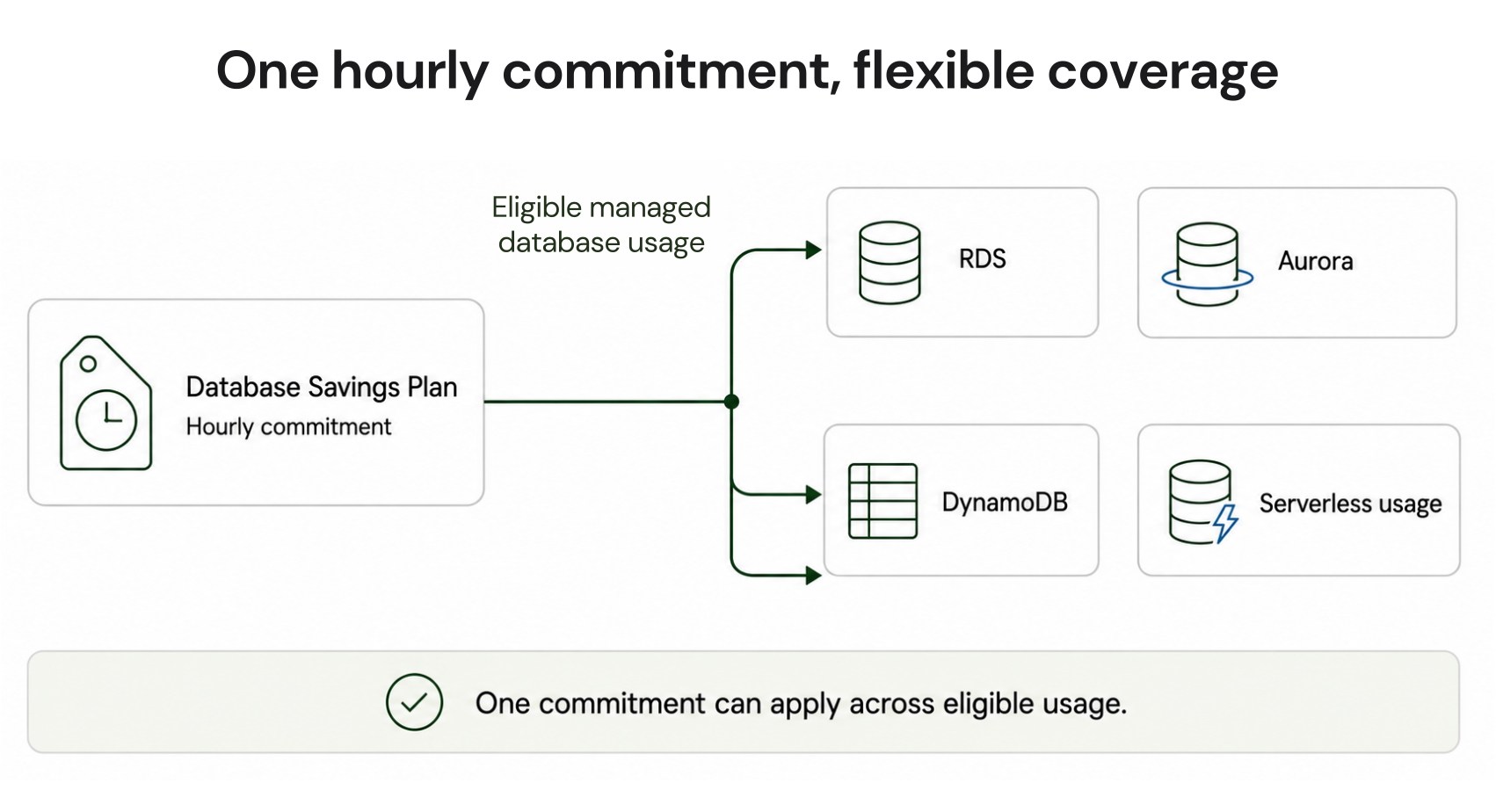
AWS Database Savings Plans reduce eligible database costs by up to 35% in exchange for a consistent hourly usage commitment over a one-year term with no upfront payment. Available in AWS Regions outside China, they apply automatically to eligible latest-generation provisioned instances and support serverless usage across 10 AWS database and data services.
For FinOps teams, the main advantage is flexibility. Instead of committing to one fixed database configuration, the discount can follow eligible usage as workloads move across supported engines, instance families, sizes, deployment options, and regions.
What are AWS Database Savings Plans?
AWS Database Savings Plans are a spend-based commitment model for managed database usage. You commit to a consistent Savings Plans spend rate per hour, and AWS automatically applies discounted pricing to eligible usage until the hourly commitment is consumed.Usage above the commitment is charged at applicable On-Demand rates.
Unlike a service-specific reservation, the commitment can follow eligible usage as configurations change. As explained in the AWS Database Savings Plans launch announcement, AWS gives examples such as changing Aurora instance types or Regions, moving from RDS for Oracle to Aurora PostgreSQL, or shifting eligible database usage between supported services.
For the broader commitment model, see our AWS Savings Plans guide.
Which services do AWS Database Savings Plans cover?
According to the AWS Savings Plans types documentation, Database Savings Plans currently cover 10 supported services.| Service | Eligible Usage to Know About |
|---|---|
| Amazon RDS | Latest-generation eligible provisioned instances |
| Amazon Aurora | Latest-generation instances, Aurora Serverless v2, and Aurora DSQL |
| Amazon DynamoDB | On-demand and provisioned throughput |
| Amazon ElastiCache | Valkey instances and ElastiCache Serverless for Valkey |
| Amazon DocumentDB | Eligible provisioned instances and DocumentDB Serverless |
| Amazon Neptune | Eligible instances, Neptune Serverless, and Neptune Analytics |
| Amazon Keyspaces | Eligible on-demand and provisioned throughput |
| Amazon Timestream | Eligible Timestream usage |
| AWS DMS | Latest-generation provisioned instances and DMS Serverless |
| Amazon OpenSearch Service | Eligible provisioned and serverless usage |
AWS states that serverless deployments can provide up to 35% savings, while provisioned instances across supported database services can provide up to 20%. DynamoDB and Keyspaces differ, with up to 18% for on-demand throughput and 12% for provisioned throughput.
These are AWS-published maximum discounts, not guaranteed realized savings.
What is not covered?
A few exclusions matter before calculating potential savings:- Database Savings Plans are not available in AWS China Regions.
- Older provisioned instance generations may fall outside DSP eligibility because AWS scopes provisioned coverage to the latest generations.
- For RDS for SQL Server, DSP discounts apply only to the instance price. Windows Server and SQL Server licensing charges remain at On-Demand rates.
- Amazon Redshift is not among the 10 services AWS currently lists for Database Savings Plans.
- An RDS Reserved Instance or DynamoDB reserved capacity discount cannot stack with DSP on the same workload.
How AWS Database Savings Plans work
Every supported usage type has an On-Demand rate and a Savings Plans rate. Eligible usage consumes the hourly commitment at the discounted Savings Plans rate. Usage beyond that commitment remains at On-Demand pricing.Useful commitment formulas
This is an illustrative estimate. Actual Database Savings Plans rates vary by service and usage type.
Database Savings Plans vs Reserved Instances
| Factor | Database Savings Plans | Reserved Instances |
|---|---|---|
| Commitment basis | Hourly spend | Matching resource attributes |
| DSP term | 1 year | Typically 1 or 3 years where offered |
| DSP payment structure | No upfront payment | Varies by offering |
| Cross-Region flexibility | Yes for eligible DSP usage | More restricted |
| Cross-service flexibility | Across DSP-supported services | No |
| Serverless support | Supported for eligible DSP services | Not instance-reservation based |
| Best fit | Changing database estates | Stable, predictable configurations |
Reserved Instances can remain attractive for predictable workloads when a service-specific reservation produces stronger economics.
For more detail, see our RDS Reserved Instances guide and ElastiCache Reserved Nodes guide.
Pre-purchase eligibility check
Before sizing an AWS Database Savings Plan, confirm:Your workloads run outside AWS China Regions.
The service appears on the current DSP eligibility list.
Provisioned workloads use an eligible latest-generation instance.
You have separated non-discountable charges such as SQL Server licensing.
Existing RDS RIs or DynamoDB reserved capacity are removed from the same-workload opportunity.
Expected eligible usage should remain through the one-year commitment.
How to size a Database Savings Plan step by step
- Isolate eligible hourly spend
- Find the durable usage floor
- Remove expected reductions
- Model several commitment levels
Treat recommendation outputs as estimates rather than guarantees.
- Purchase and monitor
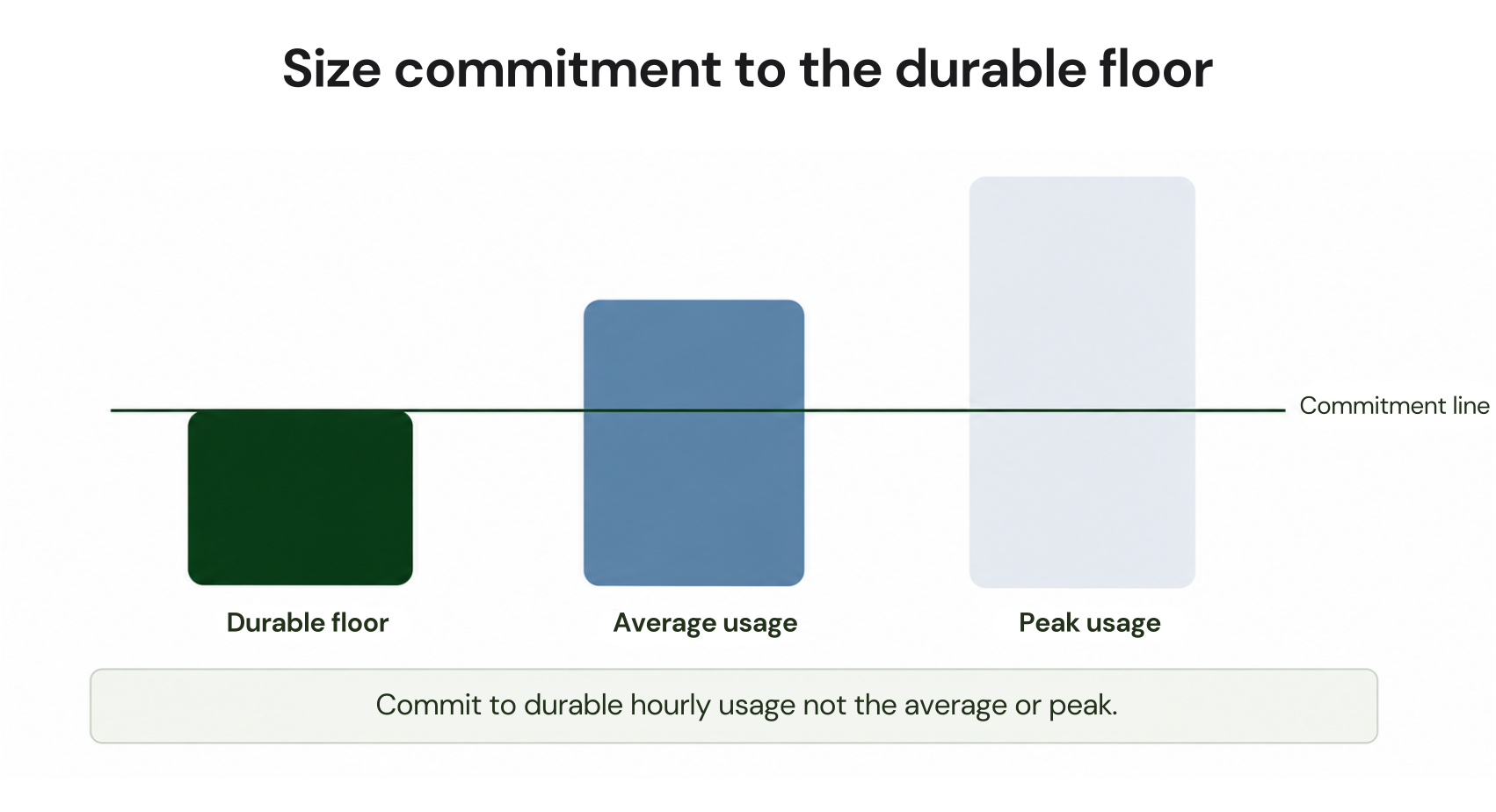
A $20/hour monthly average can hide repeated periods at $13/hour. If those lows are normal rather than temporary, sizing against the average can create commitment exposure when demand falls.
Practical Database Savings Plan example
Assume eligible RDS and Aurora usage ranges from $14/hour during quiet periods to $24/hour during peaks, averaging $19/hour.Instead of starting with the $19/hour average, evaluate the persistent $14/hour baseline first.
Then convert the actual eligible usage mix to Savings Plans rates using AWS Purchase Analyzer. A single assumed discount percentage should only be used for rough modeling because AWS rates vary across services and usage types.
For service-level analysis, see our DynamoDB on-demand pricing guide and Neptune Serverless pricing guide.
How we approach Database Savings Plans
For Database Savings Plans, use AWS Savings Plans Recommendations and Purchase Analyzer to evaluate eligible spend, coverage, utilization, and custom commitment-sizing scenarios before purchasing.Commitments purchased from approved recommendations and managed through our Flex Commitment Program are identified as Flex Commitments.
Cashback protection is tied to an actual loss threshold. A loss occurs when the cost of a Flex Commitment exceeds what the same usage would have cost at the On-Demand rate. We calculate applicable losses monthly and provide cashback according to the Flex Commitment program process and terms.
This protection does not change the AWS Database Savings Plan itself. AWS DSP remains a one-year commitment with AWS-published savings of up to 35%.
Where Flex Commitments fit beyond database spend
AWS database and compute commitments should not be conflated.Database Savings Plans cover eligible database usage with a one-year term and up to 35% AWS-published savings. AWS Compute Savings Plans and EC2 Instance Savings Plans are separate commitment products for compute workloads, with their own terms and discount levels.
For eligible AWS commitment opportunities outside Database Savings Plans, With Flex Insured Commitments, teams can get up to 57% savings of a three-year AWS commitment with none of the commitment risk, depending on the service, configuration, and payment option.
If a commitment ever costs more than the equivalent on-demand usage, we calculate that loss at the end of the month and provide cashback protection for it.
Review your database baseline, coverage, and utilization risk before committing.
Frequently asked questions
How much can AWS Database Savings Plans save?
AWS publishes savings of up to 35%. Actual savings depend on the service, usage type, applicable Savings Plans rate, and how effectively the commitment is utilized.
Where are AWS Database Savings Plans available?
Database Savings Plans are available in AWS Regions outside China Regions. Individual services must also be available in the Region where you intend to use them.
Does AWS DMS qualify for Database Savings Plans?
Yes. AWS lists DMS among supported services. DSP applies to latest-generation provisioned instances and DMS Serverless, subject to current eligibility.
Can Database Savings Plans and Reserved Instances be combined?
They can be used for different workloads. AWS specifically states that Database Savings Plans cannot be combined with an RDS Reserved Instance or DynamoDB reserved capacity discount on the same workload.
Should I choose Database Savings Plans or Reserved Instances?
Database Savings Plans generally fit teams that value flexibility across eligible services, Regions, instance types, and deployment models.
Reserved Instances can remain attractive for highly stable workloads when the applicable reservation offers better economics. Compare both using actual usage and current AWS prices before purchasing.