.png)
 AWS
AWS Microsoft Azure
 Google Cloud


If you picked MemoryDB, you probably needed something Redis-compatible that wouldn’t lose data on a node failure. That durability is genuinely valuable, and it’s also exactly why the bill creeps up faster than people expect. MemoryDB charges you for nodes by the hour, for every byte you write, and for snapshot storage beyond the free tier, and none of those three move in lockstep with each other.
This guide walks through how MemoryDB pricing actually works, where the waste usually hides, and the specific optimizations that bring the bill down without touching the durability or performance your application depends on.
%2018%20(2).svg)
How MemoryDB Pricing Actually Works
There are five things you pay for, and it helps to keep them separate in your head because they respond to completely different optimizations.
Node charges
This is the base layer, and for most clusters it’s the largest line item. MemoryDB runs on EC2 instance types from the r6g, r7g, and r6gd families, and you pay per instance-hour for every node in the cluster, primary and replica alike. A db.r7g.xlarge runs $0.432/hour on-demand in US East, so a small two-node cluster (one primary, one replica) on that node type comes to roughly $630/month before anything else is added in.
Bigger or data-tiered node types cost more per hour but do more work per node. A db.r6gd.4xlarge with data tiering enabled runs $2.586/hour, which sounds steep until you account for the fact that one r6gd node can hold far more total data (memory plus SSD) than an equivalent memory-only node.
Reserved Nodes
Reserved Nodes knock a meaningful chunk off the hourly rate in exchange for a 1-year or 3-year commitment. AWS official documentation puts the ceiling at up to 55% off on-demand pricing. You choose between No Upfront, Partial Upfront, and All Upfront payment options, and All Upfront gets you the deepest discount if your cash flow allows it.
One detail that matters more than people give it credit for: MemoryDB Reserved Nodes offer size flexibility within a node family and Region. If you reserve a db.r7g.xlarge and your workload grows into a db.r7g.2xlarge, the discount follows you automatically across normalized units in that family. You don’t lose the reservation just because your sizing changed.
Data written charges
This one catches people off guard because it’s based on what you write, not what you store. MemoryDB includes 10 TB/month of data written at no charge, and anything past that is billed at $0.20/GB. The metered volume includes the key, the value, and the command itself, not just the payload. Reads are free no matter how many you run.
Most workloads never get near the 10 TB ceiling. A cluster running 50,000 transactions per second with a 20% write ratio and 100-byte objects works out to roughly 2.6 TB/month of data written, comfortably inside the free tier. The teams that do cross the threshold are usually running very high write volumes or storing larger objects than they realize.
Snapshot storage
MemoryDB gives you one free snapshot per active cluster, and additional snapshot storage is billed by the GB-month. AWS’s pricing documentation lists two figures for this in different places: the dedicated snapshot costs page states $0.085/GB-month for all Regions, while a worked example on the main pricing page uses $0.021/GB-month for the same scenario. Both appear in AWS’s own current documentation, which means the safest move is to check the rate for your specific Region directly in the AWS pricing calculator before you budget around either number.
Regardless of which rate applies, the first day of snapshot retention is always free. If your retention window is set to 1 day, you pay nothing for snapshot storage at all. Most of the unnecessary snapshot cost we see comes from retention windows left at a default that’s longer than compliance or recovery actually requires.
Data transfer
Transfer within the same Region, and inbound transfer of any kind, is free. The only data transfer charge that shows up is cross-Region transfer when you’re running MemoryDB Multi-Region, billed at standard AWS inter-Region rates.
Also read: On-Demand vs Reserved vs Spot Instances: The Complete AWS Pricing Guide
Where the Waste Actually Comes From
In practice, MemoryDB bills run high for a small number of repeatable reasons, and they’re worth naming directly because each one maps to a specific fix.
Clusters sized for a peak that rarely shows up
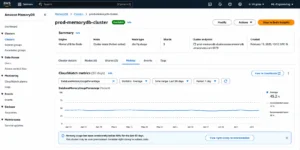
It’s common to provision for the worst day of the year and then pay for that capacity every other day too. AWS itself recommends watching CloudWatch DatabaseMemoryUsagePercentage and CPUUtilization over a real observation window, not a gut estimate, before deciding on node size. Teams that actually pull 60-90 days of utilization data before resizing routinely find 20-40% of headroom they didn’t need.
The fix here is iterative, not a one-time exercise: monitor, trim, re-check, and repeat as traffic patterns shift over the life of the cluster.
On-demand pricing on workloads that have been stable for months
If a cluster has held steady memory and CPU usage within about 10% variance for 60 days or more, it’s a strong Reserved Node candidate, and running it on-demand indefinitely is leaving money on the table every single hour. The risk people worry about with Reserved Nodes is the lock-in, and it’s a fair concern. A 3-year commitment doesn’t bend if your architecture changes.
One way teams manage that risk is by laddering: instead of one large 3-year reservation, buy 1-year terms in staggered batches with expirations spread roughly 1-2 weeks apart. When a batch expires, you reassess against current usage. If the workload’s still there, you renew it. If it’s shrunk, you let that slice lapse instead of carrying dead weight for years.
Memory-only nodes for datasets that are mostly cold
Data tiering on r6gd nodes moves infrequently accessed items from memory to local SSD automatically, with no client-side changes required. AWS’s own guidance is that this works best for workloads touching up to about 20% of their dataset regularly. For those workloads, the storage savings at maximum utilization run over 60% compared to a memory-only r6g node, mostly because r6gd nodes carry roughly 5x more total capacity per node once you count memory plus SSD together.
This isn’t free of trade-offs. SSD reads carry noticeably more latency than memory reads (low single-digit milliseconds versus sub-millisecond), and write-heavy workloads can run into SSD write amplification. It’s the right call for large, temporal datasets where recent data gets hit constantly and older data barely gets touched. It’s the wrong call for anything needing uniform sub-millisecond latency across the whole keyspace.
Should You Move to Valkey?
Worth addressing directly since it comes up in almost every MemoryDB cost conversation now. After Redis Inc. changed Redis’s license away from BSD-3 in 2024, AWS and the Linux Foundation backed Valkey, a BSD-3 fork with full protocol compatibility. Both MemoryDB and ElastiCache now support Valkey as a first-class engine.
Here’s the part that surprises people: AWS does not currently charge a different on-demand hourly rate for MemoryDB running Valkey versus MemoryDB running Redis OSS on the same node type. The earlier introductory pricing for MemoryDB for Valkey (30% lower instance-hour pricing than Redis OSS at launch) was a launch promotion rather than the permanent state of the world, so don’t assume that gap still exists without checking current rates for your Region. Practically speaking, migrating to Valkey today is a license and vendor-independence decision more than an immediate cost-saving one.
The migration itself tends to be low-friction. Valkey forked from Redis 7.2.4, so any client speaking the Redis protocol speaks Valkey too, and most migrations require nothing more than selecting the engine at cluster creation. If you’re starting a new deployment in 2026 with no hard dependency on a Redis 7.4+ feature that hasn’t landed in Valkey yet, defaulting to Valkey is a reasonable, low-risk choice. If your data-written charges or instance pricing differ for Valkey in your Region, that’s a separate, additive reason to make the move.
%2017%20(3).svg)
Multi-Region: A Different Cost Shape Entirely
MemoryDB Multi-Region writes your data automatically to every Region you’ve added to the cluster, with each write landing locally and then replicating out, typically within about a second. It’s billed differently from a single-Region cluster: you pay for nodes in every Region, data written for the local writes in each Region, snapshot storage, and cross-Region data transfer out.
Two things worth knowing before you reach for Multi-Region purely as a cost lever rather than a resilience one. First, it’s incompatible with data tiering and vector search, so you lose access to the biggest storage-cost lever covered above the moment you turn it on. Second, every additional Region you add multiplies your node-hour cost by however many nodes that Region’s cluster needs, so the math needs to be run per-Region, not assumed to scale linearly with some discount.
Multi-Region earns its cost when the business requirement is genuinely cross-Region availability or local low-latency reads and writes for users in multiple geographies. It’s a poor fit if the actual goal is backup and disaster recovery, where a snapshot-based strategy in a single Region is far cheaper.
A Practical Sequence for Cutting MemoryDB Spend
If you’re starting from a cluster that’s never been optimized, this is the order that tends to produce the most savings for the least risk.
- Pull 60-90 days of CloudWatch memory and CPU data per cluster before touching anything. You need a real baseline, not a guess.
- Right-size first, commit second. Resizing a node after you’ve locked in a 3-year Reserved Node on the wrong size wastes the discount.
- For datasets where 80%+ of the data is cold, evaluate r6gd with data tiering against your latency tolerance before assuming you need more memory-only capacity.
- Once a cluster has held stable usage for 60+ days, move it to Reserved Nodes, laddering 1-year terms rather than locking the whole fleet into one 3-year commitment.
- Set snapshot retention deliberately rather than leaving it at a default, and confirm the snapshot storage rate for your specific Region before estimating the cost of a longer retention window.
- If you’re starting a new cluster with no hard Redis 7.4+ dependency, default to Valkey for the licensing and vendor-independence benefit, and re-check current instance pricing in your Region in case a cost gap exists today.
How Usage.ai Helps With MemoryDB Costs
Usage.ai handles MemoryDB Reserved Node purchasing the same way it handles RDS, ElastiCache, and Redshift Reserved Instances: by watching actual utilization continuously and sizing commitments against the stable floor rather than a one-time snapshot of usage. The recommendation engine refreshes every 24 hours, so a cluster that’s been stable for 60 days gets flagged as soon as it qualifies, instead of waiting for a quarterly review.
The bigger difference is what happens after the commitment is purchased. Reserved Nodes are normally a one-way bet: if the workload shrinks or the cluster gets decommissioned, you’re stuck paying for capacity you no longer need.
Usage.ai’s Insured Flex Commitments include a buyback guarantee, so if a MemoryDB Reserved Node goes underutilized, the unused portion comes back to you as cashback, in real money, not credits. That changes the calculus on laddering versus committing in size: you can commit more confidently because the downside of being wrong is covered.
Usage.ai also surfaces right-sizing recommendations and snapshot retention waste across your full MemoryDB fleet in one place, alongside every other AWS, Azure, and GCP service you’re running commitments on.
%2016%20(1).svg)
Frequently Asked Questions
How much can you save by optimizing MemoryDB costs?
Most teams that work through right-sizing, Reserved Nodes, data tiering where appropriate, and snapshot retention cleanup land in the 30-50% range off their starting bill. The exact number depends heavily on how overprovisioned the starting point was and how much of the dataset is genuinely cold enough for data tiering to help.
Do MemoryDB Reserved Nodes lock me into a specific node size?
No. MemoryDB Reserved Nodes offer size flexibility within a node family and AWS Region, so the discounted rate applies automatically across different sizes in that family as your usage shifts, based on normalized units. You do still need to stay within the same family and Region you reserved in.
When does data tiering make sense for MemoryDB?
When your workload regularly accesses roughly 20% or less of its total dataset, and you can tolerate a small added latency (typically low single-digit milliseconds) the first time a cold item gets pulled back from SSD. It’s a poor fit for workloads needing uniform sub-millisecond latency across the entire keyspace, or for write-heavy workloads where SSD write amplification becomes a bottleneck.
Is MemoryDB for Valkey cheaper than MemoryDB for Redis OSS?
Not necessarily at current pricing. AWS does not list a different standard on-demand hourly rate for the two engines on the same node type today. An earlier promotional rate for MemoryDB for Valkey existed at launch, but you should verify current pricing for your Region rather than assume that gap still applies. The stronger reason to choose Valkey right now is license independence, not a guaranteed cost reduction.
Does MemoryDB charge for read operations?
No. MemoryDB only charges for data written, calculated from the Redis or Valkey key, value, and command volume. Reads carry no metering charge regardless of volume.