
 AWS
AWS Microsoft Azure
 Google Cloud

DAX starts at $0.040 per node-hour for dax.t3.small in US East (N. Virginia). Three nodes cost $87.60 per 730-hour month before CPU credits and applicable transfer charges. The financial test is whether the DynamoDB read charges actually avoided exceed that cost. Only eligible eventually consistent reads can be served from the cache; strongly consistent reads pass through to DynamoDB.
This blog runs the break-even math at current pricing, builds a decision framework for FinOps engineers, and covers the cases where DAX costs more than it saves.
DAX vs No DAX: The Verdict
For a three-node dax.t3.small cluster, the modeled break-even point is about 667 requests per second at an 80% cache hit rate, assuming Standard on-demand tables and individual eventually consistent reads of items no larger than 4 KB. A three-node dax.r5.large cluster needs about 4,250 requests per second under the same assumptions. There is no universal 3,000-RPS rule: item size, cache hits, node capacity and actual avoided charges determine the result.
What Is DynamoDB DAX?
DynamoDB Accelerator (DAX) is a fully managed, in-memory write-through cache for DynamoDB that delivers microsecond read latency by serving frequently accessed items directly from memory, bypassing DynamoDB read capacity units for cache hits. It is DynamoDB-API-compatible, meaning most applications require minimal code changes to adopt it.
DAX is not serverless. It runs as a cluster of EC2-like nodes that you provision, size, and pay for by the hour regardless of traffic. It does not scale to zero, it does not offer reserved pricing, and it does not have a free tier.
DynamoDB DAX Pricing: The Complete Node-Hour Breakdown
All pricing below is for US East (N. Virginia). Verify current rates at aws.amazon.com/dynamodb/pricing — rates change. Pricing as of October 15, 2026.
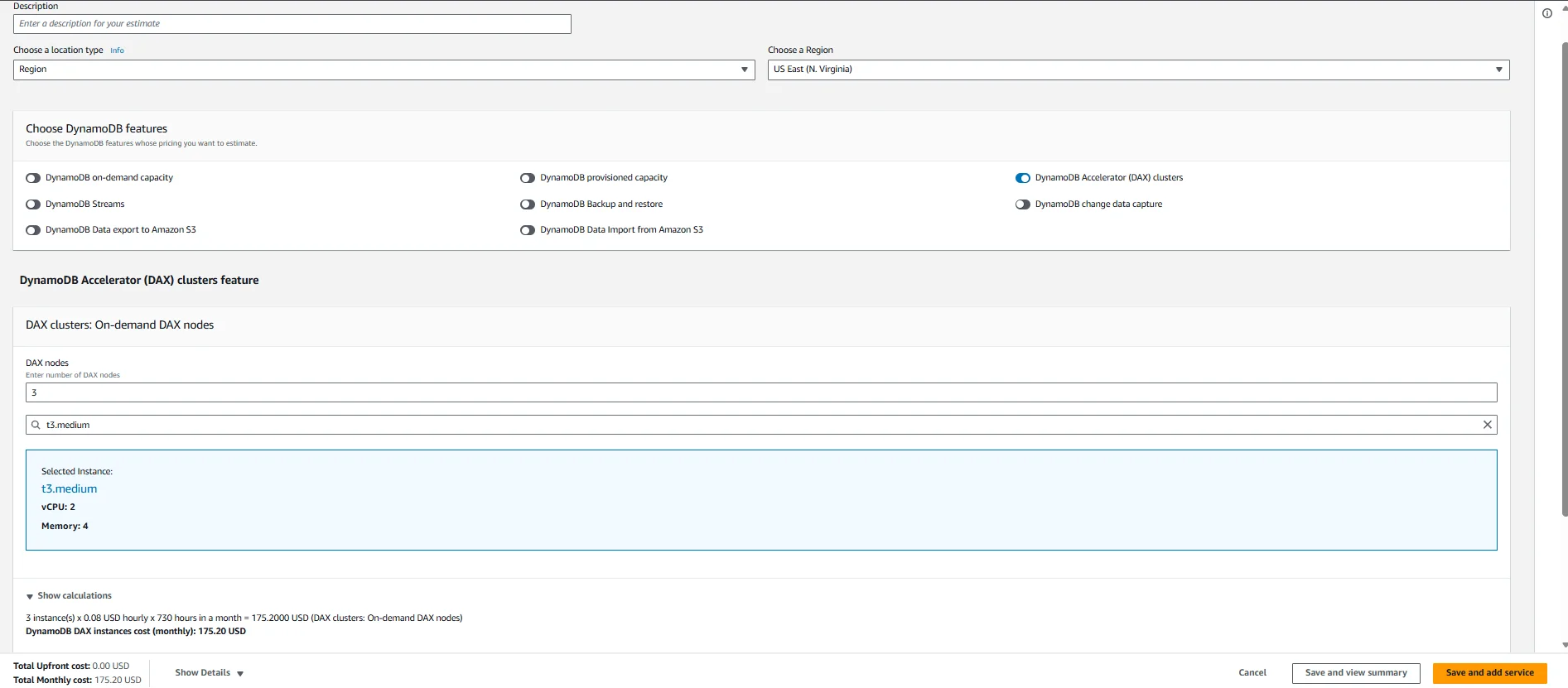
DAX pricing has a single dimension: node-hours consumed. You pay per node, per hour, for every node in your cluster. Partial hours are billed as full hours. There are no data transfer charges between EC2 and DAX within the same Availability Zone.
Monthly costs use 730 hours × three nodes. Source: AWS DAX pricing and the current US East (N. Virginia) public catalog, checked October 15, 2026. CPU credits, applicable data transfer, tax and other services are excluded.
Important note on T3 instances: T3 nodes run in unlimited CPU mode. If average CPU utilization exceeds the baseline over a rolling 24-hour period, AWS charges CPU credits at $0.096 per vCPU-hour. For read-heavy workloads that consistently saturate CPU, this can make T3 nodes more expensive in practice than their sticker price suggests. R5 nodes have a dedicated CPU with no burst billing and may be cheaper for sustained high-throughput workloads despite the higher hourly rate.
Why Does DAX Have No Reserved Pricing?
Unlike RDS, ElastiCache, or DynamoDB Reserved Capacity, DAX offers no reserved instance discounts. You pay on-demand rates for every node-hour, indefinitely. This is a meaningful financial constraint: for teams running production DAX clusters continuously, there is no mechanism to reduce the flat node cost through commitment-based discounts.
This is one of the reasons the DAX cost-benefit calculation is harder than it appears. With ElastiCache, you can commit to 1-year reserved nodes and reduce the cache layer cost significantly. With DAX, you cannot. Every dollar of DAX node cost is on-demand, every month.
DAX vs No DAX: Full Side-by-Side Comparison
The Break-Even Analysis: How Many Reads Does DAX Need to Pay for Itself?
Use monthly quantities consistently: break-even monthly requests = monthly DAX cost ÷ (avoided cost per request × hit rate). Divide by 730 × 3,600 to convert monthly requests to average requests per second.
For DynamoDB Standard in US East (N. Virginia), the checked On-Demand rate is $0.125 per million read request units. A single-item eventually consistent read of up to 4 KB consumes 0.5 RRU, so one million such requests cost $0.0625. A strongly consistent read consumes one RRU, but DAX does not cache it and therefore cannot avoid its charge. Transactional reads also pass through.
At an 80% hit rate, three dax.t3.small nodes cost $87.60/month and need $87.60 ÷ ($0.0625 × 0.80) = 1,752 million reads/month, or 666.67 requests/second, to break even before CPU credits and transfer.
| Cache hit rate | Total monthly reads at break-even | Average requests/second |
|---|---|---|
| 50% | 2,803.20 million | 1,066.67 |
| 70% | 2,002.29 million | 761.90 |
| 80% | 1,752.00 million | 666.67 |
| 90% | 1,557.33 million | 592.59 |
| 95% | 1,475.37 million | 561.40 |
Three dax.r5.large nodes cost $0.255 × 3 × 730 = $558.45/month. At 80% hits the threshold is 11,169 million eligible reads/month, or 4,250 requests/second. These are economic thresholds, not throughput guarantees. Benchmark the selected nodes.
Do not add replica memory to estimate a single shared item cache: DAX replicates item-cache data across nodes. Three 2-GiB nodes do not provide a 6-GiB distinct item working set. Size each node for the hot data and cache overhead. See AWS DAX consistency and cluster sizing.
How the November 2024 On-Demand Price Cut Changed DAX Economics
The November 2024 reduction halved Standard on-demand read-request-unit pricing from $0.25 to $0.125 per million RRUs in US East (N. Virginia). For individual eventually consistent reads up to 4 KB, the corresponding cost fell from $0.125 to $0.0625 per million requests. Holding node cost and hit rate constant, halving the avoided read price doubles the break-even traffic. Recalculate using current prices and your actual workload.
When Does DAX Actually Save Money?
DAX can reduce total cost when eligible cached reads avoid more spend than the cluster adds. The hot working set must fit each node, and measured hit rates and throughput must support the calculation. An 80% hit rate is an example, not a mandatory cutoff: lower hit rates can still break even at higher traffic.
For provisioned tables, reducing consumed RCUs does not itself reduce the bill. Provisioned capacity must fall, and existing reservation obligations must be accounted for. Frequently repeated reads of product catalogs, configuration items or bounded leaderboards are candidates for testing; writes and strongly consistent reads do not yield the modeled cache savings.
When Does DAX Cost More Than It Saves?
Low-traffic tables: With the example’s item size and 80% hit rate, traffic below 666.67 requests/second cannot cover three dax.t3.small nodes. Other sizes, hit rates and prices produce different thresholds.
On-demand tables with unpredictable traffic On-demand pricing means you only pay for reads you actually make. DAX adds a fixed $87.60/month floor regardless of traffic. During low-traffic periods you are paying for cache capacity that produces zero benefit.
Write-heavy tables Writes still incur DynamoDB write charges even when they update the DAX cache. If your table is write-heavy with infrequent reads, DAX adds node cost without reducing any meaningful portion of your bill.
Large, unique working sets If your application reads a wide distribution of unique items — for example, individual user records where each user is read infrequently — your cache hit rate will be low and DAX will serve most requests as misses, incurring both node cost and DynamoDB RCU cost.
Tables already on provisioned capacity with Reserved Capacity commitments Teams using DynamoDB Reserved Capacity through Usage.ai’s Flex Reserved Instances are already paying a discounted per-RCU rate. The lower your effective RCU cost after the 30-40% Reserved Capacity discount, the higher your read volume needs to be before DAX offloads enough cost to cover its node bill. In this scenario, the performance argument for DAX is valid but the cost argument is weakened further.
Also read: AWS Budgets vs Cost Explorer: Key Differences Explained
DAX vs ElastiCache: Which Cache Layer Is Cheaper for DynamoDB?
This comparison comes up frequently because ElastiCache is an alternative caching strategy that some teams use in front of DynamoDB. The decision is not straightforward.
Choose DAX when: You need microsecond latency without application changes and you have sufficient read volume to justify the node cost. The integration handles item-cache updates for supported writes through DAX; query-cache TTL and writes that bypass DAX still require consistency planning.
Choose ElastiCache when: You need reserved pricing to reduce cache layer costs over time, your caching needs extend beyond DynamoDB reads, or you are caching computed results rather than raw DynamoDB items. ElastiCache also supports reservation discounts that DAX does not, which matters for teams running cache infrastructure continuously.
Also Read: AWS Savings Plan Buying Strategy: Layering, Timing & Right-Sizing Commitment
How Usage.ai’s DynamoDB Reserved Capacity Affects the DAX Decision
Teams considering DAX as a cost-reduction strategy should first evaluate whether DynamoDB Reserved Capacity is a better lever.
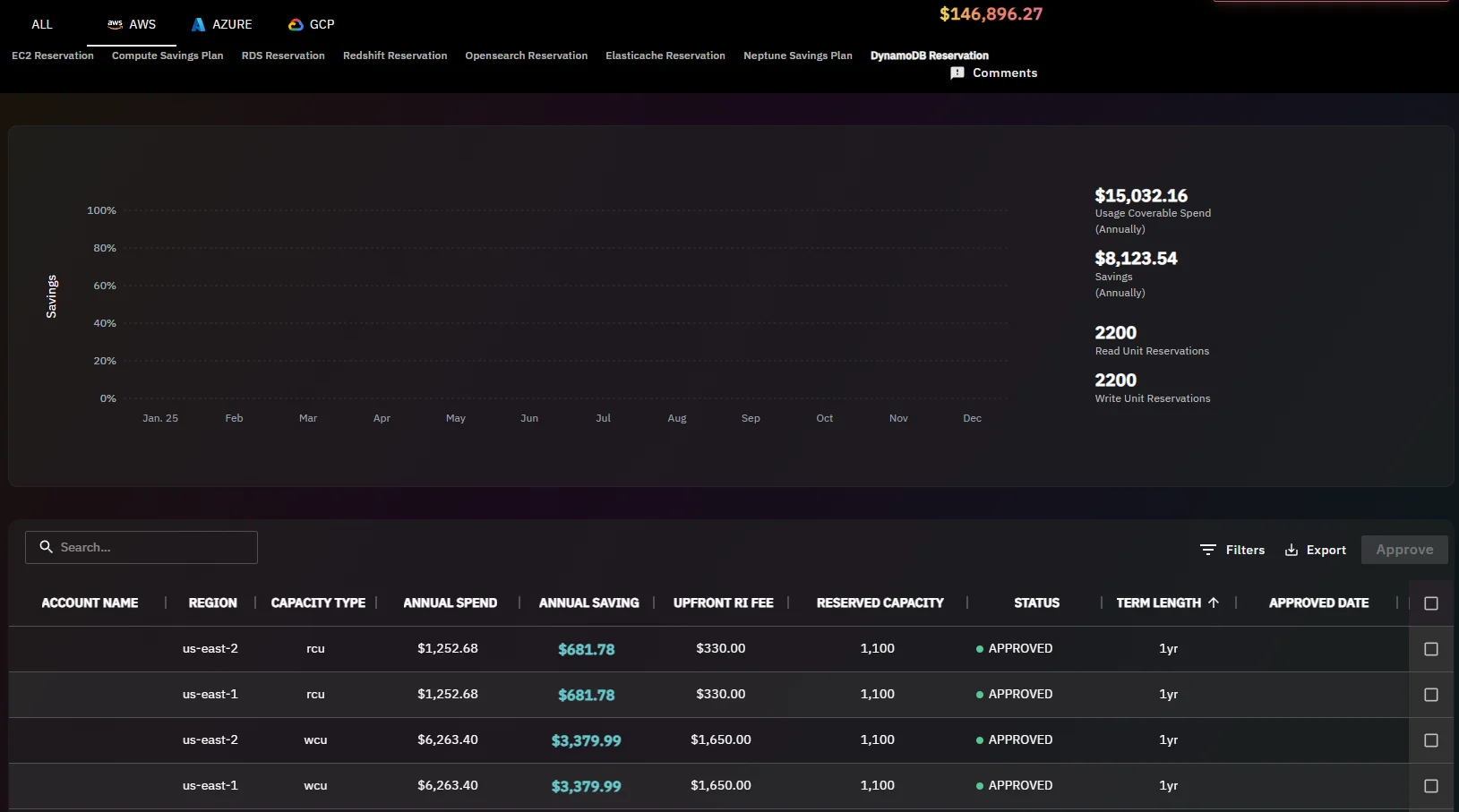
Usage.ai’s Flex Reserved Instances for DynamoDB deliver 30-40% savings on provisioned DynamoDB throughput with no upfront payment and a cashback guarantee on underutilization. If your table is on provisioned capacity and generating significant RCU costs, reducing those RCU costs through Reserved Capacity is a lower-complexity and lower-risk path than introducing a DAX cluster.
For a table spending $500/month on reads, even eliminating every read charge would not cover a $558.45/month three-node dax.r5.large cluster. A measured partial hit rate makes the shortfall larger. Reservation savings depend on eligible provisioned capacity, the actual quote and full-term utilization; they do not apply to on-demand RRUs.
- Reserved Capacity via Usage.ai: $150-200/month reduction, zero operational complexity added, no minimum traffic requirement
- DAX (three dax.r5.large nodes): $558.45/month before extras. The on-demand break-even example above is 4,250 requests/second at 80% hits, not a provisioned-capacity guarantee.
For most provisioned DynamoDB tables, Reserved Capacity delivers a better cost-per-dollar-saved outcome than DAX — and it does not add infrastructure complexity.
DAX and Reserved Capacity are not mutually exclusive. Teams running high-volume tables can apply both: Reserved Capacity reduces the cost per RCU on reads that miss the cache, while DAX reduces the volume of reads that reach DynamoDB at all.
Usage.ai refreshes DynamoDB recommendations every 24 hours, compared to the 72+ hour refresh cycle on AWS native tools. For teams sizing a DAX cluster alongside a Reserved Capacity commitment, that recommendation freshness means your provisioned throughput baseline reflects current traffic patterns rather than data that is three days old.
Book a DynamoDB savings assessment at usage.ai to see how Reserved Capacity compares to DAX for your specific workload.
Frequently Asked Questions
1. How much does DynamoDB DAX cost per month?
At the checked US East (N. Virginia) rates, three dax.t3.small nodes cost $87.60 per 730-hour month; three dax.r5.large nodes cost $558.45. One t3.small node is $29.20/month but lacks replica fault tolerance. CPU credits and applicable transfer are additional.
2. Does DynamoDB DAX offer reserved instances or savings plans?
No. DAX does not offer reserved instance pricing or savings plan discounts. Every DAX node is billed at on-demand rates regardless of how long the cluster runs. This is a meaningful cost consideration compared to ElastiCache, which does support reserved node pricing at up to approximately 40% savings on 1-year commitments. Teams running DAX continuously pay full on-demand rates indefinitely with no mechanism to reduce node costs through commitment discounts.
3. What is the minimum number of nodes for a DAX cluster?
AWS recommends at least three nodes across Availability Zones for high availability. A single-node cluster is possible. Budget $87.60 for three dax.t3.small nodes over 730 hours, versus $29.20 for one, before extras.
4. At what read volume does DAX break even financially?
For single-item eventually consistent reads of up to 4 KB on Standard on-demand tables, three dax.t3.small nodes break even at 666.67 requests/second at 80% cache hits. Three dax.r5.large nodes need 4,250 requests/second. Strongly consistent and transactional reads cannot generate these cache savings. Node sizing and measured performance must also be adequate.
5. What is DynamoDB DAX cache hit rate and why does it matter?
Cache hit rate is the percentage of read requests served from DAX memory without reaching DynamoDB. A 90% hit rate means 90% of reads bypass DynamoDB RCU consumption entirely. Hit rate directly determines how much RCU cost DAX offloads per month. If hit rate falls below 60-70%, the RCU savings may not cover DAX node costs, meaning you pay both node costs and substantial DynamoDB read costs simultaneously. Hit rate depends on working set size relative to cluster memory, access pattern distribution, and item TTL configuration within DAX.
6. Does DAX work with DynamoDB on-demand capacity mode?
Yes. DAX works with both on-demand and provisioned DynamoDB capacity modes. However, the cost-benefit calculation differs significantly. With on-demand mode, every cache hit saves a per-request RCU charge. With provisioned mode, cache hits reduce consumed capacity but your provisioned capacity cost is fixed regardless of actual utilization. For provisioned tables, DAX only generates meaningful cost savings if you right-size provisioned capacity downward after confirming sustained high cache hit rates — otherwise you pay for both DAX nodes and provisioned capacity you are not fully consuming.
7. Can I use DAX and DynamoDB Reserved Capacity together?
Yes, they can coexist and address different cost dimensions. Reserved Capacity (available through Usage.ai’s Flex Reserved Instances) reduces the per-RCU cost on reads that reach DynamoDB, while DAX reduces the volume of reads that reach DynamoDB at all. However, Reserved Capacity also reduces the dollar value of each RCU that DAX offloads, which raises the break-even read volume for DAX. For most provisioned tables, evaluating Reserved Capacity first is the lower-risk, lower-complexity starting point before adding DAX infrastructure.
8. What is the T3 unlimited CPU credit charge for DAX?
DAX T3 instances (dax.t3.small, dax.t3.medium) run in unlimited CPU mode. If average CPU utilization exceeds the T3 baseline over a rolling 24-hour window, AWS charges CPU credits at $0.096 per vCPU-hour. For cache workloads with sustained high read throughput that consistently saturates CPU, this can make T3 nodes more expensive in practice than their hourly sticker price. R5 nodes have dedicated CPU with no burst billing model, making them more predictable for sustained high-throughput DAX workloads despite the higher base cost. Verify at aws.amazon.com/dynamodb/pricing — rates change.




