.png)
 AWS
AWS Microsoft Azure
 Google Cloud

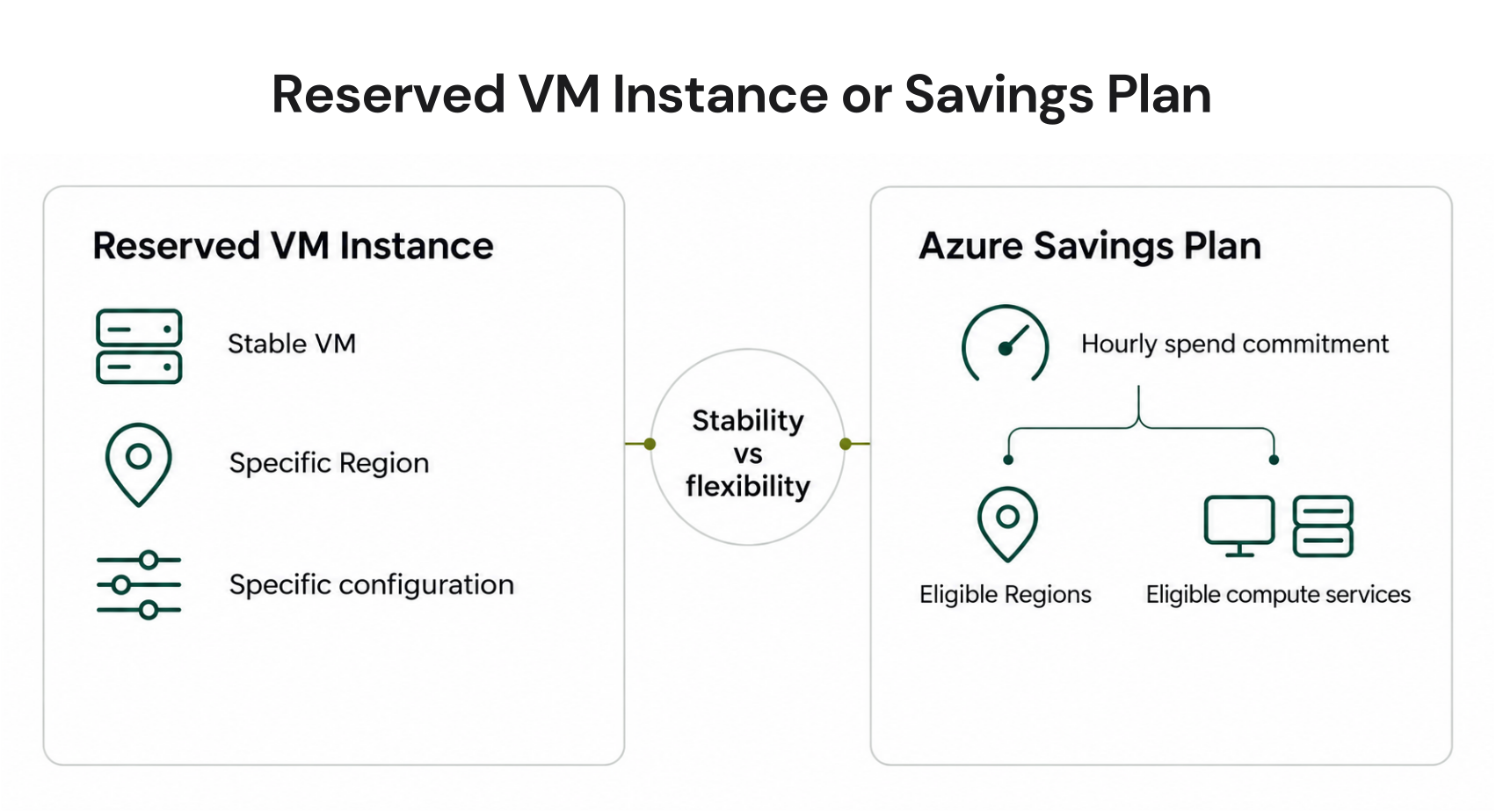
This guide compares their discounts, flexibility, application order, exit options, database equivalents, and workload fit. It focuses on compute Savings Plans and Reserved VM Instances except where noted.
The Short Answer
Choose a Reserved VM Instance when eligible VM usage is continuous and its region and configuration are highly stable. Choose an Azure Savings Plan when the eligible compute baseline is consistent but workloads may move between supported regions, VM series, or compute services.Many mature environments can use both: reservations for the stable core and a Savings Plan for the flexible remainder. Right-size first, account for existing commitments, and size each new commitment only against eligible usage it can reliably consume.
Savings Plans vs Reserved Instances
| Dimension | Azure Savings Plan for compute | Reserved VM Instance |
|---|---|---|
| Commitment basis | Fixed hourly spend | Selected VM attributes, region, quantity, term, and scope (the resource group, subscription, management group, or shared billing context where benefits apply) |
| Terms | One or three years | One or three years |
| Published maximum | Up to 65% for qualifying compute | Up to 72% for qualifying VMs |
| Region flexibility | Eligible usage across Azure regions within the benefit scope | Purchased region |
| Configuration flexibility | Applies across eligible compute products and VM SKUs | Must match the reservation; supported size flexibility groups can share normalized coverage |
| Payment | Upfront or monthly at the same total cost | Upfront or monthly at the same total cost |
| Unused commitment | Expires each hour and does not roll over | Unused matching benefit generally expires each hour |
| Cancellation | Cannot be cancelled, refunded, or exchanged | Eligible reservations may be refunded within policy limits |
| Best fit | Consistent eligible spend with changing infrastructure | Continuous, stable VM configuration |
| When both exist | Applied after compatible reservations | Applied first |
How Each Azure Commitment Works
An Azure Savings Plan is a fixed hourly spend commitment. Azure applies Savings Plan prices to eligible usage within scope, prioritizing usage with the largest discount. Usage above the commitment returns to its applicable pay-as-you-go rate, while unused commitment expires each hour.Azure Savings Plan for compute covers eligible infrastructure charges from services including:
Azure Virtual Machines
Azure App Service
Azure Functions Premium
Azure Container Instances
Azure Dedicated Host
Azure Container Apps
Azure Spring Apps for Enterprise
A Reserved VM Instance discounts matching VM usage based on attributes such as SKU, region, and benefit scope, up to the purchased quantity for the selected term. It changes billing, not the running VM or capacity availability.
Instance size flexibility can cover different sizes within the same Microsoft-defined flexibility group through normalization ratios. It does not extend across unrelated families or regions. See Azure Reservations: scope, discounts, and commitment strategy for detailed mechanics.
Azure Hybrid Benefit operates at the licensing layer. For qualifying Windows Server VMs, it covers the licence while a compatible reservation or Savings Plan can discount eligible infrastructure usage.
Microsoft advertises up to 80% savings when qualifying customers combine Reserved VM Instances with Azure Hybrid Benefit. See the Azure Hybrid Benefit guide for licensing requirements.
How Azure Applies Both Discounts
Azure applies compatible reservations before Savings Plans because reservations are narrower and usually offer greater discounts. Savings Plans prioritize eligible usage with the largest discount.A practical portfolio therefore has three layers:
Reservations for stable usage: Cover continuously running VMs whose required configuration and region are unlikely to change.
Savings Plans for flexible usage: Cover the durable eligible spend left after reservations, especially where VM series, regions, or compute services may change.
Pay-as-you-go or Spot for variable demand: Leave uncertain, temporary, or interruptible capacity outside long-term commitments.
Size a Savings Plan against eligible hourly usage remaining after existing discounts, not total spend, a monthly average, or a peak. Azure’s recommendations simulate applicable rates across supported lookback periods. See the Azure commitment management strategy for detailed sizing.
Cancellations, Exchanges, and Existing RIs
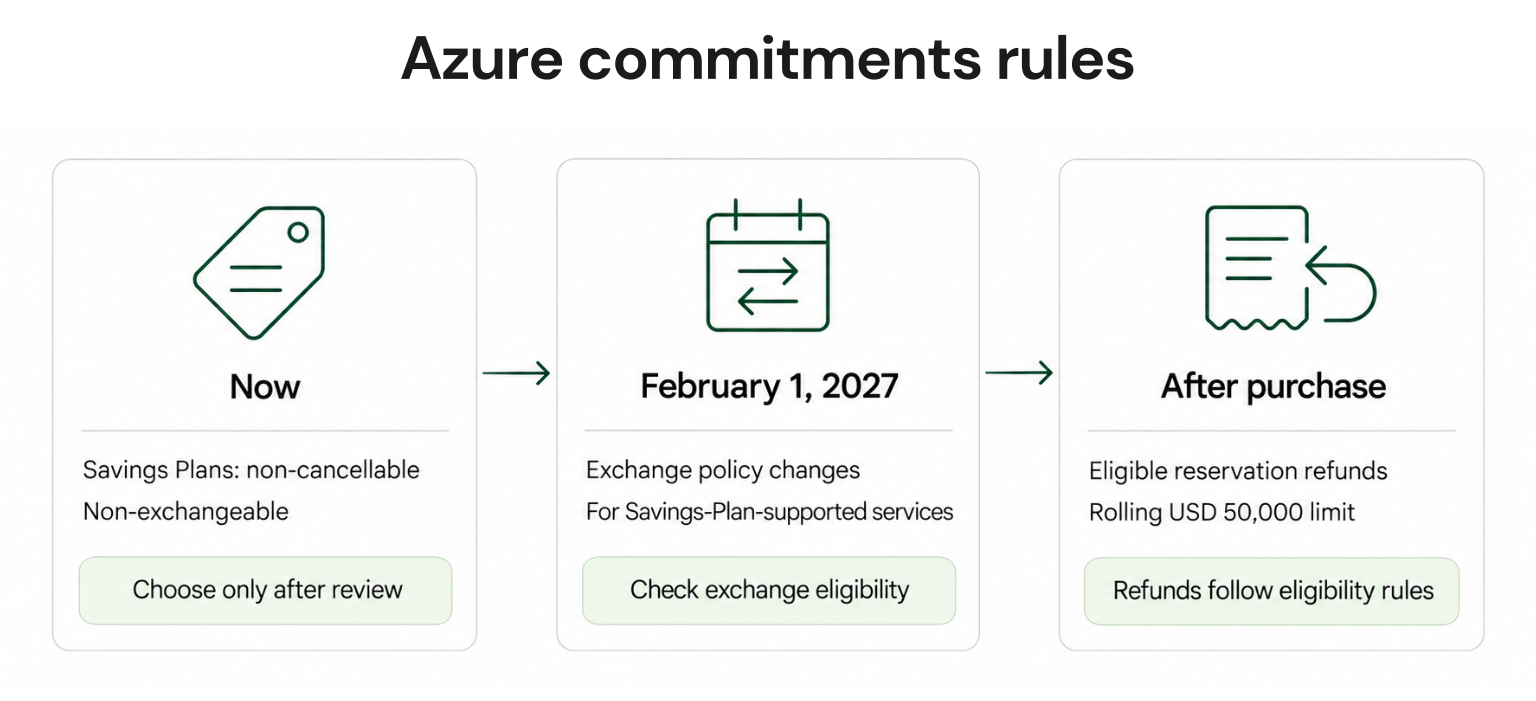
Savings Plan purchases are final: Microsoft does not allow cancellation, refund, or exchange. The benefit scope can be changed after purchase, but the hourly commitment amount and term cannot.Eligible Reservations offer more exit flexibility. Prorated refunds have exclusions and a combined USD 50,000 cancelled-commitment limit per billing profile or single enrollment in a rolling 12-month window. Microsoft currently charges no early-termination fee but may introduce a 12% fee.
Exchanges must follow product-family and eligibility rules, and the replacement generally must equal or exceed the returned value. From February 1, 2027, new reservations cannot be exchanged when the service is supported by Savings Plans; qualifying earlier purchases retain one final exchange.
Savings Plans for Azure Databases
Azure Savings Plan for databases is separate from the compute plan. It uses a one-year hourly-spend commitment and advertises savings of up to 35%; that ceiling is based on a specific Azure SQL Database serverless example, not an expected rate for every database workload.Eligible services include Azure SQL Database, SQL Managed Instance, PostgreSQL, MySQL, Cosmos DB, DocumentDB, and Azure Database Migration Service. Eligible hourly SQL Server licence charges on Azure VMs and Azure Arc can also consume the plan, but Microsoft states that they do so at the normal pay-as-you-go price.
MariaDB is not included because the Azure service was retired in September 2025. Eligibility is meter-specific, so do not automatically include storage, networking, or backups in the baseline.
Database reservations may offer deeper discounts for stable configurations, but rates vary by product. Microsoft advertises up to 80% for qualifying Azure SQL Database reservations combined with Hybrid Benefit and up to 64% for three-year PostgreSQL Flexible Server reservations. Compare current prices and expected utilization.
For service-level coverage and sizing, see Azure Reserved Capacity and Microsoft’s current Savings Plan eligibility documentation
The Cost Difference in Practice
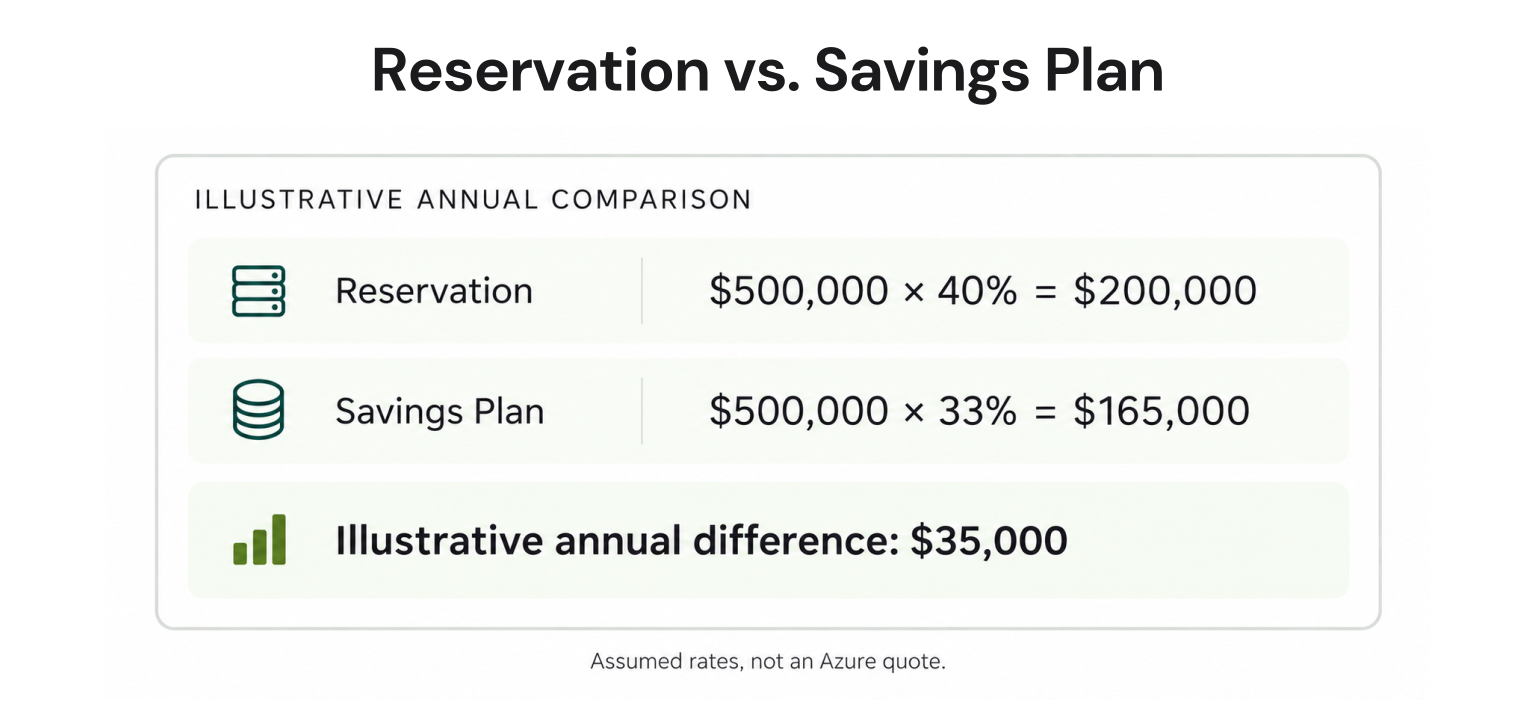
Consider an illustrative workload with $500,000 in annual pay-as-you-go-equivalent VM spend. If the same eligible usage realized an effective 40% reservation discount or a 33% Savings Plan discount, the comparison would be:| Option | Annual saving | Three-year saving |
|---|---|---|
| Reservation at 40% | $200,000 | $600,000 |
| Savings Plan at 33% | $165,000 | $495,000 |
| Difference | $35,000 | $105,000 |
Which Commitment Fits Your Workload?
| Workload situation | Best starting point | Why |
|---|---|---|
| Stable VM SKU and region | Reserved VM Instance | Narrow matching can earn a deeper discount when fully used |
| VM series or regions may change | Savings Plan | Benefit follows eligible usage within scope |
| Mix of stable and changing compute | Both | Reserve the stable core, then cover durable flexible spend |
| Temporary or highly variable demand | Pay-as-you-go or Spot | Avoid paying for unused long-term commitment |
| Qualifying Windows or SQL licences | Add Azure Hybrid Benefit | Reduces eligible licensing cost separately from compute discounts |
| Changing database configuration | Database Savings Plan | One-year spend commitment can follow eligible database usage |
There is no universal winner. A Reserved VM Instance is usually the stronger fit when matching usage will remain stable throughout the term; a Savings Plan is usually safer operationally when eligible spend persists but the infrastructure underneath it changes.
How Usage.ai Fits Your Strategy
Choosing and maintaining the right commitment mix requires separating stable VM usage from flexible eligible spend, accounting for existing commitments, and monitoring utilization as workloads change.With Flex Insured Commitments, teams can get the up-to-65% savings available from an eligible three-year Azure Savings Plan for compute with none of the commitment risk.
If eligible usage drops and a qualifying Flex Commitment costs more than the equivalent on-demand usage, we provide cashback protection for the covered difference, paid as real money rather than credits and subject to program terms.
We manage approved Flex Commitments at the billing layer without changing your Azure infrastructure or how your workloads run. Our fee is based on realized savings, so if we do not generate savings, you do not pay a savings-based fee.
Get a read-only analysis of stable VM usage, flexible eligible spend, existing commitment coverage, and potential underutilization risk.
Frequently asked questions
Which is better: Azure RI or Savings Plan?
A Reserved VM Instance is generally better for continuous usage with stable matching attributes and a Savings Plan is generally better when eligible spend remains consistent while infrastructure changes. Mixed estates can use reservations for the stable core and a Savings Plan for eligible usage left over.
Is the Azure RI discount really 72%?
Microsoft advertises savings of up to 72% for qualifying Reserved VM Instances. It is a maximum based on a specified VM, operating system, region, and three-year comparison—not a guaranteed discount for every VM.
Can Azure Hybrid Benefit stack?
Yes. Azure Hybrid Benefit can reduce eligible Windows Server or SQL Server licensing costs while a reservation or Savings Plan discounts qualifying infrastructure usage, subject to licensing and product rules.
Can Azure apply both commitments?
Yes. When the same usage is eligible for both, Azure applies the compatible reservation first and then applies the Savings Plan to remaining eligible usage up to the hourly commitment.
What is the database Savings Plan discount?
Azure Savings Plan for databases advertises savings of up to 35% with a one-year hourly-spend commitment. Actual savings vary by eligible service, meter, region, and usage, and the 35% benchmark is based on Azure SQL Database serverless.