.png)



If you are running DynamoDB in provisioned capacity mode, you are likely leaving money on the table every month. DynamoDB reserved capacity lets you cut database costs by up to 60% simply by committing to the throughput you are already using. But the real decision is not whether to buy reserved capacity; it is which term makes financial sense for your workload.
This guide breaks down the exact pricing, upfront costs, break-even timelines, and total savings for both the 1-year and 3-year options, so you can make the right call with numbers.
What is DynamoDB Reserved Capacity?
Amazon DynamoDB is a fully managed NoSQL database service built for applications that need consistent, single-digit millisecond performance at any scale. By default, DynamoDB charges you for every read and write request your application makes, billed as Read Capacity Units (RCUs) and Write Capacity Units (WCUs) per second under provisioned capacity mode.
DynamoDB reserved capacity is a pricing model that lets you commit to a minimum level of provisioned throughput in exchange for a significantly lower effective rate. Instead of paying the standard On-Demand or provisioned hourly rate for every RCU and WCU, you pay a one-time upfront fee plus a reduced hourly rate for the duration of your term. AWS currently offers two term options for reserved capacity DynamoDB purchases: 1-year and 3-year.
This model is designed for workloads that run continuously and have predictable throughput requirements. If your application queries DynamoDB around the clock with a relatively stable read and write pattern, reserved capacity for Amazon DynamoDB can reduce your database costs by up to 53% compared to standard provisioned capacity pricing.
Important: DynamoDB reserved capacity applies only to provisioned capacity mode. This discount does not apply to DynamoDB on-demand mode, where you pay per request. If your workload is intermittent, seasonal, or genuinely unpredictable, on-demand mode may remain the better choice regardless of term length.
What Counts as a Capacity Unit
A Read Capacity Unit (RCU) supports one strongly consistent read per second, or two eventually consistent reads per second, for items up to 4 KB. A Write Capacity Unit (WCU) supports one write per second for items up to 1 KB. Transactional reads and writes consume twice the standard capacity.
When you purchase a reservation, you are buying a block of RCUs and WCUs at a discounted rate. The reservation applies to any provisioned table in the same AWS Region, so capacity is shared across tables rather than tied to a single one.
How DynamoDB Reserved Capacity Pricing Works
DynamoDB reserved capacity pricing has two components: an upfront fee paid at the time of purchase and a reduced hourly rate charged throughout the term. The combination of these two costs gives you an effective rate per RCU or WCU per hour that is materially lower than the standard provisioned rate.
AWS structures DynamoDB reserved capacity pricing as follows for the US East (N. Virginia) region as of 2026.
Standard Provisioned Capacity Rates (No Reservation)
- Read Capacity Unit: $0.00013 per RCU per hour
- Write Capacity Unit: $0.00065 per WCU per hour
These are the baseline rates you pay without any reservation. Every hour that your provisioned table is running, you are billed at these rates for every RCU and WCU you have allocated.
With a reservation, you pay a flat upfront fee and a lower ongoing hourly rate. The exact upfront amount and discounted rate depend on how many capacity units you reserve and for which term length you commit.
How the Discount is Applied
When you purchase reserved capacity, AWS automatically applies the discounted rate to your provisioned throughput up to the reserved amount. You do not assign reservations to specific tables. If you reserve 100 WCUs in us-east-1, that discount applies across all provisioned tables in us-east-1 until you consume 100 WCUs of aggregate provisioned capacity.
Any provisioned capacity above your reserved amount continues to bill at the standard provisioned rate. This means your total DynamoDB pricing reserved capacity savings scale directly with how closely your actual provisioned throughput matches your reserved amount.
Read more: AWS Savings Plans vs Reserved Instances: A Practical Guide to Buying Commitments
1-Year vs 3-Year Reserved Capacity: Full Cost Breakdown
This is the core question for any team evaluating DynamoDB reserved capacity pricing: is the additional commitment of a 3-year term worth the deeper discount, or does a 1-year term offer better financial flexibility?
The answer depends on three variables: your expected throughput stability, your organization’s cost of capital, and your confidence that DynamoDB will remain the right database for this workload over the full term.
DynamoDB Reserved Capacity Pricing Table (us-east-1, 2026)
The following table shows the cost structure for both terms. All prices are for the US East (N. Virginia) region.
Table 1a: 1-year DynamoDB reserved capacity pricing, us-east-1. Effective rate = (upfront / 8,760 hrs) + hourly rate. Source: AWS DynamoDB Pricing, 2026.
Table 1b: 3-year DynamoDB reserved capacity pricing, us-east-1. Effective rate = (upfront / 26,280 hrs) + hourly rate. Source: AWS DynamoDB Pricing, 2026.
Total Cost Comparison: A Practical Example
To make the numbers concrete, consider a team running a production DynamoDB table provisioned at 500 RCUs and 200 WCUs continuously for the full term.
Without Any Reservation (Standard Provisioned Rates)
- Annual RCU cost: 500 x $0.00013 x 8,760 hrs = $569.40
- Annual WCU cost: 200 x $0.00065 x 8,760 hrs = $1,138.80
- Total annual cost: $1,708.20
With 1-Year Reserved Capacity DynamoDB Purchase (500 RCU + 200 WCU)
- RCU upfront: 5 x $58.40 = $292.00
- WCU upfront: 2 x $292.00 = $584.00
- RCU hourly annual: 500 x $0.004/100 x 8,760 = $175.20
- WCU hourly annual: 200 x $0.020/100 x 8,760 = $350.40
- Total 1-year cost: $1,401.60
- Savings vs standard: $306.60 per year (18% effective on this mix)
With 3-Year Reserved Capacity for Amazon DynamoDB (Same 500 RCU + 200 WCU)
- RCU upfront: 5 x $100.00 = $500.00
- WCU upfront: 2 x $500.00 = $1,000.00
- RCU hourly (3 years): 500 x $0.0028/100 x 26,280 = $368.72
- WCU hourly (3 years): 200 x $0.0140/100 x 26,280 = $736.88
- Total 3-year cost: $2,605.60
- Equivalent annual cost: $868.53
- Savings vs standard: $839.67 per year (49% effective on this mix)
The 3-year term saves roughly 2.7 times more per year than the 1-year term on identical throughput. The upfront cost for the 3-year option is $1,500, compared to $876 for the 1-year option.

Break-Even Analysis: When Does Each Term Pay Off
Break-even analysis tells you the minimum number of months you need to run a reservation before it saves money compared to standard provisioned pricing. This is critical for teams that may decommission a workload or migrate to a different database before the full term expires.
1-Year Term Break-Even
For the example above (500 RCU + 200 WCU), the 1-year reservation has a total upfront cost of $876. The monthly savings from the lower hourly rate (before amortizing the upfront) is approximately $98.55 per month compared to standard provisioned billing.
- Upfront cost recovery: $876 / $98.55 per month = approximately 8.9 months
- Break-even point: approximately month 9
- Net savings if full 12 months are run: $306.60
- Risk if decommissioned at month 6: approximately $285 loss vs standard provisioned
3-Year Term Break-Even
The 3-year reservation has an upfront cost of $1,500. The total annual saving vs standard provisioned rates is approximately $839.67 per year, or $69.97 per month.
- Upfront cost recovery: $1,500 / $69.97 per month = approximately 21.4 months
- Break-even point: approximately month 22 (just under 2 years into the 3-year term)
- Net savings after break-even: approximately $70 per month
- Risk if decommissioned before month 22: the 3-year term costs more than the standard provisioned term
Break-Even Summary Table
Table 2: Break-even summary for 500 RCU + 200 WCU example. Based on us-east-1 pricing, April 2026.
Practical guidance: Choose the 1-year term if your workload has existed for less than 12 months or if there is any meaningful probability of a schema redesign, migration, or service retirement within 24 months. Choose the 3-year term if the workload is mature and your finance team can absorb the higher upfront.
Read more: How Usage.ai Works: RIs, SPs & Zero-Risk Savings
DynamoDB Reserved Capacity vs On-Demand Mode
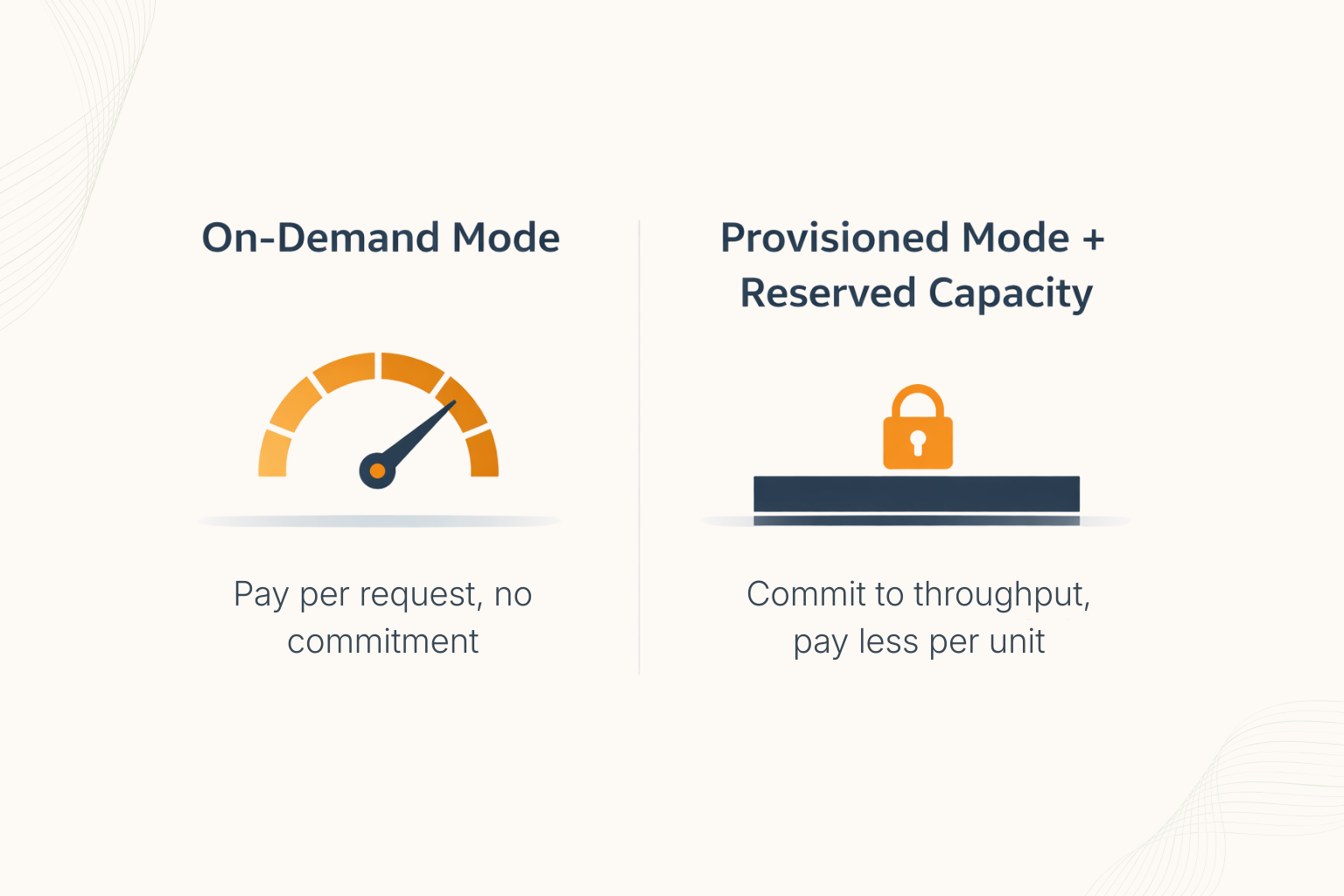
Teams often frame the decision as DynamoDB reserved capacity vs on-demand mode. These are actually two separate choices. On-Demand mode and Provisioned mode are billing architectures, while reserved capacity is a discount applied within provisioned mode. You cannot apply reserved capacity DynamoDB discounts to on-demand mode tables.
That said, the comparison is worth making directly because many teams are choosing between running tables in on-demand mode (no capacity management, pay per request) and running them in provisioned mode with reserved capacity (capacity management required, but much lower cost at steady state).
On-Demand Mode: When It Wins
On-demand mode charges $1.25 per million write request units and $0.25 per million read request units in us-east-1. There is no upfront cost and no capacity planning required. On-demand mode is better than provisioned plus reserved capacity when:
- Traffic is highly irregular, with large peaks that are difficult to predict
- The table is new, and throughput patterns are not yet established
- The workload runs for only a few hours per day (provisioned hourly charges accumulate even at zero traffic)
- Traffic spikes to 10x or more of baseline regularly
Provisioned Mode + Reserved Capacity: When It Wins
At steady-state throughput, provisioned mode with DynamoDB reserved capacity almost always beats on-demand mode for cost. Consider a table consuming 1,000 WCUs and 2,000 RCUs continuously:
On-Demand Cost Estimate (at 1,000 writes/sec and 2,000 reads/sec)
- Writes: 1,000/sec x 3,600 sec x 24 hr x 365 days / 1,000,000 x $1.25 = $39,420 per year
- Reads: 2,000/sec x 3,600 x 24 x 365 / 1,000,000 x $0.25 = $15,768 per year
- Total on-demand annual cost: $55,188
Provisioned + 3-Year Reserved Capacity DynamoDB Cost Estimate
- WCU: 10 x $500 upfront + 1,000 x $0.0140/100 x 26,280 hrs = $5,000 + $3,679 over 3 years = $2,893 per year effective
- RCU: 20 x $100 upfront + 2,000 x $0.0028/100 x 26,280 hrs = $2,000 + $1,472 over 3 years = $1,157 per year effective
- Total provisioned + reserved annual cost: $4,050
- Annual savings vs on-demand: $51,138 per year
At scale, the case for AWS DynamoDB reserved capacity in provisioned mode is compelling for steady-state workloads. A saving of over $51,000 per year on a single table demonstrates why provisioned mode with a reservation should be the default for any workload with stable throughput.

DynamoDB Global Tables and Reserved Capacity
DynamoDB global tables reserved capacity is a topic that frequently causes confusion. Global tables replicate data across multiple AWS Regions, and each Region where your table is replicated incurs its own read and write capacity charges. Reserved capacity purchased in one Region does not apply to capacity consumed in other Regions.
This means that if you run a global table across us-east-1, eu-west-1, and ap-southeast-1, you need to purchase DynamoDB global tables reserved capacity separately in each Region to achieve the full discount across your global footprint.
The pricing structure for each Region follows the same 1-year or 3-year term model, with regional variations in the base rate and upfront fee. Some AWS Regions carry a 20 to 30% price premium compared to us-east-1. For example, ap-southeast-1 (Singapore) has approximately 20% higher rates for both RCUs and WCUs.
Capacity Planning for Global Tables
For global tables, write operations are replicated to every Region. If you write to a table replicated across 3 Regions, you consume WCUs in all 3 Regions. This amplification effect means WCU costs are the dominant cost driver for global tables, and getting WCU reservations right across all Regions matters more than getting RCU reservations right.
A common approach is to purchase 3-year reserved capacity in your primary Region (where write traffic originates) and 1-year reserved capacity in secondary Regions where you have less certainty about long-term read patterns or where the workload may be retired first.
Read more: AWS Reserved Instances: Complete Guide to Pricing, Types & Savings
Common Mistakes When Buying Reserved Capacity for Amazon DynamoDB
Understanding DynamoDB pricing reserved capacity is straightforward in theory. In practice, teams make predictable mistakes that reduce or eliminate the expected savings.
Mistake 1: Reserving at Peak Capacity Instead of Baseline
The most common and most expensive mistake is purchasing reserved capacity equal to your peak provisioned throughput rather than your sustained baseline. If your table is provisioned at 5,000 WCUs during the day but drops to 500 WCUs at night via auto-scaling, your average sustained provisioned capacity might be closer to 2,000 WCUs. Reserving 5,000 WCUs means 3,000 of those reserved units go unused each night.
The right approach is to analyze at least 90 days of CloudWatch Provisioned Write Capacity Units and Provisioned Read Capacity Units metrics to identify the true baseline floor before purchasing any reservation.
Mistake 2: Ignoring Auto Scaling Interactions
DynamoDB auto scaling adjusts your provisioned capacity dynamically based on traffic. If auto scaling frequently drops your provisioned capacity below your reserved amount, your reservation coverage drops with it. Understanding how auto scaling interacts with reservation settings is essential before committing to a large purchase.
Mistake 3: Purchasing Region by Region Without Consolidation
Reserved capacity applies to all tables in a Region, not to individual tables. Teams that manage DynamoDB tables across multiple AWS accounts under AWS Organizations should consolidate their reserved capacity purchases in the payer account to benefit from cross-account coverage. Purchasing reservations independently in each member account almost always results in over-reservation in some accounts and under-reservation in others.
Mistake 4: Not Modeling the Break-Even Before Committing to 3 Years
The 3-year term offers a 60% discount vs standard provisioned rates, which is compelling. But as shown in the break-even section above, you do not recover the upfront investment until approximately month 22. Teams that do not model this explicitly often purchase 3-year reservations for workloads that are decommissioned or migrated within 18 months.

How Usage.ai Manages DynamoDB Reserved Capacity
Usage.ai provides end-to-end management of your DynamoDB capacity reservations across all accounts in your AWS Organization. Rather than relying on manual CloudWatch analysis and spreadsheet modeling, Usage.ai automates the entire lifecycle from purchase recommendation to expiry renewal.
Baseline Detection Across All Tables
Usage.ai continuously monitors every provisioned DynamoDB table across all linked accounts, tracking ProvisionedReadCapacityUnits and ProvisionedWriteCapacityUnits alongside actual consumed capacity. The platform identifies the sustained floor for each table and aggregates it to the Region level, giving you the exact reservation amount that maximizes coverage without over-purchasing.
Reservation Purchase Recommendations
Based on 90-day usage data, Usage.ai generates specific recommendations for aws dynamodb reserved capacity purchases. Each recommendation includes the suggested term (1-year or 3-year), the unit count for RCUs and WCUs separately, the projected upfront cost, the projected annual savings, and a confidence score based on throughput stability. Teams with consistent workloads receive 3-year recommendations. Teams with newer or more variable tables receive 1-year recommendations.
Expiry Tracking and Renewal Alerts
DynamoDB reservation expiry is easy to miss. Unlike EC2 Reserved Instances, there is no prominent console alert for DynamoDB. Usage.ai tracks every active reservation’s expiry date and sends alerts at 90, 60, and 30 days. Renewal recommendations are automatically regenerated at each alert point, using the most recent 90 days of usage data rather than the original purchase data, so renewal decisions reflect current workload reality.
Cross-Account Consolidated View
For teams running DynamoDB across multiple AWS accounts, Usage.ai provides a single consolidated view of reservation coverage across all accounts in your AWS Organization. You can see aggregate reserved capacity DynamoDB coverage at the Organization level, identify accounts that are under-reserved, and purchase new reservations from a central interface without switching between accounts.
Read more: Cloud Cost Optimization Best Practices
Frequently Asked Questions
1. What is DynamoDB reserved capacity and how does it differ from on-demand mode?
DynamoDB reserved capacity is a discount applied to provisioned throughput mode tables in exchange for a 1-year or 3-year commitment. You pay an upfront fee and a reduced hourly rate per capacity unit, saving up to 60% vs standard provisioned rates. On-demand mode has no commitment and charges per request. This pricing model does not apply to on-demand mode tables.
2. Can DynamoDB reserved capacity be applied across multiple tables?
Yes. Reserved capacity for Amazon DynamoDB applies to all provisioned tables in the same AWS Region within the same AWS account. If you purchase 1,000 RCUs of reserved capacity in us-east-1, that discount is distributed automatically across all provisioned tables in us-east-1 up to 1,000 RCUs of aggregate provisioned throughput. It is not tied to a single table.
3. Does DynamoDB reserved capacity work with auto scaling?
Yes, but with an important caveat. DynamoDB auto scaling adjusts your provisioned capacity dynamically. The reserved capacity discount applies to whatever provisioned capacity you have at any given moment, up to your reserved amount. If auto scaling reduces your provisioned capacity below your reserved amount, the unused reserved capacity generates no savings during that period while the upfront cost still applies.
4. What happens if I need more capacity than I reserved?
Any provisioned capacity above your reserved amount is billed at the standard provisioned rate. There is no penalty for exceeding your reservation. You simply pay the regular rate for the overage. This means reservations carry a floor benefit but no ceiling constraint.
5. Can I sell or transfer DynamoDB reserved capacity I no longer need?
No. Unlike EC2 Standard Reserved Instances, DynamoDB reserved capacity cannot be listed on the AWS Reserved Instance Marketplace. There is no secondary market or transfer mechanism. Once purchased, the reservation runs for the full term regardless of whether you use it. This makes accurate capacity planning before purchase especially important.
6. Is DynamoDB reserved capacity available in all AWS Regions?
This pricing option is available in most major AWS Regions, including us-east-1, us-west-2, eu-west-1, ap-southeast-1, ap-northeast-1, and others. Pricing varies by Region. Some Regions, particularly in Asia Pacific and South America, carry higher rates for both the upfront fee and the discounted hourly rate. Always verify current regional pricing on the AWS DynamoDB pricing page before purchasing.
7. How does DynamoDB global tables reserved capacity work across Regions?
DynamoDB global tables reserved capacity must be purchased separately in each AWS Region where your global table is replicated. A reservation in us-east-1 provides no discount for capacity consumed in eu-west-1. For global tables, you need to plan and purchase reservations independently for each Region in your replication set.
8. Which term should most teams choose: 1-year or 3-year?
For workloads with at least 12 months of stable usage history and no planned migration or architectural change within 3 years, the 3-year term delivers approximately 2.7 times more total savings per year. For newer workloads or those with uncertain futures, the 1-year term limits financial exposure while still delivering a 44% discount. Validate at least 90 days of CloudWatch metrics before purchasing either term.