.png)



DAX costs $0.04/hour per node (dax.t3.small) with no reserved pricing, no free tier, and no auto-scaling. A minimum 3-node production cluster runs approximately $86/month regardless of whether a single request hits the cache. The only way DAX saves money is if the RCU costs it eliminates exceed that flat monthly node bill, and since AWS cut on-demand DynamoDB prices by 50% in November 2024, the read volume required to reach that break-even point is now significantly higher than most existing guides suggest.
This blog runs the break-even math at current pricing, builds a decision framework for FinOps engineers, and covers the cases where DAX costs more than it saves.
DAX vs No DAX: The Verdict
DAX is a performance tool, not a cost tool by default. For teams running fewer than 3,000 reads per second on on-demand capacity, a 3-node DAX cluster costs more than the RCUs it offloads. Choose DAX when microsecond latency is a hard product requirement, or when your read volume is high enough that RCU savings exceed $86/month at your cache hit rate. Do not choose DAX to save money on a low- to mid-volume table, it will cost more, not less.
What Is DynamoDB DAX?
DynamoDB Accelerator (DAX) is a fully managed, in-memory write-through cache for DynamoDB that delivers microsecond read latency by serving frequently accessed items directly from memory, bypassing DynamoDB read capacity units for cache hits. It is DynamoDB-API-compatible, meaning most applications require minimal code changes to adopt it.
DAX is not serverless. It runs as a cluster of EC2-like nodes that you provision, size, and pay for by the hour regardless of traffic. It does not scale to zero, it does not offer reserved pricing, and it does not have a free tier.
DynamoDB DAX Pricing: The Complete Node-Hour Breakdown
All pricing below is for US East (N. Virginia). Verify current rates at aws.amazon.com/dynamodb/pricing — rates change. Pricing as of April 2026.
DAX pricing has a single dimension: node-hours consumed. You pay per node, per hour, for every node in your cluster. Partial hours are billed as full hours. There are no data transfer charges between EC2 and DAX within the same Availability Zone.
Monthly costs calculated at 720 hours (30 days x 24 hours) x 3 nodes. Verify at aws.amazon.com/dynamodb/pricing — rates change.
Important note on T3 instances: T3 nodes run in unlimited CPU mode. If average CPU utilization exceeds the baseline over a rolling 24-hour period, AWS charges CPU credits at $0.096 per vCPU-hour. For read-heavy workloads that consistently saturate CPU, this can make T3 nodes more expensive in practice than their sticker price suggests. R5 nodes have a dedicated CPU with no burst billing and may be cheaper for sustained high-throughput workloads despite the higher hourly rate.

Why Does DAX Have No Reserved Pricing?
Unlike RDS, ElastiCache, or DynamoDB Reserved Capacity, DAX offers no reserved instance discounts. You pay on-demand rates for every node-hour, indefinitely. This is a meaningful financial constraint: for teams running production DAX clusters continuously, there is no mechanism to reduce the flat node cost through commitment-based discounts.
This is one of the reasons the DAX cost-benefit calculation is harder than it appears. With ElastiCache, you can commit to 1-year reserved nodes and reduce the cache layer cost significantly. With DAX, you cannot. Every dollar of DAX node cost is on-demand, every month.
DAX vs No DAX: Full Side-by-Side Comparison
The Break-Even Analysis: How Many Reads Does DAX Need to Pay for Itself?
This is the calculation every guide skips. Here it is explicitly, at current pricing.
The formula:
DAX monthly node cost / (RCU cost per read x cache hit rate) = minimum reads per second to break even
Key inputs (US East, April 2026 — verify at aws.amazon.com/dynamodb/pricing):
- On-demand read cost: $0.25 per million RRUs (strongly consistent) — post November 2024 cut
- Eventually consistent read cost: $0.125 per million RRUs
- dax.t3.small 3-node cluster: ~$86/month
Break-even calculation for on-demand strongly consistent reads at 80% cache hit rate:
Monthly reads needed to save $86 in RCU costs: $86 / $0.25 per million = 344 million reads per month that must be served from cache
At 80% cache hit rate, total reads required: 344 million / 0.80 = 430 million reads per month
At 430 million reads per month: 430,000,000 / (30 days x 86,400 seconds) = approximately 166 reads per second
Break-even table at different cache hit rates (3x dax.t3.small, strongly consistent on-demand reads):
At first glance these numbers look achievable. But there is a critical caveat: this is for the minimum 3-node dax.t3.small cluster with 2 GB of memory per node. The moment your working set exceeds 6 GB total across three nodes, cache eviction begins and your effective hit rate drops. Most production tables that need DAX have working sets larger than 6 GB, requiring an upgrade to dax.r5.large (3-node cost: ~$581/month), which pushes the break-even point proportionally higher.
Break-even for 3x dax.r5.large at 80% cache hit rate, strongly consistent reads:
$581 / $0.25 per million x (1/0.80) = 2,905 million reads/month = approximately 1,121 RPS
How the November 2024 On-Demand Price Cut Changed DAX Economics
Before November 2024, on-demand DynamoDB reads cost $0.25 per million RRUs (eventually consistent) and $0.50 per million RRUs (strongly consistent) in US East.
After the November 2024 cut, strongly consistent reads dropped to $0.25 per million and eventually consistent reads dropped to $0.125 per million.
What this means for DAX:
Every RCU that DAX offloads is now worth half what it was worth before the cut. The $86/month dax.t3.small cluster needs to offset twice as many reads to break even compared to pre-November-2024 guidance. Any blog post or calculator built before this price change is quoting DAX break-even numbers that are no longer accurate.
The practical implication: teams that evaluated DAX in 2023 or early 2024 and concluded it was cost-effective should re-run the calculation at current pricing. The performance case for DAX is unchanged. The cost case is harder to make than it was 18 months ago.
When Does DAX Actually Save Money?
DAX saves money under a specific combination of conditions. All four must be true simultaneously:
Condition 1: Your working set fits in the DAX cluster memory If your hot data exceeds the total cache memory across nodes, eviction rates rise and hit ratios fall. A dax.t3.small cluster has 6 GB total. A dax.r5.large cluster has 48 GB total.
Condition 2: Your cache hit rate exceeds 80% Below 80%, cache misses still consume DynamoDB RCUs and you are paying both DAX node costs and DynamoDB read costs simultaneously for a significant fraction of traffic.
Condition 3: Your read volume is high enough to generate RCU savings that exceed node costs At current on-demand pricing, you need roughly 140-266 RPS on dax.t3.small (depending on hit rate) or 1,000+ RPS on dax.r5.large just to break even financially.
Condition 4: Your access pattern is read-dominated with a small hot working set DAX is a write-through cache. Writes still go to DynamoDB directly. Tables where writes are frequent relative to reads, or where every read is for a unique item with no repeat access, will see near-zero cache benefit.
The use cases where all four conditions are most likely to be true:
- Gaming leaderboards with a fixed set of top players read thousands of times per second
- Product catalog pages for e-commerce where a small set of featured items receive most traffic
- Session stores where active user sessions are read on every request and the active session count is bounded
- Configuration or feature flag tables read on every API call across a high-traffic service
When Does DAX Cost More Than It Saves?
Low-traffic tables (under 150 RPS) At fewer than 150 reads per second, the flat $86/month minimum DAX cost exceeds the RCUs you are offloading, even at 95% hit rate. The table simply does not generate enough read volume to justify the cache layer.
On-demand tables with unpredictable traffic On-demand pricing means you only pay for reads you actually make. DAX adds a fixed $86/month floor regardless of traffic. During low-traffic periods you are paying for cache capacity that produces zero benefit.
Write-heavy tables DAX does not cache writes. If your table is write-heavy with infrequent reads, DAX adds node cost without reducing any meaningful portion of your bill.
Large, unique working sets If your application reads a wide distribution of unique items — for example, individual user records where each user is read infrequently — your cache hit rate will be low and DAX will serve most requests as misses, incurring both node cost and DynamoDB RCU cost.
Tables already on provisioned capacity with Reserved Capacity commitments Teams using DynamoDB Reserved Capacity through Usage.ai’s Flex Reserved Instances are already paying a discounted per-RCU rate. The lower your effective RCU cost after the 30-40% Reserved Capacity discount, the higher your read volume needs to be before DAX offloads enough cost to cover its node bill. In this scenario, the performance argument for DAX is valid but the cost argument is weakened further.
Also read: AWS Budgets vs Cost Explorer: Key Differences Explained
DAX vs ElastiCache: Which Cache Layer Is Cheaper for DynamoDB?
This comparison comes up frequently because ElastiCache is an alternative caching strategy that some teams use in front of DynamoDB. The decision is not straightforward.
Choose DAX when: You need microsecond latency without application changes and you have sufficient read volume to justify the node cost. The DynamoDB-native integration removes cache invalidation complexity from your application.
Choose ElastiCache when: You need reserved pricing to reduce cache layer costs over time, your caching needs extend beyond DynamoDB reads, or you are caching computed results rather than raw DynamoDB items. ElastiCache also supports reservation discounts that DAX does not, which matters for teams running cache infrastructure continuously.
Also Read: AWS Savings Plan Buying Strategy: Layering, Timing & Right-Sizing Commitment
How Usage.ai’s DynamoDB Reserved Capacity Affects the DAX Decision
Teams considering DAX as a cost-reduction strategy should first evaluate whether DynamoDB Reserved Capacity is a better lever.
Usage.ai’s Flex Reserved Instances for DynamoDB deliver 30-40% savings on provisioned DynamoDB throughput with no upfront payment and a cashback guarantee on underutilization. If your table is on provisioned capacity and generating significant RCU costs, reducing those RCU costs through Reserved Capacity is a lower-complexity and lower-risk path than introducing a DAX cluster.
The practical comparison for a table spending $500/month in RCU costs:
- Reserved Capacity via Usage.ai: $150-200/month reduction, zero operational complexity added, no minimum traffic requirement
- DAX (3x dax.r5.large): ~$581/month node cost, requires 1,000+ RPS at 80% hit rate just to offset the node bill, adds cluster sizing and monitoring overhead
For most provisioned DynamoDB tables, Reserved Capacity delivers a better cost-per-dollar-saved outcome than DAX — and it does not add infrastructure complexity.
DAX and Reserved Capacity are not mutually exclusive. Teams running high-volume tables can apply both: Reserved Capacity reduces the cost per RCU on reads that miss the cache, while DAX reduces the volume of reads that reach DynamoDB at all.
Usage.ai refreshes DynamoDB recommendations every 24 hours, compared to the 72+ hour refresh cycle on AWS native tools. For teams sizing a DAX cluster alongside a Reserved Capacity commitment, that recommendation freshness means your provisioned throughput baseline reflects current traffic patterns rather than data that is three days old.
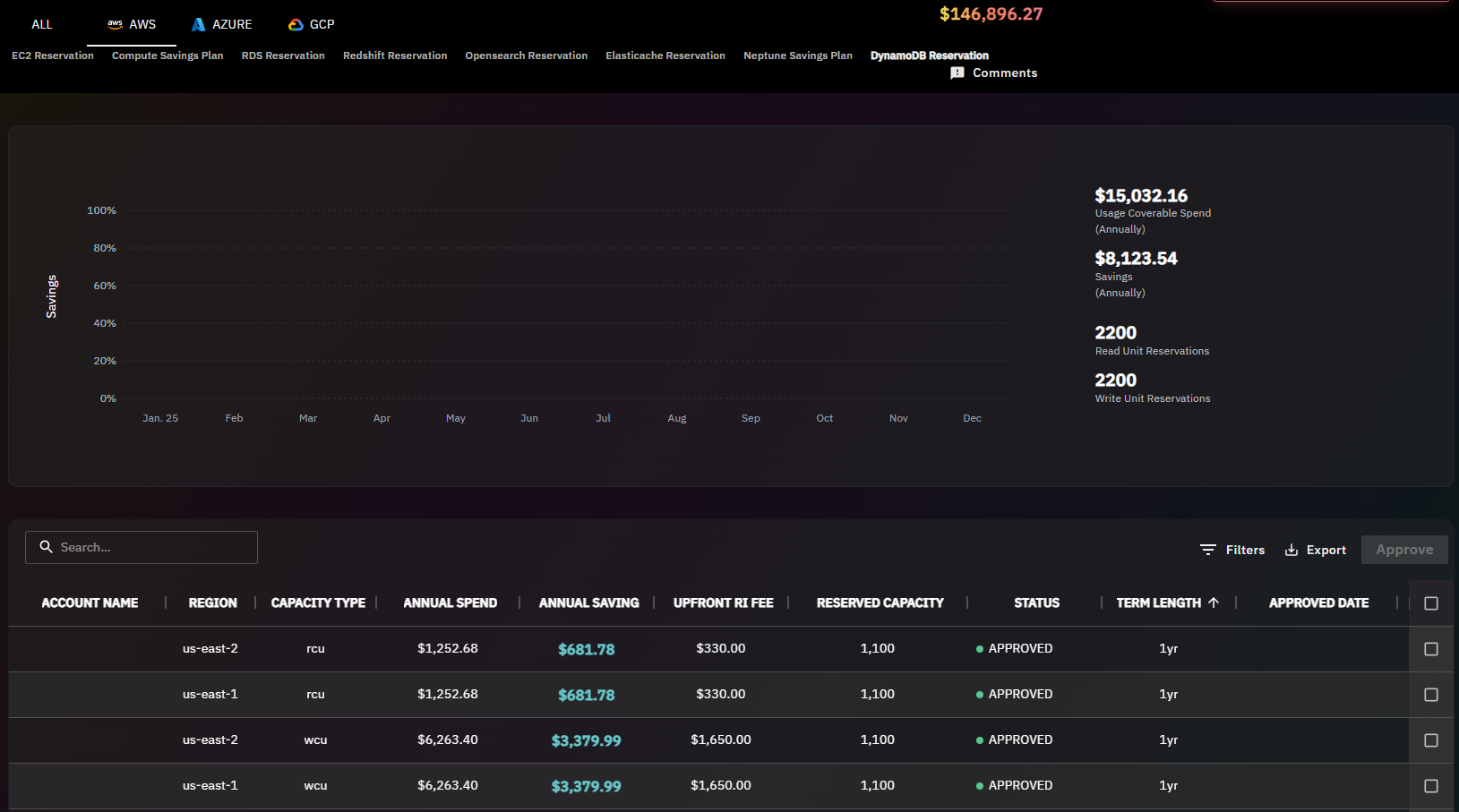
Book a DynamoDB savings assessment at usage.ai to see how Reserved Capacity compares to DAX for your specific workload.
Frequently Asked Questions
1. How much does DynamoDB DAX cost per month?
DynamoDB DAX costs $0.04/hour per dax.t3.small node in US East (N. Virginia), with no reserved pricing and no free tier. A minimum 3-node production cluster runs approximately $86/month at full utilization. Larger node types cost significantly more: a 3-node dax.r5.large cluster runs approximately $581/month. All costs are on-demand with no commitment discount available. Partial node-hours are billed as full hours. Verify current pricing at aws.amazon.com/dynamodb/pricing — rates change.
2. Does DynamoDB DAX offer reserved instances or savings plans?
No. DAX does not offer reserved instance pricing or savings plan discounts. Every DAX node is billed at on-demand rates regardless of how long the cluster runs. This is a meaningful cost consideration compared to ElastiCache, which does support reserved node pricing at up to approximately 40% savings on 1-year commitments. Teams running DAX continuously pay full on-demand rates indefinitely with no mechanism to reduce node costs through commitment discounts.
3. What is the minimum number of nodes for a DAX cluster?
AWS recommends a minimum of 3 nodes for a production DAX cluster to ensure fault tolerance across multiple Availability Zones. A single-node cluster is technically possible but provides no high availability and is unsuitable for production workloads. The 3-node minimum means the effective minimum monthly cost is approximately $86/month for dax.t3.small nodes, not the $28.80/month single-node rate. Always plan for 3 nodes minimum when evaluating DAX cost.
4. At what read volume does DAX break even financially?
At current pricing (post-November 2024 on-demand cut), a 3-node dax.t3.small cluster breaks even against strongly consistent on-demand reads at approximately 140-266 reads per second depending on cache hit rate. At 80% hit rate, break-even is approximately 166 RPS. For dax.r5.large (needed for working sets above 6 GB), break-even at 80% hit rate is approximately 1,121 RPS. These figures are significantly higher than pre-2024 guides suggest because the November 2024 on-demand price cut halved the RCU savings that DAX can generate per cached read. Verify at aws.amazon.com/dynamodb/pricing — rates change.
5. What is DynamoDB DAX cache hit rate and why does it matter?
Cache hit rate is the percentage of read requests served from DAX memory without reaching DynamoDB. A 90% hit rate means 90% of reads bypass DynamoDB RCU consumption entirely. Hit rate directly determines how much RCU cost DAX offloads per month. If hit rate falls below 60-70%, the RCU savings may not cover DAX node costs, meaning you pay both node costs and substantial DynamoDB read costs simultaneously. Hit rate depends on working set size relative to cluster memory, access pattern distribution, and item TTL configuration within DAX.
6. Does DAX work with DynamoDB on-demand capacity mode?
Yes. DAX works with both on-demand and provisioned DynamoDB capacity modes. However, the cost-benefit calculation differs significantly. With on-demand mode, every cache hit saves a per-request RCU charge. With provisioned mode, cache hits reduce consumed capacity but your provisioned capacity cost is fixed regardless of actual utilization. For provisioned tables, DAX only generates meaningful cost savings if you right-size provisioned capacity downward after confirming sustained high cache hit rates — otherwise you pay for both DAX nodes and provisioned capacity you are not fully consuming.
7. Can I use DAX and DynamoDB Reserved Capacity together?
Yes, they can coexist and address different cost dimensions. Reserved Capacity (available through Usage.ai’s Flex Reserved Instances) reduces the per-RCU cost on reads that reach DynamoDB, while DAX reduces the volume of reads that reach DynamoDB at all. However, Reserved Capacity also reduces the dollar value of each RCU that DAX offloads, which raises the break-even read volume for DAX. For most provisioned tables, evaluating Reserved Capacity first is the lower-risk, lower-complexity starting point before adding DAX infrastructure.
8. What is the T3 unlimited CPU credit charge for DAX?
DAX T3 instances (dax.t3.small, dax.t3.medium) run in unlimited CPU mode. If average CPU utilization exceeds the T3 baseline over a rolling 24-hour window, AWS charges CPU credits at $0.096 per vCPU-hour. For cache workloads with sustained high read throughput that consistently saturates CPU, this can make T3 nodes more expensive in practice than their hourly sticker price. R5 nodes have dedicated CPU with no burst billing model, making them more predictable for sustained high-throughput DAX workloads despite the higher base cost. Verify at aws.amazon.com/dynamodb/pricing — rates change.