
 AWS
AWS Microsoft Azure
 Google Cloud

Short answer
Choose DynamoDB Standard-IA when a table stores large volumes of infrequently accessed data and storage is more than half of its total cost. Choose Standard for everything else, especially read and write heavy tables where throughput dominates.One exception matters: if a provisioned Standard table qualifies for reserved capacity, that discount can beat Standard-IA even on storage-heavy tables, because Standard-IA cannot use reserved capacity at all. Both classes deliver identical performance, so the decision is purely about cost.
How the two table classes are priced
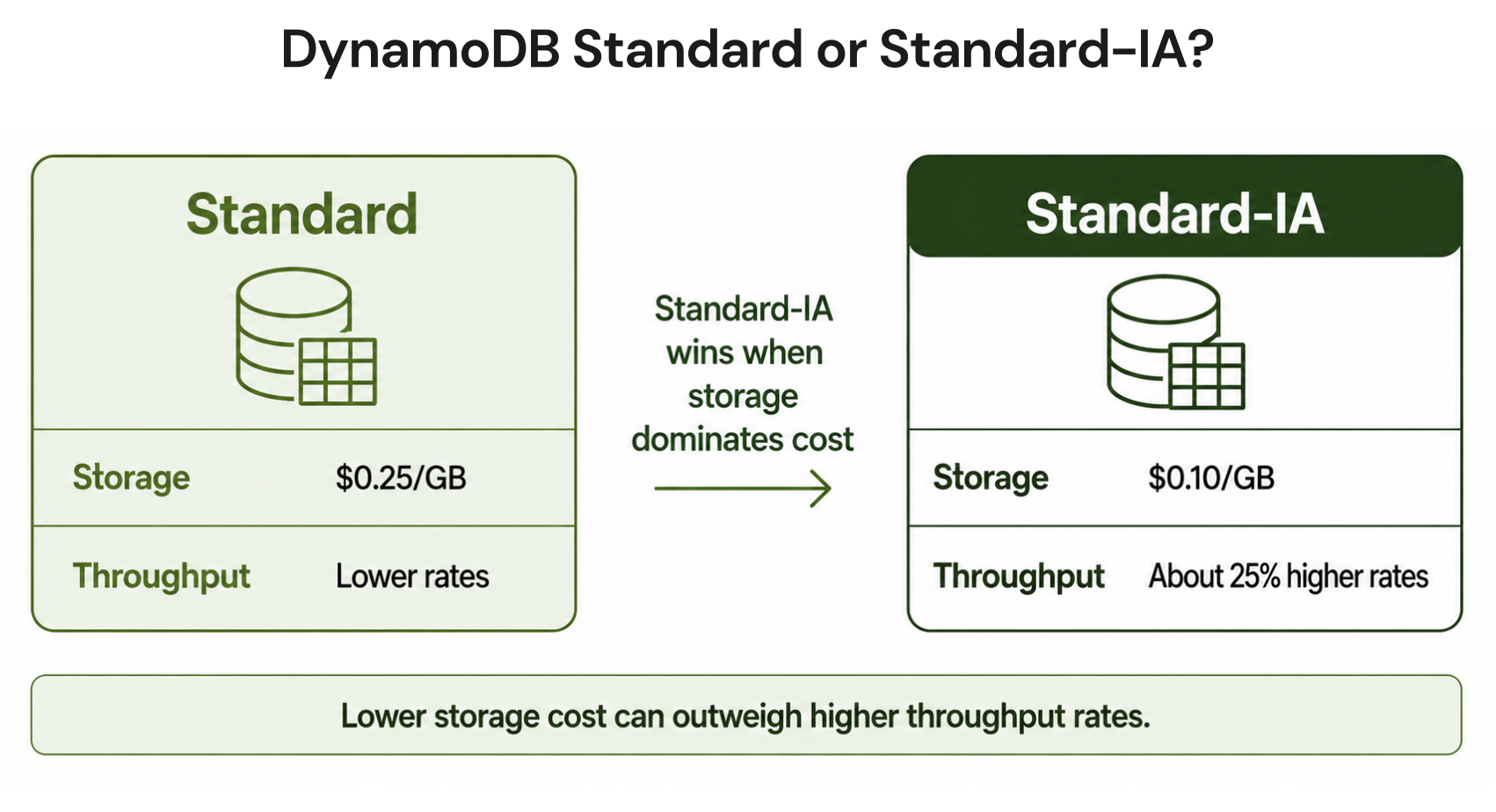
The two classes differ on exactly two levers: storage rate and throughput rate. Standard-IA trades a higher per-request cost for much cheaper storage. Everything else, including latency, durability, and the service SLA, is identical, which AWS confirms in its table class guidance.Here is the full comparison for US East (N. Virginia). Verify current rates on the AWS DynamoDB pricing page before budgeting, since rates change.
| Dimension | Standard | Standard-IA | Difference |
|---|---|---|---|
| Storage | $0.25/GB-month | $0.10/GB-month | 60% cheaper on IA |
| On-demand write (WRU) | $0.625/M | $0.780/M | ~25% more on IA |
| On-demand read (RRU) | $0.125/M | $0.155/M | ~24% more on IA |
| Provisioned write (WCU) | $0.00065/hr | $0.00081/hr | ~25% more on IA |
| Provisioned read (RCU) | $0.00013/hr | $0.00016/hr | ~23% more on IA |
| Reserved capacity | Available | Not available | Standard only |
| Free tier storage | 25 GB/month | None | Standard only |
| Performance | Identical | Identical | No difference |
The 50% guideline and the real break-even
AWS recommends Standard-IA for tables where storage is the dominant cost, and uses a 50% share of total cost as its selection guideline. That 50% figure is deliberately conservative. It is not the point where IA starts to win; it is the point where IA wins comfortably.The arithmetic crossover is about 29% when the comparison includes only Standard storage and the table-class-dependent read and write charges, assumes the same request mix, and excludes the Standard free tier, reservations, and charges unaffected by table class.
It is not a share of a table’s entire DynamoDB bill. Use AWS’s 50% guideline as the safer starting point, then price the full workload before switching. The examples below are illustrative and assume a table costing $100 per month on Standard in us-east-1.
Illustrative example, storage-heavy table (55% storage): Storage $55, throughput $45. On IA, storage drops 60% to $22 (saving $33), throughput rises 25% to $56.25 (adding $11.25). Net saving: $21.75 per month, a 21.75% reduction.
Illustrative example, exact 50% split: Storage $50, throughput $50. IA saves $30 on storage, adds $12.50 on throughput. Net saving: $17.50 per month. A clear win.
Illustrative example, near the break-even (30% storage): Storage $30, throughput $70. IA saves $18 on storage, adds $17.50 on throughput. Net saving: $0.50 per month. Effectively break-even, and below this point IA costs more.
How savings change with table size
The pattern holds across realistic workloads. The rows below are illustrative on-demand tables in US East, with the 25 GB Standard free storage tier applied and requests at full rate. The first row matches AWS’s own published example on the pricing page, where a large, low-write table drops 50.9% by moving to IA.| Workload (storage share on Standard) | Standard | Standard-IA | Net result |
|---|---|---|---|
| 1.2 TB, 42.5M writes, 42.5M reads (90%) | $325.62 | $159.74 | Save $165.88 (51%), AWS's own example |
| 500 GB, 2M writes, 10M reads (98%) | $121.25 | $53.11 | Save $68.14 (56%), strong IA win |
| 100 GB, 20M writes, 40M reads (52%) | $36.25 | $31.80 | Save $4.45 (12%), modest win |
| 10 GB, 50M writes, 100M reads (0%) | $43.75 | $55.50 | IA costs $11.75 more (27%) |
Notice the 100 GB table at 52% storage saves only 12%: crossing AWS’s guideline does not guarantee a large win, it guarantees a real one. Understanding where your spend actually sits is the same visibility problem behind the broader on-demand versus provisioned decision.
When reserved capacity beats Standard-IA
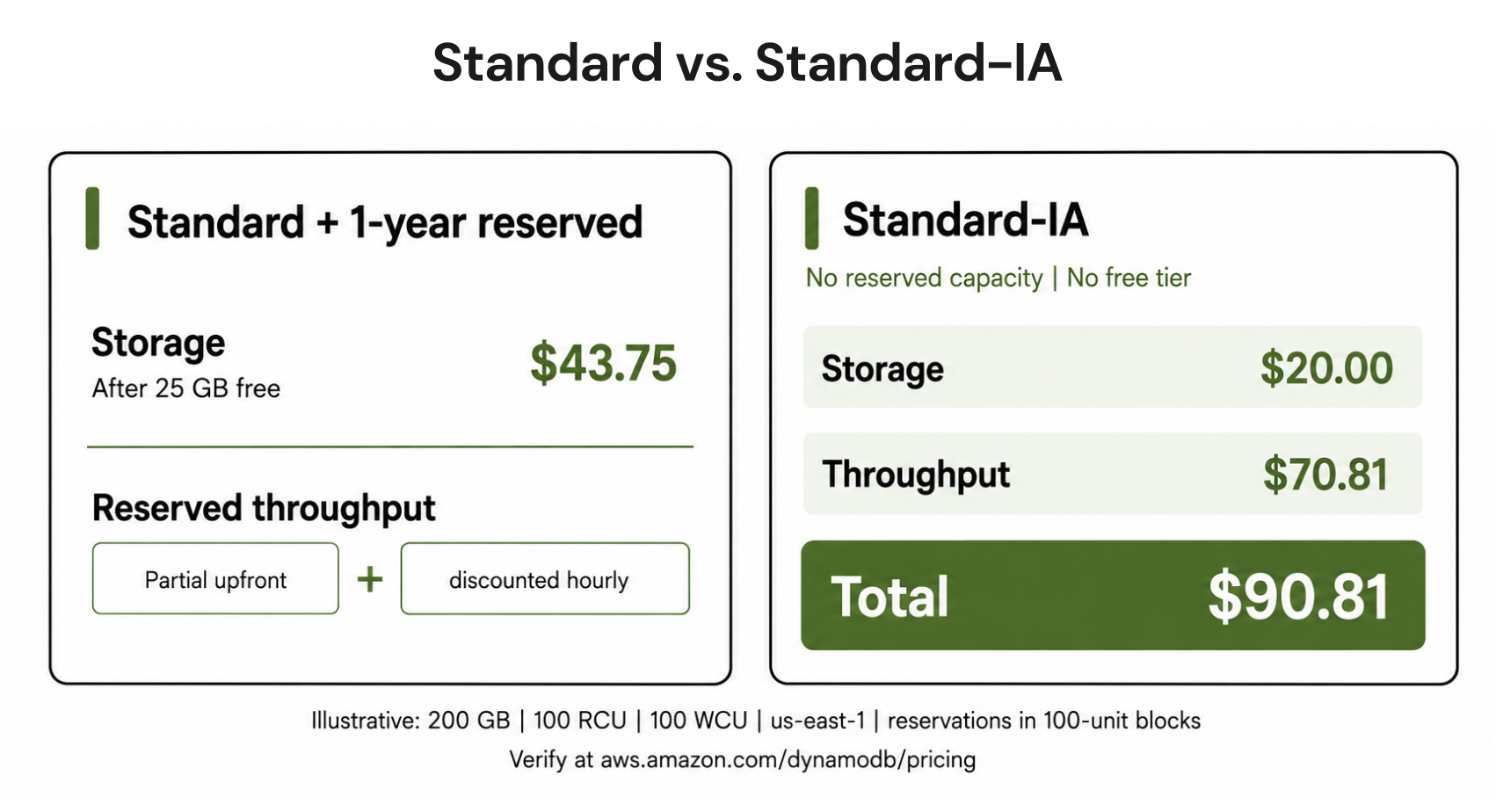
This is the case most comparisons miss. DynamoDB reserved capacity discounts provisioned throughput heavily, but only on the Standard class. Standard-IA tables cannot use it at all, which AWS states plainly on its reserved capacity page. Reserved capacity is purchased in blocks of 100 RCU or 100 WCU, so the example uses round, purchasable quantities.Illustrative example, us-east-1: a table with 200 GB storage, 100 provisioned RCU and 100 provisioned WCU.
- Standard with a 1-year reserved commitment: storage after the 25 GB free tier, 175 GB at $0.25 = $43.75. Reserved throughput also includes a one-time partial upfront payment plus discounted hourly charges for the 100 RCU and 100 WCU allocations, so calculate the effective monthly cost using both components from AWS’s current reserved-capacity offering before comparing it with Standard-IA.
- Standard-IA at full IA provisioned rates, no free tier: storage 200 GB at $0.10 = $20.00, plus throughput $70.81 = $90.81/month.
Model both one-year and, where available, three-year terms against the workload’s expected stability. This is exactly the profile where the 1-year versus 3-year commitment choice is worth modeling before you touch the table class.
Rules and limits when switching classes
Switching is a background configuration update with no downtime and no code changes. You can access the table normally while the update runs, but AWS says the duration depends on table traffic, storage size, and other variables. A few constraints shape the decision.- Switch limit: you can change a table’s class twice in any rolling 30-day period.
- Index inheritance: all global and local secondary indexes adopt the base table’s class automatically. The throughput change applies to every index, not just the base table.
- Free tier: the 25 GB Always Free storage tier applies to Standard only. Switching a small table to IA forfeits it, which is why the DynamoDB free tier usually makes Standard cheaper under 25 GB.
- Global Tables: both classes work with Global Tables, and each replica can use either class independently, so one replica on Standard can pair with another on Standard-IA.
How to find Standard-IA candidates
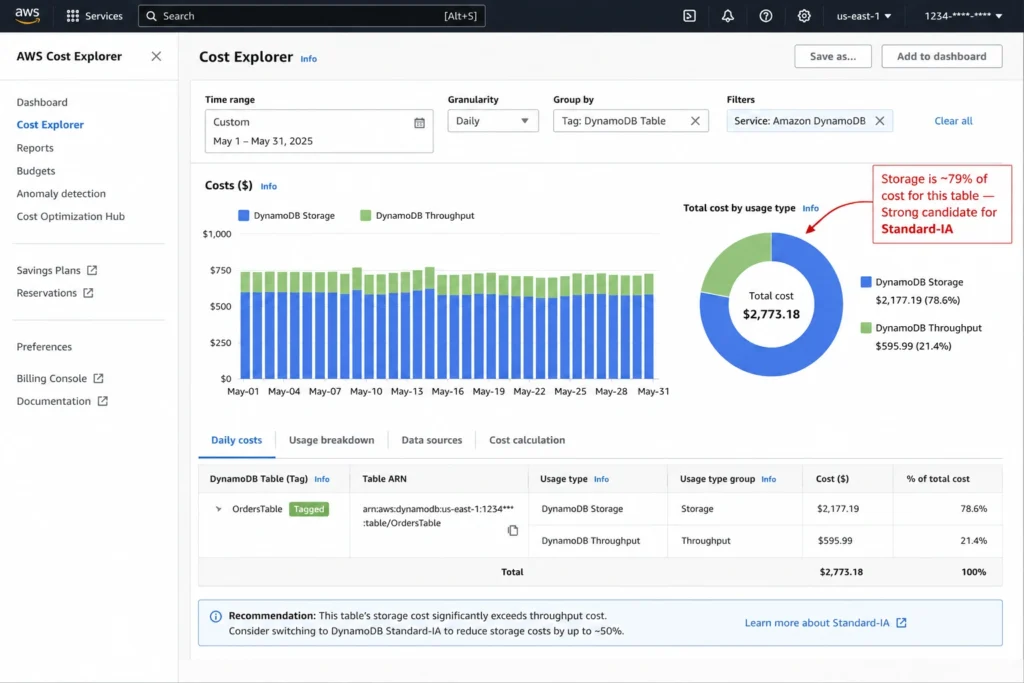
You need per-table cost data to spot candidates, and Cost Explorer does not group DynamoDB spend by table on its own. AWS’s table-level cost analysis guidance points to two reliable routes.- Cost allocation tags: tag each table, activate the tag in the billing console, then in Cost Explorer filter to Amazon DynamoDB and group by that tag. Within a table, compare the storage usage type against the read and write throughput usage types.
- Cost and Usage Report: in Athena, sum storage cost versus throughput cost grouped by line_item_resource_id over the trailing 30 days. This gives exact per-table splits without waiting for tags to populate.
- CloudWatch, as a quick heuristic: pull TableSizeBytes alongside provisioned capacity utilization. Tables under 30% utilization with over 100 GB stored are strong candidates worth costing precisely.
Pre-switch evaluation checklist
Storage is more than 50% of the table's total monthly cost.
The data is infrequently accessed (logs, archives, order history, audit trails).
The table stores more than 25 GB, so the free tier is not the cheaper option.
Moving this table off Standard will not leave a Regional reserved-capacity commitment without enough eligible Standard provisioned throughput to cover it.
For steady provisioned workloads, you have priced Standard-IA against Standard plus reserved capacity and against any applicable Database Savings Plan.
You have confirmed you are within the twice-per-30-days switch limit.
You have noted the current cost baseline so you can verify the change in the next billing cycle.
How we help automate the decision
The table class is one lever. The larger savings usually come from the capacity layer: on-demand versus provisioned, right-sizing provisioned capacity, and buying reserved capacity where it wins on Standard.At Usage.ai, we continuously analyze AWS usage across your cloud environment to identify commitment opportunities and optimize coverage as workloads evolve.
With Flex Insured Commitments, teams can get the up to 57% savings of a 3-year AWS commitment with none of the commitment.
If a commitment ever costs more than the equivalent On-Demand usage, our Cashback Protection covers the difference, helping organizations maximize savings while retaining flexibility as workloads evolve.
We size reserved capacity, identify where Standard-IA wins, and reduce eligible over-commitment risk with cashback and credits.
Frequently asked questions
Does DynamoDB Standard-IA support reserved capacity?
No. DynamoDB reserved capacity applies only to the Standard table class and can save up to 54% on a one-year term or up to 77% on a three-year term where available. Standard-IA cannot use DynamoDB reserved capacity, although AWS Database Savings Plans may cover eligible DynamoDB usage. Reserved capacity also does not cover replicated write units on Global Tables in either class.
Is Standard-IA cheaper for tables under 25 GB?
Rarely. Standard includes 25 GB of Always Free storage, so a 20 GB table pays nothing for storage on Standard. The same table on IA pays $2.00 per month and loses the free tier. IA only makes sense well above 25 GB with low access frequency.
Can you switch table classes without downtime?
Yes. Switching between Standard and Standard-IA is a background update with no downtime and no code changes, and the table stays accessible while it runs. AWS notes the duration depends on the table's traffic and size. All secondary indexes inherit the new class automatically, and you can switch up to twice in any 30-day period through the console, CLI, or SDK.
Do global secondary indexes follow the table class?
Yes. Every global and local secondary index adopts the base table's class, so the storage saving and the throughput premium both apply across all indexes. You cannot mix a Standard base table with Standard-IA indexes.
Does Standard-IA work with Global Tables?
Yes. Both classes are compatible with Global Tables, and each replica can be set independently, so one replica can run on Standard while a disaster-recovery replica runs on Standard-IA. Reserved capacity still does not apply to replicated write capacity in either class.




