.png)


RDS MariaDB Reserved Instances: Pricing and MySQL Alternative Guide
RDS MariaDB and RDS MySQL cost exactly the same for the same instance type. A db.r8g.xlarge MariaDB Single-AZ in US East runs at $0.480/hr on-demand, identical to db.r8g.xlarge MySQL. The reserved instance savings are also the same: 29-34% on a 1-year No Upfront term, up to 55% on a 3-year All Upfront. Size flexibility applies to both engines. So if the pricing is parity, the question becomes: when should you choose MariaDB over MySQL, and does that choice affect your cost optimization strategy in any meaningful way?
This guide covers the complete RDS MariaDB reserved instance pricing tables, the MariaDB vs MySQL cost comparison, the engine features that can influence infrastructure sizing decisions, and how to apply reserved instances to a MariaDB fleet.
What Is Amazon RDS MariaDB?
Amazon RDS MariaDB is a managed relational database service running MariaDB, an open-source MySQL fork created in 2009 by the original MySQL developers after Oracle acquired Sun Microsystems and with it, MySQL. MariaDB maintains binary compatibility with MySQL — applications built on MySQL client libraries connect to MariaDB without code changes.
MariaDB diverged from MySQL over the years in several engine-level areas: the Aria storage engine as an alternative to MyISAM, thread pool implementation, enhanced query optimizer statistics, dynamic columns, and temporal data tables. MariaDB also developed its own replication improvements (Group Replication-equivalent GTID with a more compatible implementation) and the Spider storage engine for horizontal sharding.
On AWS, RDS MariaDB is a fully managed deployment of MariaDB with automated backups, Multi-AZ failover, read replicas, and the same feature set as other RDS engines. Current supported versions include MariaDB 10.4, 10.5, 10.6, 10.11, and the latest LTS releases (verify at docs.aws.amazon.com/AmazonRDS/latest/UserGuide/MariaDB.Concepts.VersionMgmt.html — versions change).
What Is the Exact RDS MariaDB Pricing Compared to MySQL and PostgreSQL?
RDS MariaDB, MySQL, and PostgreSQL are priced identically for the same instance type and deployment configuration in US East (N. Virginia). Here is the complete pricing comparison as of May 2026 (verify at aws.amazon.com/rds/mariadb/pricing — rates change).
| Instance Type | MariaDB On-Demand/hr | MySQL On-Demand/hr | PostgreSQL On-Demand/hr | 1-Yr No Upfront/hr | 3-Yr All Upfront/hr |
| db.t4g.micro (Single-AZ) | $0.016 | $0.016 | $0.016 | ~$0.011 | ~$0.007 |
| db.m7g.large (Single-AZ) | $0.185 | $0.185 | $0.185 | ~$0.131 | ~$0.083 |
| db.m7g.xlarge (Single-AZ) | $0.370 | $0.370 | $0.370 | ~$0.263 | ~$0.166 |
| db.r8g.large (Single-AZ) | $0.240 | $0.240 | $0.240 | ~$0.171 | ~$0.108 |
| db.r8g.xlarge (Single-AZ) | $0.480 | $0.480 | $0.480 | ~$0.341 | ~$0.216 |
| db.r8g.xlarge (Multi-AZ) | $0.960 | $0.960 | $0.960 | ~$0.682 | ~$0.432 |
| db.r8g.2xlarge (Multi-AZ) | $1.920 | $1.920 | $1.920 | ~$1.363 | ~$0.864 |
The price parity is confirmed directly from AWS official pricing pages. Choosing RDS MariaDB over RDS MySQL is a purely technical decision, not a cost decision. The reserved instance savings percentages, payment options, and size flexibility rules are also identical between MariaDB and MySQL.
Also read: RDS Reserved Instances: Engine-by-Engine Pricing and Commitment Guide
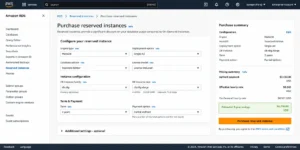
What Are the Full RDS MariaDB Reserved Instance Savings by Payment Option?
Here is the complete six-option payment matrix for a db.r8g.xlarge MariaDB Single-AZ running in US East, comparing all combinations over a 3-year horizon.
| Payment Option | Term | Effective Hourly Rate | 3-Year Total | Savings vs On-Demand |
| On-Demand (baseline) | N/A | $0.480/hr | $12,614 (3-yr) | 0% (baseline) |
| No Upfront | 1-year x 3 | ~$0.341/hr | ~$8,973 | ~29% |
| Partial Upfront | 1-year x 3 | ~$0.312/hr | ~$8,199 | ~35% |
| All Upfront | 1-year x 3 | ~$0.303/hr | ~$7,974 | ~37% |
| Partial Upfront | 3-year | ~$0.243/hr | ~$6,396 | ~49% |
| All Upfront | 3-year (best) | ~$0.216/hr | ~$5,680 | ~55% |
How Does RDS MariaDB Size Flexibility Work?
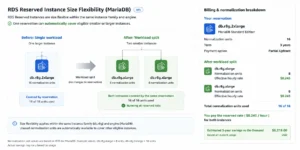
RDS MariaDB reserved instances support size flexibility within the same instance family, using the same normalization unit system as MySQL and PostgreSQL. This means a reservation on one MariaDB instance size applies proportionally to any other size in the same family.
Normalization Unit Values
The normalization unit values are the same across all size-flexible RDS engines. db.micro = 0.5 units. db.small = 1. db.medium = 2. db.large = 4. db.xlarge = 8. db.2xlarge = 16. db.4xlarge = 32. db.8xlarge = 64.
Practical example: you have a reservation for db.r8g.2xlarge MariaDB Single-AZ (16 normalization units). Your team later decides to split the workload across two db.r8g.xlarge instances (8 units each = 16 units total). Your reservation automatically covers both smaller instances at the reserved rate. No new reservation purchase needed. No configuration change required. AWS applies the discount proportionally.
Conversely: if you have a db.r8g.xlarge reservation (8 units) and scale up to db.r8g.2xlarge (16 units), your reservation covers 50% of the 2xlarge at the reserved rate. The remaining 50% bills at on-demand. At that point, purchasing another db.r8g.xlarge reservation brings the total reserved coverage to 100% of the 2xlarge.
Cross-Size Flexibility Does Not Cross Families
Size flexibility applies within the same instance family (all r8g sizes, or all m7g sizes), not across families. An r8g reservation does not cover an m7g instance. An m7g reservation does not cover an r8g. Choose your reservation at the family level based on whether your workload is memory-optimized (r-family) or general-purpose (m-family), then use size flexibility within that family as workload requirements change.
MariaDB vs MySQL on RDS: When Does the Engine Choice Matter for Cost?
Since pricing is identical, the engine choice between RDS MariaDB and RDS MySQL is purely technical. But some MariaDB-specific features can have indirect cost implications by affecting the required instance size or architecture complexity.
Thread Pool: Lower Cost at High Concurrency
MariaDB includes a production-grade thread pool implementation in the open-source version. MySQL requires MySQL Enterprise Edition for thread pool, which is not available on RDS (RDS MySQL uses Community Edition). Thread pooling manages database connections more efficiently under high concurrency by maintaining a fixed pool of worker threads rather than creating a new thread per connection.
The cost implication: an application with 500 concurrent database connections on MySQL RDS Community Edition may require a db.r8g.2xlarge (32 GB RAM) to manage connection overhead without performance degradation. The same application on MariaDB with thread pool enabled might run adequately on db.r8g.xlarge (16 GB RAM) because thread pool reduces the memory and CPU overhead per connection. The difference: $0.480/hr versus $0.960/hr on-demand, $0.216/hr versus $0.432/hr on 3-year All Upfront. A legitimate case where MariaDB can cost less for the same workload.
Query Optimizer: Fewer Slow Query Surprises
MariaDB’s query optimizer includes additional statistics and execution strategies not present in MySQL Community Edition. In practice this means fewer surprise query plan changes after minor version upgrades and better performance on complex JOIN operations. While this is primarily a reliability concern, avoiding query regressions that require emergency scaling (temporary larger instance, emergency support costs, on-call engineering time) has a real cost value.
MySQL Compatibility: Full Client Library Support
MariaDB is a binary-compatible MySQL replacement. Every MySQL client library, ORM (SQLAlchemy, Hibernate, ActiveRecord), and monitoring tool connects to MariaDB using the same connection string as MySQL. The RDS endpoint for a MariaDB instance uses the same format and port as MySQL. No application changes are required when migrating from MySQL to MariaDB.
When to Stay on MySQL Instead
MySQL is the right choice when: your team requires JSON functions introduced in MySQL 8.0+ that have different syntax in MariaDB, you use MySQL Group Replication specifically and want AWS’s native support for it, you plan to migrate to Aurora MySQL in the future (Aurora is MySQL-compatible, not MariaDB-compatible), or your team has deep MySQL operational expertise and the MariaDB feature differences add operational complexity without sufficient benefit.
MariaDB vs MySQL vs PostgreSQL: Which Should You Reserve?
Since all three engines have identical pricing on RDS, the reserved instance analysis is the same regardless of engine. But the choice of which engine to run affects the long-term reservation strategy.
| Factor | MariaDB | MySQL | PostgreSQL | Cost Implication |
| RI pricing | Identical | Identical | Identical | No difference |
| Size flexibility | Yes | Yes | Yes | All three offer same RI flexibility |
| Extended Support risk | Different lifecycle from MySQL | 5.7 in Year 3 Extended Support now | 11, 12, 13 in Extended Support | MariaDB: verify separately; MySQL/PG: urgent upgrade |
| Aurora migration path | No direct Aurora path | Yes — Aurora MySQL-compatible | Yes — Aurora PostgreSQL-compatible | Future Aurora migration: prefer MySQL or PostgreSQL |
| Blue/green deployments | Yes (confirmed AWS support) | Yes | Yes | All three support zero-downtime upgrades |
| Database Savings Plans eligible | Yes (verify DSP page) | Yes (Gen 7+) | Yes (Gen 7+) | DSP alternative to RIs for flexible workloads |
Also read: RDS Reserved Instances: 1-Year vs 3-Year Break-Even Across All Engines
How Do You Migrate from RDS MySQL to RDS MariaDB?
Migrating from RDS MySQL to RDS MariaDB is one of the more straightforward engine migrations in the AWS ecosystem because MariaDB is a MySQL fork with full client-level compatibility. The migration process, costs, and risks are well-understood. Here is the complete migration path.
Pre-Migration Assessment
Before migrating, verify that your MySQL workload does not use features that differ significantly between MySQL and MariaDB. Run the following checks: compare the MySQL version you are running to the MariaDB version you intend to migrate to, looking for diverged syntax or function behavior. Check your stored procedures and functions for MySQL 8.0-specific JSON syntax (JSON_TABLE, JSON_PRETTY) that has different implementations in MariaDB 10.x. Verify that any third-party monitoring tools or replication setups support MariaDB in addition to MySQL.
For most standard CRUD-heavy web applications, the assessment takes under a day. For complex Oracle or SAP applications running on MySQL, a more thorough compatibility audit is appropriate.
Option 1: AWS DMS for Live Migration with Minimal Downtime
AWS Database Migration Service can replicate data from a running RDS MySQL source to a new RDS MariaDB target continuously. Create the empty MariaDB instance, configure DMS with the full load and CDC (Change Data Capture) task type, let DMS load all existing data, then keep it synchronized. When ready to cut over, stop the MySQL application, let DMS finish replicating the final changes, update connection strings to point to the MariaDB endpoint, and start the application. Downtime is limited to the final synchronization and connection string update: typically 5-30 minutes. AWS DMS charges $0.18/hr for a dms.t3.medium replication instance. A weekend migration of a 100 GB database typically takes under $15 in DMS costs.
Option 2: Snapshot Export and Restore
Create a manual snapshot of the MySQL instance, export it using the RDS snapshot export feature to S3 in Parquet format, transform the data if needed, and import into a new MariaDB instance. This approach is more disruptive (requires downtime during the data export window) but is simpler than DMS for small databases. Snapshot export cost: $0.01/GB exported. For a 100 GB database: $1.00 in export costs. Downtime: typically 2-6 hours for a 100 GB database.
Option 3: mysqldump for Small Databases
For databases under 20 GB, mysqldump is the simplest migration path. Run mysqldump against the MySQL instance, copy the SQL file to the new MariaDB instance environment, and run mysql to restore. This requires a maintenance window equal to the dump and restore time. For a 20 GB database, expect 30-90 minutes of total downtime depending on the complexity of the schema and the instance size. No additional AWS service costs beyond the instance hours for both instances running simultaneously during the migration.
Reserved Instance Continuity During Migration
If you have reserved instances covering your MySQL RDS instances, the reserved instance discount does not automatically transfer to new MariaDB instances. MySQL and MariaDB are separate engines from AWS’s billing perspective, even though they are priced identically. Your MySQL reserved instances continue applying to any running MySQL instances. When the MariaDB instances are created, they run at on-demand rates until you purchase MariaDB reserved instances. Plan the reserved instance strategy before the migration: buy MariaDB RIs to start concurrent with when your MySQL instances go live on MariaDB to avoid a gap period at on-demand rates.
How Do You Right-Size a MariaDB Cluster Before Purchasing Reserved Instances?
Buying reserved instances on an over-provisioned MariaDB cluster locks in the wrong instance size for 1-3 years. Getting the right-sizing correct before committing is important. Here is the process.
Step 1: Pull 30 Days of CloudWatch Metrics
For each MariaDB instance, pull these CloudWatch metrics for the last 30 days: CPUUtilization (should average under 40% for comfortable headroom), FreeableMemory (should stay above 20-25% of total instance RAM), DatabaseConnections (should stay under 70% of max connections for the instance), and ReadIOPS / WriteIOPS (should stay under 70% of the provisioned IOPS ceiling for gp3).
Step 2: Identify Over-Provisioned Instances
An instance is over-provisioned if average CPU is under 20%, FreeableMemory is consistently above 50% of total RAM, and connection counts are under 30% of the maximum. For a db.r8g.xlarge (4 vCPUs, 32 GB RAM) showing average 12% CPU and 28 GB free memory, downsizing to db.r8g.large (2 vCPUs, 16 GB RAM) is safe. The savings: $0.480/hr versus $0.240/hr on-demand, or $0.216/hr versus $0.108/hr on 3-year All Upfront. Downsizing before reserving doubles the RI efficiency.
Step 3: Account for MariaDB Thread Pool
If you are migrating from MySQL and enabling the MariaDB thread pool, right-size after the thread pool configuration is active and you have at least 2 weeks of production data under the new threading model. Thread pool reduces connection overhead, which can make FreeableMemory metrics look significantly healthier after migration. Right-sizing based on pre-thread-pool MySQL metrics may lead to over-provisioning on MariaDB. Wait for the thread pool baseline to stabilize before making the final right-sizing determination.
Step 4: Reserve at the Family Level
Once the right instance size is confirmed, buy the reservation at the instance family level (e.g., db.r8g for memory-optimized, db.m7g for general-purpose). Size flexibility within the family allows the reservation to absorb resizing events. If you determined db.r8g.large is the right current size but the application might need db.r8g.xlarge in 18 months, the reservation covers the upgrade proportionally: the large reservation provides 50% reserved coverage on the xlarge, and you can add one more reservation to complete the coverage. No waste.
What Is the MariaDB Extended Support Situation on RDS?
RDS MariaDB follows a different lifecycle model from RDS MySQL and RDS PostgreSQL. MariaDB versions on RDS have their own end-of-standard-support dates that do not align with the MySQL 5.7 / PostgreSQL 11 timelines that triggered Extended Support pricing in 2024-2026.
As of May 2026, the Extended Support pricing model that charges $0.10-0.20/vCPU-hr applies to MySQL and PostgreSQL versions. RDS MariaDB uses its own version support schedule. AWS releases end-of-standard-support dates for each MariaDB major version separately. Verify the current MariaDB version lifecycle at docs.aws.amazon.com/AmazonRDS/latest/UserGuide/MariaDB.Concepts.VersionMgmt.html before purchasing long-term reserved instances on any MariaDB version.
The key point: MariaDB users are not currently facing the same Year 3 Extended Support doubling that MySQL 5.7 and PostgreSQL 11 users hit on March 1, 2026. This makes MariaDB a slightly lower-risk engine for 3-year reserved instance commitments from an EOL perspective, provided you confirm the specific version support dates before committing.
Is Database Savings Plans a Better Option Than Reserved Instances for MariaDB?
Database Savings Plans (DSP) launched in December 2025 and cover RDS MariaDB provisioned instances (verify eligibility at aws.amazon.com/savingsplans/database-pricing — coverage may change). DSP provides up to 20% savings on eligible MariaDB provisioned compute in exchange for a 1-year spend commitment measured in dollars per hour, not tied to a specific instance type or region.
Reserved instances save up to 55% on MariaDB but lock you to a specific instance family and region. DSP saves up to 20% but applies flexibly across instance types and regions. The choice depends on your workload stability and flexibility requirements.
Choose reserved instances when: your MariaDB workload has run stably for 12+ months on the same instance family, you have confidence in a 1-3 year runway, and you want the maximum possible savings (55% vs 20%). Choose Database Savings Plans when: your MariaDB deployment spans multiple regions or frequently changes instance families, you want spend-based rather than capacity-based commitment, or you are managing a mix of MariaDB and other eligible engines under one savings vehicle.
Stack both for maximum savings: purchase reserved instances for the stable base provisioned capacity at 55% off, then layer a DSP on remaining MariaDB spend for an additional 20% savings on the uncovered portion. For a fleet of 10 MariaDB instances where 7 are stable and 3 fluctuate, buy RIs for the 7 and use DSP for the 3.
Also read: RDS Encryption: Does Encrypting Your Database Add Cost?
What Are the Real Dollar Savings from MariaDB Reserved Instances at Scale?
Running the numbers for three realistic production MariaDB configurations in US East (verify at aws.amazon.com/rds/mariadb/pricing — rates change):
Small: Web Application (4x db.m7g.large, Single-AZ)
On-demand annual: 4 x $0.185/hr x 8,760 hrs = $6,482. 1-year No Upfront: 4 x ~$0.131/hr x 8,760 = ~$4,590. Annual savings: $1,892 (29%). 3-year All Upfront: 4 x ~$0.083/hr x 8,760 = ~$2,908 per year. Annual savings: $3,574 (55%). Over 3 years: $10,722 total savings.
Medium: SaaS Platform (6x db.r8g.xlarge, Mixed Single/Multi-AZ)
Assume 4 Single-AZ + 2 Multi-AZ. On-demand annual: (4 x $0.480 + 2 x $0.960) x 8,760 = (1.92 + 1.92) x 8,760 = $33,638. 3-year All Upfront: (4 x ~$0.216 + 2 x ~$0.432) x 8,760 = ~$15,127 per year. Annual savings: $18,511 (55%). Over 3 years: $55,533 total savings on 6 instances.
Large: Enterprise Application (12x db.r8g.2xlarge, Multi-AZ)
On-demand annual: 12 x $1.920/hr x 8,760 = $201,830. 3-year All Upfront: 12 x ~$0.864/hr x 8,760 = ~$90,823 per year. Annual savings: $111,007 (55%). Over 3 years: $333,021 total savings. At this scale, the RI analysis and purchasing decision justifies dedicated FinOps time or automation.
How Does Usage.ai Optimize RDS MariaDB Reserved Instances?
RDS MariaDB instances are treated identically to MySQL and PostgreSQL instances in the Usage.ai platform. Usage.ai Flex Reserved Instances monitors MariaDB cluster utilization across all running instances, refreshes the analysis every 24 hours (versus AWS Cost Explorer’s 72+ hour cycle), and purchases the optimal reserved instance configuration for each instance family.
For MariaDB specifically, Usage.ai evaluates: which instance family (m7g vs r8g) provides the best performance-per-dollar for the actual workload, whether size flexibility makes a family-level reservation more appropriate than a single-size reservation, and whether the MariaDB version has sufficient remaining standard support to justify a 3-year commitment. If a reservation becomes underutilized because a MariaDB cluster is resized, consolidated, or deprecated, Usage.ai provides cashback and credits on the unused portion. The fee is a percentage of realized savings only.
See how much you can save on RDS MariaDB with Usage.ai
Frequently Asked Questions
What are RDS reserved instances?
RDS reserved instances are billing commitments that discount your RDS instance hourly compute rate by 29-55% or more in exchange for a 1-year or 3-year term. They apply automatically to matching running instances. For RDS MariaDB, three payment options are available: No Upfront (1-year only, 29-34% savings), Partial Upfront (1 or 3-year, 33-49% savings), and All Upfront (1 or 3-year, 34-55% savings). They are non-refundable once purchased.
Does AWS RDS cost money?
Yes, RDS charges per instance-hour. On-demand db.m7g.large MariaDB Single-AZ costs $0.185/hr ($135/month) in US East. There is a 12-month free tier for db.t4g.micro or db.t3.micro for new accounts (750 hours/month). Reserved instances reduce costs by 29-55%. Storage, backups, and data transfer are additional charges. Verify at aws.amazon.com/rds/mariadb/pricing — rates change.
What is Amazon RDS MariaDB?
Amazon RDS MariaDB is a fully managed relational database service running MariaDB, an open-source MySQL fork. AWS handles backups, patching, Multi-AZ failover, and monitoring. MariaDB is binary-compatible with MySQL — the same client libraries, drivers, and connection strings work without changes. RDS MariaDB is priced identically to RDS MySQL for the same instance type.
Is MariaDB cheaper than MySQL on RDS?
No. RDS MariaDB and RDS MySQL are priced identically for all instance types, regions, and deployment configurations. The per-hour rates, reserved instance discounts, and storage charges are the same. The only potential indirect cost advantage of MariaDB is its thread pool feature, which can reduce the required instance size for high-concurrency workloads, producing a lower effective infrastructure cost.
Does RDS MariaDB support reserved instance size flexibility?
Yes. MariaDB reserved instances support size flexibility within the same instance family. A db.r8g.2xlarge reservation (16 normalization units) automatically applies to two db.r8g.xlarge instances (8 units each). Size flexibility applies to all reservation purchase terms and payment options for MariaDB.
Can you migrate from RDS MySQL to MariaDB?
Yes, with straightforward tooling. Since MariaDB is a MySQL fork, most MySQL databases migrate to MariaDB using mysqldump and restore. For production migrations, use AWS Database Migration Service or RDS snapshot export. There is no direct in-place engine change on a running RDS instance — you must create a new MariaDB instance, migrate data, and update connection strings.
Is RDS cheaper than S3?
They serve different purposes. S3 stores objects at $0.023/GB-month. RDS stores and processes relational data at $0.115/GB-month for gp3 storage plus per-hour compute charges. If you are storing files or objects, S3 is the appropriate and far cheaper service. If you need a relational database with SQL, ACID transactions, and structured queries, RDS is the appropriate service and not comparable to S3.
Does MariaDB have Extended Support pricing on RDS?
RDS MariaDB follows its own version lifecycle separate from RDS MySQL and RDS PostgreSQL. As of May 2026, the Extended Support $0.10-0.20/vCPU-hr charges affecting MySQL 5.7 and PostgreSQL 11 do not apply to current MariaDB versions under the same model. Always verify the specific MariaDB version end-of-standard-support date at docs.aws.amazon.com/AmazonRDS/latest/UserGuide/MariaDB.Concepts.VersionMgmt.html before purchasing multi-year reserved instances.