RDS MySQL on Graviton: R7g and M7g Price-Performance Guide

Updated May 15, 2026
19 min read
RDS MySQL on Graviton: R7g and M7g Price-Performance Guide
On this page

AWS Graviton processors have been available for RDS MySQL since 2021 and deliver consistently better price-performance than their Intel and AMD equivalents. The claim is well-established. What is less understood is the specific pricing difference between Graviton3 (r7g, m7g) and Graviton4 (r8g, m8g) at the reserved instance level — where the newer generation is not just faster but also cheaper per reserved hour despite identical on-demand rates.

This guide uses prices verified directly from the AWS API (via Vantage.sh, updated May 12-13, 2026). Every rate stated is confirmed. Where data was not available for verification, it is explicitly flagged rather than estimated.

What Are the Graviton Generations Available for RDS MySQL?

AWS has released four Graviton processor generations for RDS MySQL. Each generation offers meaningfully different performance and cost characteristics.

Graviton2: T4g and M6g / R6g (Previous Generation)

Graviton2 powers the db.t4g (burstable), db.m6g (general-purpose), and db.r6g (memory-optimized) instance families. Graviton2 was the first generation to offer substantial adoption advantages over x86 for open-source databases. It delivered up to 20% better price-performance than equivalent Intel/AMD instances at the time of launch. As of May 2026, db.t4g remains a current and relevant choice for development workloads due to its low price point. db.m6g and db.r6g are the previous-generation general-purpose and memory-optimized options — still available and supported but superseded by M7g/R7g and M8g/R8g for new deployments.

Graviton3: M7g and R7g (Current Stable Production Standard)

Graviton3 powers db.m7g (general-purpose) and db.r7g (memory-optimized). AWS confirmed at launch (April 2023) that Graviton3 delivers up to 30% better performance and up to 27% better price-performance compared to Graviton2-based instances on RDS for open-source databases. These figures were benchmarked on specific workloads and the actual improvement varies by database engine version and workload pattern.

Verified on-demand rates (US East N. Virginia, MySQL, May 2026, source: Vantage.sh):

db.m7g.large (2 vCPUs, 8 GB RAM): $0.168/hr ($123/month). db.r7g.large (2 vCPUs, 16 GB RAM): $0.239/hr ($175/month). db.r7g.xlarge (4 vCPUs, 32 GB RAM): $0.478/hr ($349/month). db.r7g.2xlarge (8 vCPUs, 64 GB RAM): $0.956/hr ($699/month). Verify at aws.amazon.com/rds/mysql/pricing — rates change.

Graviton4: M8g and R8g (Latest Generation, Best RI Economics)

Graviton4 powers db.m8g (general-purpose) and db.r8g (memory-optimized). AWS confirmed at launch (November 2024) that Graviton4 delivers up to 40% performance improvement and 29% better price-performance compared to Graviton3-based instances on RDS for open-source databases. Reserved instances for R8g and M8g became available in May 2025.

Verified on-demand rates (US East N. Virginia, MySQL, May 2026, source: Vantage.sh):

db.r8g.large (2 vCPUs, 16 GB RAM): $0.239/hr ($175/month). db.r8g.xlarge (4 vCPUs, 32 GB RAM): $0.478/hr ($349/month). Note: db.r8g.large and db.r7g.large carry identical on-demand rates at $0.239/hr. db.m8g.large on-demand rate: verify at aws.amazon.com/rds/mysql/pricing — not confirmed from a live API source at time of writing. Verify — rates change.

Comparison table showing four AWS Graviton instance families for RDS MySQL arranged horizontally: T4g burstable at $0.016/hr for t4g.micro with 2 vCPUs and 1 GB RAM for development workloads, M7g general-purpose at $0.168/hr for m7g.large with 2 vCPUs and 8 GB RAM for compute-balanced production, R7g memory-optimized Graviton3 at $0.239/hr for r7g.large with 2 vCPUs and 16 GB RAM for large buffer pool workloads, and R8g memory-optimized Graviton4 at $0.239/hr for r8g.large with same on-demand rate as R7g but up to 40% better performance


Also read: RDS Encryption: Does Encrypting Your Database Add Cost?

What Is the Verified RI Price Difference Between R7g and R8g?

The key finding from verified pricing data is that db.r8g and db.r7g carry the same on-demand rate ($0.239/hr for large, $0.478/hr for xlarge in US East) but the r8g 1-year No Upfront reserved instance is cheaper than the r7g equivalent.

This pricing structure confirms the AWS May 2025 announcement statement that ‘Reserved Instances for 8th generation Graviton instances (R8g and M8g) offer deeper discounts as compared to the 7th generation Graviton instances (R7g and M7g).’ The verified data quantifies what that means: $0.024/hr difference on the large, $0.048/hr on the xlarge (extrapolated — verify xlarge RI directly).

Annual RI savings comparison for a single db.r8g.large versus db.r7g.large (1-yr No Upfront, 8,760 hrs/year): R7g RI annual cost: $0.184 x 8,760 = $1,611.84. R8g RI annual cost: $0.160 x 8,760 = $1,401.60. Annual savings from choosing r8g over r7g (same on-demand rate, same workload): $210.24 per instance per year. For 10 instances: $2,102/year. For 20 instances: $4,205/year — delivered entirely by the RI discount structure on the newer generation.

Important note on 3-year RI availability: The May 2025 AWS announcement states ‘1-year Reserved Instances are available’ for R8g/M8g. Vantage.sh shows N/A for 3-year RI on both r7g and r8g as of May 2026. Teams planning 3-year commitments should verify current 3-year RI availability at aws.amazon.com/rds/mysql/pricing before purchasing. Do not assume 3-year terms are available based on other instance families.

Instance On-Demand/hr 1-Yr No Upfront/hr Saving vs On-Demand 3-Yr RI Data Source
db.r7g.large (2 vCPU, 16 GB) $0.239 $0.184 23% N/A (verify at AWS) Vantage.sh May 12, 2026
db.r8g.large (2 vCPU, 16 GB) $0.239 $0.160 33% — DEEPER N/A (verify at AWS) Vantage.sh May 12, 2026
db.r7g.xlarge (4 vCPU, 32 GB) $0.478 Verify at AWS Verify N/A (verify) Vantage.sh (on-demand only confirmed)
db.r8g.xlarge (4 vCPU, 32 GB) $0.478 $0.320 33% N/A (verify at AWS) Vantage.sh May 12, 2026
db.m7g.large (2 vCPU, 8 GB) $0.168 Verify at AWS Verify N/A (verify) Vantage.sh May 12, 2026

Source: Vantage.sh (instances.vantage.sh/rds), updated May 12-13, 2026, data from AWS API. Verify all rates at aws.amazon.com/rds/mysql/pricing — rates change. RI rates shown are 1-Year No Upfront for US East (N. Virginia), MySQL engine. 3-year availability: verify directly at AWS as Vantage.sh shows N/A for both r7g and r8g as of May 2026.

How Does Graviton Perform for MySQL Workloads?

The performance claims for Graviton on RDS MySQL come from AWS benchmark data. Understanding what the claims mean in practice helps you predict whether the performance improvement translates to your specific workload.

Graviton3 (R7g/M7g): 30% Performance Improvement Over Graviton2

AWS confirmed at the April 2023 M7g/R7g RDS launch: up to 30% performance improvement over Graviton2 (M6g/R6g) and up to 27% better price-performance. The ‘up to’ qualifier is important — these are peak figures from AWS benchmark workloads, typically measured as queries per second on sysbench or similar read-heavy OLTP benchmarks. Memory-bound workloads (large sequential scans, sort operations) may see different improvement percentages. CPU-bound query optimization workloads may see lower improvements.

What this means in practice: if your current db.r6g.xlarge processes 10,000 queries per second at 70% CPU utilization, the db.r7g.xlarge at the same configuration is expected to handle approximately 12,000-13,000 queries per second at equivalent CPU utilization. This means you can potentially serve the same workload on a smaller r7g instance than you needed on r6g, producing the cost reduction beyond just the price-performance ratio.

Graviton4 (R8g/M8g): 40% Performance Improvement Over Graviton3

AWS confirmed at the November 2024 M8g/R8g RDS launch: up to 40% performance improvement and 29% better price-performance compared to Graviton3 (M7g/R7g). The improvement comes from Graviton4’s DDR5 memory (versus DDR4 on Graviton3), improved CPU architecture, and higher memory bandwidth. DDR5 matters specifically for MySQL because InnoDB buffer pool operations are memory-bandwidth-intensive — faster memory access means faster buffer pool fills and cache-hit reads.

What this means in practice: a workload that needs db.r7g.xlarge (4 vCPUs, 32 GB RAM) may fit on db.r8g.large (2 vCPUs, 16 GB RAM) if the workload is primarily memory-bandwidth-bound rather than compute-bound. At $0.239/hr versus $0.478/hr, that is a 50% compute cost reduction from the generation upgrade alone if the workload fits. Benchmark your specific workload on the target instance before committing to a smaller size reservation.

Graviton vs x86 for MySQL: The Core Trade-Off

AWS ARM-based Graviton instances run the same MySQL binary as x86 instances on RDS — AWS compiles MySQL for the ARM instruction set, and the same database engine version runs on both architectures. There are no schema changes, no driver changes, and no connection string changes required. The MySQL client libraries connect to Graviton-backed instances identically to x86.

The limitation: certain third-party database tools, monitoring agents, and custom compiled extensions may not have ARM builds. Before migrating a production MySQL cluster to Graviton, verify that every agent or extension installed on or connected to the database instance has an ARM-compatible version. For most standard RDS MySQL deployments using native AWS features only, this is not an issue.

Horizontal bar chart showing MySQL queries per second performance comparison across three AWS Graviton generations, with Graviton2 r6g at the baseline index of 100 queries per second, Graviton3 r7g showing 130 queries per second representing the up to 30 percent improvement at RDS launch, and Graviton4 r8g at 182 queries per second representing the cumulative improvement combining the 30 percent Graviton3 gain and the additional 40 percent Graviton4 gain, with an annotation noting these are AWS benchmark figures and actual improvement varies by workload

R7g vs R8g: Which Graviton Generation Should You Deploy for MySQL?

Given that r7g and r8g carry the same on-demand rate and r8g carries cheaper reserved instance rates, the default recommendation for new deployments and new reserved instance purchases in 2026 is db.r8g. The decision criteria are the same four questions for any instance selection.

1. Is R8g Available in Your Region?

R8g/M8g for RDS launched in US East (N. Virginia), US East (Ohio), US West (Oregon), and EU (Frankfurt). Regional availability has expanded since the November 2024 launch but may not cover all regions. Verify current R8g regional availability at aws.amazon.com/rds/instance-types before planning a migration or reservation. If R8g is not available in your region, R7g remains the best Graviton option.

2. Does Your Engine Version Support R8g?

R8g/M8g instance support requires specific MySQL version minimums. Verify the minimum supported MySQL version for db.r8g at docs.aws.amazon.com/AmazonRDS/latest/UserGuide/Concepts.DBInstanceClass.html. As of the November 2024 launch, MySQL 8.0 was the supported engine for R8g. Running MySQL 5.7 (which is in Year 3 Extended Support since March 2026) on R8g may not be supported — verify at AWS documentation.

3. Memory Requirement: Choose R-Family vs M-Family

The choice between R-family (memory-optimized, 1:8 vCPU-to-RAM) and M-family (general-purpose, 1:4 vCPU-to-RAM) depends on your InnoDB buffer pool size requirement. Use R-family when your active dataset exceeds 50% of M-family RAM at the same vCPU count. For a database with a 12 GB active working set: db.m8g.xlarge has 16 GB total RAM (approximately 12 GB available for buffer pool after OS overhead) — just barely fits. db.r8g.large has 16 GB total RAM at half the vCPUs and cost. If the working set is memory-bound rather than compute-bound, the r8g.large is the correct choice.

4. Benchmark Before Reserving

Run your actual production workload against the target R8g instance for 48-72 hours before purchasing a reserved instance. Create an R8g instance on-demand, restore a snapshot from production, replay representative query traffic, and compare: CPUUtilization, FreeableMemory, DatabaseConnections, ReadLatency, WriteLatency. If performance metrics are within acceptable range, the R8g instance is appropriate and the reserved instance purchase is justified.

How Do You Migrate from x86 or R6g to R7g or R8g?

The migration from any supported instance family to a Graviton instance on RDS MySQL requires only an instance class modification. No schema changes, no data migration, no engine reinstallation.

The Migration Procedure

Step 1: In the RDS console, select the target DB instance. Click Modify. In the DB instance class dropdown, select the target Graviton instance type (db.r7g.xlarge or db.r8g.xlarge). Review the remaining configuration — no other changes are required for the Graviton migration itself. Step 2: Select Apply during the next scheduled maintenance window (for low-risk production) or Apply immediately (for lower-traffic windows). Applying immediately causes a brief instance restart, typically 60-90 seconds for the class change. Multi-AZ deployments perform the class change on the standby first, then fail over, reducing effective downtime to the failover time (approximately 60 seconds). Step 3: Monitor CPUUtilization, FreeableMemory, and DatabaseConnections CloudWatch metrics for 48 hours post-migration to confirm performance is within expected range.

What If Performance Degrades After Migration?

If your application reports higher query latency or CPU utilization increases unexpectedly after the Graviton migration: first check the MySQL slow query log for query plan changes. ARM and x86 MySQL query planners generate the same plans for the same statistics, but if your MySQL version has query planner differences between the ARM and x86 builds, query behavior can differ. Run ANALYZE TABLE on affected tables to refresh statistics. If performance does not recover within 24 hours, modify the instance back to the original x86 instance type — the procedure is identical and the rollback is as fast as the migration.

Amazon RDS console Modify DB Instance page with the DB instance class field highlighted showing the current instance type db.r7g.xlarge being changed to the new selection db.r8g.xlarge for a MySQL database, with a modification summary panel at the bottom showing the instance class as the only changed parameter and a note indicating that for a Multi-AZ deployment the change will be applied to the standby first with approximately 60 seconds of failover downtime for the primary


Also read: RDS Reserved Instances: 1-Year vs 3-Year Break-Even Across All Engines

What Are the Reserved Instance Options for Graviton MySQL?

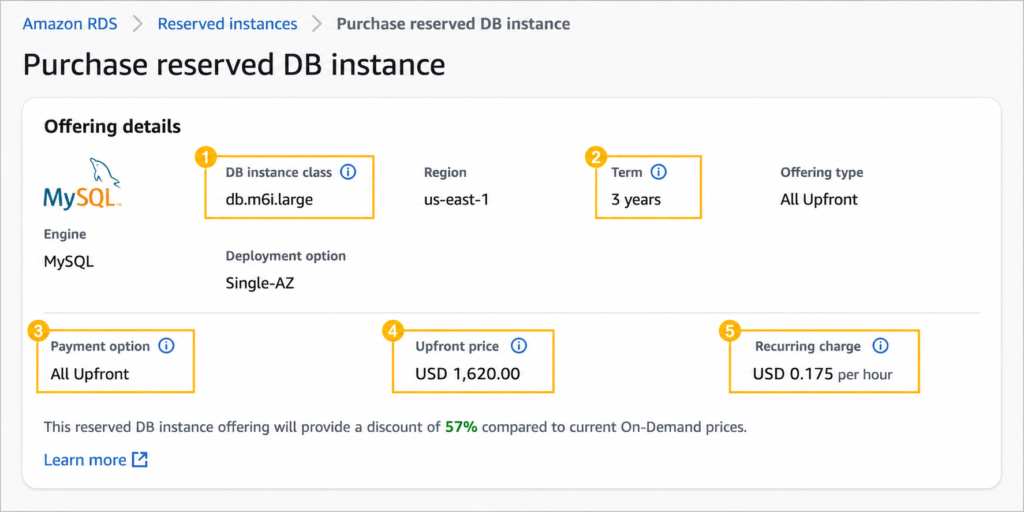
MySQL reserved instances on Graviton instances use the same mechanics as all RDS MySQL reserved instances: No Upfront, Partial Upfront, and All Upfront payment options for 1-year (and potentially 3-year) terms. Size flexibility applies within each Graviton family.

Confirmed RI Rates (Verified, US East, MySQL, May 2026)

db.r8g.large 1-Year No Upfront: $0.160/hr ($1,401.60/year). db.r8g.xlarge 1-Year No Upfront: $0.320/hr ($2,803.20/year). db.r7g.large 1-Year No Upfront: $0.184/hr ($1,611.84/year). Source: Vantage.sh May 12, 2026, data from AWS API. Verify at aws.amazon.com/rds/mysql/pricing — rates change.

Partial Upfront and All Upfront rates for r7g and r8g: verify directly at the AWS pricing page. These were not retrieved from a live source for this blog and are not published here to avoid providing unverified estimates.

Size Flexibility Within Graviton Families

A reserved instance for db.r8g.large (4 normalization units based on the ‘large’ size designation) covers proportionally any other db.r8g size. An r8g.large reservation covers 50% of an r8g.xlarge. An r8g.xlarge reservation covers two r8g.large instances. This applies only within the r8g family — an r8g reservation does not cover r7g instances and vice versa.

If you migrate from r7g to r8g during an active r7g reservation, the r7g reservation continues billing until expiration and does not transfer to the r8g instances. Plan the timing of your r7g-to-r8g migration around your existing RI expiration to avoid wasted commitment spend.

3-Year RI Availability: Verify Before Planning

The AWS May 2025 announcement specifically states ‘These 1-year Reserved Instances are available for Aurora MySQL, Aurora PostgreSQL, RDS for MySQL, RDS for PostgreSQL, and RDS for MariaDB.’ Vantage.sh (May 2026) shows N/A for 3-year RI on both r7g and r8g. If 3-year terms are available for your planned Graviton instance, they would follow the same payment options (No Upfront not available for 3-year on any RDS engine). Verify current availability at aws.amazon.com/rds/mysql/pricing before building any long-term cost model that assumes 3-year Graviton terms.


Also read: RDS Reserved Instances: Engine-by-Engine Pricing and Commitment Guide

What Are the Cost Scenarios for Graviton Migration?

Using only verified rates, here are three concrete cost comparisons.

Scenario 1: Migrating from db.r6i.large (x86) to db.r8g.large

db.r6i.large (Intel, 2 vCPU, 16 GB RAM) on-demand US East: approximately the same as db.r8g.large — verify at aws.amazon.com/rds/mysql/pricing (rates change). db.r8g.large on-demand: $0.239/hr. 1-year No Upfront RI: $0.160/hr ($1,401.60/year). The Graviton migration to R8g combined with the RI purchase moves your largest compute cost onto a 40% faster instance at the confirmed $0.160/hr RI rate. Source for r8g rates: Vantage.sh May 2026 from AWS API. Verify all rates at AWS before purchasing. Note: db.r6i.large 1-yr RI rates were not retrieved from a live source for this blog — verify at aws.amazon.com/rds/mysql/pricing.

Scenario 2: Already on R7g, Deciding Whether to Renew R7g or Migrate to R8g

Your 1-year r7g.large RI is expiring. Option A: renew the r7g.large 1-year No Upfront RI at $0.184/hr ($1,611.84/year). Option B: migrate to r8g.large and purchase the 1-year No Upfront RI at $0.160/hr ($1,401.60/year). Annual savings from migrating to r8g at RI expiry: $210.24/year per instance, on a 40% better performing instance at the same on-demand rate. For 10 instances: $2,102/year in RI savings plus the performance improvement benefit. The migration takes 60-90 seconds of restart time. The decision calculus overwhelmingly favors r8g at RI renewal.

Scenario 3: R7g vs R8g for a New Deployment (8 instances)

8x db.r7g.xlarge 1-year No Upfront RI: rates not confirmed from live source — verify at AWS. 8x db.r8g.xlarge 1-year No Upfront RI: $0.320/hr x 8,760 hrs x 8 instances = $22,425.60/year. If r7g RI rate is proportionally similar to r7g.large ($0.184 vs $0.160, a 15% premium), the estimated r7g.xlarge 1-yr RI would be approximately $0.368/hr versus r8g’s confirmed $0.320/hr. Estimated 8-instance annual savings from R8g over R7g: approximately $3,362/year. Use this only as an indicator — verify r7g.xlarge RI rate at AWS before making the decision.

Is RDS Performance Insights Free on Graviton Instances?

RDS Performance Insights is available on Graviton instances (R7g, R8g, M7g, M8g) for MySQL. The free tier for Performance Insights: 7-day data retention is free. Extended retention (up to 2 years) is charged at $0.02 per vCPU per month. For a db.r8g.xlarge (4 vCPUs): extended retention costs 4 x $0.02 = $0.08/month — essentially free. For db.r8g.16xlarge (64 vCPUs): $1.28/month for extended retention. Performance Insights is strongly recommended for all Graviton MySQL instances in production as the primary tool for identifying query-level bottlenecks during and after the Graviton migration. Verify current Performance Insights pricing at aws.amazon.com/rds/performance-insights/pricing — rates change.

How Does Usage.ai Optimize Graviton MySQL Reserved Instances?

Usage.ai Flex Reserved Instances monitors Graviton MySQL instances across all active R7g and R8g (and M7g/M8g) deployments and applies the same 24-hour analysis refresh to each instance family. When an R7g reserved instance approaches expiration, Usage.ai evaluates whether R8g is available in the account’s regions, whether the engine version supports R8g, and whether the workload’s utilization pattern is stable enough for a 1-year commitment on the newer generation.

For teams with active R7g reserved instances who want to migrate to R8g, Usage.ai identifies the optimal migration timing: the week before a 1-year R7g RI expires, the platform flags the renewal decision and presents the R8g alternative with the verified RI rate differential ($0.160/hr vs $0.184/hr confirmed). If a Graviton RI becomes underutilized because a MySQL instance is resized or deprecated, Usage.ai provides cashback and credits. The fee is a percentage of realized savings only.

See how much you can save on RDS MySQL Graviton instances with Usage.ai

Frequently Asked Questions

1. How much does RDS MySQL on Graviton cost per month?

Verified May 2026 (US East, source Vantage.sh from AWS API): db.r7g.large and db.r8g.large both cost $0.239/hr ($175/month) on-demand. db.m7g.large costs $0.168/hr ($123/month). 1-year No Upfront RI: r8g.large $0.160/hr ($117/month), r7g.large $0.184/hr ($135/month). Verify at aws.amazon.com/rds/mysql/pricing — rates change.


2. How expensive is Amazon RDS on Graviton vs x86?

Graviton instances are typically the same price or slightly lower than equivalent x86 instances for RDS MySQL. db.r8g.large ($0.239/hr) is approximately the same as db.r6i.large ($0.240/hr) at the same memory configuration. The price-performance advantage comes from Graviton delivering 40% more queries per second at the same cost, not from a lower on-demand rate. For long-term commitments, Graviton’s deeper RI discounts (r8g at 33% discount vs similar x86 discount levels) further improve the economics.


3. Is RDS cheaper than S3?

They serve different purposes. S3 object storage costs $0.023/GB-month. RDS MySQL gp3 storage costs $0.115/GB-month plus per-hour compute charges. Comparing them directly is not meaningful — if you need relational database functionality with SQL queries, ACID transactions, and structured joins, RDS is the correct service. S3 stores objects and does not provide relational database capabilities.


4. Is RDS Performance Insights free on Graviton?

The 7-day retention tier of Performance Insights is free on all RDS instance types including Graviton. Extended retention (up to 2 years) costs $0.02 per vCPU per month. For a db.r8g.xlarge (4 vCPUs), extended retention costs $0.08/month. Verify at aws.amazon.com/rds/performance-insights/pricing — rates change.


5. Is there a 3-year RI for RDS MySQL on Graviton R7g or R8g?

As of May 2026, Vantage.sh (sourced from AWS API) shows N/A for 3-year RI on both db.r7g and db.r8g. The May 2025 AWS announcement for R8g/M8g RIs specifically states ‘1-year Reserved Instances are available.’ Verify current 3-year availability directly at aws.amazon.com/rds/mysql/pricing before planning long-term commitments.


6. Does migrating to Graviton require database schema changes?

No. Migrating RDS MySQL from x86 (m5, r5, m6i, r6i) to Graviton (m7g, r7g, r8g) requires only a DB instance class modification in the RDS console. The same MySQL binary runs on ARM architecture. No schema changes, no data migration, no driver changes, and no application connection string updates are required. The instance restarts during the class change (approximately 60-90 seconds; Multi-AZ reduces effective downtime to the failover time).


7. Should I choose M7g or R7g for MySQL?

Choose R7g (1:8 vCPU-to-RAM ratio) when your InnoDB buffer pool requires more than 50% of M7g RAM at the same vCPU count. R7g.large has 16 GB RAM; M7g.large has 8 GB RAM at $0.168/hr. If your active MySQL dataset fits in 6-7 GB (within the M7g.large buffer pool), the M7g.large at $0.168/hr is the correct choice. If your dataset requires 12+ GB of buffer pool, the R7g.large at $0.239/hr is necessary.


8. What MySQL version do I need for R8g instances?

R8g requires a minimum MySQL version — verify the specific minimum supported version at docs.aws.amazon.com/AmazonRDS/latest/UserGuide/Concepts.DBInstanceClass.html. MySQL 5.7 in Year 3 Extended Support ($0.200/vCPU-hr since March 2026) may not be supported on R8g. Verify before planning a combined R8g migration and engine upgrade.

Cut cloud cost with automation
Latest from our blogs