 AWS
 Microsoft Azure
 Google Cloud

What is GCP commitment utilization?
GCP commitment utilization measures how effectively eligible workloads consume purchased commitments. It applies to two CUD types:- Resource-based CUDs: Track committed resources, such as vCPUs or memory, consumed by matching workloads. They apply within a project or across projects when billing-account sharing is enabled.
- Spend-based CUDs: Track consumption of eligible committed spending. They apply across eligible projects paid for by the Cloud Billing account.
For commitment basics, read our GCP Committed Use Discounts guide.
How to calculate GCP commitment utilization
Example: Calculating GCP CUD utilization
Suppose you purchase a standard spend-based CUD of $12 per hour under Google’s newer spend-based model. Eligible discounted spending changes across two hours:| Period | Commitment | Consumed | Utilization |
|---|---|---|---|
| Hour 1 | $12 | $9 | 75% |
| Hour 2 | $12 | $12 | 100% |
| Total | $24 | $21 | 87.5% |
Does unused commitment mean financial loss? Not always. Discounts on consumed usage can still produce savings. Check Savings and Net cost in Google Cloud’s CUD Analysis report.
What should you do next?
- High utilization, uncovered stable usage: Evaluate more coverage before buying.
- Low utilization, positive savings: Keep monitoring and look for eligible usage that could consume existing CUDs.
- Low utilization, negative savings: Investigate the mismatch and avoid adding similar commitments until demand justifies them.
Check GCP CUD utilization in Google Cloud
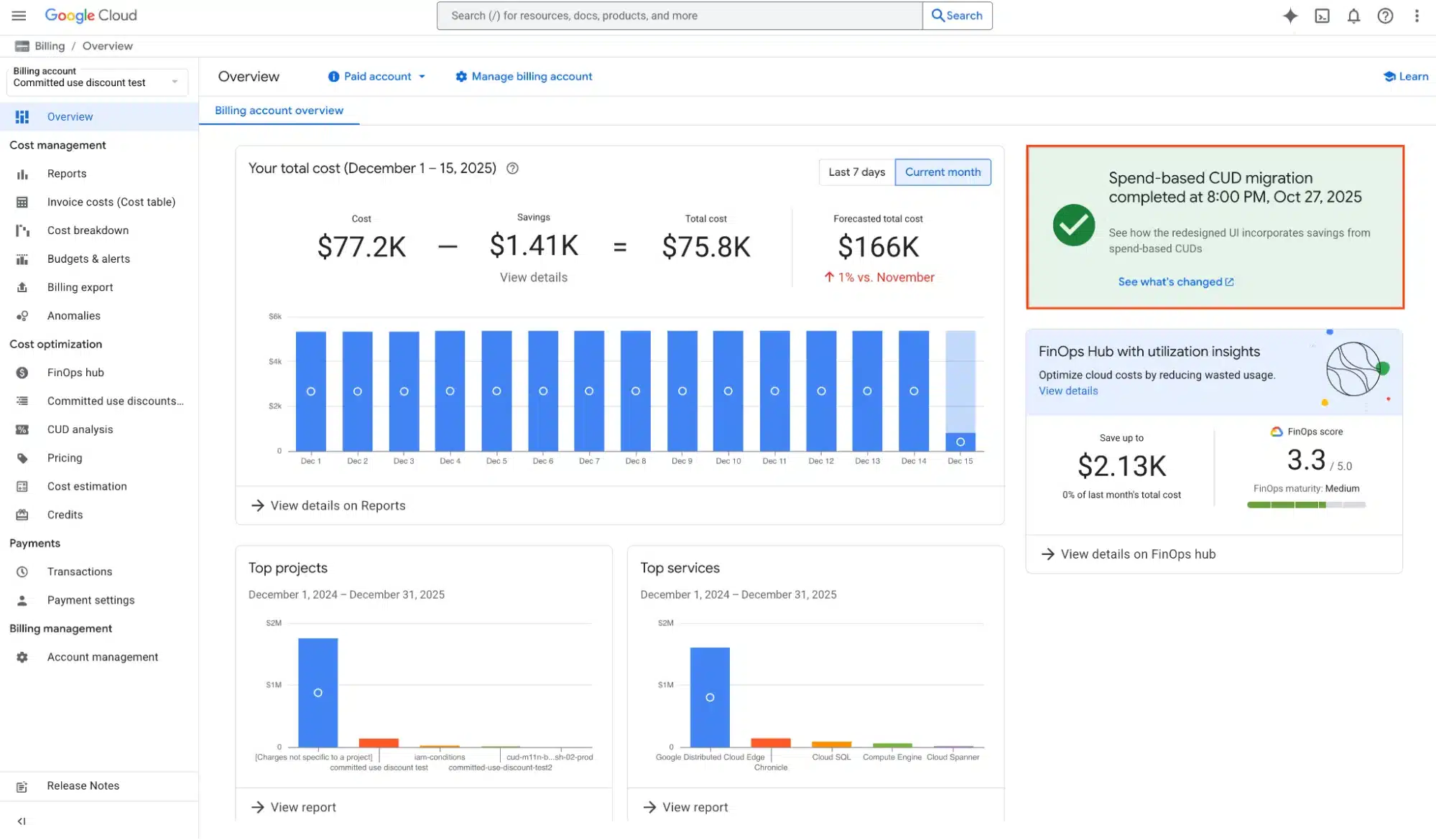
Use the built-in CUD Analysis report. You need Billing Account Viewer or Billing Account Administrator access, or equivalent permissions.- Open Google Cloud Console and go to Billing.
- Choose the Cloud Billing account with your commitments.
- Open CUD Analysis from the billing menu or a commitment’s analysis view.
- Select CUD Utilization, then choose the commitment and available resource, region, or project filters.
- Select the reporting period and hourly or daily granularity.
How to identify the underutilized CUD in CUD Analysis
Filter by commitment type and scope. For supported newer spend-based CUDs, utilization can be shown for individual purchases; resource-based CUDs are analyzed by application scope.Download the report’s CSV for available hourly SKU, service, and usage details (maximum 10,000 rows). Look for the commitment with low utilization, the hours affected, and a corresponding workload change.
Reporting note: Utilization cannot be meaningfully combined across incompatible CUD units. The latest day’s figures may be incomplete while billing data arrives.
GCP Commitment Underutilization Causes
GCP commitment underutilization occurs when eligible workloads do not consume the full purchased commitment. Start by examining what changed.| What you notice | What to investigate |
|---|---|
| Utilization falls at night | Scheduled shutdowns or lower demand |
| Utilization drops after migration | Region, machine series, or resource eligibility |
| A project cannot use a commitment | Resource-based CUD scope and sharing |
| Utilization stays low each day | Committed amount exceeding eligible demand |
| Utilization changes suddenly | Recent workload or configuration changes |
Check sharing settings: Since June 16, 2026, resource-based CUD sharing is enabled by default for new and many existing billing accounts; older accounts with active commitments may retain earlier settings. See Google’s sharing guidance. Spend-based CUDs don’t use this separate project-sharing setting.
Improve GCP Commitment Utilization
Low utilization doesn’t always mean the commitment was wrong. Eligible usage may simply not be reaching it.- Find when utilization falls
- Verify workload eligibility
- Review resource-based CUD sharing
- Use existing eligible workloads
- Validate the result
The goal is not 100% utilization at any cost. Avoid spending more simply to improve the percentage.
Before purchasing additional commitments
If utilization is high but eligible usage remains uncovered, review Google’s CUD Recommendations and scenario modeling before purchasing more.Recommendations estimate additional commitment opportunities from eligible usage. The stable-usage model focuses on continuously running demand, while the optimal-savings model also considers intermittent usage when projected savings exceed the break-even threshold.
Compare both approaches, adjust the available scenario settings, and confirm future demand before accepting additional commitment risk. Existing commitments generally remain binding throughout their purchased terms.
How Usage.ai helps improve GCP commitment utilization
Low GCP commitment utilization can leave businesses paying for commitments they don’t fully use. As cloud usage changes, maintaining the right commitment coverage becomes important for maximizing savings and reducing financial exposure.Through our GCP commitment optimization approach, we analyze usage and existing commitments, model resource-based and spend-based CUD opportunities, and purchase supported commitments with your authorization. We operate at the billing and purchasing layer without changing workloads.
With our Flex Insured Commitments, teams can access a 46% discount through a three-year Google Compute Flexible CUD on eligible SKUs, with Cashback protection to help reduce commitment risk.
Usage.ai charges an agreed percentage of realized savings, with billing occurring monthly after cloud usage data is finalized.
Review your GCP commitments
Check existing GCP commitment utilization in Google Cloud CUD Analysis to identify unused commitments, review hourly trends, and compare net savings. For more guidance, explore our GCP Committed Use Discounts guide and GCP CUD automated management guide.To explore savings opportunities for your eligible GCP usage, book a demo to discuss a read-only Savings Test.
Review CUD utilization, eligible usage, and coverage gaps to optimize savings and commitments.
Frequently asked questions
How do you calculate GCP commitment utilization?
Divide consumed commitment by purchased commitment and multiply by 100. Consuming $80 of a $100 eligible spend commitment gives 80% utilization.
How do I check CUD utilization in Google Cloud?
Go to Billing → CUD Analysis → CUD Utilization, select the commitment and reporting period, and review the utilization graph.
What is a good GCP commitment utilization rate?
Near 100% generally indicates strong consumption, but check net savings and coverage before deciding whether your commitments are economical.
What is the difference between CUD utilization and coverage?
Utilization measures consumed commitments; coverage measures the share of eligible usage receiving commitment discounts.
What happens when a GCP commitment is underutilized?
Unused committed spending or resources remain payable under the applicable terms, although discounts on consumed usage can still produce net savings.