
 AWS
 Microsoft Azure
 Google Cloud


What is Kubecost?
Kubecost is a Kubernetes cost monitoring and optimization platform that helps teams understand where their cloud infrastructure budget goes. It tracks spending across clusters, namespaces, and workloads, identifies underused resources, and provides recommendations to reduce costs. Platform engineers and FinOps teams use it to improve cost visibility and manage Kubernetes spending.Why look beyond Kubecost?
Kubecost tracks infrastructure spending across Kubernetes clusters, namespaces, and workloads. It also provides optimization recommendations and selected automated actions, including namespace turndown.However, an oversized cluster, unclear customer-level spending, and missed commitment discounts require different solutions.
How we selected these alternatives
We selected seven platforms based on their ability to solve specific cloud cost challenges. We evaluated how each tool tracks Kubernetes spending, automates cost optimization, supports AWS, Azure, or Google Cloud, and fits into existing workflows.We also considered pricing, setup effort, potential financial risk, and whether each platform replaces Kubecost or addresses a different cost problem. Our evaluation uses publicly available product documentation rather than hands-on testing and includes our own offering.
7 Kubecost alternatives at a glance
| Platform | Primary focus | What makes it valuable | Best reason to choose it | Pricing |
|---|---|---|---|---|
| Usage.ai | Cloud commitment optimization | Automated eligible purchases, purchasing controls, and qualifying Cashback Protection | Unlock additional commitment savings on eligible cloud usage after rightsizing | Share of realized savings; no upfront platform fee |
| OpenCost | Kubernetes allocation | Open-source cluster, namespace, and workload cost visibility | Replace basic Kubecost cost allocation without commercial licensing | Free and open source |
| CAST AI | Kubernetes automation | Workload rightsizing, node optimization, and Spot management | Reduce unnecessary Kubernetes infrastructure consumption through automation | Commercial automation pricing |
| CloudZero | Cloud cost intelligence (adjacent) | Business-level allocation, unit economics, and reporting | Understand cloud spending by customer, product, or transaction | Custom subscription |
| Finout | Cloud financial management | Consolidated reporting, financial allocation, and optimization workflows | Manage complex cloud and technology spending | Contract-based pricing |
| Harness | Cloud optimization | Kubernetes cost allocation, AutoStopping, and commitment orchestration | Combine Kubernetes cost visibility with broader automation | Module-dependent pricing |
| Costory | AI-assisted cloud cost analysis | Hosted cost allocation and AI-assisted investigations | Investigate cloud, Kubernetes, and AI spending through unified reporting | From €250/month, billed annually |
The 7 best Kubecost alternatives
1. Usage.ai: Best for additional savings after Kubernetes rightsizing
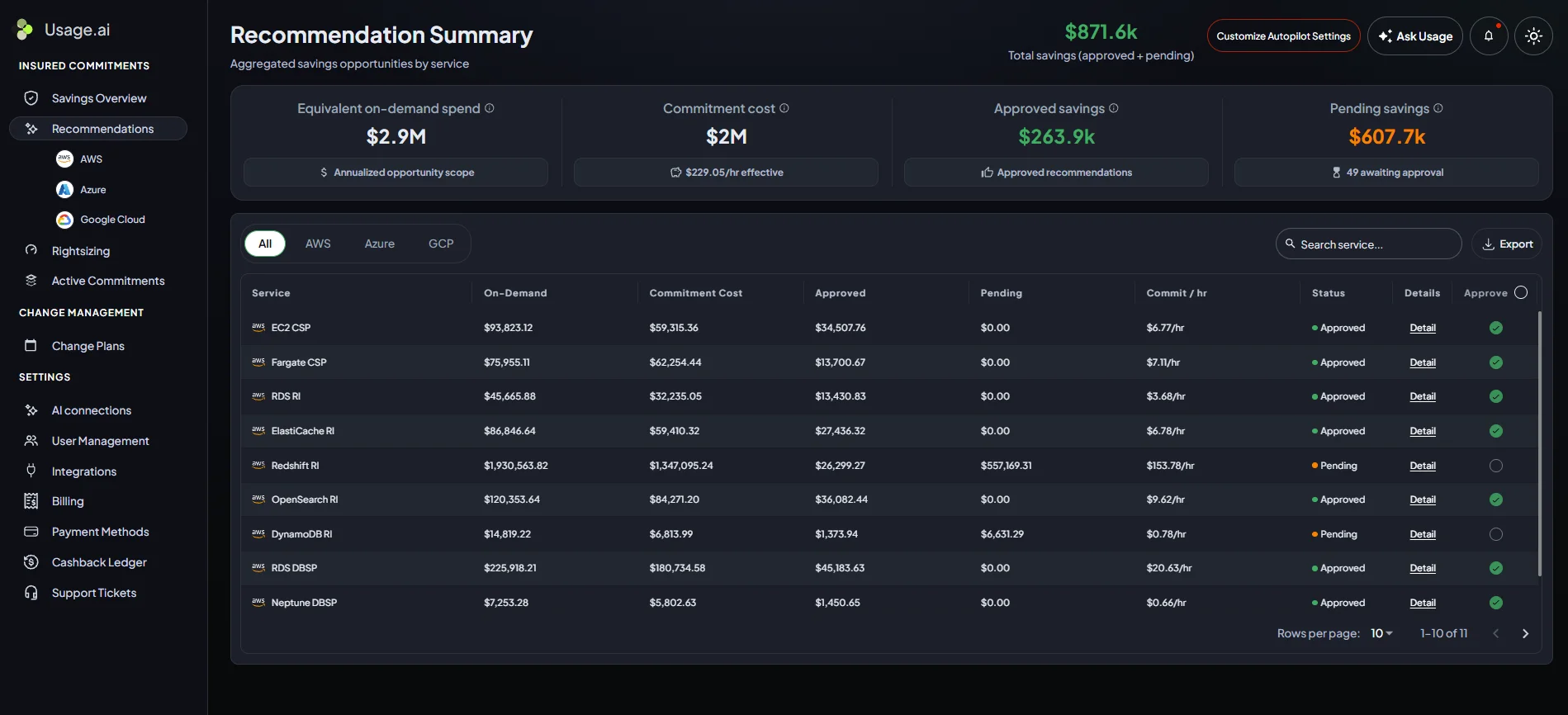
Imagine an EKS team removing unnecessary nodes and rightsizing workloads. Its infrastructure becomes more efficient, but the remaining EC2 usage might still be billed at On-Demand rates.
This means the company may still have opportunities to reduce its cloud bill without changing its production workloads again.
At Usage.ai, we evaluate existing coverage, historical spending, and future demand to identify additional eligible commitment savings.
How we compare to Kubecost
Kubecost helps teams understand and optimize infrastructure consumption. We focus on managing commitments for eligible cloud usage that remains, without modifying production workloads.
Pros
- ✅ Purchasing controls: Autopilot executes eligible purchases within authorized limits, while CoPilot allows individual approvals.
- ✅ Financial protection: Our Flex Insured Commitments include Cashback Protection for qualifying underutilization losses.
- ✅ Read-only assessment: Our Savings Test evaluates opportunities before purchasing authorization.
- ❌ We do not replace Kubernetes pod-level allocation, rightsizing, or broader governance.
Bottom line: Choose us to unlock additional savings on eligible cloud usage after Kubernetes rightsizing. We focus on commitment optimization and Cashback Protection rather than replacing Kubecost’s cost allocation features.
Want to see whether eligible cloud savings remain? Our read-only Savings Test helps identify potential commitment savings before you authorize purchases. Explore your savings opportunities.
2. OpenCost: Best for open-source Kubernetes cost allocation
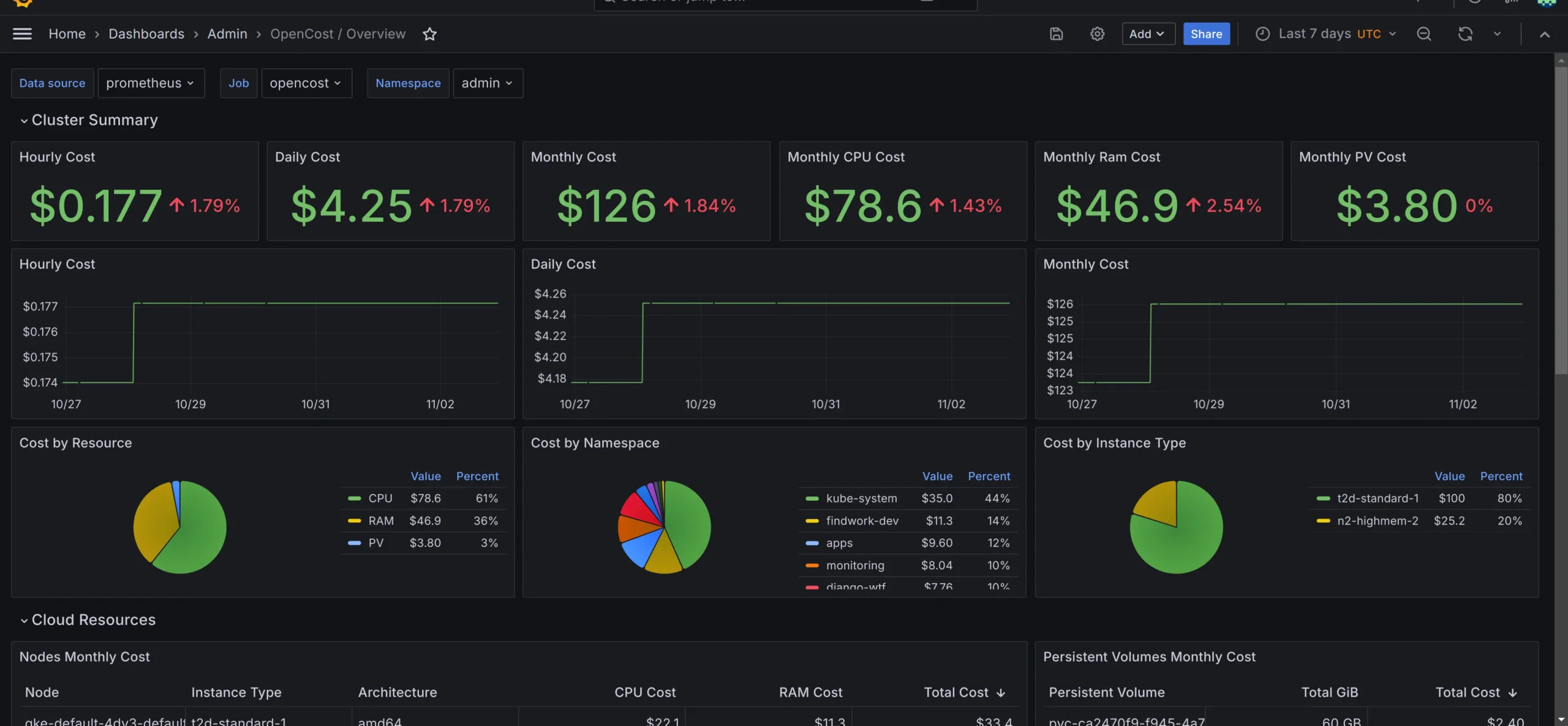
OpenCost is a CNCF incubating open-source project that measures Kubernetes infrastructure costs through resource-level allocation.
How it compares to Kubecost
OpenCost provides the open-source allocation foundation associated with Kubecost. Kubecost adds commercial reporting, governance, and optimization capabilities.
Pros
- ✅ Free and open-source cost allocation.
- ✅ Cost tracking by namespace, workload, and environment labels.
- ✅ Integration with Prometheus and monitoring workflows.
- ❌ Requires engineering effort for deployment and maintenance.
- ❌ Advanced commercial reporting and governance capabilities are more limited.
Bottom line: OpenCost suits teams that mainly need Kubernetes cost visibility and can maintain their own monitoring environment.
3. CAST AI: Best for automated Kubernetes infrastructure optimization
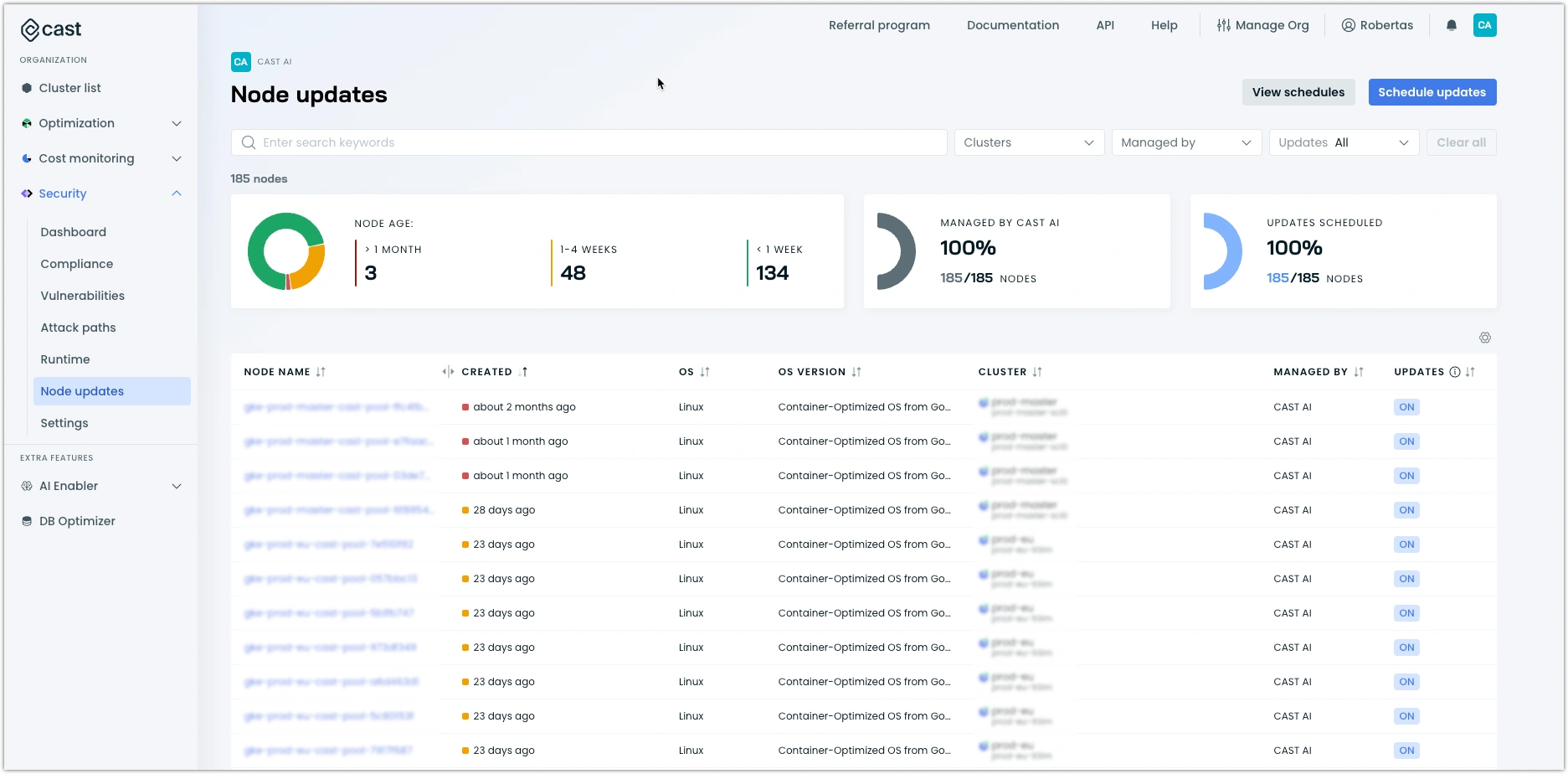
CAST AI focuses on workload rightsizing, node provisioning, scaling, and Spot capacity optimization.
How it compares to Kubecost
Kubecost provides allocation, recommendations, and selected automated actions. CAST AI emphasizes continuous infrastructure optimization.
For a deeper look at infrastructure optimization versus commitment savings, read our Usage.ai vs CAST AI comparison.
Pros
- ✅ Automated workload rightsizing.
- ✅ Node provisioning and scaling optimization.
- ✅ Spot capacity management.
- ❌ Automated changes require production permissions and safeguards.
- ❌ Spot interruptions and autoscaler compatibility need evaluation.
Bottom line: CAST AI is relevant when reducing unnecessary Kubernetes resource consumption is the main priority.
4. CloudZero: Best for Kubernetes unit economics
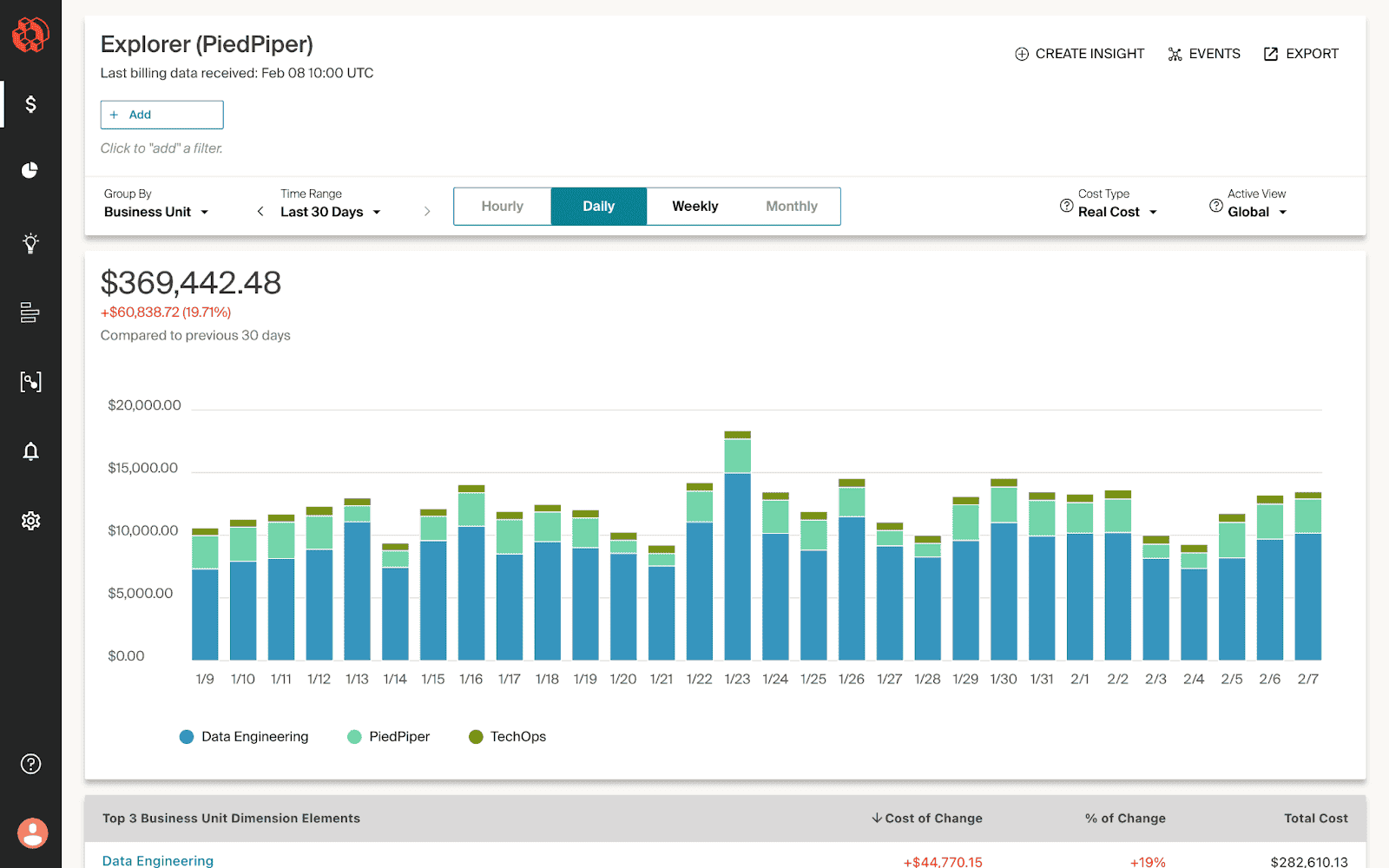
CloudZero connects cloud spending with business metrics to help teams understand infrastructure profitability.
How it compares to Kubecost
Kubecost emphasizes Kubernetes resource allocation. CloudZero connects infrastructure costs with broader business outcomes.
To understand how business-level cost allocation differs from commitment execution, see our Usage.ai vs CloudZero comparison.
Pros
- ✅ Customer and product-level cost allocation.
- ✅ Unit economics and cost intelligence.
- ✅ Anomaly detection and optimization recommendations.
- ❌ Accurate allocation requires reliable business data.
- ❌ Reporting detail depends on the supported integration method.
Bottom line: CloudZero is worth considering when customer profitability and business-level cost attribution are priorities.
5. Finout: Best for enterprise cloud financial reporting
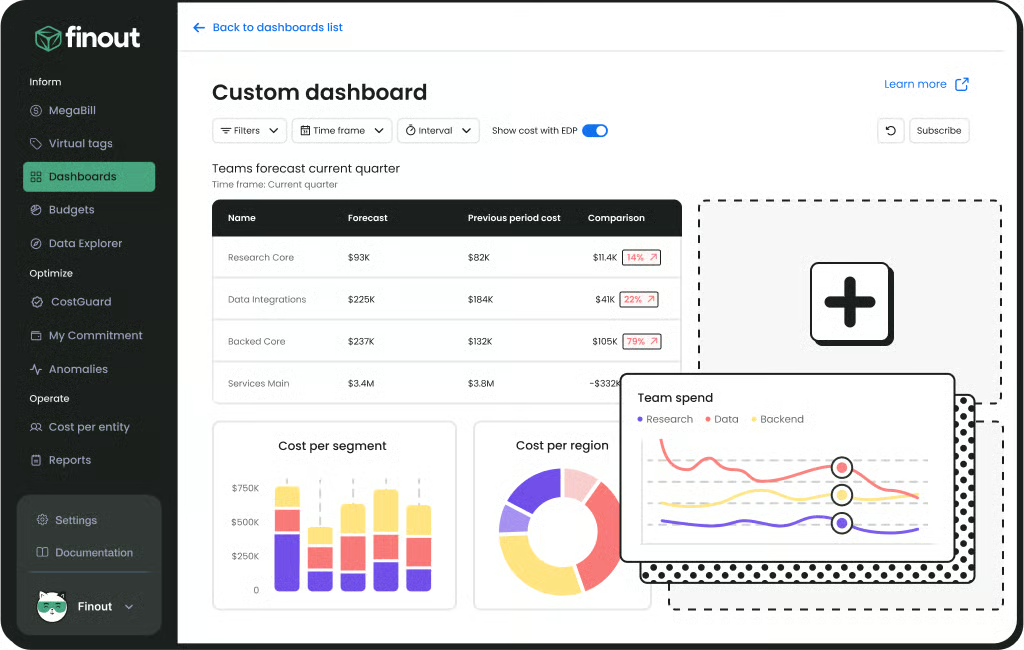
Finout combines cloud expenses through MegaBill and uses Virtual Tags for financial allocation.
How it compares to Kubecost
Kubecost focuses on Kubernetes cost intelligence, while Finout extends financial reporting and optimization across multiple technology cost sources.
For a closer look at commitment execution, financial risk, and pricing differences, read our Usage.ai vs Finout comparison.
Pros
- ✅ Consolidated cloud and technology reporting.
- ✅ Business-level allocation through Virtual Tags.
- ✅ Financial planning and optimization capabilities.
- ❌ Complex allocation requirements may increase implementation work.
- ❌ Kubernetes integration increases pricing on certain plans.
Bottom line: Finout fits enterprises seeking broader financial management rather than Kubernetes-only reporting.
6. Harness: Best for engineering-led cloud cost optimization
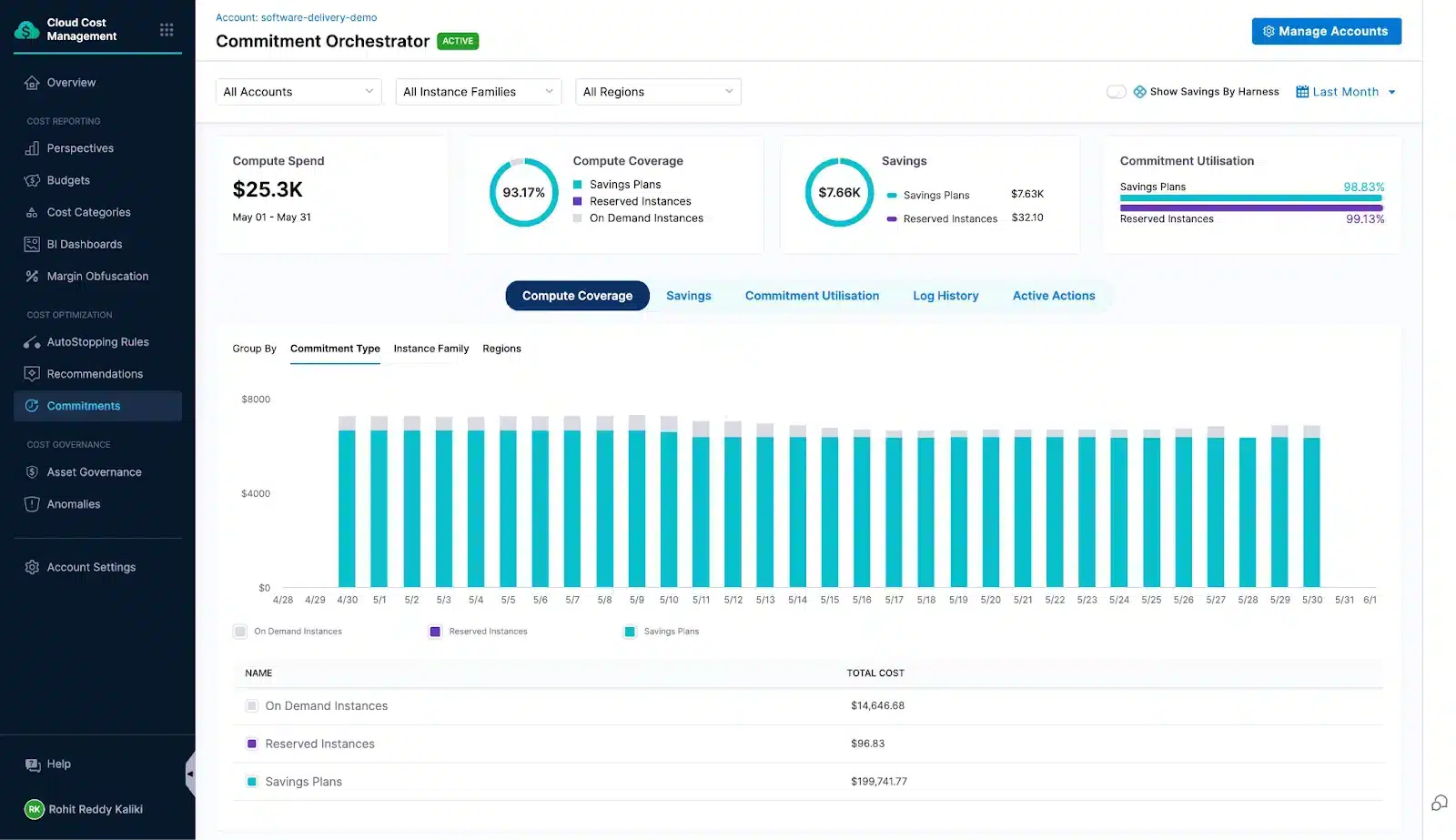
Harness combines cost reporting with supported AutoStopping, Kubernetes optimization, and commitment orchestration.
How it compares to Kubecost
Harness extends Kubernetes cost management into broader infrastructure automation and engineering workflows.
Pros
- ✅ Kubernetes cost allocation and visibility.
- ✅ AutoStopping for supported idle resources.
- ✅ Infrastructure and commitment optimization capabilities.
- ❌ Automated changes require workload-specific safeguards.
- ❌ Features and commercial terms depend on selected modules.
Bottom line: Harness is worth evaluating when engineering teams need broader infrastructure automation and governance.
7. Costory: Best for AI-assisted cloud cost investigations
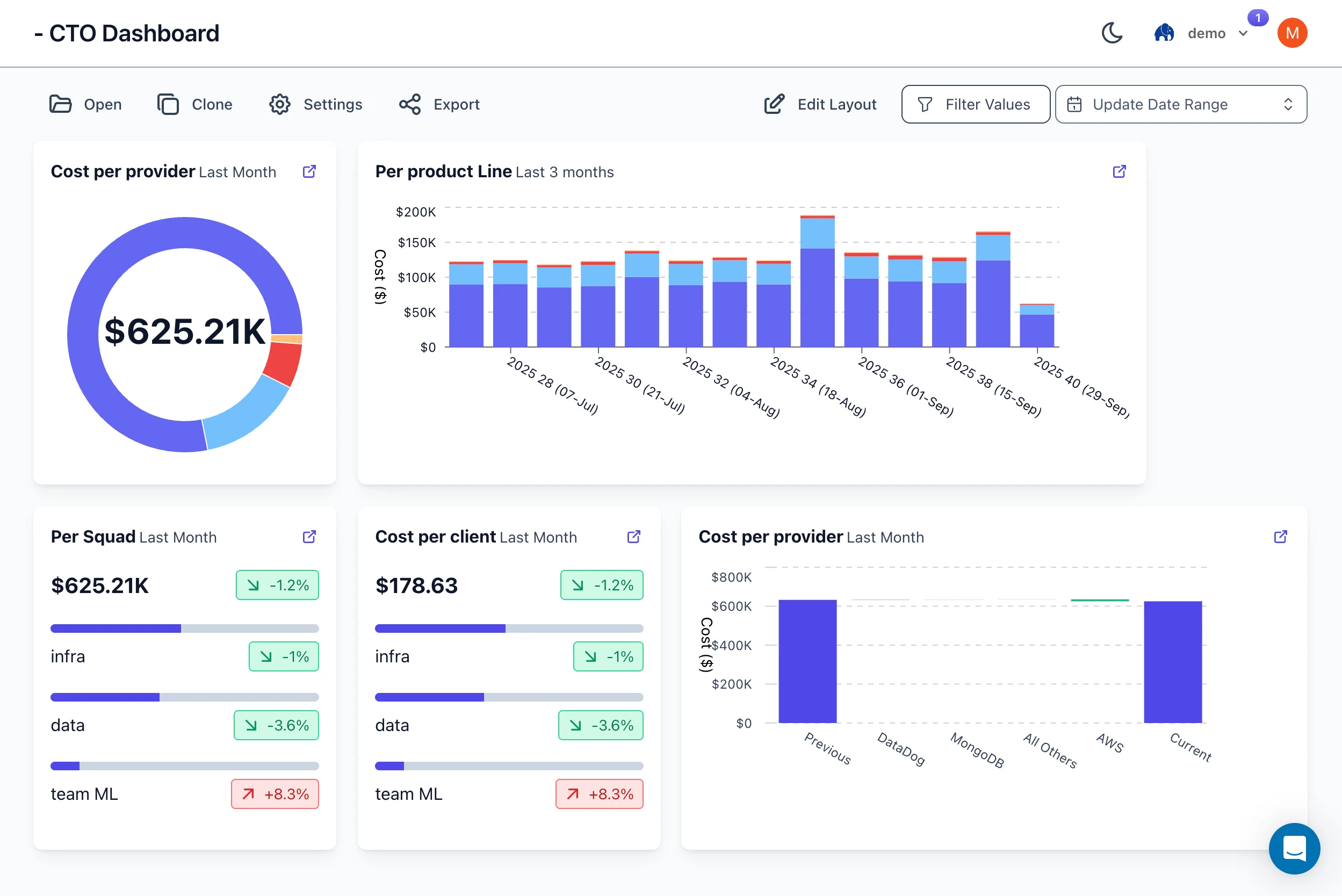
Costory combines cloud spending visibility, business allocation, and AI-assisted investigations.
How it compares to Kubecost
Kubecost emphasizes in-cluster cost allocation. Costory provides hosted reporting, including agentless EKS/GKE allocation and export-based integration for other Kubernetes environments.
Pros
- ✅ Agentless EKS and GKE allocation.
- ✅ Business reporting through Virtual Dimensions.
- ✅ AI-assisted spending investigations.
- ❌ AKS and other clusters require external allocation inputs.
- ❌ Does not independently purchase commitments or resize workloads.
Bottom line: Costory suits teams prioritizing simplified reporting and cost investigations over infrastructure automation.
Which Kubecost alternative fits your budget?
Different platforms use different pricing models, so the lowest subscription price does not always deliver the best financial result.For teams avoiding software licensing fees, OpenCost is worth evaluating, provided engineering maintenance costs remain manageable.
For Kubernetes automation, compare CAST AI and Harness based on expected savings, implementation requirements, and operational risk.
For business reporting, evaluate CloudZero, Finout, and Costory using the same cost allocation requirements.
For fees tied to realized commitment savings, evaluate us when eligible uncovered cloud demand is meaningful.
Should you replace Kubecost?
Replacing Kubecost makes sense when your current setup no longer meets your Kubernetes cost management needs.Keep Kubecost if it provides accurate cost allocation, useful optimization recommendations, and the reporting your teams need.
Replace Kubecost if another platform offers better workload visibility, more effective automation, easier financial reporting, or measurable savings that justify switching.
What should you check before replacing Kubecost?
Before making a decision, ask these five questions:- Cost accuracy: Can the new platform accurately track workload, namespace, shared, and idle costs?
- Automation: Does it only recommend savings, or can it automatically optimize supported resources?
- Cloud coverage: Does it support your EKS, AKS, or GKE clusters and multicluster reporting needs?
- Implementation: How much time, engineering effort, and migration work will switching require?
- Total value: Will the expected savings and operational benefits outweigh subscription fees and implementation costs?
If Kubernetes allocation or infrastructure automation is your priority, choose a replacement that can demonstrate better results in those workflows.
If your bigger financial gap is uncovered, commitment-eligible cloud usage, evaluate whether we can generate additional savings from the resources that remain after optimization. We do not replace pod-level cost allocation, so that distinction should guide your decision.
If Kubernetes cost visibility is already covered, we can help identify additional savings from eligible cloud commitments. Book a 15-minute demo to explore your savings opportunities.
Manage AWS, Azure, and GCP commitments with flexible controls and conditional cashback protection.
Frequently asked questions
What are the best Kubecost alternatives in 2026?
OpenCost, CAST AI, CloudZero, Finout, Harness, and Costory offer different Kubernetes allocation, automation, and reporting capabilities. We specialize in eligible cloud commitment savings rather than replacing Kubernetes cost allocation.
Does Usage.ai charge an upfront fee for cloud cost optimization?
No. We don't charge an upfront platform fee. Instead, we earn an agreed percentage of the realized savings generated through commitments we manage. Our read-only Savings Test also helps businesses evaluate potential savings before authorizing commitment purchases.
How are Kubecost and OpenCost different?
OpenCost provides open-source Kubernetes cost allocation and monitoring. Kubecost adds commercial reporting, governance, optimization, and support capabilities. Teams should compare their existing workflows before switching.
Which Kubecost alternatives automate Kubernetes cost optimization?
CAST AI and Harness provide supported infrastructure automation, including rightsizing and resource optimization. Kubecost also offers selected automated actions. Compare workload support, execution permissions, and operational safeguards.
Can Usage.ai reduce cloud costs after Kubernetes rightsizing?
Yes. Even after removing unnecessary Kubernetes resources, companies may still pay On-Demand rates for eligible cloud usage. We evaluate remaining usage, existing commitment coverage, and future demand to identify additional savings opportunities without changing production workloads.
If you notice any material information that is incorrect, outdated, or no longer applicable, please contact us at [email protected]. We’ll review it and update the article where appropriate.