.png)



Google introduced BigQuery Committed Use Discounts (CUDs) to offer organizations a way to reduce analytics costs by committing to predictable usage in exchange for discounted pricing.
For many organizations, BigQuery is one of the largest contributors to overall cloud spend. It has been powering executive dashboards, customer analytics, experimentation, machine learning pipelines, and everything in between.
To help teams manage that growth, Google introduced spend-based Committed Use Discounts (CUDs) for BigQuery as a pricing option designed to reward consistent usage with discounted rates. Instead of paying entirely on-demand pricing, organizations can commit to a fixed level of hourly spend for one or three years and receive a lower effective rate on eligible usage.
On the surface, the value proposition is to simply commit and save. In reality, though, the decision deserves a closer look. Committed discounts can improve cost efficiency and make budgeting more predictable, but they also shift part of your analytics spend from flexible to fixed. If usage patterns change, that commitment doesn’t automatically adjust.
That’s why understanding how BigQuery CUDs work and when they truly make sense to invest in is important before clicking “purchase.” In this guide, we’ll walk through how the model works, how it compares to other BigQuery pricing options, how to calculate realistic savings, and what strategies help teams maximize value while avoiding unnecessary lock-in.
What Are BigQuery Committed Use Discounts (CUDs)?
Google BigQuery Committed Use Discounts (CUDs) are a pricing model that allows organizations to receive discounted rates in exchange for committing to a fixed level of hourly spend over a defined term. Rather than paying standard on-demand pricing for all usage, customers can make a BigQuery spend-based commitment for one or three years and receive a percentage discount on eligible usage in a specific region.
Unlike slot-based capacity commitments, which require reserving a fixed amount of compute capacity, BigQuery CUDs apply to actual spend. This means you commit to a dollar amount per hour, not a specific workload configuration. If your eligible BigQuery usage meets or exceeds that committed amount, the discounted rate is applied automatically.
Currently, BigQuery Committed Use Discounts pricing offers:
- A 1-year commitment term with a moderate discount
- A 3-year commitment term with a higher discount
The longer the commitment term, the greater the discount; but also the greater the long-term financial obligation.
It’s important to understand that BigQuery CUDs are:
- Region-specific — commitments apply only to usage within the selected region
- Non-cancelable — once purchased, they cannot be reduced or terminated early
- Usage-dependent — discounts only apply if your eligible spend matches or exceeds the committed hourly amount
If actual usage falls below your commitment, you still pay the committed amount. This is where BigQuery commitment risk enters the picture. While the model can significantly improve BigQuery cost optimization for steady workloads, it can also introduce underutilization risk if spend patterns shift.
In simple terms, BigQuery CUDs trade flexibility for savings. When usage is predictable, they can improve effective pricing. When usage is volatile, the financial outcome becomes more complex.
Also read: GCP Cost Optimization Best Practices
How BigQuery Spend-Based CUDs Work
BigQuery spend-based Committed Use Discounts work by allowing you to commit to a fixed hourly dollar amount in exchange for discounted pricing on eligible BigQuery usage in a specific region for one or three years.
It means, you promise Google a minimum hourly spend, and Google gives you a lower effective rate on the usage covered by that commitment.
Let’s help you break it down.
When you purchase a BigQuery Committed Use Discount (CUD), you select:
- A commitment term (1 year or 3 years)
- A specific region
- An hourly spend amount
That hourly amount becomes your financial baseline. Each hour, Google compares your actual eligible BigQuery usage in that region against your committed amount:
- If your usage is equal to or greater than your commitment, the discount is fully applied.
- If your usage is lower than the commitment, you still pay the committed amount.
- If usage exceeds the commitment, the additional spend is billed at standard on-demand rates.
This is the core of the BigQuery CUD pricing model where part of your analytics spend becomes fixed, while the rest remains variable.
Let’s understand this with an example. Suppose you commit to $100 per hour under a 3-year BigQuery spend-based commitment.
- If your eligible usage averages $120 per hour, the first $100 receives the discounted rate, and the remaining $20 is billed on-demand.
- If usage drops to $80 per hour, you still pay $100; meaning $20 of your commitment goes unused.
Over weeks and months, your actual BigQuery CUD savings depend on how consistently your real usage aligns with that committed baseline. This is where sizing becomes critical. While a well-calibrated commitment can improve your cost efficiency, any oversized commitment will introduce financial risk.
What This Means for BigQuery Cost Optimization
Spend-based CUDs offer more flexibility than slot reservations because you’re committing to dollars rather than dedicated compute capacity. However, they still introduce BigQuery commitment risk if workloads fluctuate, regions shift, or growth assumptions change.
The key question isn’t simply “What discount do I get?”. It is “How much of my BigQuery usage is predictable enough to safely convert into a long-term commitment?”
Also read: FinOps Build vs Buy: A Practical Guide to Cloud Cost Optimization Decisions
BigQuery CUDs vs Capacity Commitments (Slots): When To Use Each
BigQuery CUDs work best when you have predictable spend but variable workloads whereas Capacity commitments (slots) are ideal when you have consistently high and stable compute demand.
BigQuery offers two distinct commitment models for cost optimization:
- Spend-based Committed Use Discounts (CUDs): You commit to a fixed hourly dollar amount in a specific region. In exchange, you receive a percentage discount on eligible usage covered by that commitment.
- Capacity commitments (slot reservations): You reserve a fixed number of BigQuery slots (compute capacity) at a discounted rate. Instead of committing to spend, you commit to infrastructure.
The fundamental difference is what you are committing to.
When to use BigQuery CUDs
BigQuery spend-based commitments are typically a better fit when:
- You have a stable baseline of BigQuery spend
- Usage fluctuates across teams or workloads
- You don’t want to actively manage slot allocation
- You want discounted pricing without restructuring your environment
Because you’re committing to dollars rather than fixed capacity, CUDs provide more elasticity. This makes them appealing for organizations early in their BigQuery cost optimization journey.
When to use Capacity Commitments
Slot reservations tend to make more financial sense when:
- Query demand is consistently high
- Workloads are steady and predictable
- You need performance control
- You have the operational maturity to manage capacity allocation
Capacity commitments can deliver deeper cost efficiency for stable, high-volume analytics environments. However, they require more active management.
However, before purchasing a BigQuery spend-based commitment, it’s worth stepping back and asking a more important question.
When Should You NOT Buy a BigQuery CUD?
You should not buy a BigQuery CUD if your usage is highly volatile, rapidly changing, or strategically uncertain.
While CUDs can improve BigQuery cost efficiency for predictable workloads, they introduce fixed financial exposure. If your usage patterns aren’t stable enough, that exposure can quietly erode savings.
Here are a few scenarios to look out for:
1. Seasonal or Campaign-Driven Workloads
If your BigQuery usage spikes during specific quarters, product launches, or reporting cycles, but drops significantly during off-periods, committing to a fixed hourly spend can lead to underutilization during slower months.
2. Rapid Growth or Structural Change
If you are migrating to BigQuery, re-architecting data pipelines, consolidating regions or launching new data products, your baseline usage may not yet be reliable. Locking into a 1- or 3-year commitment based on transitional numbers increases BigQuery commitment risk.
3. Heavy Ad-Hoc Query Behavior
Organizations with large analyst populations running unpredictable exploratory queries often experience irregular spend patterns. If hourly usage swings widely, a fixed commitment may not align with reality.
4. Region Fragmentation
Because BigQuery CUDs are region-specific, fragmented usage across multiple regions can reduce coverage efficiency. Committing in the wrong region can dilute effective savings.
5. Forecast-Based Overconfidence
One of the most common BigQuery cost optimization mistakes is committing based on projected growth rather than proven historical baselines. While forecasts can change, commitments do not.
BigQuery CUDs are powerful when applied to stable, well-understood usage. But they are not a universal solution. The safest commitments are those backed by historical consistency.
How To Calculate BigQuery CUD Savings
To calculate BigQuery CUD savings, estimate how much of your BigQuery spend is predictable, apply the discount to that portion, and then adjust for how consistently you’ll use the commitment.
The key is that the advertised discount is only accurate if your usage matches your commitment.
Let’s walk through this step by step.
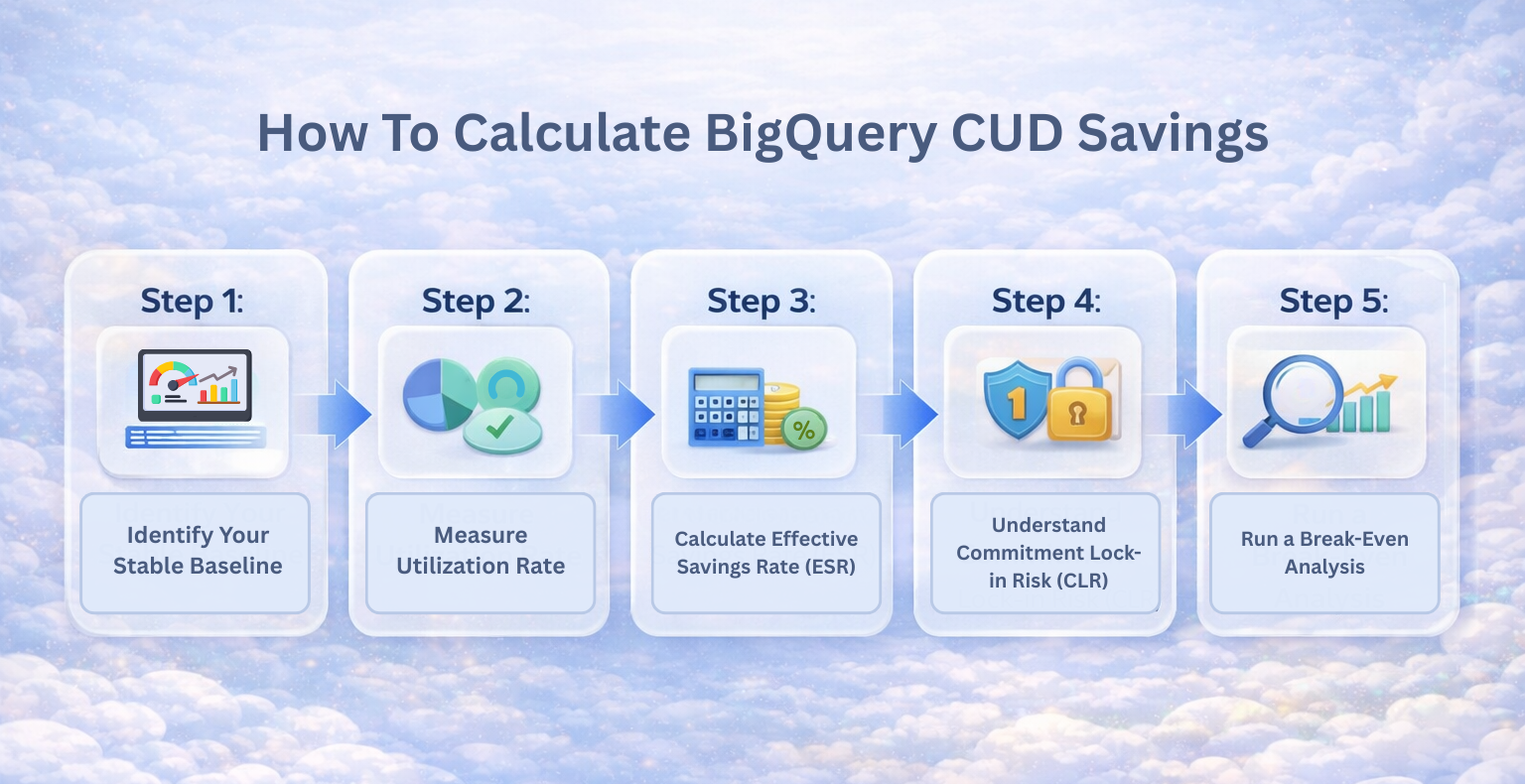
Step 1: Identify Your Stable Baseline
Start by understanding your average hourly BigQuery spend in a specific region. Then determine how much of that spend is consistently stable.
For example, if your:
- Average eligible spend is $100 per hour
- Historically stable portion is 70%
That means roughly $70 per hour represents reliable baseline usage. This is what could reasonably support a BigQuery spend-based commitment.
This percentage is often referred to as your commitment coverage. It represents how much of your usage you’re converting from variable pricing into committed pricing.
Remember, the goal is to cover the portion that has proven stability and not cover 100% of spend.
Step 2: Measure Utilization Rate
Once you choose a commitment level, the next important metric is utilization rate.
Utilization simply measures how much of your committed spend you actually use. For example, if you commit to $70 per hour but average only $63 per hour over time, your utilization rate is 90%.
That 10% gap represents underutilized commitment and it directly impacts realized savings.
Step 3: Calculate Effective Savings Rate (ESR)
This is where many teams gain clarity. While Google advertises a fixed discount percentage, your Effective Savings Rate (ESR) reflects what you actually save after accounting for real-world usage.
Let’s use a simple example, where your:
- Monthly BigQuery spend = $72,000
- Commitment coverage = 70%
- 3-year CUD discount = 20%
- Average utilization = 92%
-
Potential maximum savings: $72,000 × 70% × 20% = $10,080
Adjusting for 92% utilization: $10,080 × 92% = $9,273.60
Actual ESR: $9,273.60 ÷ $72,000 ≈ 12.9%
In theory, the covered portion could save 20%. But after adjusting for 92% utilization, your realized savings are lower. When you divide total realized savings by total spend, your ESR may land closer to 13–15%, not the full 20%.
This doesn’t mean CUDs aren’t valuable. It simply means savings are usage-dependent.
Step 4: Understand Commitment Lock-in Risk (CLR)
Commitment Lock-in Risk (CLR) reflects the financial obligation created by a long-term commitment.
CLR increases when:
- Commitment term is longer (3-year > 1-year)
- Growth assumptions are uncertain
- Usage variability is high
- Regional shifts are possible
A simple way to approximate CLR:
CLR Exposure ≈ Committed Hourly Spend × Hours Remaining in Term
For example, a $70/hour commitment over three years represents a meaningful financial obligation over time. That’s not inherently bad but it underscores why sizing decisions matter.
$70 × 24 × 365 × 3 ≈ $1.84M in total exposure
When you purchase a 1-year or 3-year BigQuery CUD, that commitment cannot be reduced or canceled. If usage declines significantly, the committed amount remains.
Longer terms generally increase savings potential, but they also increase CLR.
Step 5: Run a Break-Even Analysis
To ensure BigQuery CUD pricing is advantageous, calculate the minimum utilization rate required to break even.
Break-even utilization = 1 – Discount %
So, for a 20% discount: Break-even ≈ 80%
If utilization drops below 80%, you may eliminate most of the financial benefit. This is where BigQuery commitment risk becomes material.
What This Means for BigQuery Cost Optimization
BigQuery CUD savings are conditional. Strong outcomes require:
- Stable baseline usage
- Realistic commitment coverage
- Expected utilization
- Awareness of CLR
When those factors are aligned, BigQuery CUD pricing can meaningfully improve cost efficiency. When they aren’t, the advertised discount can overstate the real outcome.
Also read: How to Cut Cloud Spend Without Taking Commitment Risk
Common BigQuery CUD Mistakes (And How to Avoid Them)
Most BigQuery CUD mistakes happen when teams focus on the discount percentage instead of usage stability.
Committed Use Discounts can absolutely improve BigQuery cost efficiency, but only when they’re sized and monitored carefully. Here are the most common pitfalls we see, and how to avoid them.
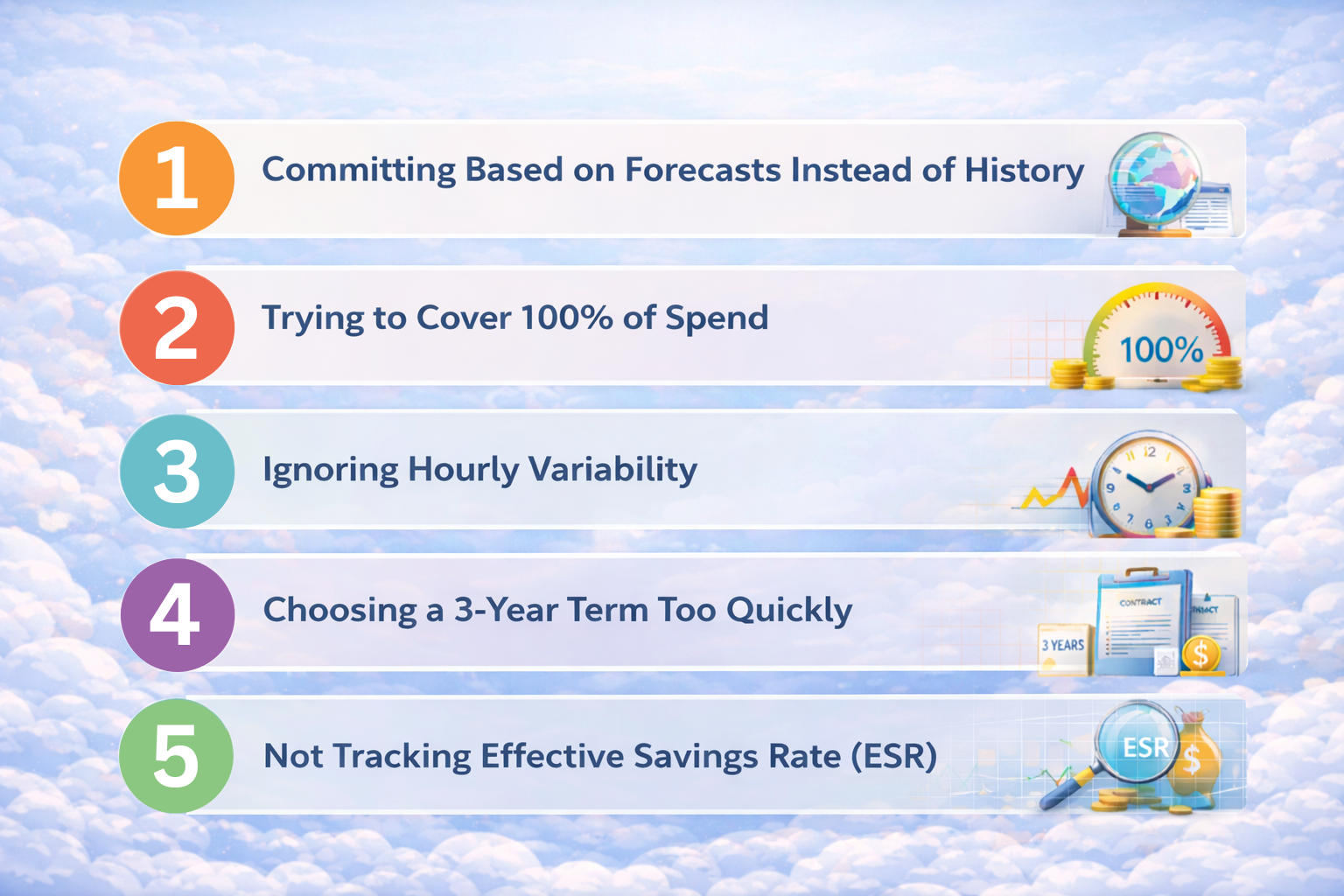
Infographic listing common BigQuery CUD mistakes: committing based on forecasts instead of history, trying to cover 100% of spend, ignoring hourly variability, choosing long-term commitments too quickly, and not tracking effective savings rate (ESR).
1. Committing Based on Forecasts Instead of History
It’s tempting to size a BigQuery spend-based commitment around expected growth.
For example: “We’re at $80/hour now, but we’ll probably reach $110/hour in six months.”
The problem is that while forecasts change, commitments do not. BigQuery CUDs are only safest when based on proven historical baseline usage, not projected expansion. A conservative coverage strategy will reduce Commitment Lock-in Risk (CLR) if growth doesn’t materialize as expected.
What you should do instead is commit only the portion of usage that has been stable for several months.
2. Trying to Cover 100% of Spend
A common instinct is to maximize savings by committing to nearly all usage. But full coverage increases exposure. Even small hourly fluctuations can reduce utilization and lower your Effective Savings Rate (ESR).
Remember that BigQuery cost optimization isn’t about maximizing coverage, but about maximizing realized savings.
Start with 60–80% coverage of stable usage instead and leave room for natural variability.
3. Ignoring Hourly Variability
BigQuery bills hourly. If your workload swings significantly during certain times of day or days of the week, underutilization can quietly erode savings. Monthly averages usually hide hourly volatility.
You need to analyze hourly usage patterns before committing. Look at variance and not just averages.
4. Choosing a 3-Year Term Too Quickly
A 3-year BigQuery CUD offers deeper discounts which makes it attractive. But longer commitments increase Commitment Lock-in Risk (CLR). If your data platform is evolving, expanding regions, or restructuring workloads, flexibility may be more valuable than a slightly higher discount.
What you can do instead is evaluate whether a 1-year commitment provides a better balance between savings and adaptability.
5. Not Tracking Effective Savings Rate (ESR)
After purchasing a CUD, some teams assume savings are automatic. In reality, the true performance indicator is Effective Savings Rate (ESR) which is the actual savings realized compared to total BigQuery spend.
If ESR drifts below expectations, it may indicate underutilization or changing usage patterns. So, what you need to do is monitor ESR regularly alongside utilization rates to ensure commitments remain aligned.
Also read: Cloud Cost Analysis: How to Measure, Reduce, and Optimize Spend
Advanced BigQuery CUD Optimization Strategies
The most effective BigQuery cost optimization strategies treat CUDs as a dynamic financial instrument. Once a commitment is in place, the work isn’t over. Real performance comes from continuously managing coverage, utilization, and lock-in exposure over time.
Here’s how mature teams approach it.
1. Layer Commitments Instead of Buying All at Once
Rather than purchasing a single large 3-year BigQuery spend-based commitment, advanced teams often layer commitments over time.
For example:
- Start with a smaller 1-year baseline commitment
- Add incremental commitments as usage proves stable
- Stagger expiration dates to avoid a single renewal cliff
This approach reduces Commitment Lock-in Risk (CLR) and creates flexibility if workloads shift. Layering improves long-term Effective Savings Rate (ESR) consistency while avoiding overexposure.
2. Separate “Stable Core” from “Elastic Edge”
Not all BigQuery usage behaves the same. Most environments contain:
- A predictable baseline (scheduled pipelines, dashboards, reporting)
- A variable layer (exploratory queries, new experiments, growth spikes)
High-performing teams commit only the stable core which allows the elastic edge to remain on-demand. This ensures that commitment coverage aligns with actual stability, protecting ESR and minimizing underutilization.
3. Monitor Effective Savings Rate (ESR) Monthly
The published discount never changes, but your ESR does. So, tracking ESR over time helps you answer questions like:
- Are commitments still aligned with usage?
- Has utilization drifted?
- Are regional patterns changing?
- Has new workload volatility emerged?
If your ESR trends downward, it’s often an early indicator that coverage assumptions need reevaluation.
4. Actively Manage Commitment Lock-in Risk (CLR)
CLR increases when you extend to longer terms, increase committed spend or if the environment is evolving. So, managing CLR is about sizing your commitments relative to workload certainty.
Most teams periodically reassess:
- Remaining commitment duration
- Remaining financial exposure
- Usage stability versus initial assumptions
This reframes CUDs as ongoing financial decisions and not static purchases.
How To Purchase a BigQuery Spend-Based CUD
You can purchase a BigQuery Committed Use Discount directly from the Google Cloud Console by selecting a region, commitment term, and hourly spend amount.
The technical steps are simple. The sizing decision is what matters most. Here’s what the process looks like.
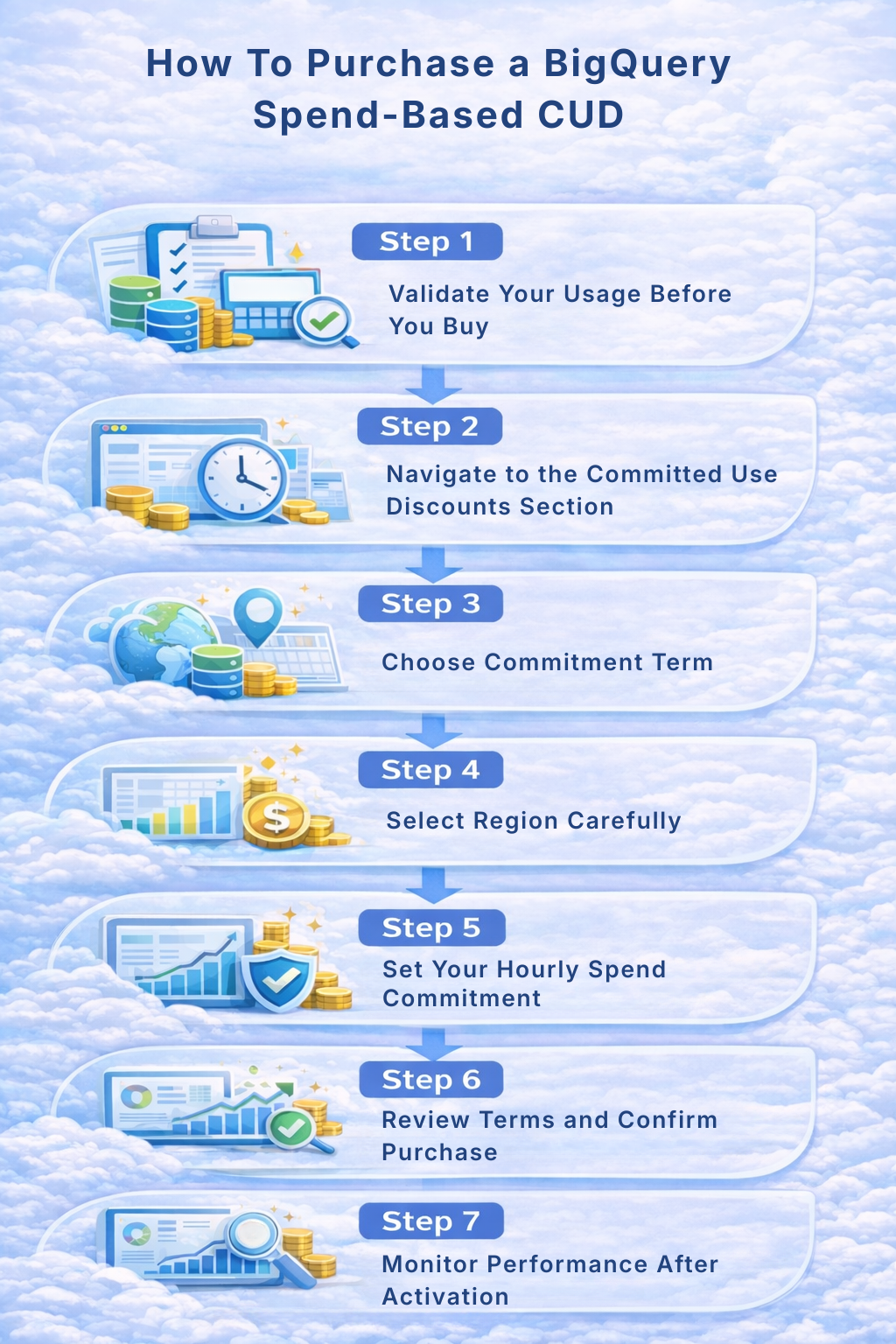
1. Validate Your Usage Before You Buy
Before working on the console, confirm:
- Average hourly eligible BigQuery spend (by region)
- Stability of that spend over time
- Desired commitment coverage percentage
- Acceptable level of Commitment Lock-in Risk (CLR)
Google Cloud provides billing reports and commitment analysis tools to help identify eligible usage patterns. You can use them but always rely on historical consistency rather than optimistic projections.
A good rule is to commit to what has proven stable, not what you hope will grow.
2. Navigate to the Committed Use Discounts Section
In the Google Cloud Console:
- Go to Billing
- Select the relevant billing account
- Open Committed Use Discounts
- Choose BigQuery as the service
- Select spend-based commitment
At this point, you’re configuring the financial structure.
3. Choose Commitment Term
You’ll select either:
- 1-year term (lower Commitment Lock-in Risk, smaller discount)
- 3-year term (higher discount, greater long-term exposure)
The longer the term, the stronger the savings potential; but the greater the CLR if usage changes.
4. Select Region Carefully
BigQuery CUDs are region-specific. Your commitment only applies to eligible usage in the selected region. If workloads shift to another region, the discount does not automatically follow.
Before confirming, verify:
- Where the majority of eligible spend occurs
- Whether regional distribution is stable
- Whether architectural changes are expected
Remember, regional alignment directly affects Effective Savings Rate (ESR).
5. Set Your Hourly Spend Commitment
This is the most important step. Enter the hourly dollar amount that reflects your stable baseline usage and not peak usage.
Google will display:
- Total financial obligation
- Estimated savings (assuming full utilization)
Remember that the estimate assumes consistent usage. Your realized ESR depends on actual alignment. Once confirmed, the commitment cannot be reduced or canceled.
6. Review Terms and Confirm Purchase
Before purchasing, verify:
- Commitment term
- Region
- Hourly spend level
- Total exposure over the full term
After confirmation, the CUD becomes active and discounts apply automatically to eligible usage.
7. Monitor Performance After Activation
Purchasing is only the beginning. You need to keep tracking metrics like:
- Utilization rate
- Effective Savings Rate (ESR)
- Coverage percentage
- Changes in workload patterns
Also read: Multi-Cloud Cost Optimization Guide for AWS, Azure, GCP Savings
Final Thoughts
BigQuery Committed Use Discounts are a meaningful evolution in Google Cloud’s pricing model. For organizations with stable analytics workloads, they provide a structured way to reduce costs and introduce greater budget predictability.
But the real value of BigQuery CUDs isn’t unlocked at purchase, but over time. This is why mature BigQuery cost optimization goes beyond selecting a term and entering an hourly spend amount. It requires ongoing visibility into utilization, coverage, and financial exposure along with the ability to adjust strategy as workloads evolve.
For teams operating at scale, manually tracking these dynamics becomes increasingly complex. Continuous monitoring, incremental layering, and disciplined exposure management demand more than periodic forecasting.
Platforms like Usage AI are designed to support this next stage of cloud financial maturity by helping teams continuously evaluate commitment opportunities, monitor real-world performance, and manage discount instruments with greater precision.
Schedule a demo today to see Usage AI in action.