.png)



This cloud pricing comparison covers AWS, Microsoft Azure, and Google Cloud Platform across compute, storage, Kubernetes, and commitment discounts, with actual 2026 rates. All three providers offer scalable compute, storage, and networking, but differences in pricing models, commitment options, regional rates, and discount structures can significantly impact total cloud spend.
On-demand compute pricing between AWS, Azure, and GCP is nearly identical for equivalent instance types in US regions; a 4 vCPU/16 GB Linux instance runs approximately $0.19/hr on all three. The real cost difference emerges from commitment strategy, coverage ratio, architecture decisions, storage and egress pricing, and how effectively each provider’s discounts are managed over time. This guide breaks down every layer so you can make an informed decision.
Cloud Pricing Fundamentals: How Each Provider Structures Cost
Understanding any cloud pricing comparison begins with understanding how providers structure their pricing models. While AWS, Microsoft Azure, and Google Cloud Platform offer broadly similar infrastructure, the mechanics behind how discounts are applied and how commitments work differ in ways that affect realized savings.
On-Demand Pricing: The Baseline
On-demand pricing is the pay-as-you-go model where you provision resources and pay only for what you use, billed per second or per hour with no commitment required. It offers maximum flexibility but represents the highest marginal rate and is the pricing ceiling against which all discounts are measured. All three providers now offer per-second billing for Linux VMs (with 60-second minimums on AWS), and rates vary materially by region. For a deeper look at why cloud bills spike under usage-based pricing, see our guide.
Commitment-Based Discounts: AWS, Azure, and GCP Compared
The structure of commitments differs across providers in ways that affect flexibility and realized savings.
AWS provides two primary constructs: Reserved Instances (RIs), which commit to a specific instance family, region, and term; and Savings Plans, which commit to a consistent hourly spend rate and apply across EC2, Fargate, and Lambda regardless of instance type. AWS Savings Plans are generally more flexible than Standard RIs. Compute Savings Plans offer up to 66% off on-demand, while EC2 Instance Savings Plans reach up to 72% (source: aws.amazon.com/savingsplans).
See our guide on Compute Savings Plans vs EC2 Instance Savings Plans for help choosing between them.
Azure: Reserved VMs, Savings Plan for Compute, and Hybrid Benefit
Azure offers Reserved VM Instances (1-year and 3-year terms), an Azure Savings Plan for Compute (spend-based), and Azure Hybrid Benefit. Hybrid Benefit allows organizations with existing Windows Server or SQL Server licenses covered by Software Assurance to apply those licenses to Azure VMs reducing costs by up to 85% for Windows workloads when combined with Reserved VM Instances. This licensing dimension makes Azure pricing materially different from AWS or GCP for Microsoft-heavy environments.
GCP: CUDs and Sustained Use Discounts
GCP provides Committed Use Discounts (CUDs) in two forms: resource-based (committing to specific vCPUs and memory) and spend-based (committing to a dollar amount). GCP also offers Sustained Use Discounts (SUDs) automatic discounts for eligible workloads that run a significant portion of the billing month, requiring no commitment at all. SUDs begin when a VM runs more than 25% of the billing month, reaching up to 30% off for N1 instances and up to 20% off for N2 instances at full-month runtime. Note that SUDs do not apply to E2, A2, or Tau machine types. Resource-based CUDs offer up to 55% off for standard machine series on 3-year terms (source: cloud.google.com/compute/docs/instances/committed-use-discounts-overview).
Commitment Structure Comparison
| Dimension | AWS | Azure | GCP |
| Spend-based commitment | Yes (Savings Plans) | Yes (Savings Plan for Compute) | Yes (Spend-based CUDs) |
| Resource-based reservation | Yes (Reserved Instances) | Yes (Reserved VMs) | Yes (Resource-based CUDs) |
| Automatic utilization discount | No | No | Yes (Sustained Use) |
| Licensing integration | Limited | Strong (Hybrid Benefit) | Limited |
| Application scope | Account / Org-level | Subscription-level | Project / Billing-level |
| Commitment term options | 1-year / 3-year | 1-year / 3-year | 1-year / 3-year |
Spot and Preemptible Capacity
All three providers offer interruptible capacity at steep discounts: AWS Spot Instances, Azure Spot VMs, and GCP Preemptible VMs can reach up to 90% off on-demand for AWS Spot. Workloads must tolerate interruption and be architected for resiliency. spot pricing is probabilistic capacity, not guaranteed coverage.
For a comparison of on-demand vs reserved vs spot instances, see our dedicated guide.
Compute Pricing Tables: AWS vs Azure vs GCP (2026)
For a normalized comparison, the following tables use equivalent 4 vCPU / 16 GB RAM Linux instances in US-East equivalent regions, the most commonly benchmarked configuration. All prices are on-demand, per hour, as of June 2026. Verify current rates against official provider pricing pages before making purchasing decisions.
General-Purpose Instances (4 vCPU / 16 GB RAM, Linux, US-East)
| Provider | Instance | On-Demand ($/hr) | 1-Year Committed ($/hr) | 3-Year Committed ($/hr) | 1-Year Savings | 3-Year Savings |
| AWS | m6i.xlarge | $0.192 | ~$0.130 | ~$0.086 | ~32% | ~55% |
| Azure | D4s v5 | $0.192 | ~$0.132 | ~$0.088 | ~31% | ~54% |
| GCP | e2-standard-4 | $0.134* | ~$0.084 | ~$0.060 | ~37% | ~55% |
| GCP | n2-standard-4 | $0.194 | ~$0.122 | ~$0.087 | ~37% | ~55% |
*GCP e2-standard-4 at $0.134/hr reflects the e2 family’s lower base price and variable processor allocation. Note: e2 instances are not eligible for Sustained Use Discounts per Google Cloud documentation for SUD savings, use an eligible family such as n2-standard-4.
Key observation: On-demand x86 pricing is essentially identical across AWS and Azure for equivalent instances. GCP’s e2-standard-4 is cheaper on-demand because the e2 family uses variable processor allocation and is not performance-equivalent to the m6i or D4s v5 for CPU-bound workloads; the n2-standard-4 is the apples-to-apples GCP equivalent.
Processor Architecture: x86 vs ARM (Graviton / Arm-based / Tau T2A)
ARM-based instances are among the highest-impact compute cost levers in 2026 delivering approximately 20% lower on-demand list prices than equivalent x86 instances, with deeper savings available on reserved terms, and equal or better performance for containerized workloads.
| Provider | Instance | Architecture | On-Demand ($/hr) | vs. Equivalent x86 |
| AWS | m6g.xlarge (Graviton2) | ARM | $0.154 | ~20% cheaper than m6i.xlarge |
| Azure | D4ps v5 | ARM | ~$0.154 | ~20% cheaper than D4s v5 |
| GCP | t2a-standard-4 (Tau) | ARM | ~$0.154 | ~21% cheaper than n2-standard-4 |
AWS Graviton delivers approximately 20% list-price savings with documented better price-performance for containerized applications, microservices, and API workloads. Azure’s Arm-based Dps v5 series offers a similar ~20% on-demand savings versus its x86 D-series equivalent, with deeper discounts available on 1-year and 3-year reserved terms (up to 62% off the x86 on-demand baseline). GCP’s Tau T2A delivers approximately 21% savings versus the n2-standard-4, though T2A availability is currently limited to three regions (us-central1, europe-west4, asia-southeast1) verify availability before planning T2A workloads. Migration from x86 to ARM typically requires a recompile but no code changes for mainstream languages (Go, Java, Python, Node.js).
Source: AWS, Azure, and GCP pricing pages; June 2026. Rates vary by region before purchasing.
Storage Pricing Comparison: AWS S3 vs Azure Blob vs Google Cloud Storage (2026)
Cloud storage costs are determined by five dimensions: storage capacity, data retrieval, API operations, replication, and egress. Comparing headline per-GB rates alone understates actual cost by 2–5x for active workloads.
Standard Object Storage (Hot Tier, US-East)
| Provider | Service | Standard $/GB/month | PUT per 10,000 | GET per 10,000 |
| AWS | S3 Standard | $0.023 | $0.05 | $0.004 |
| Azure | Blob Hot (LRS) | $0.018 | $0.055 | $0.0044 |
| GCP | Cloud Storage Standard | $0.020 | $0.05 | $0.004 |
Source: aws.amazon.com/s3/pricing, azure.microsoft.com/pricing/details/storage/blobs, cloud.google.com/storage/pricing. Prices as of June 2026 for US-East regions.
Azure wins on storage rate. AWS and GCP are marginally cheaper on API operations — Azure’s PUT charge ($0.055/10,000) is approximately 10% higher than AWS and GCP ($0.05/10,000). For workloads writing billions of small objects (IoT telemetry, CDN logs, event streams), this difference accumulates at scale.
Archive and Cold Storage
| Provider | Tier | $/GB/month | Retrieval cost | Min. storage duration |
| AWS | S3 Glacier Deep Archive | $0.00099 | $0.02/GB | 180 days |
| Azure | Blob Archive | $0.00099 | $0.02/GB | 180 days |
| GCP | Archive (regional) | $0.0012 | $0.05/GB | 365 days |
AWS and Azure are price-equivalent for deep archives. GCP Archive costs slightly more per GB and charges higher retrieval fees, with a longer minimum storage duration.
Egress and Data Transfer: The Hidden Variable
Egress pricing is where cloud storage economics diverge most sharply and where architectural decisions create lock-in effects. All three providers charge for data transferred out to the internet:
| Provider | Egress rate (first tier) | Free tier |
| AWS | $0.09/GB (first 10 TB/month) | 100 GB/month |
| Azure | $0.087/GB (first 50 TB/month) | ~100 GB/month |
| GCP | $0.12/GB (first 1 TB/month) | 1 TB/month |
GCP charges 33% more for internet egress than AWS and 38% more than Azure. For a workload pushing 10 TB/month outbound, GCP costs $1,200/month in egress alone vs. $900 on AWS which regularly inverts the compute pricing comparison for storage-heavy or content-delivery workloads. Teams choosing GCP for compute efficiency should model egress separately before committing.
Managed Services Pricing: Kubernetes, Databases, and Serverless
Managed service pricing introduces structural cost differences that do not appear in raw compute comparisons and can outweigh per-instance pricing for teams running containerized workloads or managed databases.
Kubernetes Control Plane: EKS vs AKS vs GKE
| Provider | Service | Control Plane Cost | Notes |
| AWS | EKS | $0.10/hr ($73/month per cluster) | $0.60/hr ($438/month) on extended support |
| Azure | AKS | Free (standard clusters) | Free tier has reduced SLA |
| GCP | GKE Standard | $0.10/hr ($73/month per cluster) | A $74.40/month billing account credit covers one Autopilot or zonal Standard cluster; regional Standard clusters are not covered |
| GCP | GKE Autopilot | Per-pod pricing | Control plane fee waived; per-vCPU and per-GB charges apply |
AKS is the only provider with a free control plane tier. For teams running multiple clusters development, staging, production EKS and GKE Standard each cost $73/month per cluster before a single workload runs.
The control plane fee, however, represents less than 5% of total Kubernetes spend. Worker node compute, persistent volumes, load balancers, cross-zone traffic, and observability ingestion typically make up 95% of the bill. For deeper analysis, see our cloud cost optimization best practices guide.
Serverless Compute
AWS Lambda, Azure Functions, and GCP Cloud Run each charge per request and per GB-second of execution. Pricing is broadly comparable at moderate scale; at high volume, architectural choices (containers vs. functions, cold start frequency) matter more than per-invocation rate differences.
Normalized Compute Pricing: Why “Equivalent” Instances Aren’t Truly Equivalent
A credible cloud pricing comparison requires workload normalization that goes beyond matching vCPU count and memory. Several structural variables produce different economic outcomes even when instance sizes appear identical: processor architecture and generation (affecting single-thread performance and memory bandwidth), regional pricing variance (a provider cheap in US-East may be expensive in Europe), billing granularity (per-second vs. per-minute rounding accumulates at scale), and attached storage and networking costs that are always present in production but rarely included in compute-only comparisons.
Structural Comparison Across AWS, Azure, and GCP
| Dimension | AWS | Azure | GCP | Why It Matters |
| General-purpose instance | m-series (m6i, m7i) | D-series (Dv5, Dsv5) | n2-standard, e2-standard | Performance parity must be validated |
| Processor options | Intel, AMD, Graviton (ARM) | Intel, AMD, ARM (Dps) | Intel, AMD, Tau (ARM) | Architecture affects price-performance |
| Billing granularity | Per second | Per second | Per second | Impacts highly elastic workloads |
| Automatic utilization discount | No | No | Yes (Sustained Use) | Reduces operational overhead |
| Licensing integration | Limited | Strong (Hybrid Benefit) | Limited | Critical for Windows/SQL workloads |
| Spot / Interruptible capacity | Spot Instances | Spot VMs | Preemptible VMs | Discounted; interruption risk applies |
| Commitment term options | 1-year / 3-year | 1-year / 3-year | 1-year / 3-year | Term length directly impacts discount depth |
Learn more: Top Cloud Service Providers 2026 Compared: AWS vs Azure vs GCP
Commitment Modeling: How 1-Year and 3-Year Terms Change Effective Cost
Commitment-based discounts are the primary cost optimization lever for stable cloud workloads but discount percentage alone does not determine actual savings. Coverage ratio and utilization stability are the variables that determine realized outcomes.
Discount Depth by Commitment Term
Across providers, 1-year commitments typically provide 30–40% discounts relative to on-demand pricing; 3-year commitments provide 50–65% savings but require longer lock-in. Upfront payment options add another 5–15%. For a detailed breakdown of AWS Savings Plans vs Reserved Instances and when to use each, see our dedicated guide.
Introducing Coverage Ratio
Commitment coverage is defined as the percentage of eligible workload usage protected by discounted commitments.
Coverage Ratio = Committed Capacity ÷ Eligible Usage
For example, 350 commitments covering a 500-instance workload = 70% coverage; the remaining 30% runs at on-demand rates.
Blended Rate Formula
The blended effective rate determines what you actually pay per unit of usage after accounting for your commitment portfolio:
Effective Blended Rate = (Covered Usage × Discounted Rate + Uncovered Usage × On-Demand Rate) ÷ Total Usage
Modeled Scenario: 500 Instance Steady-State Workload
Assumptions: 500 general-purpose instances (4 vCPU / 16 GB), 24/7 operation, US-East region, stable usage. Baseline annual on-demand cost = $840,000.
| Scenario | Coverage | Discount Applied | Effective Annual Cost | Savings vs On-Demand |
| 100% On-Demand | 0% | 0% | $840,000 | 0% |
| 50% 1-Year | 50% | ~32% | ~$706,000 | ~16% |
| 75% 3-Year | 75% | ~55% | ~$494,000 | ~41% |
| 85% 3-Year | 85% | ~55% | ~$447,000 | ~47% |
The critical insight: a 55% discount at 85% coverage produces ~47% overall savings, not 55% because the uncovered 15% still pays full on-demand rates. The discount percentage is not equal to the savings percentage. Coverage ratio is the multiplier, which is why commitment strategy is typically the largest cost lever available to cloud teams.
Also read: Cloud Cost Monitoring vs Cost Control: What’s the Real Difference?
The Underutilization Variable
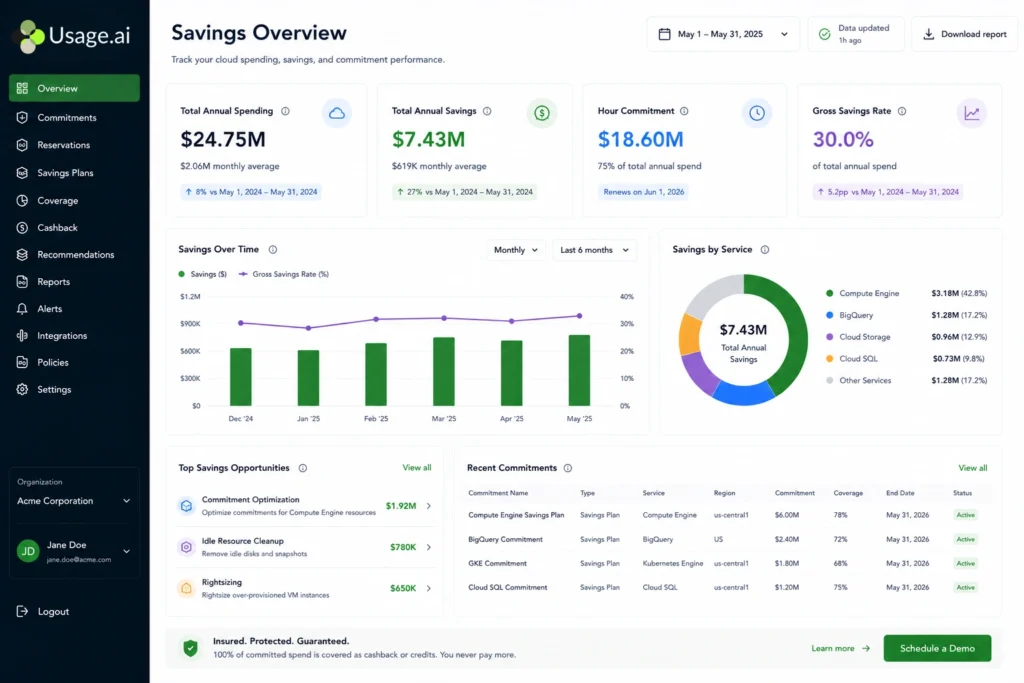
When usage drops below committed capacity due to rightsizing, architecture changes, or seasonal shifts unused commitments continue to incur cost and realized discount deteriorates. For more on Amazon EC2 pricing and coverage mechanics, see our EC2 pricing guide. For visibility tooling, see our guide to AWS Billing and Cost Management.
Utilization Risk and Commitment Portfolio Management
Commitment modeling assumes stability. In practice, cloud workloads rarely remain perfectly flat over 1–3 year periods due to seasonal shifts, architecture changes, and ongoing rightsizing.
The Forecasting Accuracy Problem
When purchasing commitments, organizations are making a forecast about future usage. Forecasting errors compound as term length, coverage percentage, and workload volatility increase; a 3-year commitment assumes confidence in architectural direction over 36 months.
Modeling Utilization Drift
Consider the modeled scenario from the previous section: 500 instances, 85% covered under a 3-year commitment. Now introduce realistic drift:
| Year | Actual Instances | Committed Capacity | Effective Coverage | Risk Exposure |
| Year 1 | 500 | 425 | 85% | Low |
| Year 2 | 470 | 425 | ~90% | Moderate |
| Year 3 | 420 | 425 | >100% | High (Overcommitment) |
Once effective coverage exceeds 100%, unused commitments represent sunk cost that reduces realized efficiency without eliminating prior savings.
Commitment Portfolio Management Strategies
Mature FinOps teams treat commitments as a portfolio rather than a one-time purchase. Key strategies include:
- Laddering 1-year and 3-year commitments to reduce lock-in concentration
- Staggering purchase dates to smooth renewal cycles
- Mixing spend-based and resource-based commitments for flexibility
- Maintaining partial on-demand exposure to absorb variance
- Monitoring amortized vs. realized discount rates continuously
Instead of targeting maximum theoretical discount, effective teams target a risk-adjusted coverage percentage aligned with workload volatility.
Which Cloud Is Cheapest for Your Workload? A Decision Framework
There is no universally cheapest cloud provider. The following framework maps workload type to provider advantage based on pricing structure, licensing, and architecture.
General-Purpose and Steady-State Compute
For standard x86 workloads running 24/7 with predictable usage: all three providers are price-equivalent on-demand. GCP’s Sustained Use Discounts give it a structural advantage for workloads that run the full billing month without requiring a commitment purchase. At 3-year committed pricing, Azure and GCP reach approximately 60% off on-demand, slightly deeper than AWS’s ~55%.
Switch to ARM first. Before comparing providers, evaluate whether your stack supports Graviton (AWS), Arm-based instances (Azure), or Tau T2A (GCP). All three deliver approximately 20% on-demand savings versus equivalent x86, with deeper reductions available on committed terms often exceeding any cross-provider pricing difference.
Windows and Microsoft Workloads
Azure is the clear cost leader for Windows Server and SQL Server workloads. Azure Hybrid Benefit allows organizations with active Software Assurance licenses to apply existing Windows Server and SQL Server licenses to Azure VMs, reducing compute costs by up to 85% when combined with Reserved VM Instances. No equivalent licensing discount exists on AWS or GCP making Azure definitively cheaper for organizations running Microsoft workloads at scale regardless of headline compute rates.
AI/ML and Analytics Workloads
GCP holds a structural advantage for data-intensive workloads via BigQuery (serverless analytics) and Vertex AI (managed ML platform with TPU access); co-locating compute and training data on GCP eliminates cross-provider egress costs. Azure leads for teams building on OpenAI and GPT-4-class models through its exclusive enterprise integrations. AWS offers the broadest GPU instance selection (G5, P4, Inf2, Trn1) with the most flexible commitment options for AI infrastructure.
Containerized and Kubernetes-Native Workloads
For Kubernetes environments, the control plane fee comparison (EKS: $73/month, AKS: free, GKE: $73/month) matters less than total cluster cost. Teams running many clusters, a common pattern for dev/staging/production isolation, realize the most benefit from AKS’s free control plane. GKE’s Autopilot mode offers a compelling managed experience that simplifies node management at the cost of per-pod overhead pricing.
Multi-Cloud Commitment Strategy
Multi-cloud architectures are technically feasible and increasingly common. From a cost perspective, commitments purchased on one cloud cannot offset spending on another; each provider’s coverage must be managed independently. Purpose-built tooling that manages coverage across all three providers in a single interface eliminates this operational complexity.
The Evolution of Commitment Strategy: From Maximum Discount to Risk-Adjusted Coverage
The history of cloud cost optimization has shifted from a purely discount-maximization exercise to a risk-adjusted optimization problem. Early FinOps practice focused on maximizing 3-year commitment coverage. As organizations adopted microservices, autoscaling, and multi-cloud distribution, workload volatility increased and teams recognized that deeper discounts only help when utilization stays stable. Modern commitment strategy asks: “What coverage level optimizes effective cost under uncertainty?” incorporating probabilistic forecasting, tiered coverage, and staggered commitment ladders rather than chasing the deepest available rate.
The Emergence of Risk Transfer Models
A further evolution has introduced transferring underutilization risk rather than absorbing it internally. Historically, when commitments were underused, the customer bore the entire cost of unused capacity. Newer models introduce cashback or credit guarantees on underutilized commitments shifting that risk away from the customer entirely.
How Usage.ai Manages Commitment Risk Across AWS, Azure, and GCP
Usage.ai is a commitment automation platform that manages coverage across AWS, Azure, and GCP with a cashback and credits guarantee on any commitment underutilization, an industry-first protection model.
See exactly what you’re overpaying in under 60 seconds. Try the Calculator for free →
Usage.ai’s core products include:
- Autopilot: Fully autonomous commitment management with 24-hour recommendation refresh. Coverage increases automatically as workloads change. Available across AWS (EC2, RDS, ElastiCache, Redshift, DynamoDB, OpenSearch), Azure (VMs, App Service, Dedicated Hosts), and GCP (Compute Engine, GKE, Cloud SQL).
- Insured Commitments: The only product in the industry providing both cashback and credits for any underutilization of commitments purchased through the platform, meaning customers receive a payout rather than absorbing the cost.
- CoPilot: CoPilot is Usage.ai’s commitment management product for GCP Compute Engine and Azure Virtual Machines. It achieves 50%+ savings by optimizing resources and offering financial safeguards through Guaranteed Buyback, a cash-back rebate for any underutilized VMs or Compute Engine instances.
- Guaranteed Buyback: Guaranteed Buyback is the financial protection mechanism built into CoPilot that automatically issues cash-back rebates if committed resources go underutilized. It is distinct from Insured Commitments, which covers the broader AWS, Azure, and GCP commitment portfolio.
- Flex Commitments: AWS-specific product covering EC2, Fargate, Lambda (40–60% savings), RDS/ElastiCache/Document DB (20–35% savings), and RDS/ElastiCache/OpenSearch/Redshift/DynamoDB reserved instances (30–40% savings). All at $0 upfront with full cashback on underuse.
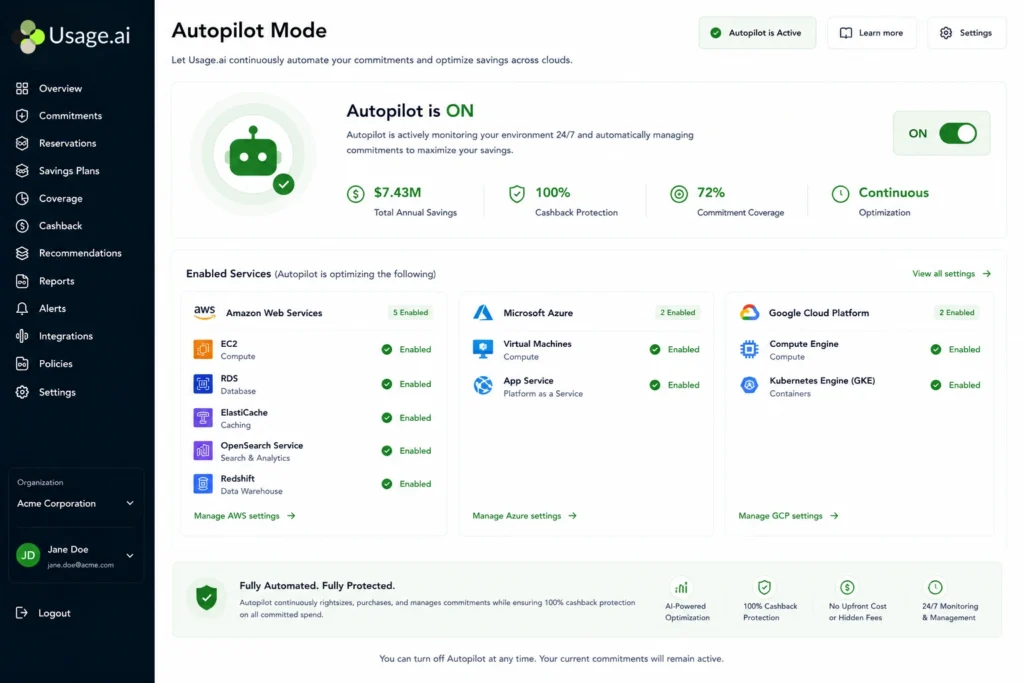
The platform charges a percentage of realized savings only at zero fee if no savings are achieved and reaches full coverage in 60 days versus the industry standard of 6–9 months.
Why This Changes Cloud Pricing Comparison
The economic delta between cloud providers often narrows to near-zero once commitment modeling is introduced. The larger variance in effective cost comes from coverage strategy and risk management, not the provider’s published hourly rate which is why the choice of commitment tool often matters more than the choice of cloud provider.
Frequently Asked Questions
1. Which cloud provider is cheapest: AWS, Azure, or GCP?
There is no universally cheapest cloud provider. The real cost difference depends on commitment strategy, coverage ratio, workload type, egress costs, and licensing not list price. Azure wins for Windows workloads via Hybrid Benefit; GCP’s Sustained Use Discounts give it an edge for stable full-month N1/N2 workloads; all three are effectively equivalent for standard x86 on-demand.
2. Is AWS more expensive than Azure or Google Cloud?
AWS is not categorically more expensive. On-demand compute is nearly identical across all three for equivalent x86 instances. AWS typically has higher egress costs than Azure but lower than GCP; Azure wins for Windows workloads via Hybrid Benefit; GCP can be cheaper for full-month N1/N2 workloads due to automatic SUDs.
3. How do I perform an accurate cloud pricing comparison?
An accurate cloud pricing comparison requires normalizing instance type, region, operating system, and usage pattern. After aligning workloads, model commitment discounts, coverage percentage, and blended effective rates, and include storage and egress costs on-demand hourly rates alone do not reflect actual enterprise cloud cost.
4. What is the difference between on-demand pricing and reserved pricing?
On-demand pricing allows you to pay per second or per hour with no commitment. Reserved pricing (Reserved Instances, Savings Plans, Committed Use Discounts) requires a 1-year or 3-year commitment in exchange for discounts of up to 72% on AWS, up to 72% on Azure Reserved VMs, and up to 55% on GCP standard machine series resource-based CUDs (source: cloud.google.com). The trade-off is reduced flexibility and potential underutilization risk if workloads change.
5. What is the difference between AWS Savings Plans, Azure Savings Plan for Compute, and GCP Committed Use Discounts?
AWS Savings Plans commit you to a dollar-per-hour spend rate applicable across EC2, Fargate, and Lambda regardless of instance type, the most flexible model. Azure’s Savings Plan for Compute works similarly across Azure compute services. GCP CUDs can be resource-based (committing to specific vCPUs/memory, up to 55% off on 3-year standard machine series) or spend-based (Flex CUDs, up to 46% off).
6. What is cloud commitment coverage?
Commitment coverage is the percentage of eligible workload usage protected by discounted commitments. For example, if 70% of compute usage is covered by Savings Plans or Reserved Instances, the remaining 30% is billed at on-demand rates. Coverage is typically the largest lever for reducing effective blended rate, more impactful than switching providers.
7. Are 3-year commitments always cheaper than 1-year commitments?
Three-year commitments provide deeper nominal discounts but carry greater forecasting risk if usage declines or architecture changes, underutilized commitments reduce realized savings. Optimal term length depends on workload stability and lock-in tolerance.