
 AWS
 Microsoft Azure
 Google Cloud


What are FinOps automation tools?
FinOps automation tools perform recurring cloud financial management tasks using rules, policies, or continuously evaluated data. They can allocate spending, detect anomalies, check infrastructure changes, manage commitments, or adjust supported resources.
Their scope varies, some automate information and workflows, while others execute changes that affect cloud usage or purchasing.
| Automation category | Example task |
|---|---|
| Cost allocation and reporting | Apply allocation rules and distribute scheduled cost reports |
| Anomaly detection and workflows | Flag unusual spending and notify the responsible team |
| Infrastructure optimization | Resize, scale, or schedule supported resources |
| Commitment management | Purchase and manage commitments against expected eligible usage |
| Pre-deployment controls | Estimate costs and check proposed infrastructure changes against policies |
6 Best FinOps automation tools at a glance
These FinOps automation tools address different tasks. Use the table to compare what they automate and what your team still needs to manage.| Tool | Best fit | What it automates | Human work remaining | Pricing basis |
|---|---|---|---|---|
| Usage.ai | Commitment savings with financial protection | Eligible commitment purchasing through Autopilot, with approval-based purchasing through CoPilot | Set controls, and review approval-based purchases | Percentage of realized savings for managed optimization. |
| IBM Turbonomic | Policy-controlled resource optimization | Supported resource actions within automation policies; scheduled workload parking | Configure policies, permissions, and execution modes | Custom quote. |
| CAST AI | Kubernetes resource automation | Workload rightsizing, pod consolidation, and node-capacity optimization | Configure cluster access, workload constraints, and automation settings | Quote based on the environment. |
| Finout | Cost allocation and waste identification | Rule-based cost allocation and recurring scans for optimization opportunities | Maintain allocation rules and implement recommended resource changes | Custom pricing based on environment and selected capabilities. |
| Infracost | Pre-deployment cost checks | Pull-request cost estimates, policy checks, and supported AutoFix pull requests | Configure policies, review proposed fixes, and approve deployment | Free tier and paid plans with different usage limits and capabilities. |
| Vantage | Multi-provider cost reporting with AWS commitment automation | Cost reporting and forecasting; AWS Savings Plans purchasing through Autopilot | Configure reporting and purchasing controls; investigate findings | Free and paid reporting plans; Autopilot charges separately at 5% of savings. |
How we evaluated these FinOps automation tools
We compared published product documentation and pricing across six criteria:Automation scope: Does the tool generate insights, route work, require approval, or execute changes automatically?
Supported coverage: Which clouds, services, and workloads support each automation capability?
Controls and permissions: What access, approvals, exclusions, and recovery options are documented?
Implementation effort: What integrations, agents, configuration, and ongoing maintenance are required?
Interaction with existing tools: How does it handle overlapping resource actions and changes that affect commitment utilization?
Pricing and measurement: How are fees and savings calculated, and which capabilities cost extra?
1. Usage.ai
Key features
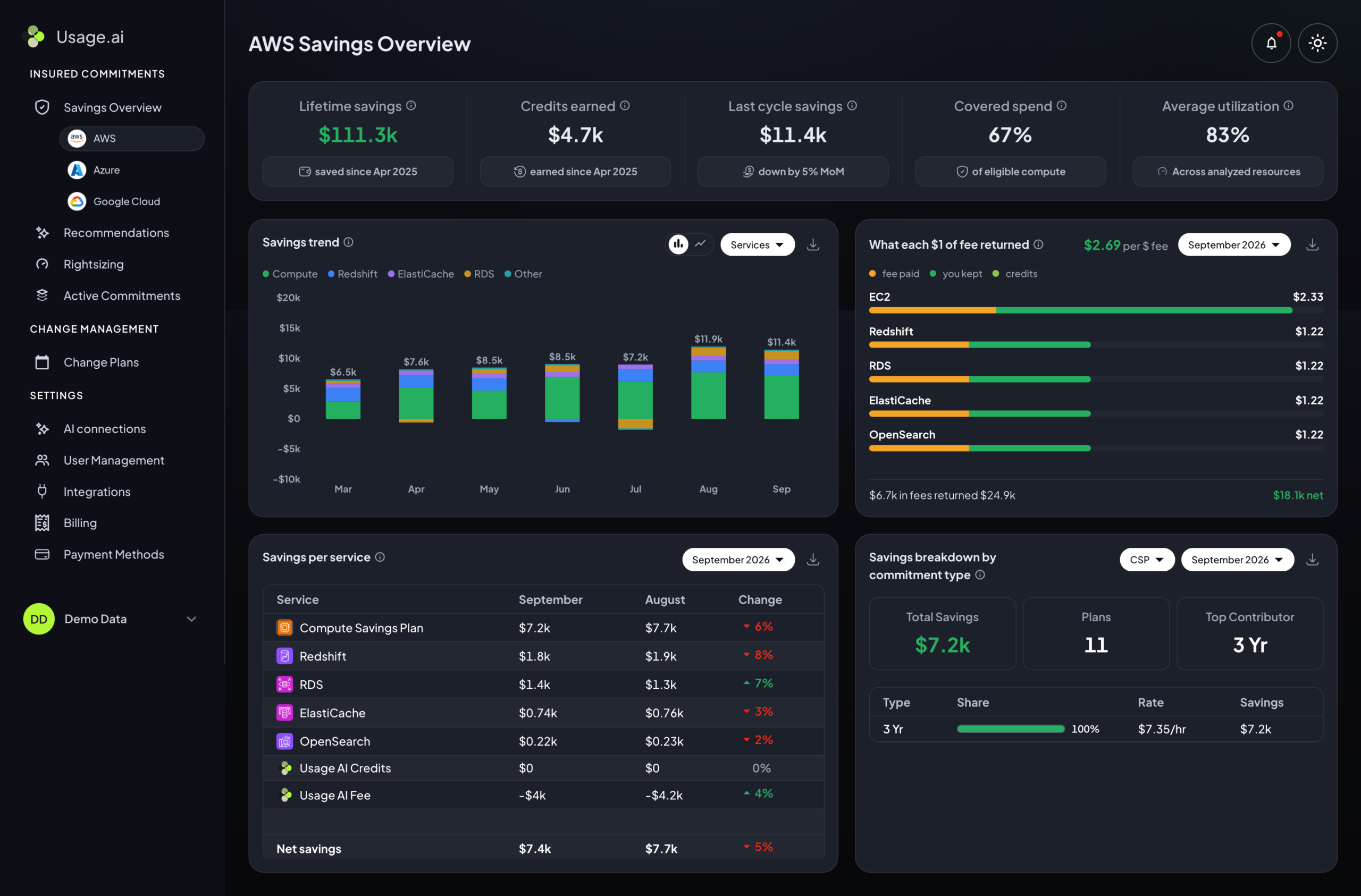
Continuous analysis: We evaluate usage, existing commitments, and On-Demand exposure to identify purchasing opportunities.
Purchasing controls: Choose Autopilot for eligible automatic purchases or CoPilot for approval first.
Adaptive coverage: We adjust future purchases as demand changes and existing commitments expire.
Cashback protection: Qualifying Flex Commitments receive financial protection under applicable program terms.
Pros
- ✅ Reduces recurring commitment analysis and purchasing work.
- ✅ Offers automation or approval-based control without modifying production workloads.
- ✅ Provides financial protection for eligible commitment underutilization.
Cons
- ❌ Does not execute infrastructure rightsizing, shutdowns, or scaling.
- ❌ Adjusting future purchases does not cancel existing commitments.
Pricing
Our recommendation offering includes spend visibility, rightsizing and savings recommendations, and MCP support. Managed optimization charges an agreed share of applicable realized savings, with no upfront platform fee. Confirm feature availability, supported services and managed scope with our team.
Read our guide to how Usage.ai pricing and Cashback work for the fee calculation and protection terms.
2. IBM Turbonomic
Key features
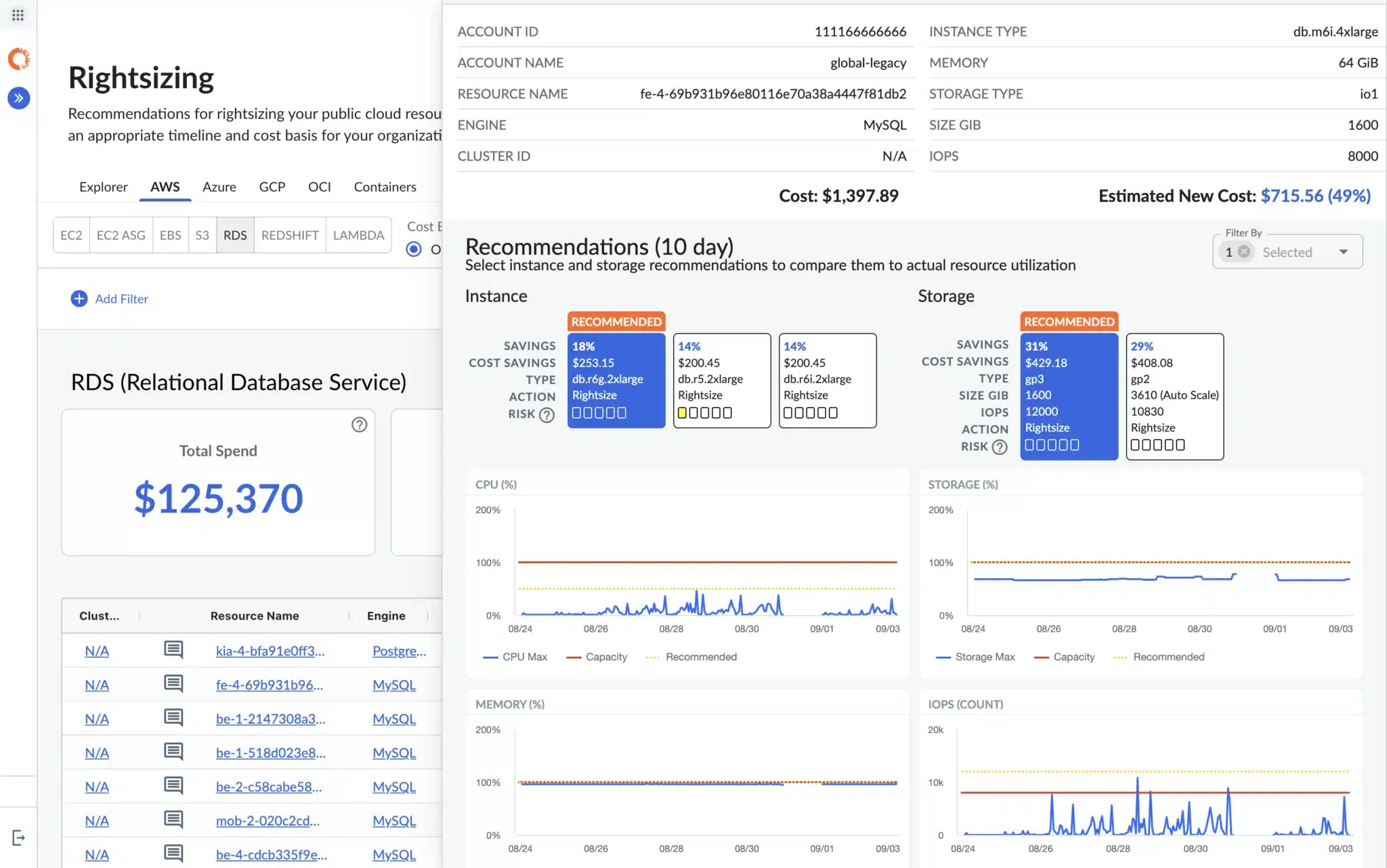
Policy-based execution: Automate supported resource adjustments or require approval first.
Maintenance windows: Schedule changes within approved operating periods.
Workload parking: Stop and start supported non-production workloads across AWS, Azure, and Google Cloud.
Hybrid integrations: Connect cloud, Kubernetes, and on-premises environments.
Pros
- ✅ Reduces manual resource adjustments across connected environments.
- ✅ Lets teams control where and when automated actions run.
Cons
- ❌ Available actions depend on the integration and granted permissions.
- ❌ Policies require configuration before automatic execution.
- ❌ Self-hosted deployments require ongoing platform maintenance.
Pricing
Custom quotes, with a 30-day trial. SaaS, self-hosted, and dedicated Parking Edition options are available. Confirm included capabilities and implementation costs.
3. CAST AI
Key features
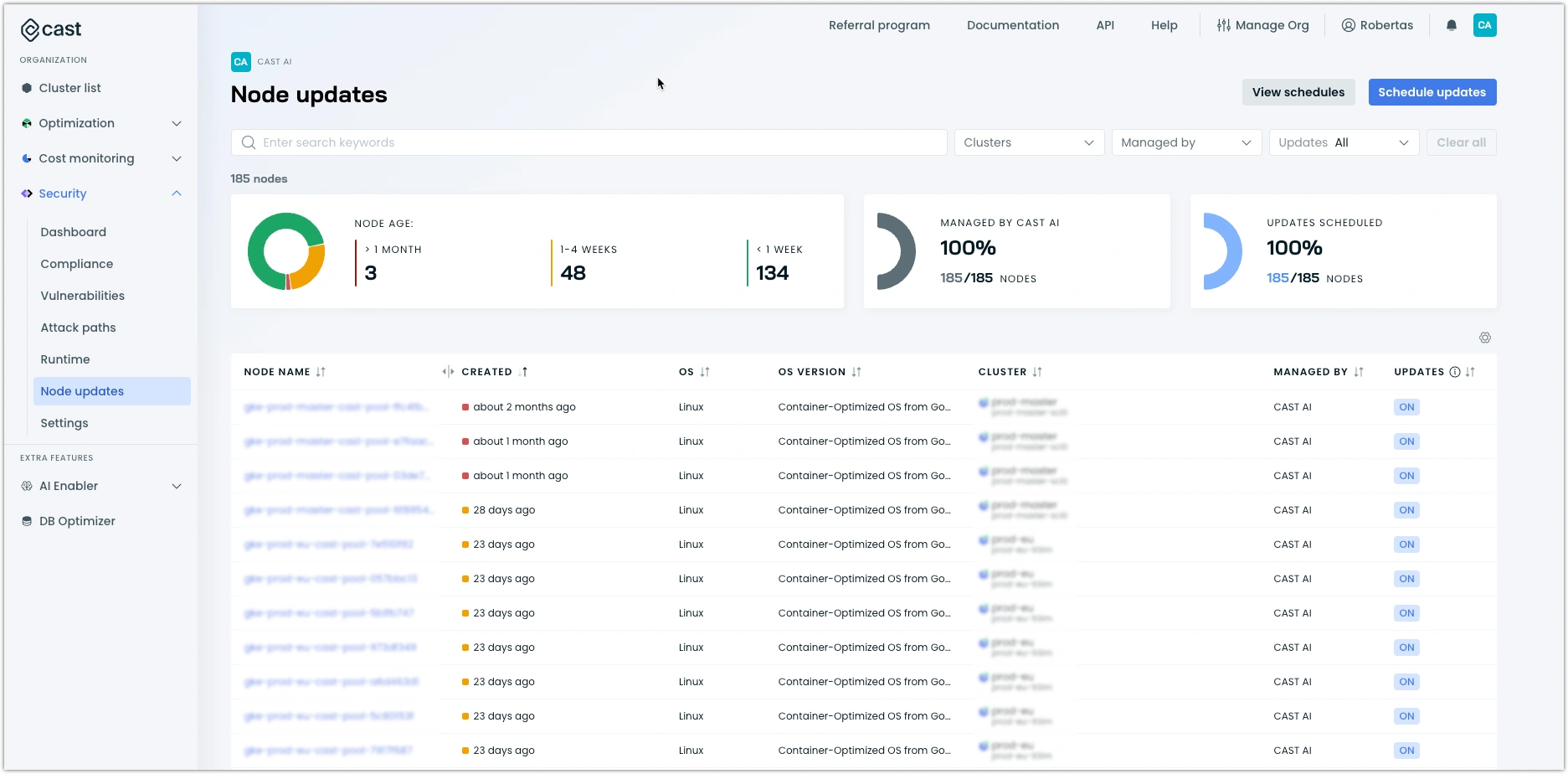
Workload rightsizing: Adjust CPU and memory allocations to match usage.
Capacity optimization: Consolidate pods and align node capacity with workload needs.
Autoscaler options: Use workload optimization with an existing autoscaler or enable CAST AI’s node automation, depending on deployment.
Cost and performance monitoring: Track spending alongside latency, error rates, and out-of-memory events.
Pros
- ✅ Reduces manual workload sizing and capacity adjustments.
- ✅ Helps teams assess cost changes alongside application performance.
Cons
- ❌ CAST AI’s node-management automation requires replacing conflicting node autoscalers.
- ❌ Fully managed modes such as GKE Autopilot and EKS Fargate require a different deployment path through CAST AI Anywhere for workload optimization and monitoring.
- ❌ Available automation depends on cluster compatibility and granted permissions.
Pricing
Custom quotes based on the environment and selected products. For a closer look at commercial terms and costs to check, see our CAST AI pricing guide.
4. Finout
Key features
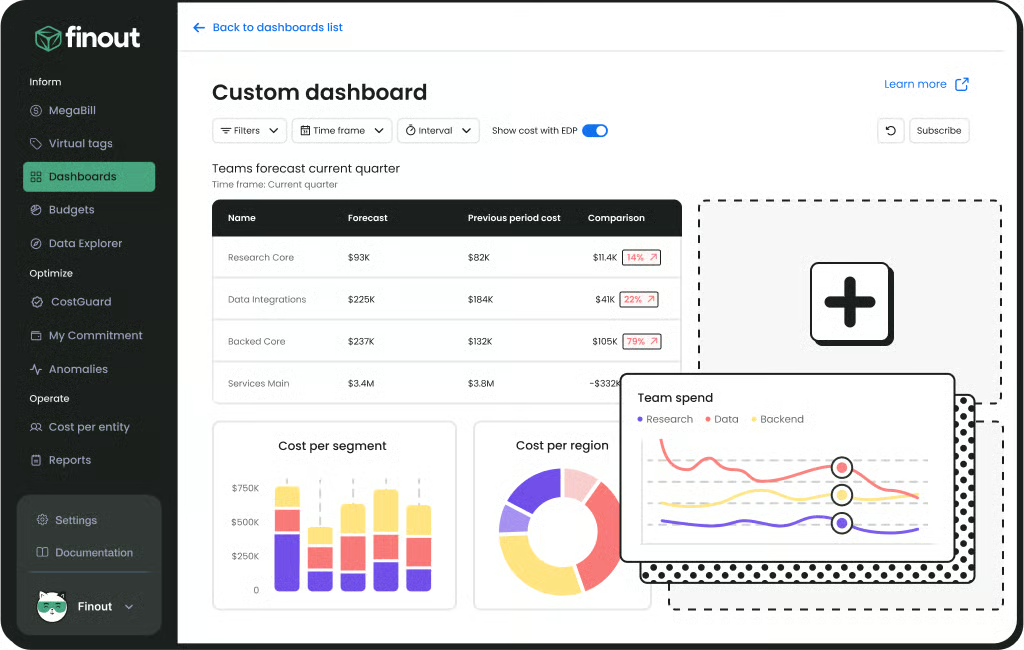
Virtual Tags: Apply allocation rules across billing data without changing resource tags.
Anomaly alerts: Detect unusual spending and send Slack or email notifications.
Granular monitoring: Track anomalies by team, application, or environment.
Waste identification: CostGuard scans for idle resources, rightsizing opportunities, and potential commitment savings.
Pros
- ✅ Organizes spending around business ownership without changing infrastructure tags.
- ✅ Reduces manual monitoring for cost spikes and optimization opportunities.
Cons
- ❌ CostGuard recommendations still require validation and implementation.
- ❌ Allocation accuracy depends on rules that reflect how your business distributes costs.
Pricing
Custom flat fees tied to a committed cloud and AI spend tier, fixed for the contract term. Quotes account for the connected environment, data volume, integrations, and add-ons such as Kubernetes. A free trial is available.
5. Infracost
Key features
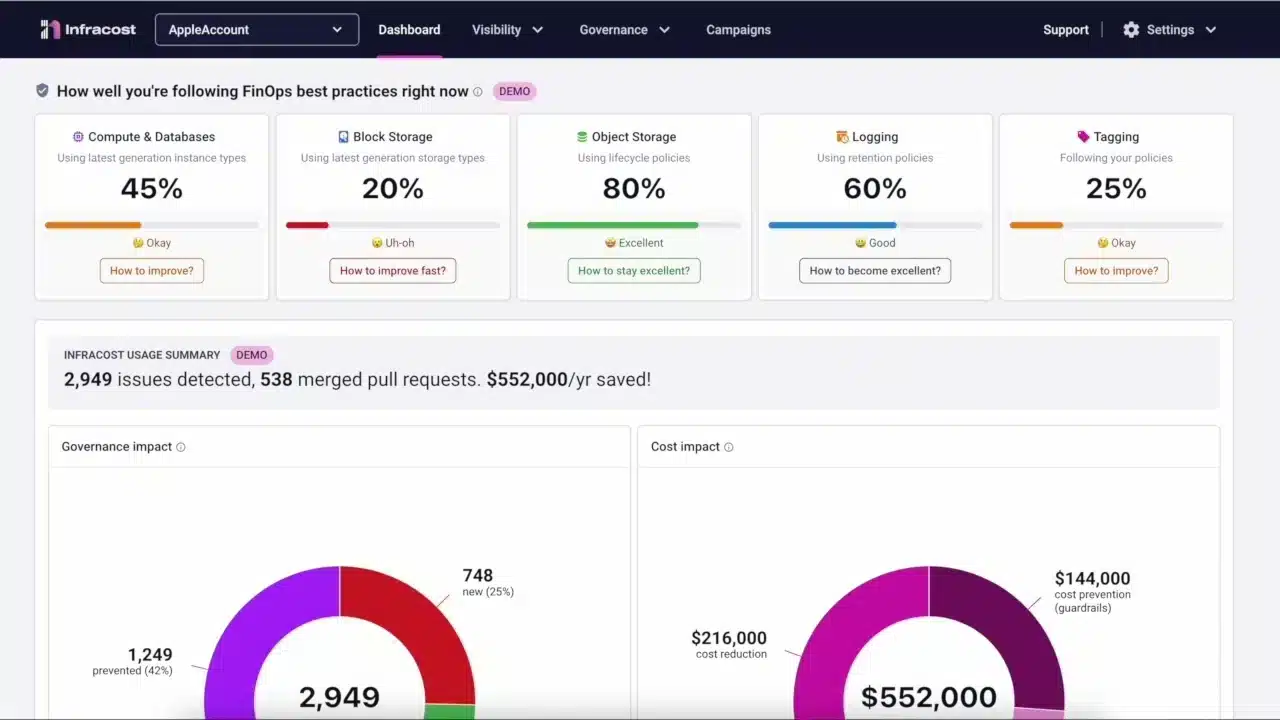
Pull-request estimates: Show expected cost changes before infrastructure code is merged.
Policy checks: Flag FinOps policy violations and missing tags during review.
AutoFix workflows: Generate pull requests for supported fixes.
Custom price books: Use your organization’s rates on supported plans.
Pros
- ✅ Brings cost information into engineers’ existing code-review workflow.
- ✅ Helps catch supported cost and tagging issues before deployment.
Cons
- ❌ Coverage depends on supported infrastructure-as-code resources and connected repositories.
- ❌ Teams must review fixes and deploy them; Infracost does not directly modify live resources.
- ❌ Policy checks and AutoFix workflows require a higher-tier plan than basic estimates.
Pricing
The free CI/CD plan includes 1,000 runs per month. Starter costs $250 per month for 10,000 runs. Cloud costs $1,000 per month and adds policies, cost guardrails, and AutoFix workflows; developer seats cost extra. Enterprise pricing is custom.
6. Vantage
Key features
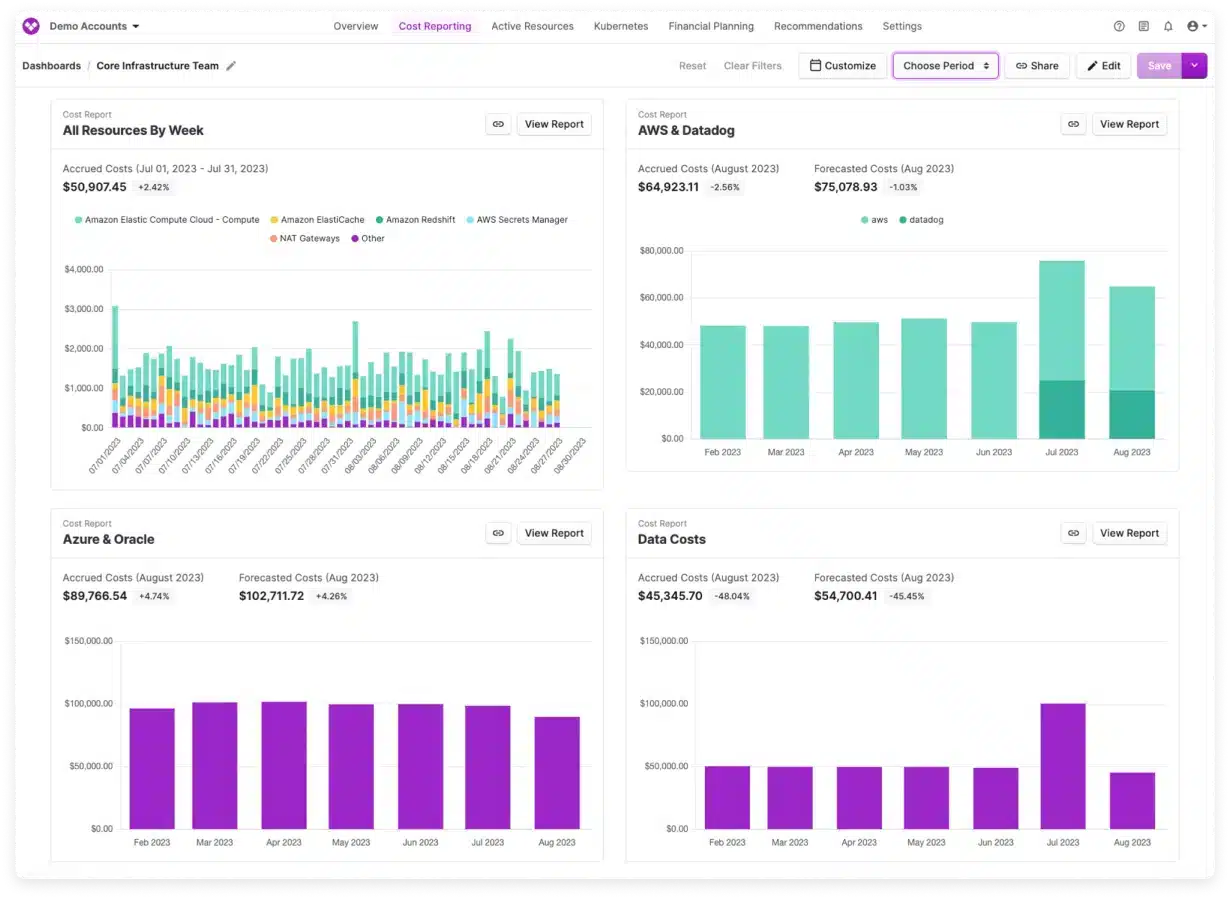
Scheduled reports: Send daily, weekly, or monthly updates through email, Slack, or Microsoft Teams.
Automated forecasts: Project month-end spending and model planned changes.
Anomaly notifications: Flag unusual spending and custom-defined cost trends.
AWS Savings Plans automation: Analyze compute spending daily and purchase automatically or after approval.
Pros
- ✅ Reduces recurring reporting work across supported providers.
- ✅ Combines cost visibility with purchasing controls for AWS Savings Plans.
Cons
- ❌ Autopilot’s AWS-specific coverage is narrower than its multi-provider reporting.
- ❌ Alerts still require teams to investigate and resolve issues.
- ❌ Plan limits apply to tracked spending and user counts.
Pricing
Starter is free for up to $2,500 in tracked monthly spending. Pro costs $30 per month for up to $7,500; Business costs $200 per month for up to $20,000. Enterprise pricing is custom. Autopilot separately charges 5% of realized savings.
What can native FinOps automation tools do?
You may already have useful automation available through your cloud provider. Before paying for another platform, check what these native options can handle:
AWS: Compute Optimizer can automate selected storage improvements, such as taking a snapshot and deleting qualifying unattached EBS volumes or upgrading supported volume types. You choose which resources the rules cover and when they run.
Azure: Azure Monitor Autoscale can add or remove supported capacity as demand changes or on a schedule. You can also enable Savings Plan renewal, but your team should review the commitment amount before it renews.
Google Cloud: Compute Engine can automatically start and stop VMs on a schedule. Active Assist also recommends ways to reduce waste, resize resources, and use commitments, though those recommendations do not all execute automatically.
The buying question is what work would another tool take off your team’s plate?
Will your FinOps automation tools work together?
Your team may use one tool to allocate costs, another to resize infrastructure, and a third to manage commitments. These tools handle different tasks, but their decisions can overlap.
For example, if rightsizing reduces compute usage, commitment purchasing needs to account for that lower demand. Otherwise, you could keep paying for discounts on usage you no longer need.
Before combining FinOps automation tools, check:
Planned changes: Do commitment decisions account for upcoming rightsizing, shutdowns, and migrations?
Resource control: Which system owns each scaling or scheduling action?
Decision ownership: Who resolves conflicting recommendations or actions?
Savings measurement: Are combined results measured without counting the same benefit twice?
Our Azure cost management strategies guide explains how reducing waste first helps you size commitments around the usage that remains.
How to choose FinOps automation tools for your environment
Start with the recurring work you want to improve, then test whether the platform makes it easier. Use the checklist below to compare shortlisted FinOps automation tools against the same workloads and evaluation period.
Define success: Set a measurable goal, such as fewer reporting hours, faster investigations, or lower costs without reduced performance.
Record your baseline: Capture current spending, manual effort, and relevant performance measures.
Start small: Test selected accounts or workloads and review proposed actions before expanding automation.
Check completed work: Track what gets implemented and how much attention your team still needs to provide.
Calculate net value: Include software fees, setup costs, and ongoing effort. Separate the tool’s contribution from changes in workload demand.
Which FinOps automation tool should you choose?
Choose based on the work your team needs help completing.Usage.ai fits eligible commitment management with financial protection;
IBM Turbonomic suits policy-controlled resource actions;
CAST AI focuses on Kubernetes optimization;
Finout supports allocation and anomaly detection;
Infracost brings cost checks into code review;
Vantage combines multi-provider reporting with AWS Savings Plans automation.
If commitment management is that gap, book a 30-minute demo to explore our purchasing controls, supported coverage, and Cashback eligibility.
Automate eligible AWS, Azure, and Google Cloud commitments with purchasing controls and Cashback protection.
Frequently asked questions
What is the difference between cloud cost management and FinOps automation tools?
Cloud cost management covers tracking, allocating, and optimizing spending. FinOps automation tools perform recurring parts of that work, such as distributing reports, checking infrastructure changes, or executing approved purchases.
Can FinOps automation tools work across AWS, Azure, and Google Cloud?
Some platforms support all three, but capabilities can differ by provider. A tool might report costs across multiple clouds while automating purchases or resource changes in only one. Verify coverage for the services and actions you need.
Do FinOps automation tools need permission to change cloud resources?
Reporting usually requires read access to relevant data. Executing resource changes or commitment purchases requires additional permissions. Ask vendors to separate evaluation access from execution access and explain how you can restrict or revoke each permission.
Can FinOps automation tools replace a FinOps team?
They can reduce repetitive work, but teams still need to define policies, assign ownership, assess business requirements, and review results. Automation handles supported tasks within configured controls; people remain responsible for deciding which outcomes matter and which trade-offs are acceptable.
How should you measure savings from FinOps automation tools?
Measure additional savings against your existing discounts and processes, then subtract platform fees, implementation costs, and ongoing operating effort. Account for workload changes and commitment underutilization.
Keep projected savings separate from realized results, and avoid counting the same benefit across multiple tools.
If you notice any material information that is incorrect, outdated, or no longer applicable, please contact us at [email protected]. We’ll review it and update the article where appropriate.