.png)



Most GCP teams have the same problem: they have visibility into what they are spending, but nothing is automatically reducing the bill.
The Google Cloud Console tells you which projects are expensive. The Recommender flags oversized VMs. FinOps Hub shows your CUD coverage rate. All of that is useful. None of it writes a single commitment purchase on your behalf, adjusts your discount portfolio when usage shifts, or returns money when a commitment goes underutilized.
That gap between seeing the problem and fixing it is where most GCP waste lives.
This guide covers 10 GCP cost optimization tools across both categories: the native visibility tools that every team should already be using for free, and the third-party action platforms that automate what the native tools only report on. For each tool, the structure is identical: what it does, what it does well, and where it stops. The comparison table includes dimensions that most roundups leave out entirely, including lock-in terms and underutilization protection.
What Changed in GCP Cost Management in 2026?
Two changes from late 2025 and early 2026 directly affect how you purchase CUDs and read your billing data. Understanding them before evaluating any tool is not optional.
- January 2026: Spend-based CUD billing model migration. Google automatically migrated eligible billing accounts from the legacy credit-based spend-based CUD model to a new direct-discount model. Under the old model, you were billed at list price and received a credit offset. Under the new model, the discount applies directly to the SKU price. The end cost is identical, but billing data is cleaner and month-over-month comparisons may look different if your account crossed the migration date mid-period. Accounts that purchased their first spend-based CUD on or after July 15, 2025 were placed on the new model automatically. Others were migrated around January 21, 2026 (verify at cloud.google).
- Mid-2024 through September 2025: Flex CUD coverage expansion. Google expanded Compute Flexible CUDs to cover GKE Autopilot clusters and Cloud Run services alongside Compute Engine VMs. A single Flex CUD commitment can now cover your entire eligible compute footprint – VMs, containers, and serverless – without requiring separate commitments per service. This changes the CUD automation strategy for any team running mixed workloads.
Both changes increase the reward for proactive CUD management and increase the penalty for teams relying on manual quarterly purchases. Any tool you evaluate should correctly handle both billing models in its reporting.
Also read: GCP in May 2026: Gemini 3.5 Flash Lands at Google I/O & more
The Two Categories Every GCP Team Needs to Understand
GCP cost optimization tools fall into two categories that solve fundamentally different problems.
- Category 1: Visibility tools. These show you what you are spending and where. Google’s native suite – Cloud Billing Reports, the Recommender, BigQuery billing export, Budgets and Alerts, and FinOps Hub – all belong here. They are free, built into GCP, and the correct place to start. They do not automate any action.
- Category 2: Action tools. These reduce what you actually pay by automating commitment purchasing, rightsizing VMs, managing Spot VMs, and optimizing Kubernetes node pools. Third-party platforms belong here.
Most teams need both. Visibility without action is a dashboard that confirms you are overspending. Action without visibility is buying commitments blind. The tools in this guide are organized by category so you can identify which gap you are filling.
Learn more about GCP Cost Optimization Best Practices.
GCP Native Cost Optimization Tools (Visibility Category)
The five tools below are built into Google Cloud and free to use. They form the baseline visibility layer that every GCP FinOps practice should have in place before evaluating third-party platforms.
Tool 1: Cloud Billing Reports
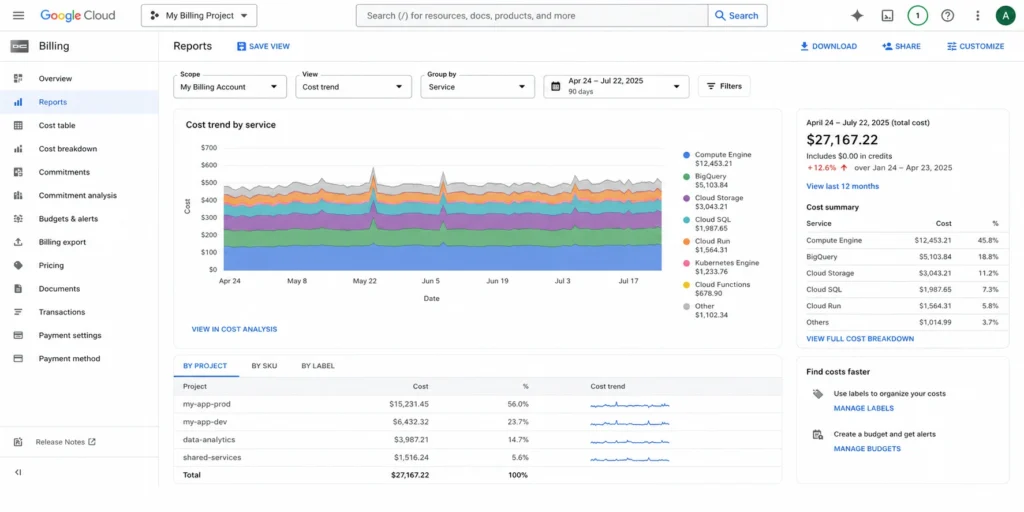
What it is: Cloud Billing Reports is the primary cost visibility dashboard inside the Google Cloud Console. It shows cost history, current-period trends, and forecasted spend broken down by project, service, SKU, label, and region.
What it does well: It surfaces where spend is concentrated, identifies which services are driving changes, and lets you filter by label to do basic team-level cost attribution. Reports update continuously as billing data flows in. For teams just beginning a FinOps practice, this is the right first screen to open.
Where it stops: Cloud Billing Reports does not recommend commitment purchases, does not alert on CUD underutilization, and does not automate any action. It is a reporting tool. The moment you need to act on what you see, you need a different tool.
Best for: All GCP teams as a starting visibility layer. Not a replacement for any action tool.
Tool 2: Google Cloud Recommender
What it is: The Cloud Recommender applies machine learning to your GCP usage data and generates recommendations across several categories: rightsizing underutilized VMs, deleting idle persistent disks, releasing unused IP addresses, and purchasing Committed Use Discounts.
What it does well: It catches obvious waste. VMs running at 5% CPU utilization for 30 days are flagged automatically. The CUD purchase recommendations are a useful starting signal for teams who are not yet running any commitment management tooling.
Where it stops: Recommendations are not automated. A FinOps engineer must read each recommendation, evaluate it, and execute the purchase manually. The Recommender does not model underutilization risk – it recommends CUD coverage based on recent usage patterns but does not account for growth uncertainty or protect you if usage drops after you commit. GCP does not publish a fixed refresh interval for Recommender outputs, which means you may be acting on data that does not reflect your current usage pattern.
Best for: Teams in the early stages of GCP cost management who need a free signal for where to start. Not a substitute for automated commitment management.
Tool 3: Cloud Billing Budgets and Alerts
What it is: Budget alerts let you set spend thresholds at the project, folder, billing account, or service level. When spend crosses a defined percentage of the budget, GCP sends email notifications or triggers Pub/Sub messages for programmatic response.
What it does well: Budget alerts are the correct first line of defense against runaway costs from misconfigured resources or unexpected traffic spikes. They are fast to configure and cover every GCP service.
Where it stops: Alerts are reactive, not preventive. They tell you a threshold was crossed – they do not prevent the spend or identify its root cause. Budgets have no native integration with CUD coverage or commitment management. An alert that fires at 90% of your monthly budget tells you nothing about whether you could have avoided that spend.
Best for: All GCP teams as a billing safety net. Required setup before any other optimization work.
Tool 4: Billing Export to BigQuery
What it is: BigQuery billing export sends every line item of your GCP bill – to the SKU level – into a BigQuery dataset you control. This enables custom dashboarding in Looker Studio, cost allocation by team or product, anomaly detection with SQL queries, and enterprise-level financial reporting.
What it does well: For large organizations that need chargeback reporting, cost attribution by engineering team, or custom FinOps dashboards, BigQuery export is the most powerful free tool GCP provides. It is also the data foundation that most enterprise FinOps platforms use to ingest your GCP billing data.
Where it stops: BigQuery export requires a data engineering investment to produce useful outputs. Raw billing data at the SKU level is not a dashboard. You need someone to write and maintain the queries, build the views, and connect them to a visualization layer. The setup cost is real and ongoing.
Best for: Organizations that need granular cost attribution, custom reporting, or a data foundation for integrating FinOps platforms. Not a quick-start tool.
Learn more about GCP (CUDs): Complete Guide to Types, Pricing & Savings.
Tool 5: GCP FinOps Hub
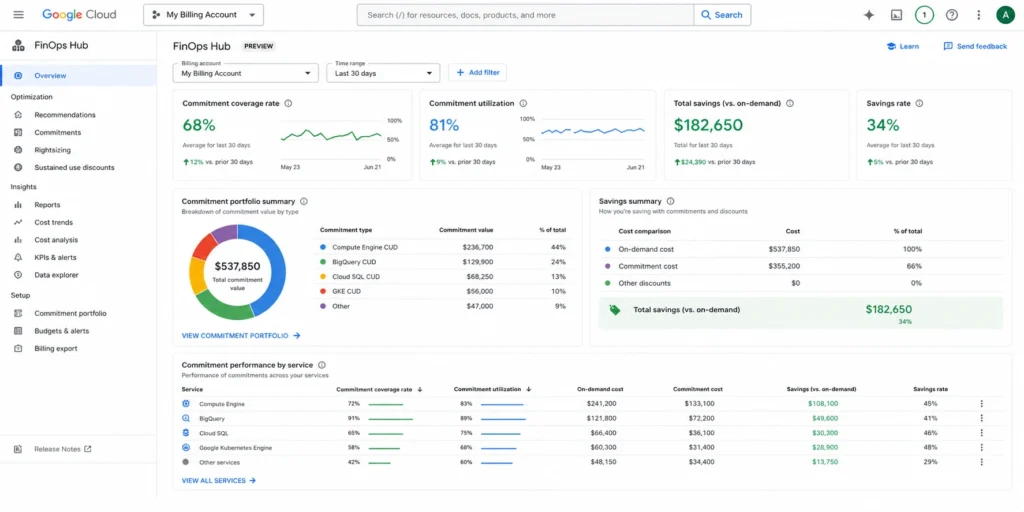
What it is: GCP FinOps Hub is a native dashboard that consolidates CUD coverage rate, utilization percentages, and savings estimates in one place. It was introduced to give teams a single view of their commitment portfolio without requiring a BigQuery export setup.
What it does well: FinOps Hub gives a clean summary of how much of your eligible spend is covered by CUDs and how much of your purchased CUD capacity is actually being consumed. It is the fastest way to answer “are my commitments working?” without building a custom dashboard.
Where it stops: FinOps Hub is a monitoring interface, not a purchasing or automation interface. It shows you the state of your commitments but does not purchase, adjust, or protect them. A team that sees low coverage in FinOps Hub still has to manually decide what to buy and execute the purchase themselves.
Best for: All GCP teams as a free commitment monitoring layer. Should be reviewed regularly as part of any FinOps cadence.
Third-Party GCP Cost Optimization Tools: The Comparison Table
The table below compares the five most widely evaluated third-party GCP cost optimization platforms. The dimensions were chosen because they are the ones that actually affect procurement decisions – and are consistently omitted from competitor comparison tables.
| Dimension | Usage.ai | ProsperOps | CAST AI | nOps | Kubecost | CloudZero |
| Primary focus | CUD automation + cashback insurance | CUD automation | GKE/Kubernetes rightsizing | Multi-lever optimization | GKE cost monitoring | Cost intelligence and allocation |
| GCP CUD automation | Yes – Compute Engine, GKE, Cloud SQL | Yes – Compute Engine | No | Yes | No | No |
| Underutilization protection | Cashback in real money, not credits | Not publicly documented | Not applicable | Not publicly documented | Not applicable | Not applicable |
| Lock-in terms | Zero lock-in, cancel anytime, buyback guarantee | Not publicly documented | Not applicable | Not publicly documented | Not applicable | Not applicable |
| Fee model | % of realized savings only. Zero fee if nothing saved | % of savings | % of savings | % of savings | Fixed + optional % | Fixed subscription |
| Setup time | 30 minutes, billing-layer access only | Not publicly documented | Agent-based, longer setup | Not publicly documented | Helm chart install required | API integration required |
| Infrastructure changes required | No | Not verified | Yes – requires agent | Not verified | Yes – Helm chart | No |
| GKE support | Yes – Autopilot and Standard | Partial | Deep – primary use case | Yes | Yes – primary use case | Visibility only |
| Cloud SQL CUD support | Yes | Not verified | No | Not verified | No | No |
| Multi-cloud | AWS, Azure, GCP | AWS, GCP | AWS, GCP, Azure | AWS, GCP | AWS, GCP | AWS, Azure, GCP |
Verify all capabilities directly with each vendor before purchasing. Lock-in terms, underutilization policies, and feature depth change. Anything marked “not publicly documented” should be confirmed in writing.
Third-Party GCP Cost Optimization Tools: Tool-by-Tool Breakdown
Tool 6: Usage.ai
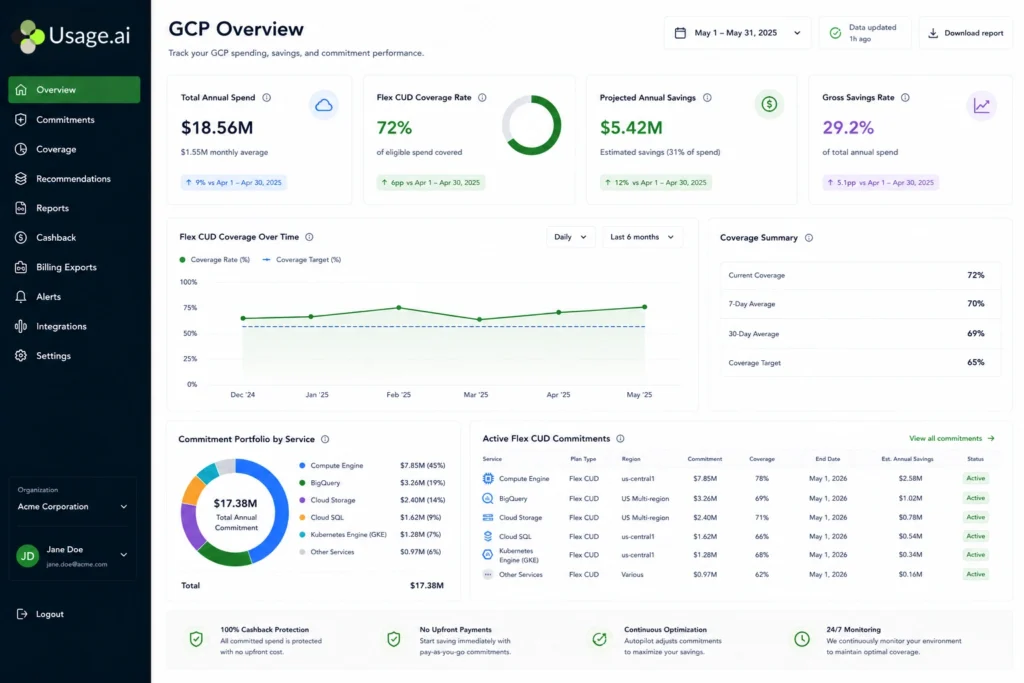
What it is: Usage.ai is a cloud cost optimization platform that automates Committed Use Discount purchasing for GCP, AWS, and Azure. On GCP, it manages three commitment types: Compute Engine CUDs (covering VMs, GKE Autopilot, GKE Standard, and Cloud Run), GKE Autopilot CUDs, and Cloud SQL CUDs (covering PostgreSQL, MySQL, and SQL Server). The platform operates at the billing layer only and requires no infrastructure changes, no agent installation, and no access to workloads or code. Setup takes approximately 30 minutes.
What it does well: Usage.ai’s structural differentiator is its underutilization protection model. Commitments purchased through the platform carry a buyback guarantee: if a commitment goes underutilized, Usage.ai buys it back and returns the value as cashback in real money, not credits. This is the Insured Flex Commitment model. Commitments adjust quarterly, and there is no multi-year lock-in on any purchase. The fee model is a percentage of realized savings only – zero fee if the platform saves nothing.
Verified GCP savings ranges from: Compute Engine CUDs 28-46%, GKE Autopilot CUDs 20-46%, Cloud SQL CUDs 25-52% (verify at cloud.google – rates change).
Where it stops: Usage.ai is a commitment management and discount automation platform. It does not provide Kubernetes workload rightsizing at the pod or node level – teams running GKE with highly variable workloads will need a separate tool like CAST AI or Kubecost for that layer. It also does not provide cost attribution reporting at the feature or customer level, which is CloudZero’s territory.
Best for: Teams whose primary GCP cost lever is Compute Engine, GKE, or Cloud SQL running on predictable baselines. Teams that want underutilization protection built into the arrangement rather than negotiated separately.
Tool 7: ProsperOps
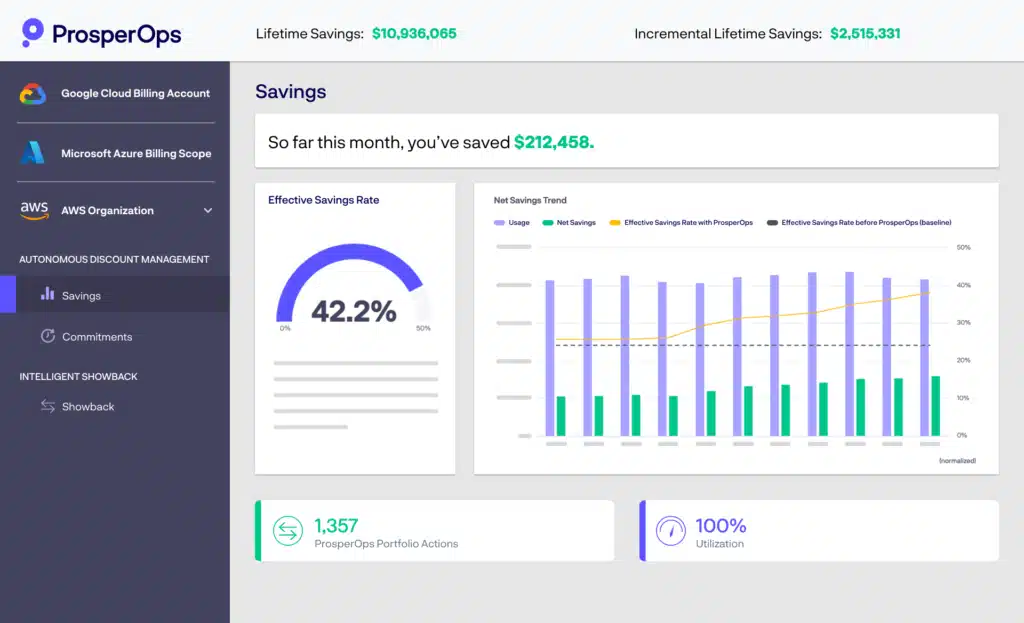
What it is: ProsperOps is an automated commitment management platform supporting AWS and GCP. On GCP, it focuses on Compute Engine CUD automation. It runs an algorithmic portfolio manager that continuously adjusts commitment coverage in the background without requiring manual input.
What it does well: ProsperOps has a mature commitment management engine with a clean reporting interface. Its Effective Savings Rate metric provides a useful benchmark for measuring commitment portfolio performance over time and comparing it against industry norms. For teams already using ProsperOps for AWS, adding GCP coverage within the same platform avoids the overhead of managing a second vendor.
Where it stops: ProsperOps does not publicly document its lock-in terms, underutilization policy, or refund structure for unused commitments. GCP feature depth beyond Compute Engine CUDs – specifically Cloud SQL CUDs and GKE Autopilot CUD coverage – should be confirmed directly before purchase. Setup time is not publicly documented.
Best for: Teams with a significant AWS commitment management use case who want to bring GCP into the same platform. Teams for whom cross-cloud reporting in a single interface is a priority.
Also learn about Google Kubernetes Engine (GKE).
Tool 8: CAST AI
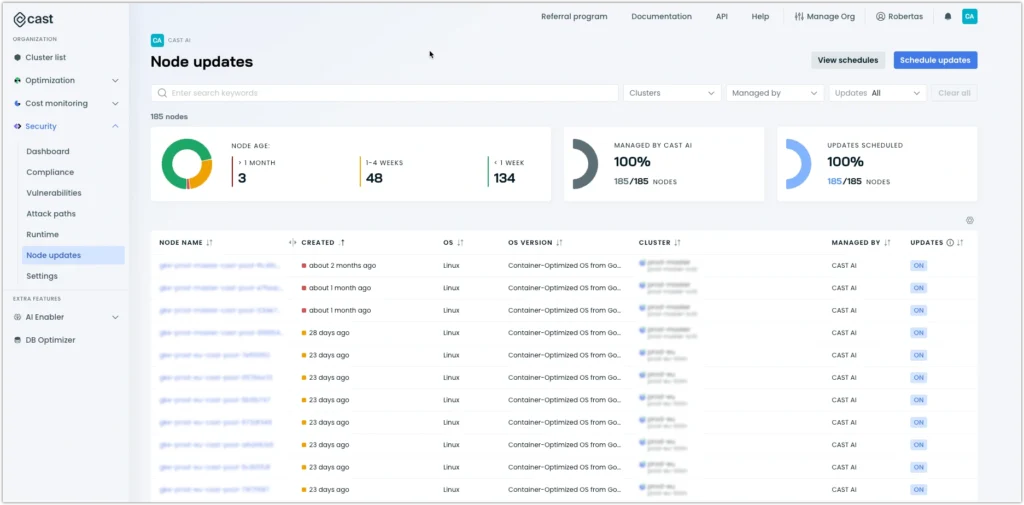
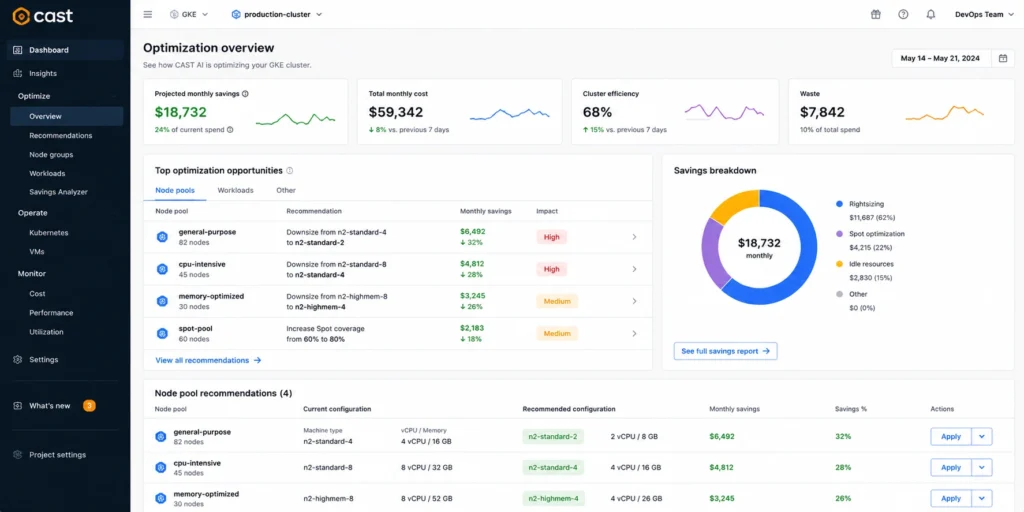
What it is: CAST AI is a Kubernetes-focused cost automation platform. Its primary capability is autonomous node rightsizing, pod bin-packing, Spot VM automation, and GKE node pool management. It monitors workload resource consumption continuously and reshapes the cluster to minimize cost without violating performance constraints.
What it does well: For GKE-heavy teams, CAST AI provides the deepest automated Kubernetes rightsizing and Spot VM fallback management available from any third-party platform. It goes well beyond what any native GCP tool offers at the Kubernetes layer. The autonomous mode continuously adjusts node pool composition based on live demand, which is particularly effective for workloads with unpredictable resource consumption patterns.
Where it stops: CAST AI does not manage Committed Use Discounts. It optimizes the workload and the infrastructure configuration, not the discount portfolio. Teams with significant stable baseline spend still need a separate commitment management tool to capture the CUD savings layer. Requires agent installation, which means infrastructure access is required at setup.
Best for: Teams running large GKE workloads where compute rightsizing and Spot VM coverage are the primary cost levers. Most effective when paired with a CUD automation platform that handles the stable baseline discount layer.
Tool 9: nOps
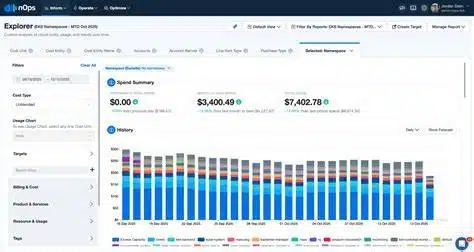
What it is: nOps is a multi-lever cloud cost optimization platform with strong AWS roots and growing GCP capabilities. On GCP, it combines commitment management recommendations, rightsizing guidance, and FinOps governance into one platform. It also provides Kubernetes cost visibility and anomaly detection.
What it does well: nOps covers a broad surface area across both AWS and GCP in a single interface. For teams managing significant AWS spend, nOps’s AWS commitment management is mature and well-regarded. The multi-cloud consolidation is useful for FinOps teams that prefer a single vendor relationship across clouds rather than managing separate tools per platform.
Where it stops: nOps’s GCP CUD automation capabilities are less mature than its AWS offering as of mid-2026. GCP-specific feature depth – particularly Cloud SQL CUD coverage and GKE Autopilot CUD automation – should be verified directly with their team before signing. Underutilization policies are not publicly documented for the GCP product.
Best for: Teams with a mixed AWS/GCP footprint who prioritize AWS optimization depth and want GCP coverage added to the same platform. Not the leading choice if GCP is the primary cloud.
Tool 10: Kubecost
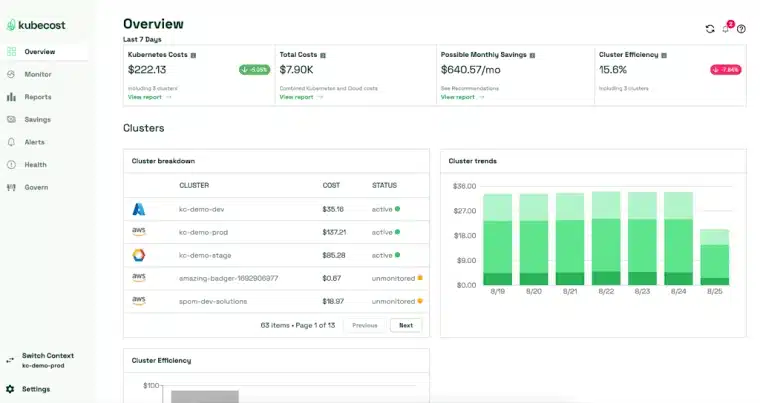
What it is: Kubecost is an open-source and commercially available Kubernetes cost monitoring platform. It integrates directly into your GKE cluster via Helm chart and provides cost allocation down to the namespace, deployment, pod, and container level.
What it does well: Kubecost is the standard tool for answering one specific question: which team, service, namespace, or workload is generating this GKE cost? It is unmatched for granular Kubernetes cost attribution and chargeback or showback reporting. The open-source tier covers basic monitoring for single clusters at no cost.
Where it stops: Kubecost is a visibility tool, not an action tool. It does not automate rightsizing, does not manage CUDs, and does not reduce your GCP bill automatically. It requires Helm chart installation and cluster-level access, which means infrastructure access is required. Teams use it alongside commitment management platforms and rightsizing tools, not instead of them.
Best for: Platform engineering teams that need accurate GKE cost allocation by team, service, or product line for internal chargeback or showback reporting. Best used as part of a broader toolset rather than as a standalone cost optimization solution.
How to Choose the Right GCP Cost Optimization Tool: Four Questions
Before shortlisting any platform, answer these four questions. They determine which category of tool you need and which specific product fits your situation.
Question 1: What percentage of your GCP spend is on compute services (Compute Engine, GKE, Cloud Run)?
If compute is above 60% of your bill, commitment management is the highest-leverage starting point. Native CUD tools are insufficient for this – you need an automated platform.
Question 2: How stable is your baseline compute usage?
Stable baseline (same workload month to month): CUD automation delivers the most value. Highly variable (scaling 3x at peak): Spot VM automation and rightsizing tools like CAST AI deliver more value in the variable portion. Most teams have both a stable baseline and a variable layer – and need tools that address each separately.
Question 3: Do you run Kubernetes on GKE?
If yes, you need a tool with GKE-specific capabilities. Generic cloud cost tools often miss GKE node pool optimization and pod-level attribution entirely.
Question 4: What happens if you over-commit?
This is the question every vendor avoids. If your usage drops and you have committed to more CUD capacity than you consume, what is the financial outcome? With native GCP CUDs, you pay for unused commitments with no recourse. This is the primary financial risk of manual CUD management and should be part of every procurement conversation with any commitment automation platform.
Tool Selection Decision Framework
- Choose Usage.ai when: Your primary lever is CUD automation across Compute Engine, GKE, or Cloud SQL. You want underutilization protection built into the arrangement. You need fast setup with no infrastructure changes. You want cashback in real money on unused commitments, not credits. Start with a savings analysis.
- Choose ProsperOps when: You are already managing AWS commitments with ProsperOps and want GCP added to the same platform. Verify GCP feature depth and underutilization terms before signing.
- Choose CAST AI when: You run a GKE-heavy workload and the largest savings opportunity is in dynamic node rightsizing and Spot VM automation. Plan to pair it with a separate CUD automation tool for your stable baseline.
- Choose nOps when: You need multi-lever optimization across both AWS and GCP in a single platform, and AWS optimization depth is equally important to GCP.
- Choose Kubecost when: Your primary problem is GKE cost attribution – which team, service, or namespace is responsible for which spend. Use it alongside a commitment management platform, not instead of one.
- Choose CloudZero when: You need to tie cloud costs to specific customers, features, or engineering changes. Unit economics and product cost analysis is the primary use case.
Keep all five native GCP tools running: Cloud Billing Reports, Budgets, Recommender, BigQuery export, and FinOps Hub are free. They form the visibility layer that every third-party tool builds on top of. Running native tools and third-party platforms together is the standard FinOps stack, not a choice between them.
A Note on the January 2026 CUD Billing Model Change and Tool Compatibility
If your GCP billing account was using spend-based CUDs before July 15, 2025, you may have been automatically migrated to the new direct-discount billing model around January 21, 2026. Under this migration:
CUD savings now appear as lower SKU prices on your bill rather than as a separate credit line item. Month-over-month cost comparisons may look anomalous across the migration date. Tools that parse billing data based on the old credit structure may misattribute savings during the transition period.
Before signing with any third-party cost optimization tool, confirm it correctly handles both billing models in its reporting. Tools that were not updated for this migration will show inaccurate coverage and savings data for accounts that crossed the migration date. (Verify your account’s migration date at cloud.google.)
Conclusion: Build a Stack, Not a Single Tool
The correct takeaway from this guide is not which single tool wins. It is that GCP cost optimization requires a deliberate stack of tools, each solving a different problem.
Start with the five native GCP tools. They are free, require no procurement cycle, and give you the baseline visibility every FinOps practice needs. Cloud Billing Reports tells you where the money goes. Budgets prevent billing surprises. Recommender surfaces obvious waste. BigQuery export gives you the raw data for custom analysis. FinOps Hub tells you whether your commitments are actually covering your spend.
Then identify your largest unaddressed cost driver. For most teams managing predictable Compute Engine or GKE workloads, that is CUD automation – purchasing and managing commitments continuously rather than manually once a quarter. For teams with highly variable Kubernetes workloads, it is node rightsizing and Spot VM automation. For SaaS businesses with complex cost attribution needs, it is unit economics reporting.
The tools in this guide address each of those problems. None of them solve all of them. The team that understands this distinction, and builds a stack deliberately rather than buying a single platform and assuming the job is done, is the team that consistently hits 30-50% GCP cost reduction.
For teams whose next step is commitment management, the evaluation should start with whether the platform covers your specific GCP services, what happens when commitments go underutilized, and whether the terms require you to absorb that risk yourself.
Frequently Asked Questions
1. What is the best GCP cost optimization tool for 2026?
There is no single best tool – the right answer depends on your primary cost driver. For teams with significant stable compute spend, the highest-leverage tool is an automated CUD management platform. For GKE-heavy teams with variable workloads, Kubernetes rightsizing platforms like CAST AI address the larger portion of spend. Most teams need both: a native visibility layer (GCP Billing Reports, FinOps Hub) plus one or two action tools covering CUD automation and Kubernetes optimization.
2. What does Google Cloud Recommender actually miss?
The Recommender surfaces rightsizing and CUD purchase opportunities based on recent usage history. It does not automate purchases, does not model underutilization risk, and does not account for usage growth or decline patterns. A recommendation to purchase a 1-year CUD is based on past patterns, not a forward-looking commitment risk model. Teams that need automated continuous adjustment and underutilization protection need a third-party CUD automation platform alongside the Recommender. Recommender is a starting signal, not a commitment management system.
3. How much can you save with GCP Committed Use Discounts?
GCP resource-based CUDs for Compute Engine deliver approximately 37% savings on a 1-year commitment and 55% on a 3-year commitment for N1 and N2 machine families (verify at cloud.google – rates vary by machine type and region). Spend-based Flex CUDs for Compute Engine deliver 28-46% depending on commitment term and service coverage. Cloud SQL CUDs deliver 25-52% depending on database engine and instance type. The exact savings depend on your machine family, region, and commitment type.
4. What is the difference between a visibility tool and an action tool for GCP?
A visibility tool shows you what you are spending – dashboards, alerts, reports, and recommendations. A GCP action tool reduces what you spend by automating commitment purchasing, rightsizing VMs, or managing Kubernetes node pools. GCP native tools (Billing Reports, Recommender, FinOps Hub) are visibility tools. Third-party platforms that automate CUD purchases or VM rightsizing are action tools. Most GCP teams need both categories running simultaneously.
5. What happens if I over-commit on GCP CUDs?
With native GCP CUDs, you are obligated to pay for the full committed amount whether or not you consume it. There is no GCP-provided buyback or refund mechanism for unused commitment capacity. This is the primary financial risk of manual CUD management. Some third-party platforms address this risk through underutilization protection policies – confirm in writing what each vendor’s policy is before signing.
6. Does CAST AI manage GCP Committed Use Discounts?
No. CAST AI specializes in Kubernetes workload rightsizing – it automates node pool management, pod bin-packing, and Spot VM scheduling for GKE. It does not purchase or manage GCP Committed Use Discounts. For teams running GKE, CAST AI and a CUD automation platform serve complementary functions: CAST AI optimizes the workload layer, a CUD platform optimizes the discount layer.
7. How does the January 2026 GCP CUD billing model change affect my bill?
Google migrated eligible billing accounts from a credit-based spend-based CUD model to a direct-discount model around January 21, 2026 (for accounts using the new model on or after July 15, 2025). The end cost is identical, but discounts now appear as lower SKU prices rather than a separate credit line item. This can make month-over-month comparisons look inconsistent across the migration date and may affect reporting in tools that parse billing data based on the old credit structure. Verify your account’s migration date at cloud.google.com/docs/cuds-multiprice.
8. Is Kubecost free for GKE?
Kubecost has a free tier available via Helm chart installation that covers basic GKE cost monitoring and allocation for single clusters. The commercial tier adds multi-cluster support, advanced allocation, and automated savings recommendations. The free tier requires cluster-level agent installation and does not automate any cost optimization actions. It is a monitoring and attribution tool, not an optimization engine.