
 AWS
 Microsoft Azure
 Google Cloud


Whether you are replacing a Spot product or evaluating your first platform, we compare six options by their capabilities, cloud coverage, automation, implementation requirements and pricing. We explain where each fits, what adopting it involves and which responsibilities remain with your team.
Spot has been owned by Flexera since the acquisition completed in March 2025 .The older “Spot by NetApp” name refers to the same acquired business.
When a Spot Alternative Fits
Start with the capability you need to improve. Ocean addresses container infrastructure; Elastigroup addresses virtual-machine optimization. Eco was renamed Flexera One Cloud Commitment Management, while CloudCheckr focuses on cost management, governance and billing workflows.That breadth changes the meaning of an alternative. Replacing Kubernetes provisioning requires different capabilities from delegating Savings Plan purchases or producing customer invoices. A shared “cloud cost optimization” label does not make those products interchangeable.
Buyers typically have one of three objectives:
Replace a workflow: preserve the capabilities already supporting applications, reporting or purchasing.
Close a gap: obtain functionality, operating controls or financial outputs missing from the current setup.
Choose greater specialization: prioritize one important requirement over the breadth of a larger portfolio.
How We Compared Spot Alternatives
We reviewed first-party product information, documentation and pricing through November 3, 2026. We publish this comparison and include our own platform. The order is editorial; we have not benchmarked these products on a common workload.The comparison follows four questions:
What changes? Reporting explains spending; resource optimization changes consumption; commitment management changes the effective rate paid for eligible usage.
What executes? A recommendation, approved purchase and automated infrastructure change involve different permissions and responsibilities.
Where does it work? Evaluate the specific cloud, service and deployment model associated with the required action.
What remains yours to manage? Include workload resilience, allocation rules, purchasing decisions and tools retained alongside the alternative.
Spot Alternatives Compared
| Platform | Buying fit / related Spot capability | Actions and cloud scope | Principal trade-off |
|---|---|---|---|
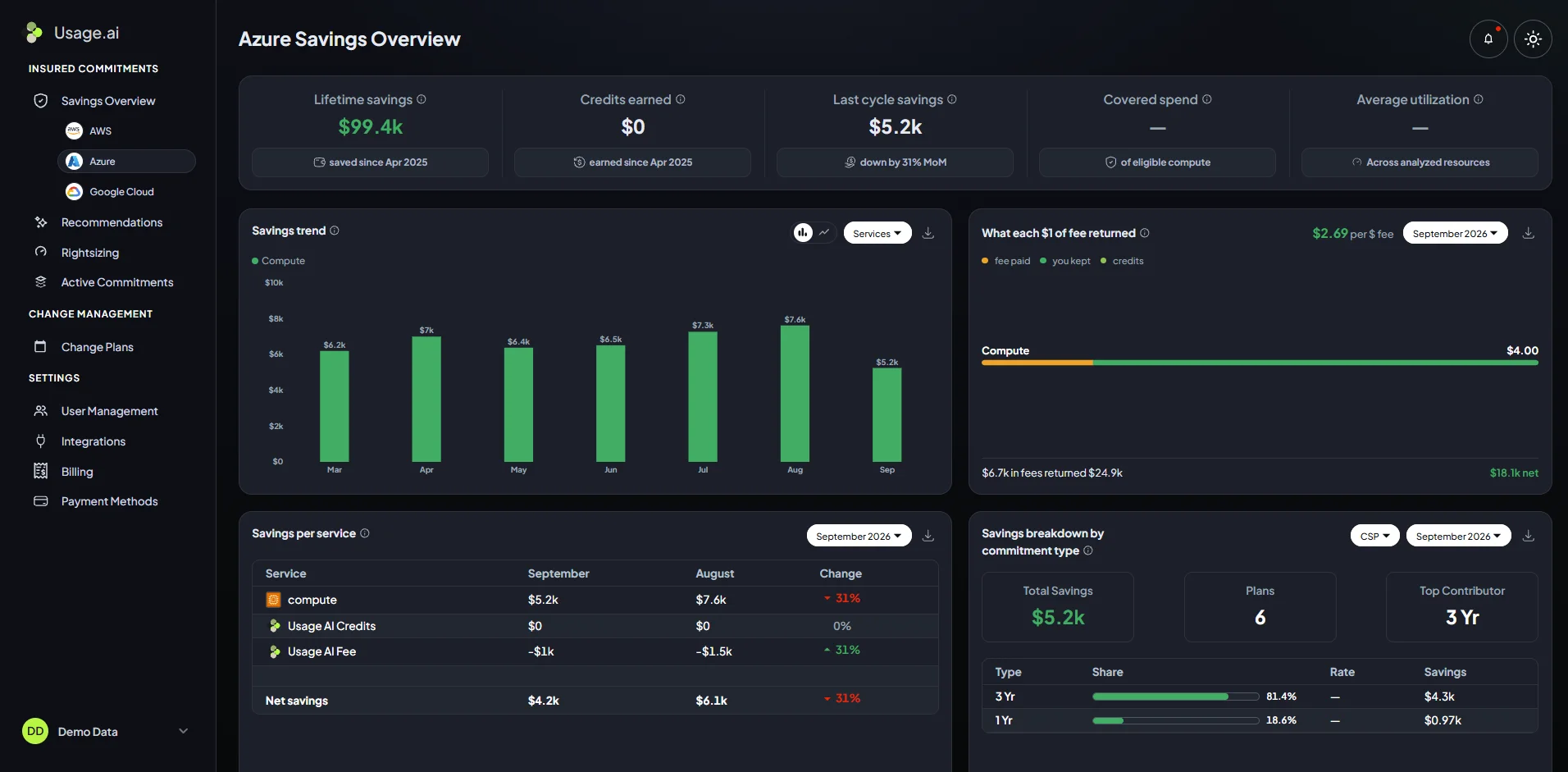
| Usage.ai | Managed commitments with eligible Cashback (Eco / Cloud Commitment Management) | Commitment purchasing, with approval-based or automated controls, for eligible AWS, Azure and Google Cloud usage | Workload changes remain with your team |
| CAST AI | Kubernetes resource efficiency (Ocean) | Workload and node automation on supported environments, including EKS, AKS and GKE | Cluster components, permissions and autoscaler compatibility |
| Xosphere | VM orchestration (Elastigroup) and Kubernetes optimization (Ocean) | Spot instance orchestration and Kubernetes scaling across supported AWS and Google Cloud environments | Workload continuity and fallback configuration |
| Zesty | Kubernetes resource optimization (Ocean) alongside commitment management (Eco) | Kubernetes resource automation; commitment purchasing for eligible AWS and Azure usage | Coverage and economics differ by product |
| nOps | Commitments within broader FinOps (Eco / Cloud Commitment Management) | Commitment purchasing across AWS, Azure and Google Cloud; infrastructure automation within its AWS offering | Modules have separate execution and pricing scopes |
| Harness | Financial visibility (CloudCheckr cost reporting), connected with engineering actions | Multicloud reporting; commitment purchasing, idle-workload stopping and Kubernetes scaling where supported by the selected module and cloud | Deployment, availability and tracked-spend measures vary |
Six Spot Alternatives Reviewed
1. Usage.ai
Key features
Read-only assessment: We begin with read-only analysis.
Purchasing controls: Copilot lets your team approve purchases; Autopilot executes eligible purchases within authorized controls.
Cashback protection: Cashback helps cover the difference when an eligible Flex Insured Commitment costs more than equivalent On-Demand usage.
Pros
We manage commitment purchasing without modifying production workloads.
You retain ownership of commitments in your cloud account.
Under the program terms, Cashback protection and rebate eligibility end with the agreement, including for earlier underutilization.
2. CAST AI
Key features
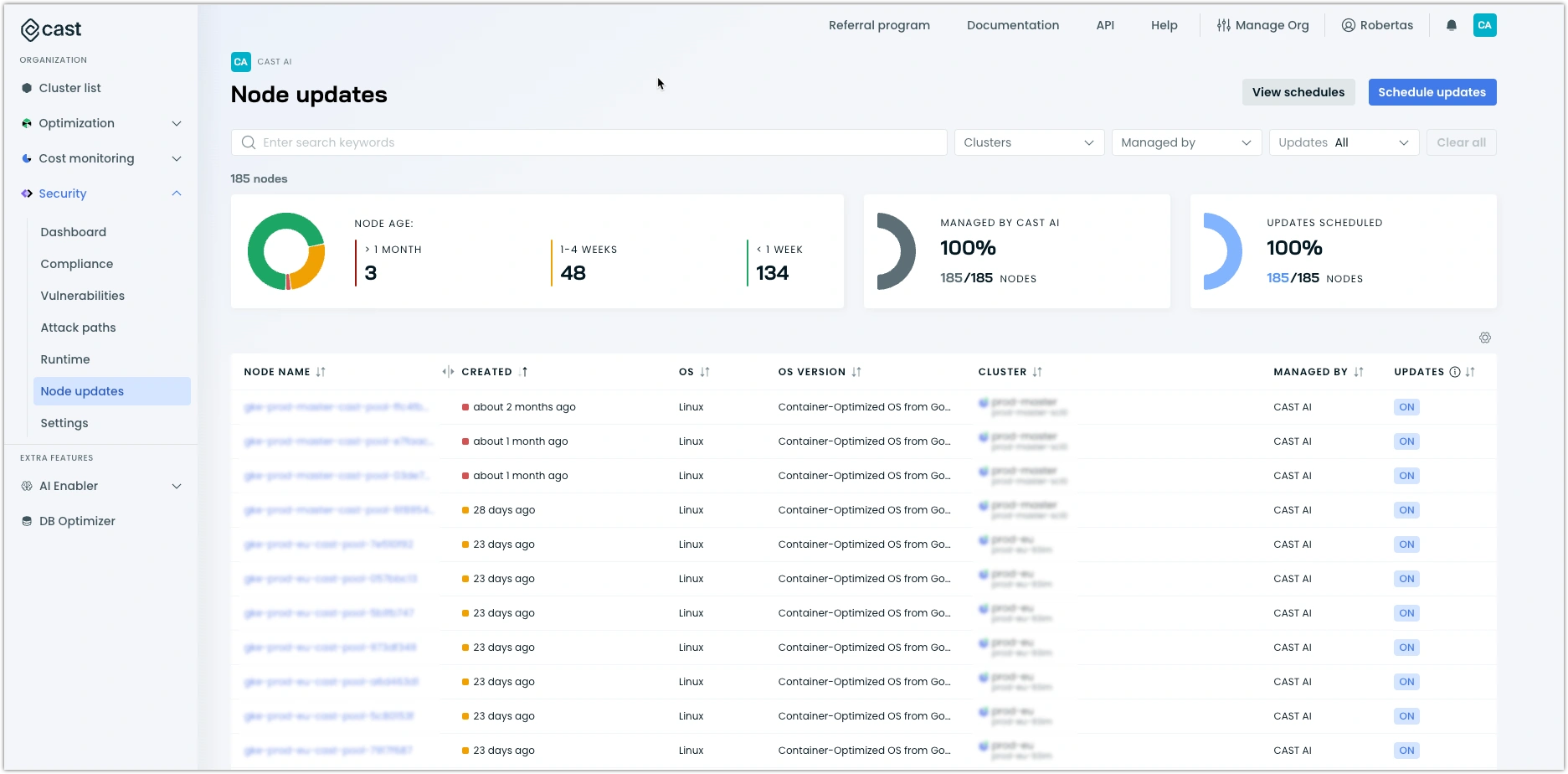
Workload rightsizing: Automates workload resource sizing.
Node optimization: Automates node provisioning and consolidation.
Spot automation: Automates Spot capacity decisions.
Reduces manual work to size workloads and adjust nodes.
Uses imported commitments to help align node provisioning with existing discount coverage.
Active optimization requires cluster components and operational permissions.
Autoscaler compatibility depends on the deployment path, including its separate Karpenter Enterprise approach.
Pricing: Custom quotes depend on the selected products and environment. Cluster count and GPU requirements are among the inputs requested.
3. Xosphere
Key features
Spot orchestration: SpotIQ, formerly Instance Orchestrator, automates Spot orchestration across AWS and Google Cloud.
Kubernetes optimization: ClusterIQ adds Kubernetes optimization and Karpenter integration.
AWS integration: SpotIQ integrates with Auto Scaling groups.
Stateful workloads: On AWS, Xogroups support stateful applications.
Tag-based opt-in lets teams select which resources are managed.
Reservation preferences and minimum On-Demand settings help control the capacity mix.
Workload rightsizing: Automates workload resource sizing.
Node optimization: Automates node provisioning and consolidation.
Spot automation: Automates Spot capacity decisions.
4. Zesty
Key features
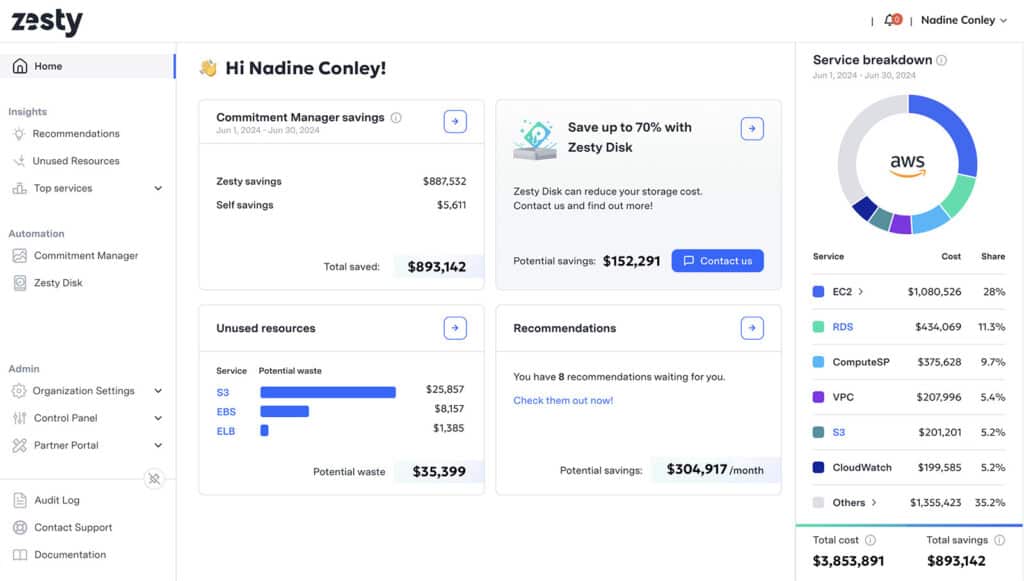
Compute optimization: Combines workload resource optimization with adaptive pod placement.
Storage optimization: Provides persistent-volume autoscaling.
Commitment management: Offers AWS and Azure commitment products, including eligible AWS Database Savings Plans coverage.
Addresses Kubernetes resource consumption and commitment coverage through one vendor.
Small, staggered purchases create opportunities to adjust future coverage as demand changes.
Each commitment retains the cloud provider’s standard term.
Deployment requirements, permissions and coverage vary by selected product.
5. nOps
Key features
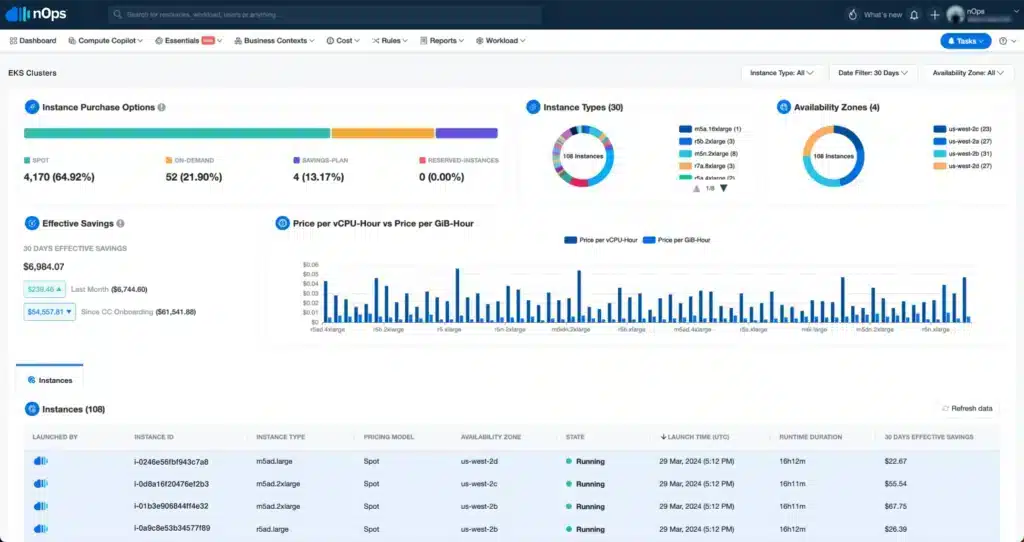
Multicloud commitments: Manages eligible commitments across AWS, Azure and Google Cloud.
AWS compute optimization: Includes EKS optimization and Auto Scaling group capabilities.
Resource scheduling: Provides scheduling capabilities within its AWS optimization offering.
Brings commitment management, cost allocation and AWS infrastructure optimization under one vendor.
AWS ShareSave credits eligible unused commitment hours against monthly fees.
Infrastructure actions require their own deployment and access permissions.
Multicloud commitment management does not make every infrastructure action available across all three clouds.
6. Harness
Key features
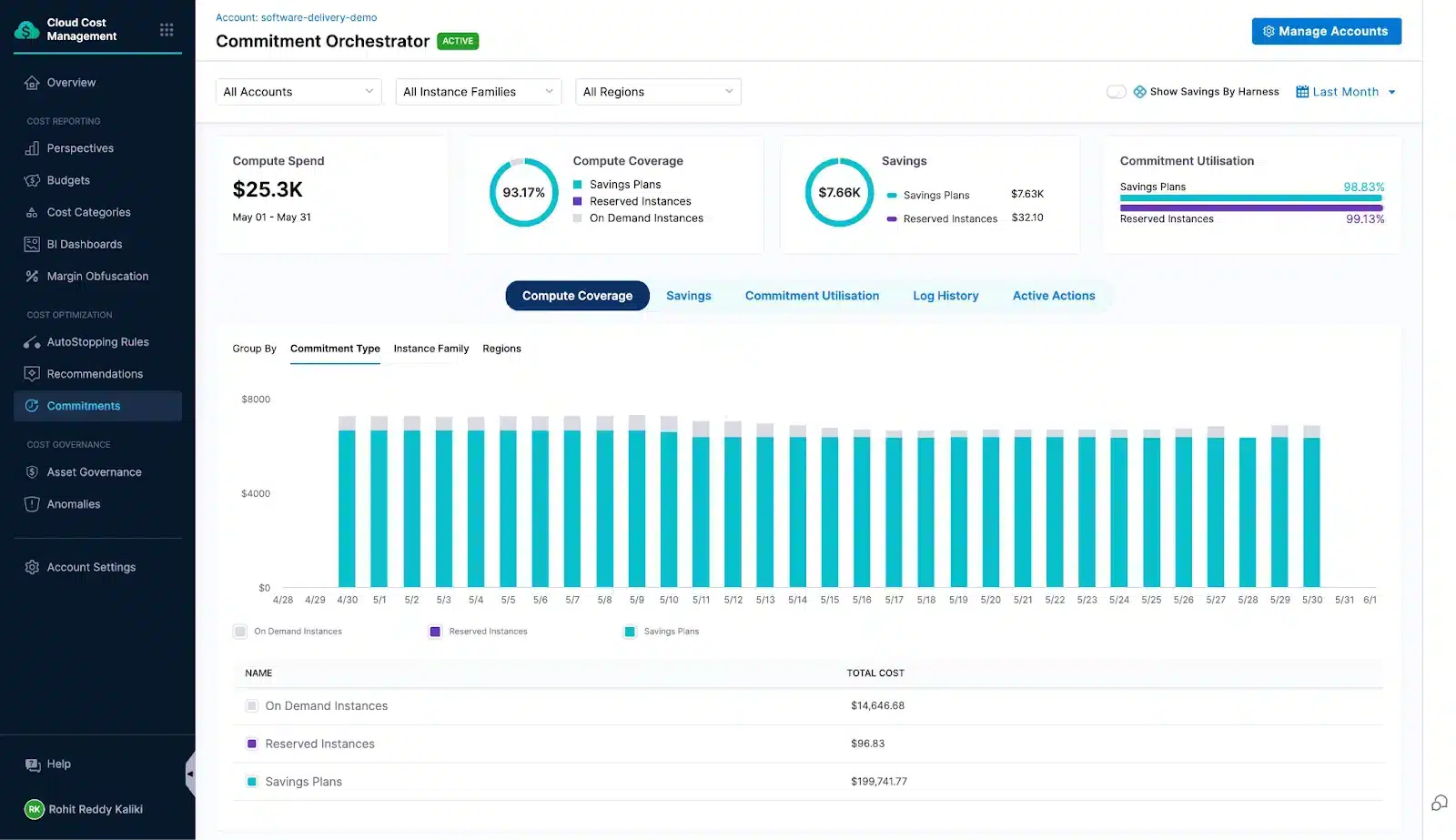
Financial visibility: Cloud and AI Cost Management provides cloud cost reporting.
Idle workloads: AutoStopping addresses idle runtime.
Commitment management: Commitment Orchestrator addresses discount coverage.
Kubernetes optimization: Cluster Orchestrator addresses cluster efficiency.
Combines cost reporting and governance with engineering optimization capabilities.
Lets teams address resource and commitment optimization through one vendor.
Available optimization actions depend on the cloud and selected module.
Deployment components and execution permissions vary with the module.
What to Test Before Choosing
Give finalists one representative requirement and agree on the evidence before the demonstration. Select the test matching the function you need; specialists need not pass unrelated tests.| Required function | Evidence to inspect |
|---|---|
| Infrastructure automation | A scaling or capacity-replacement action, its event record, workload performance and behavior when preferred capacity is unavailable. |
| Commitment management | Existing coverage recognized correctly, approval and purchasing limits enforced, and completed purchases traceable to provider records. |
| Financial reporting | A difficult allocation or reporting requirement reproduced, with explainable rules and an export reconciling to the input bill. |
Compare Your Shortlist’s Total Cost
Two platforms can advertise similar savings while leaving different bills and operating responsibilities. Compare the same workload, period, existing discounts and required capabilities.Record engineering effort separately unless it creates an identifiable cash expense; time released does not automatically reduce payroll.
For each option, use our calculation to compare cash outlay over the same period: cloud payments (including unused commitment costs) + new and retained tool fees + implementation and additional operating expenses − reimbursements received.
Existing commitments need particular attention. Consider this hypothetical AWS example, using invented figures and a uniform 40% discount:
| Hourly component | Before optimization | After optimization |
|---|---|---|
| On-Demand-equivalent resource usage | $100 | $70 |
| Usage valued at the assumed committed rate | $60 | $42 |
| Existing Savings Plan payment | $60 | $60 |
| Unused commitment value | $0 | $18 |
Other eligible usage could absorb released coverage and lower charges elsewhere. Future purchases can also change as commitments expire. AWS explains this interaction in its cost-efficiency guidance.
A reimbursement due later also differs from cash already received. The example excludes fees and represents no vendor’s results.
A higher-cost platform can still be justified by required reporting, stronger operating controls or less administration. Define the outcome: a reconciled customer invoice, an enforced change policy or fewer manual tasks. Those benefits deserve evaluation alongside savings.
Final Verdict
A broader platform earns its place when its connected workflows reduce handoffs or replace tools you can retire. A specialist is often the better fit when one capability needs improving and the rest of your setup already works.Base the decision on the complete proposal: included modules, responsibilities your team retains, transition effort and ongoing costs. For savings-led purchases, the benefit should hold after vendor fees and existing commitment payments. For capability-led purchases, identify the operational improvement that justifies the cost.
Replace all of Spot when those gains justify the transition. Otherwise, replacing one product or adding a specialist can deliver the improvement without rebuilding functioning workflows.
If managed commitment purchasing is your priority, assess the opportunity in your own environment before deciding which tools to replace or retain.
Identify additional commitment savings with a read-only Savings Test. Purchases require separate approval.
Frequently asked questions
Can I replace one Spot product?
Whether you can replace one Spot product depends on your package, renewal terms and integrations with the products you retain. Map the outgoing product’s responsibilities to a named owner before removing it. A commitment specialist, for example, can coexist with infrastructure automation when purchasing and resource decisions are coordinated.
Can Karpenter replace Spot Ocean?
Karpenter can address Kubernetes node provisioning and consolidation for supported environments. It does not automatically replace Ocean’s complete management experience or the wider Spot portfolio.
Your team takes responsibility for configuration, capacity policies, interruption handling and operations. Compare the required workflows and internal effort before treating an open-source option as a complete replacement.
What happens to existing commitments?
Changing management software does not itself cancel provider commitments. Record remaining terms, payment obligations, ownership and utilization, plus any continuing vendor charges under your agreement.
Give the replacement access to the existing inventory before allowing new purchases. Plan around remaining obligations; portfolio adjustments and financial protection have different effects from cancelling a commitment.
Can evaluation overlap with Spot?
Read-only assessment can overlap when access and integrations support it. Coordinate the handover before enabling new purchasing or infrastructure automation. Assign one decision owner for each overlapping scope, including commitment instruments and node provisioning.
Two systems independently acting on the same resources or uncovered usage can undermine the assumptions behind either proposal.
What should I preserve before switching?
Preserve relevant billing history, commitment inventories, savings calculations, allocation rules, reports and infrastructure configuration. For Ocean or Elastigroup, include scaling policies, workload exclusions and infrastructure-as-code dependencies.
Record pending reimbursements and final vendor invoices where applicable. Test essential exports before ending access, and retain the records needed to reconcile the transition period.