.png)



- A team paying on-demand rates needs commitment automation.
- A team drowning in idle resources needs rightsizing.
- A team that can’t explain the bill to finance needs visibility first.
This guide groups 21 tools by the six problems they solve, gives you a decision framework, and includes an honest “worth considering alternatives if” note for every tool, including ours. We build Usage.ai, so weigh our section with that in mind.
We’ve done our best to make this genuinely useful regardless of what you choose.
Cloud Cost Management vs. Cloud Cost Optimization
When teams start looking for a cost optimization tool, cost management inevitably comes into the picture too. These two terms get used interchangeably. They shouldn’t be. Mixing them up is one of the most common reasons teams end up with a tool that doesn’t solve their problem.Cloud cost management covers the full discipline, including visibility into where money goes, allocation by team or product, showback and chargeback reporting, governance, and budgets. Tools like IBM Cloudability and CloudHealth (Broadcom) are built around this. They serve FinOps and finance teams who need structured reporting across a large organization, over months and quarters.
Cloud cost optimization is the action piece. It’s about actually reducing the bill. For example:
Buying Savings Plans and Reserved Instances
Eliminating idle resources
Scheduling non-production environments off-hours
Rightsizing instances
Most teams above $1M/year in cloud spend need both. They rarely get both from the same tool. Management platforms tend to have limited automation, while optimization platforms have limited reporting.
A common setup in 2026 is to pair one commitment automation tool with either native cloud dashboards or a lightweight visibility tool like Vantage.
Want a deeper breakdown? See our comparison of cloud cost optimization vs. cloud cost management.
This guide focuses on optimization tools. If visibility and governance is your priority right now, jump to the visibility-first section below.
What Shifted in 2026
The vendor landscape has changed noticeably in the last 12 months. Here are a few things worth knowing before you rely on older comparison content.ProsperOps acquired by Flexera (January 6, 2026). ProsperOps now sits inside Flexera's FinOps portfolio alongside Spot and CloudCheckr. The standalone ProsperOps product continues and covers AWS, Azure, and Google Cloud.
Spot.io moved from NetApp to Flexera (March 2025). Spot joined Flexera's portfolio, consolidating several commitment and spot-management tools under one parent.
Apptio Cloudability is now IBM Cloudability. The Apptio standalone brand is being phased out. IBM has also added a "Cloudability Savings Automation" product, so Cloudability now extends into commitment optimization.
CloudHealth is now part of Broadcom. Broadcom completed the VMware acquisition in November 2023. Pricing has been in flux since then. CloudHealth still works well for vendor stability and long-term pricing predictability.
IBM acquired Kubecost. Kubecost continues as a standalone product and is being integrated with IBM Cloudability via OpenCost, which reached CNCF incubator status in late 2025.
GCP CUD billing model update (January 2025). Google changed how Committed Use Discounts are calculated. Tools that haven't updated their GCP logic since then may generate recommendations based on the old model. Usage.ai updated its engine in January 2025.
Azure Database Savings Plans reached general availability. Azure expanded Database SP coverage in late 2025, creating a new optimization surface. Some tools have integrated this; others haven't. See Usage.ai's guide to Azure Database Savings Plans for detail.
The Six Problems Cloud Cost Tools Solve
Each tool in this category was built for one of six specific problems. Make sure you find the right match, instead of evaluating the highest-rated tool.Problem 1: You’re paying on-demand rates with low commitment coverage
- Signs: Your cloud bill barely has any Savings Plan, Reserved Instance, or Committed Use Discount coverage on it. You bought commitments once, a while ago, and never revisited them since. Your effective discount rate is sitting under 25%.
- What you need: Continuous commitment management, since workloads shift week to week and static commitments can’t keep up. They either leave savings on the table or push you into overcommitment risk.
- Tools that help: Usage.ai, ProsperOps (Flexera), nOps, Zesty.
Problem 2: You have idle or over-provisioned resources
- Signs: Instances get spun up for a task and then forgotten. Storage volumes keep growing but never shrink back down. Non-production environments run 24/7, even though people only actually use them 40 hours a week.
- What you need: Workload optimization, which covers rightsizing, scheduling, and auto-scaling together.
- Tools that help: Zesty, Cast AI (for Kubernetes workloads), nOps (which also covers workload features).
Problem 3: Kubernetes is your fastest-growing cost line
- Signs: Your EKS, GKE, or AKS bill keeps climbing, and cost allocation across namespaces and teams stays unclear no matter how you slice it. Cluster utilization sits below 50%.
- What you need: Kubernetes-native visibility and autoscaling. Generic cloud cost tools can see node-level billing, but they can’t allocate cost down to pods, namespaces, or teams.
- Tools that help: Kubecost (IBM), Cast AI.
Problem 4: You can’t see costs clearly enough to act
- Signs: You know the bill is too high, but you can’t break it down by team, product, or environment. Finance keeps asking for chargeback reports that engineering simply can’t produce.
- What you need: Visibility, allocation, and governance first. Optimization only gets harder when the picture underneath it isn’t clear.
- Tools that help: IBM Cloudability, CloudHealth (Broadcom), Vantage, Ternary, Turbo360.
Problem 5: Cost decisions happen too late in your workflow
- Signs: Engineers only discover the cost impact of what they built after it’s already deployed. Finance flags the overrun weeks later. There’s no cost gate anywhere in CI/CD to catch it earlier.
- What you need: Shift-left cost tooling that surfaces pricing right inside pull requests and pipelines, before the infrastructure ever gets provisioned.
- Tools that help: Infracost, Harness Cloud Cost Management.
Problem 6: You want experts to run it for you
- Signs: There’s no dedicated FinOps headcount on the team, and leadership wants the savings without building out a whole practice to get there.
- What you need: A managed FinOps service layered on top of the tooling, rather than one more dashboard your team has to operate themselves.
- Tools that help: CloudKeeper, DoiT.
What’s your biggest problem?
Commitment Overpayment
Paying on-demand, low commitment coverage
→ Usage.ai, ProsperOps, nOps
Idle & Over-Provisioned
Resources sitting there costing you
→ AWS + Azure auto-scaling, Zesty
Kubernetes
K8s is the cost driver
→ Kubecost (visibility), Cast AI (optimization)
Visibility
Can't see costs by team/service
→ CloudHealth, IBM Cloudability for enterprise governance · Vantage, Ternary for multi-cloud visibility · Turbo360 for Azure-focused teams
Shift-Left
Costs surface too late to act on
→ Infracost (pull requests), Harness CCM (CI/CD)
Managed Service
Want experts to run it
→ CloudKeeper, DoiT
21 Cloud Cost Optimization Tools (2026) At-a-Glance
| Tool | Problem solved | Clouds | Pricing model | Good fit when | Worth considering alternatives if |
|---|---|---|---|---|---|
| Usage.ai | Commitment automation | AWS, Azure, GCP | % of realized savings; $0 if no savings | $100k+/yr; want autopilot + cashback | Under $100k/yr; want visibility bundled in |
| ProsperOps | Commitment automation | AWS, Azure, GCP | % of savings vs. Effective Savings Rate | Multi-cloud autonomous commitments; OK with credits | Primarily K8s workloads; want cashback not credits |
| nOps | Commitment + K8s/multi-cloud visibility | AWS-first; GCP, Azure, K8s, AI supported | % of savings (rate opt) + fixed fee (visibility) | AWS-heavy; want SP automation + broad visibility together | Need equal Azure/GCP depth |
| Zesty | Commitments + storage | AWS primary; some Azure | Not publicly listed | Variable AWS workloads; large EBS spend | Heavy GCP; want single unified platform |
| CAST AI | K8s optimization | K8s-native | Custom quote; industry estimate ~15–20% of savings | 70%+ compute on Kubernetes; want autopilot | Non-K8s workloads dominate |
| Kubex (formerly Densify) | Rightsizing (ML) | Multi-cloud + hybrid/VMware | ~$0.10–0.15 per resource/month (entry-level, public estimate) | Enterprise rightsizing incl. hybrid/VMware; now also GPU/AI | Want automated execution, not just recommendations |
| StormForge (now part of CloudBolt) | K8s pod rightsizing | K8s-native | ~$3/optimized vCPU/month at list, volume discounts | Production K8s; ML-driven pod-level tuning | Kubecost/Cast AI already cover the need |
| Kubecost (IBM) | K8s visibility | K8s visibility | Free tier; paid tiers from ~$449/month (public estimate) | Pod-level allocation & showback | Want automated action, not just visibility |
| OpenCost | K8s visibility (OSS) | K8s-native | Free / open source (Apache 2.0) | Want open-source allocation; no vendor lock-in | Need vendor support/SLA at scale |
| Finout | Visibility & unit economics | Multi-cloud + SaaS/AI | Fixed, ~1% of cloud spend, flat for contract term | Enterprise allocation, shared-cost reallocation | Smaller spend; simpler needs suffice |
| CloudZero | Cost intelligence & unit economics | Multi-cloud + SaaS | Quote-based, tied to annualized spend (~1% at $1M/yr, lower at scale) | Unit economics: cost per customer/feature | Under ~$1M/yr spend; no public self-serve tier |
| IBM Cloudability | Visibility & governance | AWS, Azure, GCP | Enterprise; minimums apply | $10M+/yr finance-led FinOps | Under $5M/yr; want fast time-to-value |
| CloudHealth (Broadcom) | Visibility & governance | AWS, Azure, GCP | Contact Broadcom; pricing in flux post-acquisition | $5M+/yr governance; accepts Broadcom roadmap | Want pricing certainty |
| Vantage | Visibility | Multi-cloud + 40 services | Tiered by tracked spend; free starter tier | $1–5M/yr; fast self-serve visibility | Need autonomous commitment purchasing |
| Ternary | Visibility | AWS, Azure, GCP | Not publicly listed | Engineering-led teams; MSPs | Finance needs deep chargeback |
| Turbo360 | Azure cost management & optimization | Azure | From $249/month; 14-day trial; MSP/CSP % of spend | Azure-heavy teams; MSPs/CSPs; multi-subscription cost control | Need deep AWS/GCP coverage or multi-cloud commitment management |
| Yotascale | Visibility + anomaly (ML) | AWS, Azure, GCP | Not publicly listed | Eng-centric allocation + anomaly detection | Want deeper automation beyond recommendations |
| Infracost | Shift-left (IaC) | Terraform, Terragrunt, CloudFormation, AWS CDK | Free CLI/OSS; paid team plans from ~$50/month | Cost estimates inside pull requests | No IaC in use; need post-deploy optimization too |
| Harness CCM | Eng-workflow cost | AWS, Azure, GCP, K8s | Enterprise tier only (not on Free/Essentials) | Cost control inside CI/CD; auto-stop idle envs | Not already using Harness for CI/CD |
| CloudKeeper | Managed service | AWS-first (GCP/Azure supported, lighter discount depth) | No upfront fee; billed at reduced rate off AWS bill (15–25% guaranteed) | Want experts + group buying power | Primary spend on GCP/Azure |
| DoiT | Managed service | AWS, GCP, Azure | Bundled into cloud resale margin, not a separate fee | Want advisory + tooling, no FinOps headcount | Already have a FinOps team, just need software |
1. Usage.ai – automated cloud cost optimization with cashback
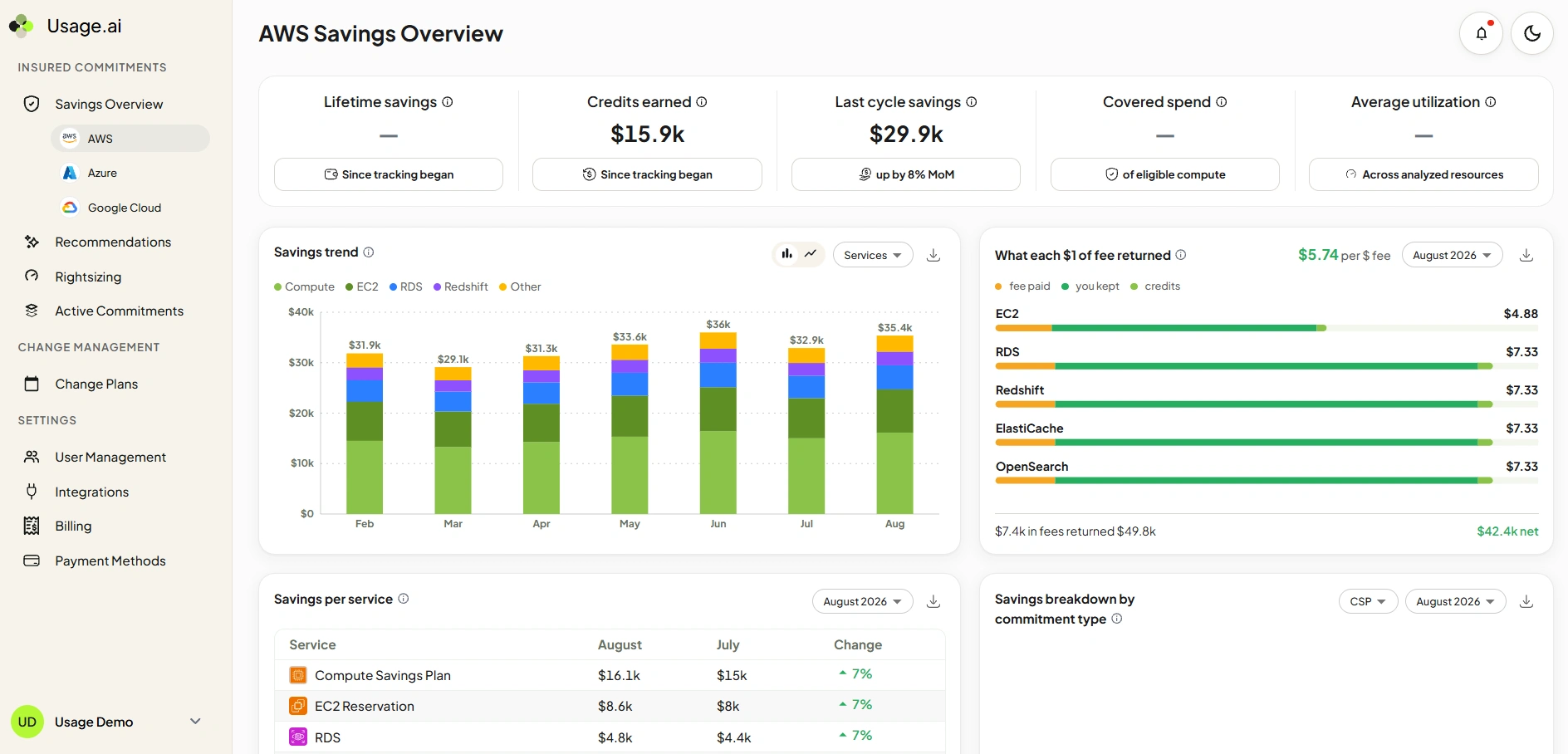
How it works: Usage.ai connects through read-only billing-layer access only, so there’s nothing to install and no infrastructure or code to touch. Once connected, it automatically purchases and rebalances the right mix of commitments on autopilot, adjusting as your usage shifts. Onboarding typically takes under 10 minutes, and there’s no multi-year lock-in required to get started.
What actually sets it apart is the Insured Commitments guarantee. Most providers in this category protect you with cloud credits if a commitment goes underused. Usage.ai pays real cashback instead, and not credit tied to spending more with the same provider. That removes the downside risk teams normally take on the moment they commit to an RI or Savings Plan.
Pricing: A percentage of the savings it actually delivers. Nothing saved, nothing charged.
Good fit when: Cloud spend is $100k+ a year, you’d rather have commitment purchasing run on autopilot than manage it by hand, and real cashback protection matters more to you than accepting credit-based risk.
Worth considering alternatives if: You’re under $100k a year, where manual SP management is still workable. Or if you want visibility and optimization fully bundled into a single platform. Usage.ai focuses on execution, and pairs well with a separate visibility tool for that broader picture.
See how Usage.ai puts your Savings Plans, RIs, and CUDs on autopilot.
2. Finout – enterprise FinOps platform
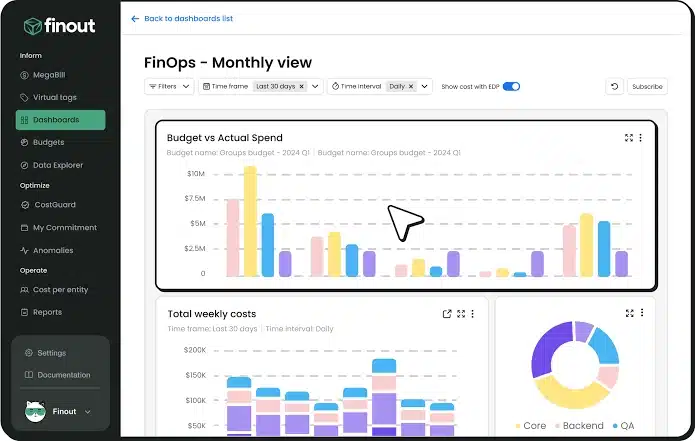
How it works: It’s a low-touch, no-code deployment that pulls in AWS, GCP, Azure, and Kubernetes data. Virtual tags let you allocate shared costs across teams or products without ever changing how resources are labeled at the infrastructure level. Anomaly detection, budgeting, and forecasting all come built in.
Pricing: Fixed, transparent pricing at roughly 1% of cloud spend, and it stays flat for the contract term regardless of how usage fluctuates. No savings-based fees involved.
Good fit when: You’re an enterprise with complex, shared infrastructure that needs reallocating across teams, and pricing certainty matters more to you than a variable bill.
Worth considering alternatives if: Your spend or allocation needs are simpler than that. Smaller teams often find Finout’s depth, and its price floor, more than they actually need.
Category 1: Commitment optimization (the fastest savings)
These tools raise your effective discount rate by continuously managing Savings Plans, Reserved Instances, and Committed Use Discounts.For most teams this is the fastest path from on-demand rates to 30–60% lower compute costs, and the category where automation most clearly beats manual work.
3. ProsperOps (Flexera) – autonomous discount management
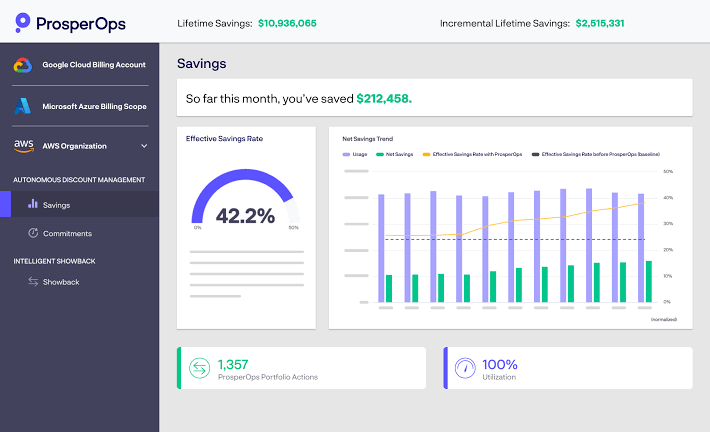
How it works: ProsperOps connects through billing-layer access with least-privileged permissions, so it’s never touching infrastructure directly. Rather than making one large commitment purchase and leaving it alone, it makes many small adjustments throughout the month, which keeps overcommitment risk down while still maintaining strong coverage. If a commitment ends up underperforming, ProsperOps returns the shortfall as cloud credits, not cash.
Pricing: A percentage of the savings it delivers, measured against your Effective Savings Rate.
Good fit when: You’re running multi-cloud workloads and want autonomous commitment optimization across all three providers, and you’re comfortable with credit-based protection rather than cash if a commitment underperforms.
Worth considering alternatives if: Your workloads are primarily Kubernetes-based, since ProsperOps optimizes rate, not cluster efficiency. Or if cashback actually matters more to you than credits when commitments go underused.
4. nOps – commitments and Kubernetes visibility on AWS
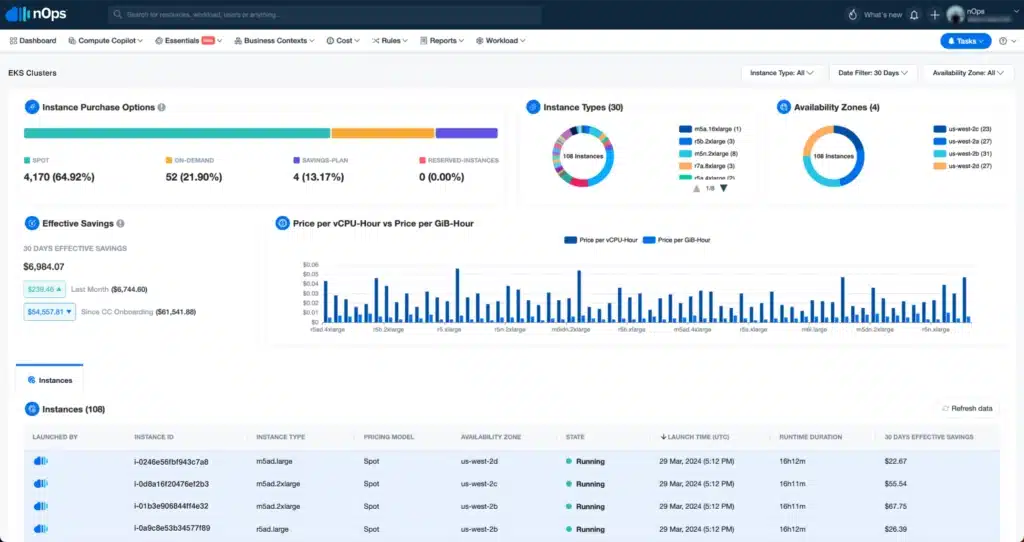
How it works: nOps manages commitments autonomously and backs what it manages with a utilization guarantee. Azure and GCP are supported too, though coverage there isn’t quite as feature-complete as AWS yet. If a commitment underperforms, that gets handled through the utilization guarantee mechanism rather than a direct cashback payout.
Pricing: Two separate tracks. Rate optimization is savings-based, so there’s no fee if nothing gets saved. Visibility and allocation runs on a fixed fee tied to your cloud spend.
Good fit when: AWS is your primary cloud and you want commitment automation and Kubernetes visibility from a single vendor, rather than stitching two tools together.
Worth considering alternatives if: You need equal depth across Azure and GCP, since that’s not quite where nOps is strongest yet. Or if you’d rather have real cash protection on underperforming commitments than a utilization guarantee.
Want a closer look at how nOps stacks up against other AWS-first commitment tools? Here’s our detailed comparison of nOps alternatives.
Category 2: Workload & rightsizing
These tools attack the second most common cost problem: resources that are sized wrong, sitting idle, or running longer than they need to. Where commitment tools change what you pay for capacity, these change how much capacity you actually provision in the first place.5. Zesty – commitments and auto-scaling storage
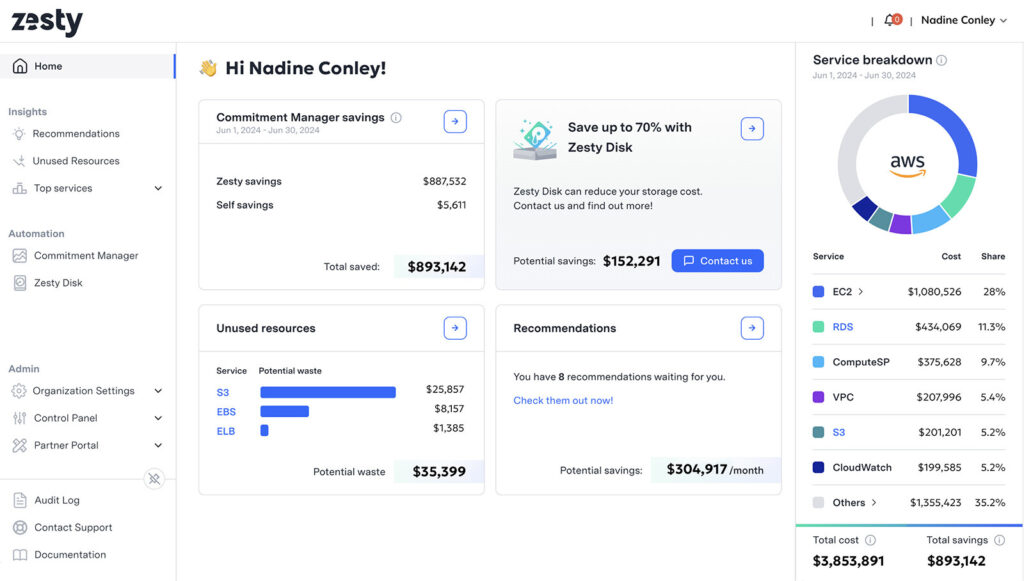
How it works: Each product runs independently, and most teams end up adopting one or two rather than all three. Zesty Disk auto-scales EBS volumes in real time, growing and shrinking storage based on actual usage instead of what was provisioned upfront. Kompass handles Kubernetes pod rightsizing. Commitment Manager automates Savings Plan and RI purchasing.
Pricing: Not publicly listed. Contact vendor.
Good fit when: Your AWS workloads are variable, EBS storage is a growing line item nobody’s addressed yet, and you want active resource scaling alongside commitment management, rather than commitment automation alone.
Worth considering alternatives if: GCP makes up a meaningful share of your spend, or you’d rather have one unified pricing model instead of evaluating three semi-independent products under one roof.
6. Cast AI – autonomous Kubernetes optimization
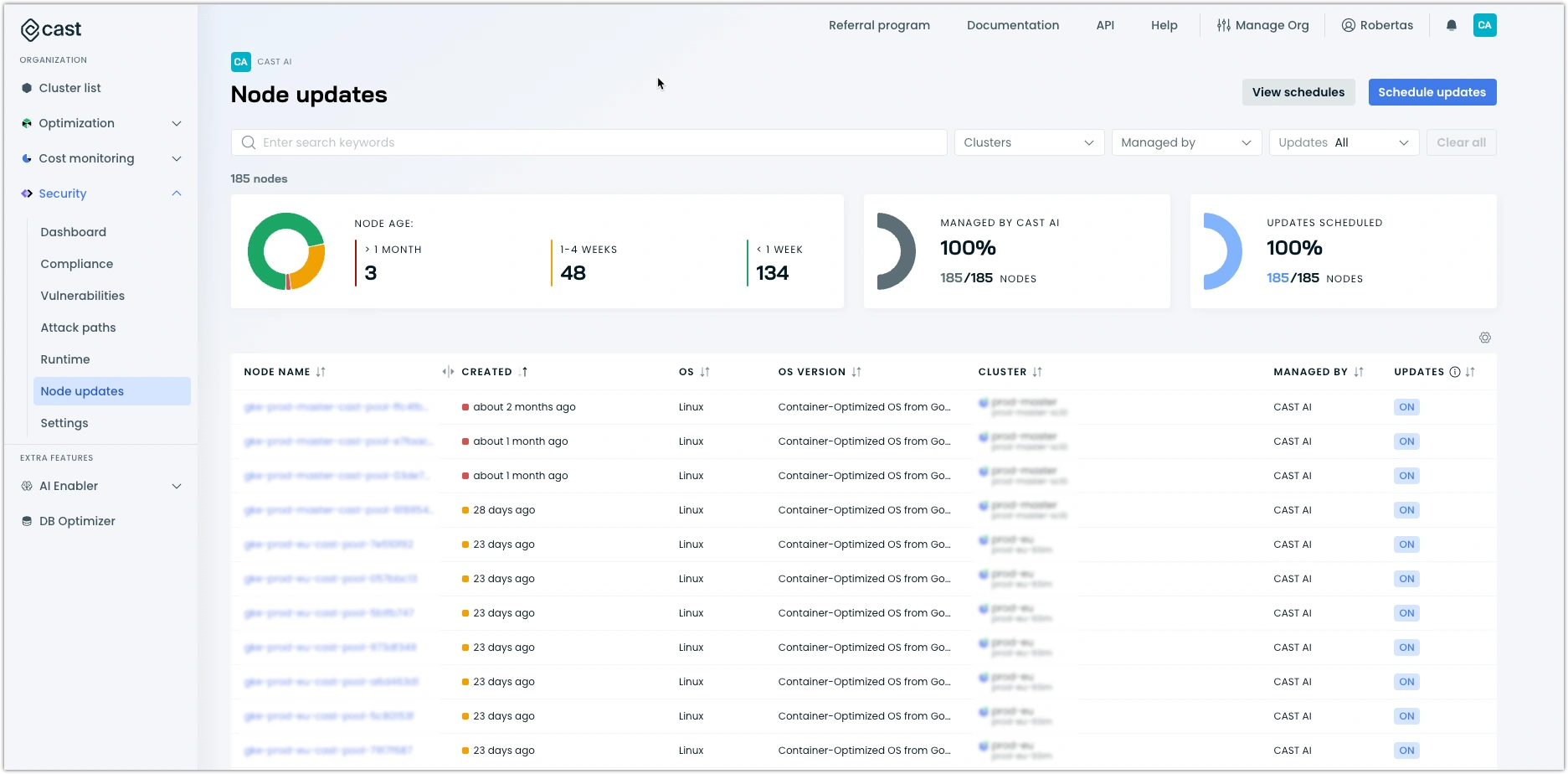
How it works: CAST AI continuously rightsizes node pools, moves workloads onto spot instances when it makes sense to, and scales clusters in response to real-time pod demand. With autopilot mode turned on, it makes these changes automatically, without waiting on a person to approve each one.
Pricing: A custom quote based on cluster count and environment.
Good fit when: 70%+ of your compute runs on Kubernetes, whether that’s EKS, GKE, or AKS, your clusters are sitting underutilized, and your team is comfortable letting infrastructure changes happen automatically once the initial tuning period is done.
Worth considering alternatives if: Non-K8s workloads are actually your bigger cost driver, latency sensitivity makes aggressive auto-scaling something you’d rather avoid, or your compliance posture requires a human to approve infrastructure changes before they happen.
7. Kubex (formerly Densify) – ML-driven rightsizing across cloud and hybrid
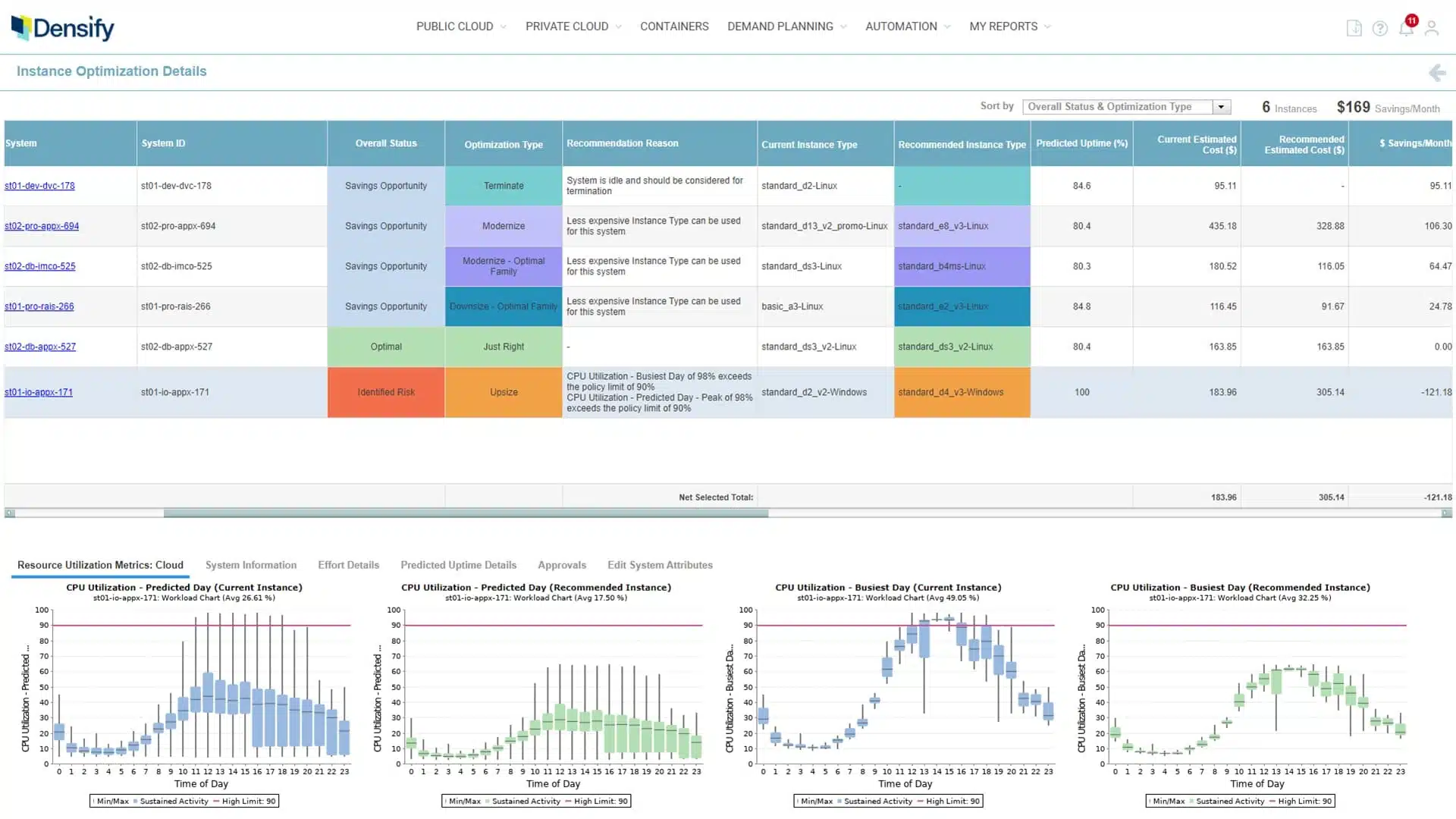
How it works: Kubex looks at actual workload behavior rather than just billing data, tracking CPU, memory, and I/O patterns over extended lookback windows of 60 to 90+ days, then uses that to recommend precise instance types, container resource requests, and node sizing. It’s primarily a recommendation engine at heart, so a good portion of the savings still depend on your team actually executing the resize. That said, automation options do exist for Kubernetes environments through its Automation Controller.
Pricing: A usage-based subscription tied to the number of resources analyzed. Contact the vendor for current rates.
Good fit when: You’re running hybrid or VMware-based infrastructure alongside cloud, and you want granular, ML-backed rightsizing recommendations rather than a simple “this looks oversized” alert. It’s also a strong fit if GPU or AI workload optimization has become part of your problem too.
Worth considering alternatives if: You’d rather have a tool that executes changes automatically instead of one that mainly recommends them, or your team doesn’t quite have the operational bandwidth to consistently act on rightsizing guidance once it’s given.
8. StormForge (now part of CloudBolt) – ML pod rightsizing for production Kubernetes
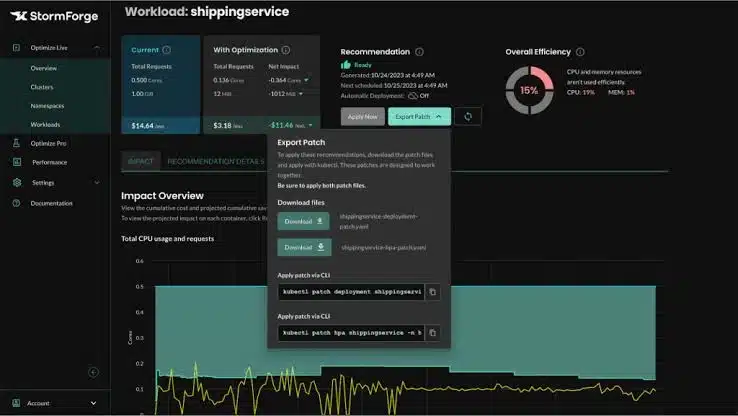
How it works: StormForge watches real pod-level usage, comparing CPU and memory requests against what’s actually being consumed, then continuously adjusts those requests and limits so your clusters stop carrying around large, unnecessary safety buffers.
Pricing: Priced per optimized vCPU, starting around $3/vCPU/month at list, with lower rates once you’re at volume.
Good fit when: Your main pain point is pod-level waste specifically, not full-stack infrastructure automation. It’s a narrower, more surgical tool than Cast AI.
Worth considering alternatives if: You’d rather have one platform covering both Kubernetes and non-Kubernetes optimization, since StormForge’s value is really tied to being part of CloudBolt’s larger suite now, rather than a fully standalone buy.
Category 3: Kubernetes visibility
If EKS, GKE, or AKS is your fastest-growing line item, generic cloud cost tools have a real gap here. They can see node-level billing, but they can’t tell you which team, namespace, or pod is actually driving the cost. These two tools fill that gap, sitting at opposite ends of the open-source-to-enterprise spectrum.9. Kubecost (IBM) – pod-level cost allocation
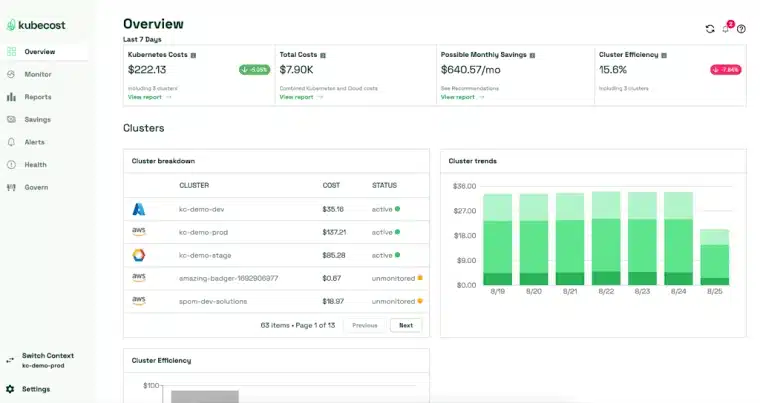
How it works: Kubecost runs inside your cluster as a lightweight agent, integrates with Prometheus, and tracks cost down to namespace, deployment, pod, and container level. It reconciles against your actual cloud bill, including negotiated discounts, rather than just on-demand list pricing, which is where it goes further than the free OpenCost engine sitting underneath it.
Pricing: There’s a free tier for single-cluster deployments. Paid tiers scale with your cluster and vCPU footprint, and public estimates put entry paid pricing around $449/month for smaller footprints, higher for larger ones. Contact IBM for exact quotes.
Good fit when: You need pod-level cost allocation for showback to teams or customers, you’re running production Kubernetes across multiple clusters, and the operational overhead of self-hosting a raw allocation engine just isn’t worth your team’s time.
Worth considering alternatives if: You want automated optimization rather than just visibility, since Kubecost surfaces the data but doesn’t act on it. Or if you’re comfortable maintaining your own stack, in which case OpenCost costs nothing but engineering time.
10. OpenCost – open-source Kubernetes cost allocation
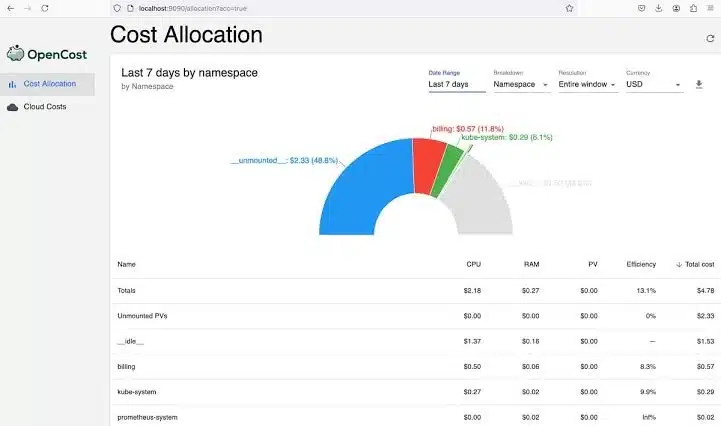
How it works: OpenCost runs as a Golang service inside your cluster, pulling metrics from Prometheus and the Kubernetes API, and maps them to real cloud costs by cluster, node, namespace, pod, and label. It measures cost. It doesn’t optimize, recommend, or automate anything on its own. It’s free and open source under Apache 2.0, so there’s no license fee, though you’ll still pay for the Prometheus, storage, and compute needed to run it.
Pricing: Free and open source. No licensing cost at all.
Good fit when: You want Kubernetes cost allocation without vendor lock-in, you’re comfortable wiring up your own dashboards and alerting on top of it, and your team has the bandwidth to maintain the underlying infrastructure, things like Prometheus tuning, upgrades, and storage.
Worth considering alternatives if: You’ve grown past a single cluster and are trying to enforce cost governance without a custom stack. At that point, the engineering time spent maintaining OpenCost, roughly 0.1 to 0.25 FTE a year by some estimates, can end up costing more than a Kubecost Business license would.
These two tools fill that gap, at opposite ends of the open-source-to-enterprise spectrum. If you’re specifically running EKS, see our complete guide to EKS cost optimization for AWS-specific tactics beyond tool selection.
Category 4: Visibility, allocation & unit economics
These are management platforms, not optimization platforms. They show up in almost every “best of” comparison because most teams genuinely need them before they’re ready for autonomous optimization. If you can’t yet answer “what did team X spend on production versus staging last month,” this is where you start.11. CloudZero – cloud cost intelligence & unit economics
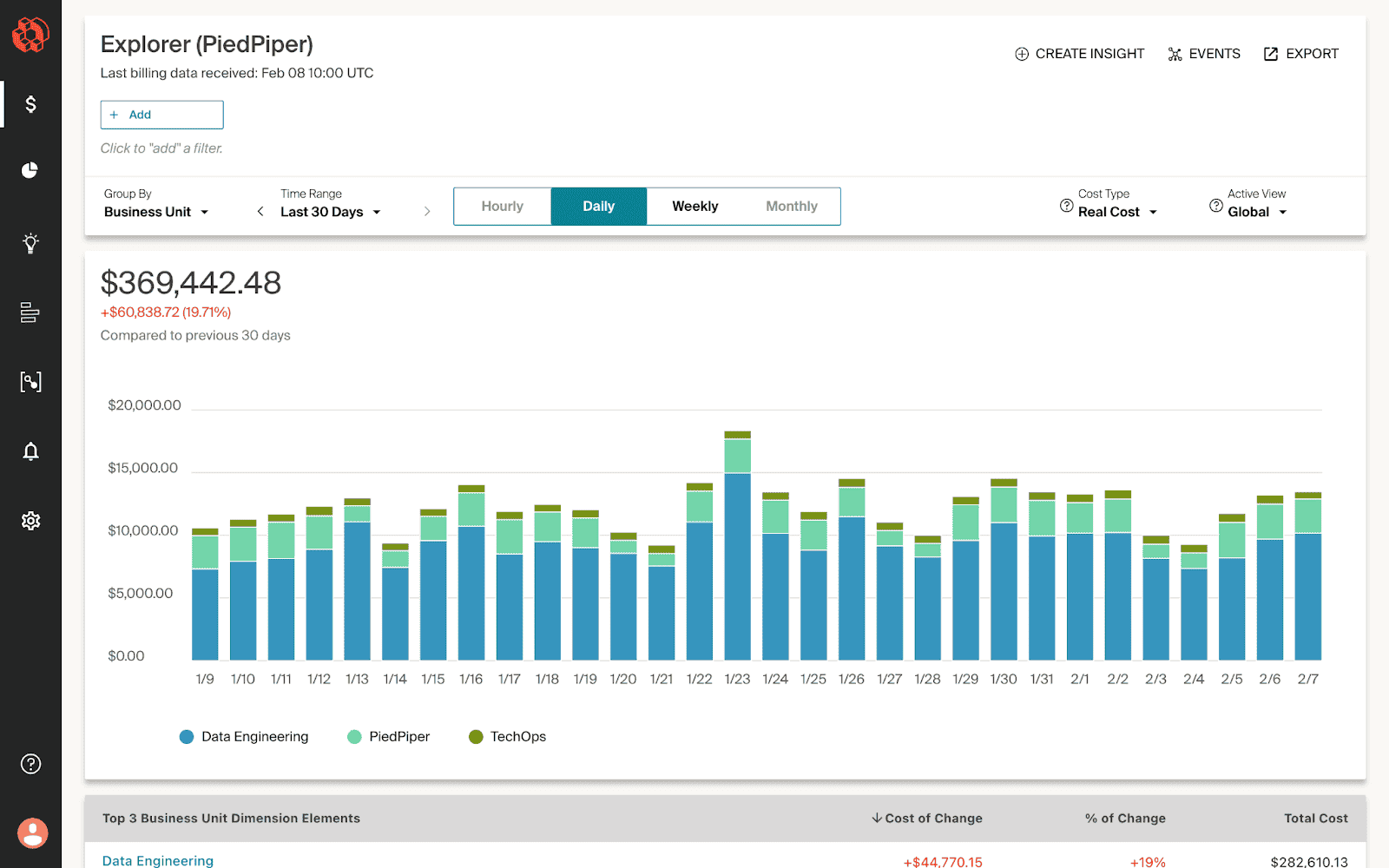
How it works: CloudZero ingests AWS, Azure, GCP, Kubernetes, and increasingly AI provider costs (OpenAI, Anthropic, CoreWeave) into a dimensional model mapped to products and customers. Its anomaly detection compares recent hourly spend against months of history and routes alerts to the team that actually owns the affected workload, instead of a generic finance report nobody acts on.
Pricing: Tiered and quote-based, tied to your annualized cloud spend under management. Public estimates suggest roughly 1% of spend around the $1M/year mark, with the effective rate dropping as spend scales up. There’s no public rate card, you’ll get a custom quote.
Good fit when: Cost-per-customer or cost-per-feature reporting matters to your business model, common for SaaS companies, and engineering-led cost accountability is a real cultural goal for you, not just a finance requirement.
Worth considering alternatives if: You’re under roughly $1M a year in cloud spend, where the quote-based enterprise pricing may not be justified yet. Tools with transparent tiers or free entry points tend to fit better at that stage.
12. IBM Cloudability – visibility & governance at enterprise scale
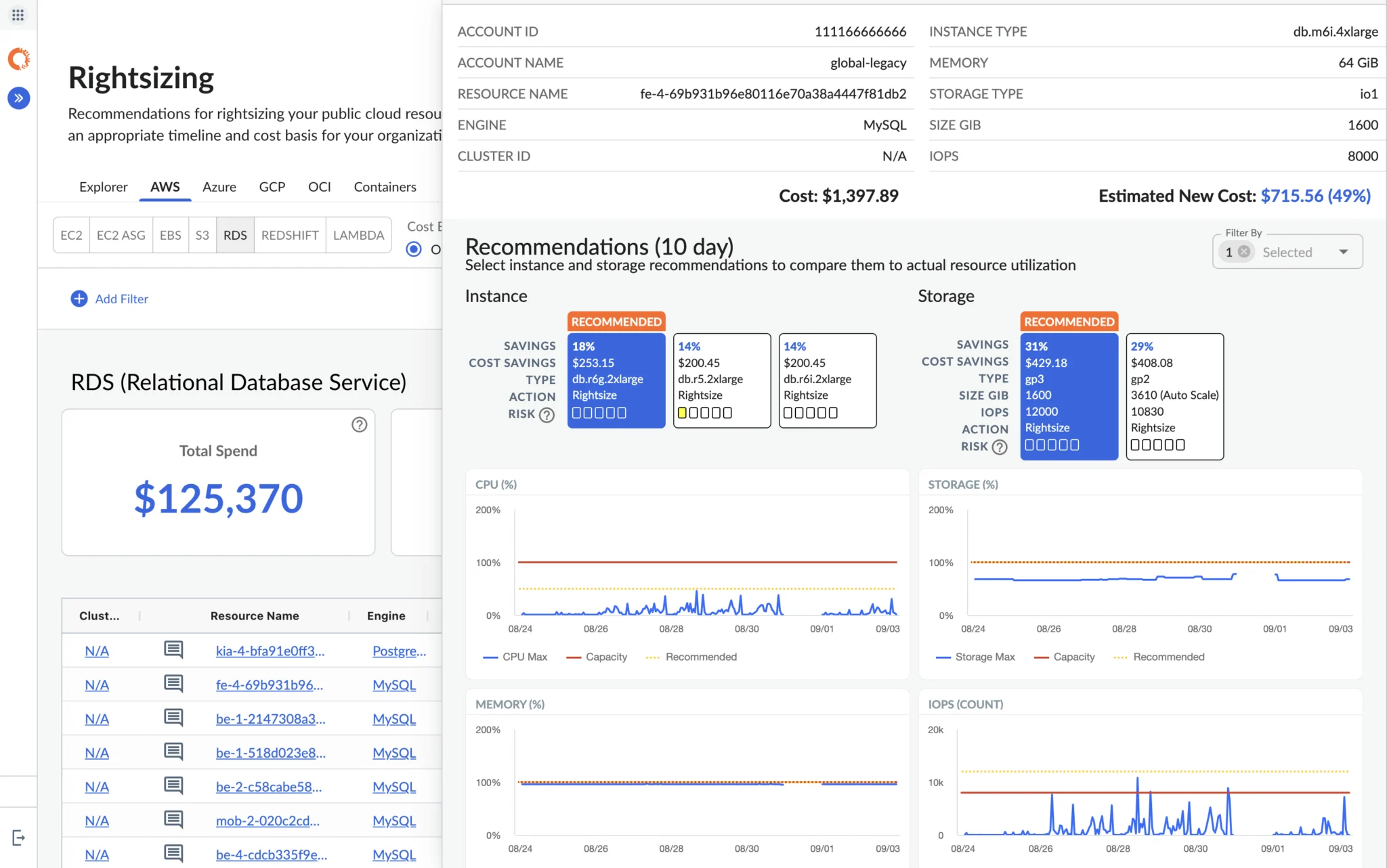
How it works: It gives unified visibility across AWS, Azure, and GCP with deep allocation, budgeting, and chargeback. It connects to SAP, Oracle, Workday, and other ERPs to bring cloud spend into standard P&L reporting, and includes Kubecost integration for Kubernetes visibility.
Pricing: Enterprise pricing with significant minimums. Deployment typically takes 3 to 6 months for large organizations.
Good fit when: Cloud spend is $10M+ a year, finance leads the FinOps program, and you need deep governance, executive reporting, and ERP integration.
Worth considering alternatives if: You’re under $5M a year and want fast time-to-value, need real-time engineering action rather than monthly finance reviews, or don’t have dedicated FinOps headcount to operate a platform this deep.
13. CloudHealth (Broadcom) – multi-cloud governance
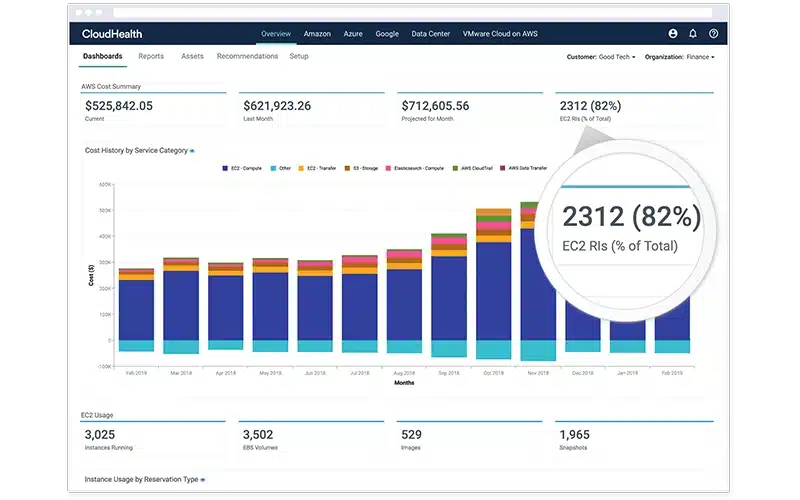
How it works: CloudHealth gives you unified visibility across AWS, Azure, and GCP, with governance features including automated policy enforcement, chargeback reporting, and executive dashboards. It recommends commitment purchases, but it doesn’t auto-execute them, so you’d want to pair it with a separate execution tool if that’s something you need.
Pricing: Pricing has been in flux since the Broadcom acquisition. Contact Broadcom directly for current rates.
Good fit when: Multi-cloud spend is $5M+ a year, you need deep governance and chargeback, and vendor stability under Broadcom’s ownership works fine for your organization.
Worth considering alternatives if: Pricing predictability and a clear product roadmap matter to you, since the post-acquisition period has introduced some genuine uncertainty that factors into a lot of teams’ evaluations right now.
14. Vantage – self-serve multi-source visibility
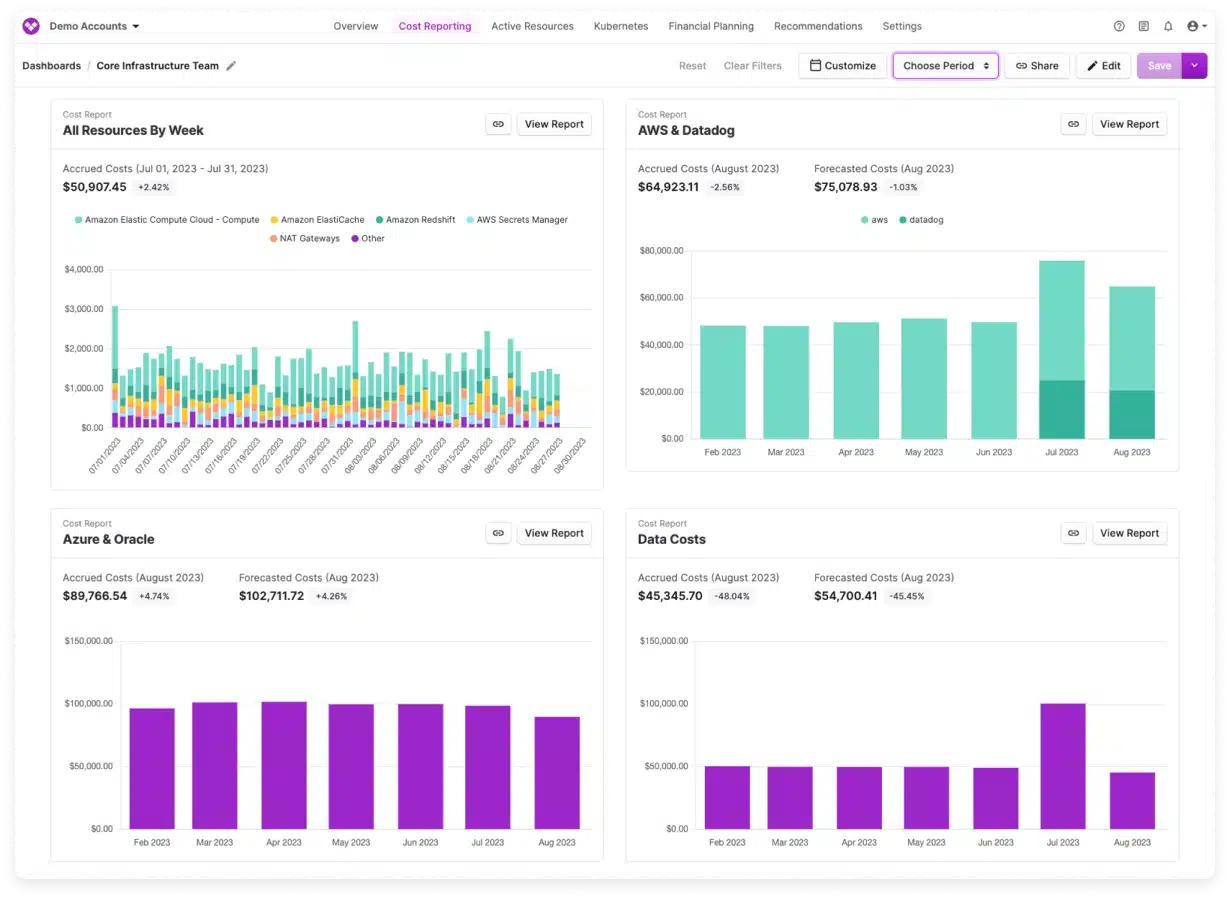
How it works: Vantage aggregates cost data across AWS, Azure, GCP, Kubernetes, Snowflake, Datadog, and 40+ other services. It offers virtual tagging for allocation and customizable dashboards, and typically takes under an hour to onboard. An Autopilot add-on covers AWS Savings Plans automation, though it’s newer than the dedicated commitment platforms out there.
Pricing: Tiered by tracked cloud spend, with a free starter tier to get going.
Good fit when: Cloud spend sits in the $1 to 5M a year range, you want visibility across many services without per-seat pricing, and fast onboarding matters more to you than deep enterprise governance.
Worth considering alternatives if: Autonomous commitment purchasing is really your primary need, since Vantage’s Autopilot is newer than the dedicated commitment platforms. Or if you’re managing $10M+ a year and need enterprise-grade chargeback. Curious how the two compare directly? See our Usage.ai vs. Vantage comparison.
15. Ternary – developer-first visibility
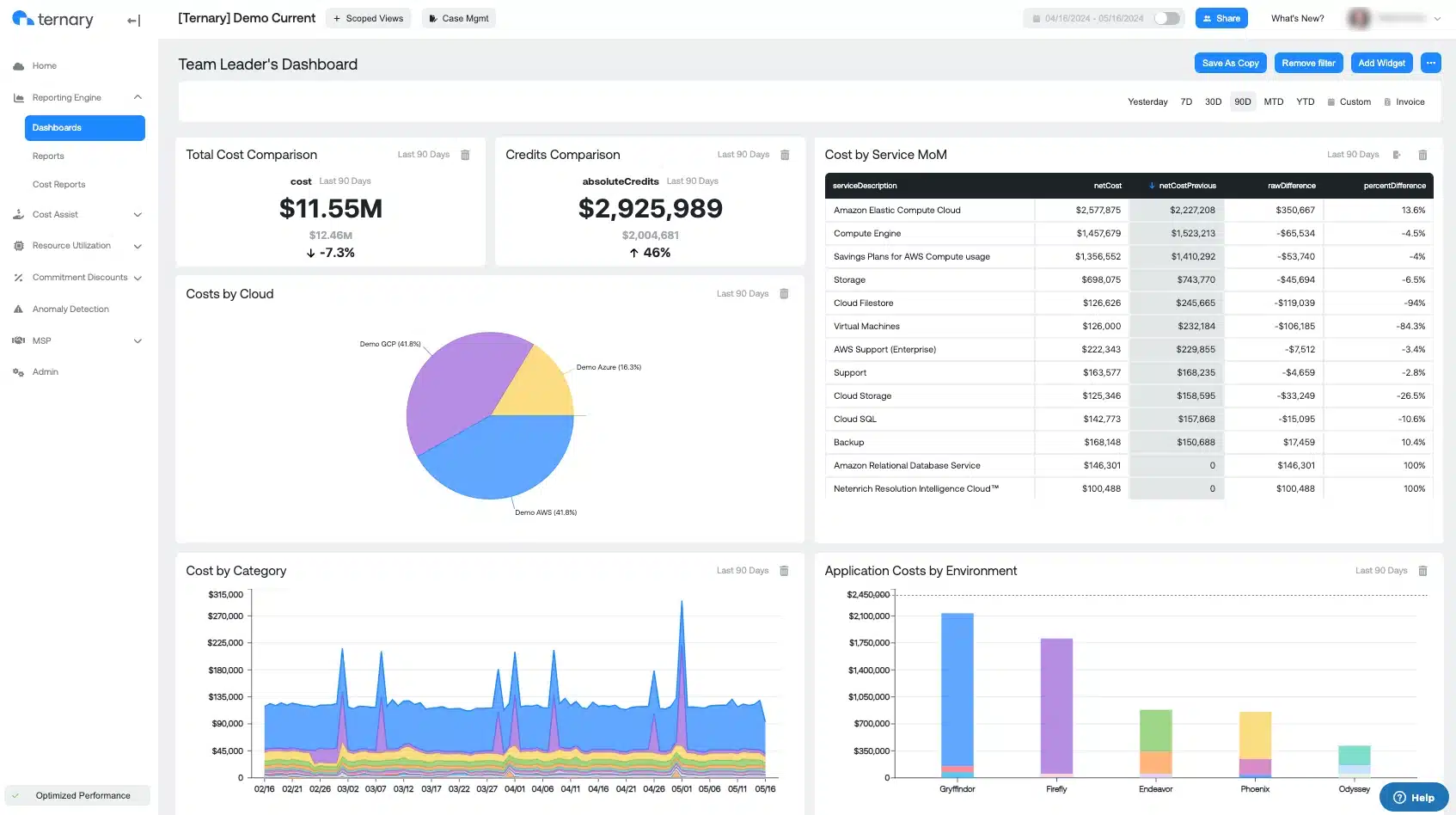
How it works: Ternary gives real-time cost breakdowns by service, team, and project, with Slack alerts for cost spikes. It’s built for fast query performance during incidents, rather than monthly finance reviews.
Pricing: Not publicly listed.
Good fit when: Engineering drives the FinOps program at your company, fast cost insight during incidents matters, and a developer-friendly UX is a bigger priority for you than deep finance reporting.
Worth considering alternatives if: Finance needs detailed showback and chargeback, since CloudHealth and IBM Cloudability are more mature for that specific need.
16. Turbo360 – Azure-focused cloud cost management
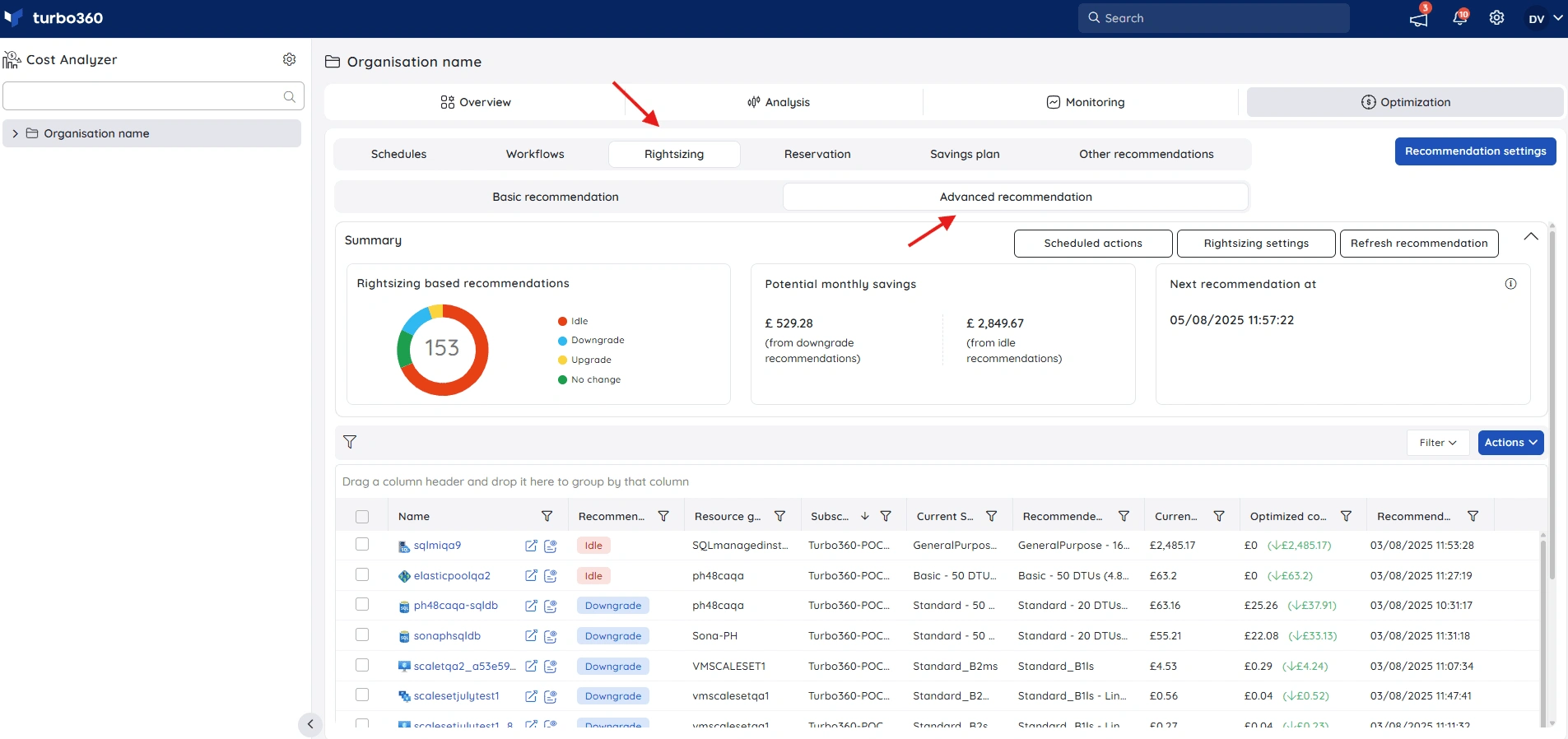
How it works: Turbo360 connects to Azure environments and provides unified cost visibility alongside optimization capabilities such as identifying idle and over-provisioned resources, rightsizing opportunities, anomaly detection, budgeting, and cost allocation. It’s purpose-built for Azure rather than spreading its functionality across multiple cloud providers.
Pricing: Starts at $249/month for the Commercial plan. A 14-day free trial with full platform functionality is available. MSP/CSP pricing is based on a percentage of Azure spend under management.
Good fit when: Azure is your primary cloud and you need deeper cost visibility and optimization across multiple subscriptions, particularly for Azure-dominant organizations, MSPs, and CSPs.
Worth considering alternatives if: You need a single platform primarily focused on managing costs and commitments across AWS, Azure, and GCP rather than deeper Azure-specific cost management and optimization.
17. Yotascale – ML-powered allocation & anomaly detection
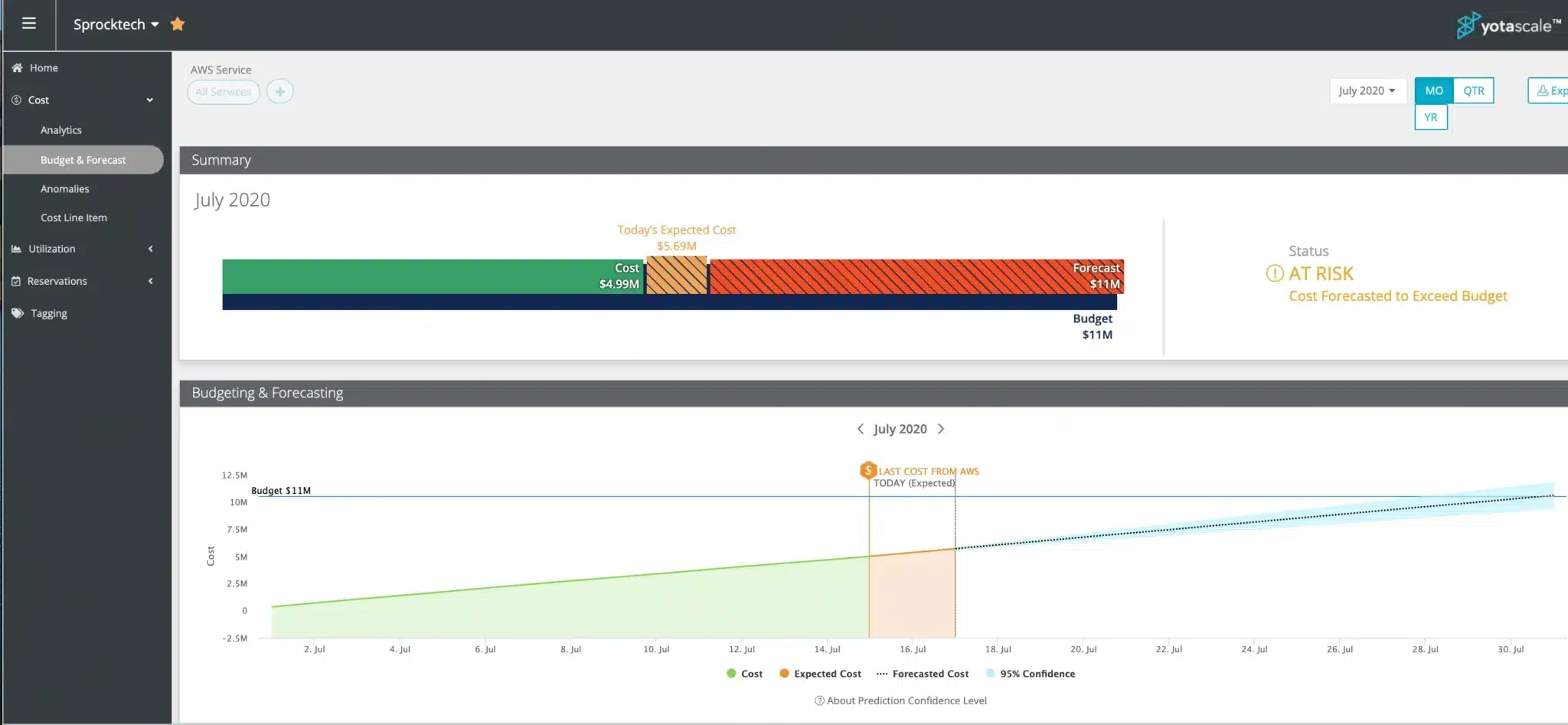
How it works: Its machine learning models continuously monitor spend patterns to predict overages and catch anomalies in real time, tied to your actual business context, teams, products, divisions, rather than just generic cost-center tags. It covers multi-cloud and container/Kubernetes attribution, with automated rightsizing recommendations layered on top of the core visibility.
Pricing: Not publicly listed. Contact the vendor directly.
Good fit when: You need engineering teams to take direct ownership of the costs they generate, with granular attribution across divisions and Kubernetes workloads specifically.
Worth considering alternatives if: You need deeper automation or execution beyond recommendations, since Yotascale’s real strength is visibility and attribution. Savings still typically require a separate rightsizing or commitment tool to act on what it surfaces.
Category 5: Engineering-workflow / shift-left cost control
Every tool so far acts after infrastructure is already provisioned. These two act before it, catching cost decisions at the point they’re actually made: in code review and in the deployment pipeline, not in a monthly finance report three weeks after the fact.18. Infracost – cloud costs inside pull requests
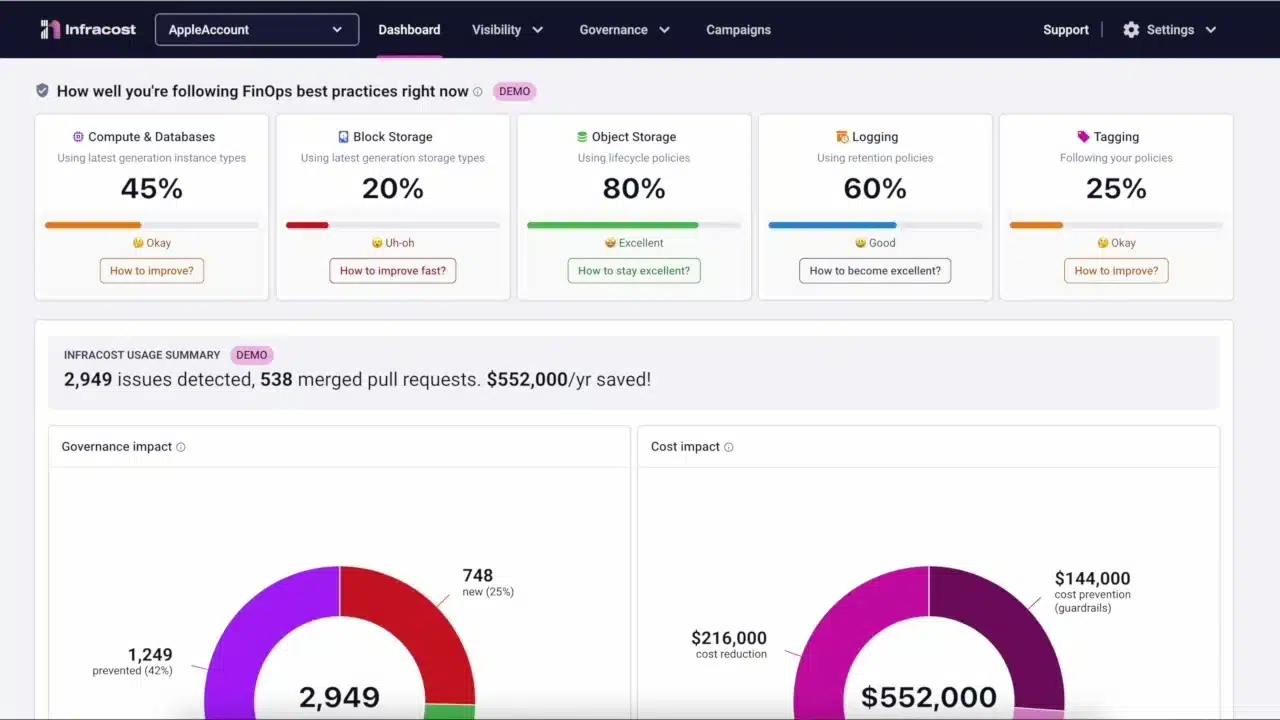
How it works: Infracost parses your infrastructure-as-code locally and calculates costs using each cloud provider’s own pricing data, covering over 1,000 resource types across AWS, Azure, and GCP. It posts a cost diff as a PR comment showing what a change will cost before and after, and can flag FinOps policy violations or tagging issues in that same comment. No cloud credentials or secrets are ever sent to Infracost’s pricing API, and it never touches your actual cloud resources or Terraform state. It only reads and calculates.
Pricing: Free and open source for individuals and core CLI use. Paid team and cloud plans start around $50/month for added governance, dashboards, and multi-repo visibility.
Good fit when: Your team provisions infrastructure through Terraform or similar IaC, and you want engineers to see cost impact the moment they write the code, not weeks later when finance flags an overrun.
Worth considering alternatives if: Your infrastructure isn’t managed through IaC at all, manual console provisioning, for instance, since Infracost has nothing to analyze in that case. It’s also strictly pre-deployment, so it won’t tell you about waste that’s already accumulated post-deploy, which is where a rightsizing or visibility tool picks up.
19. Harness Cloud Cost Management – cost control in the delivery pipeline
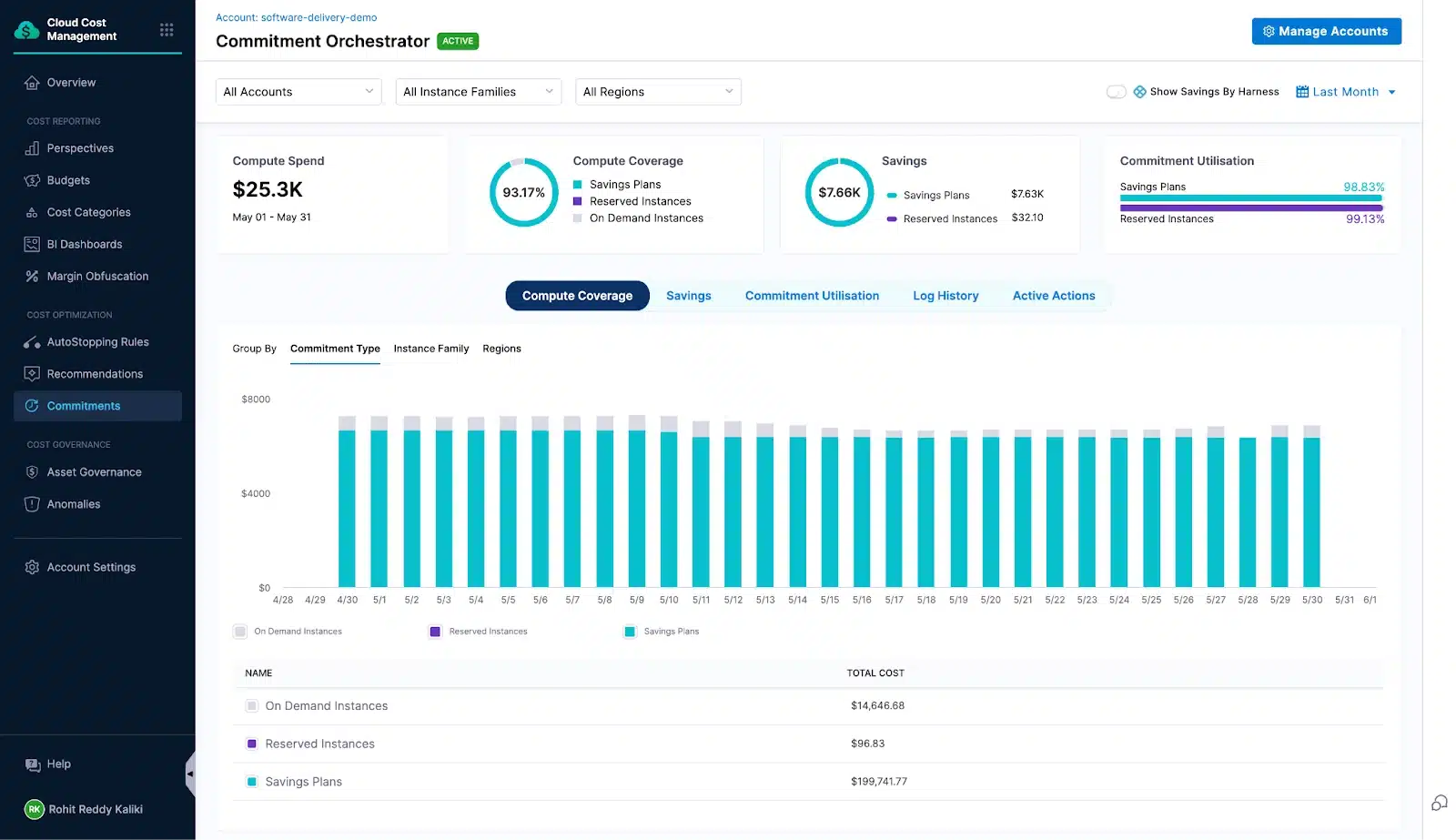
How it works: It provides hourly, not monthly, cost visibility down to the account, environment, deployment, application, microservice, and cluster level. AutoStopping rules automatically detect and shut down idle resources, then restart them on demand. It also includes Kubernetes cost allocation, anomaly detection, and support for the FOCUS standard for cross-tool reporting.
Pricing: Harness offers Free, Essentials, and Enterprise tiers, but cloud cost management specifically is only available on the Enterprise plan, alongside its CI/CD and GitOps capabilities.
Good fit when: You’re already using Harness, or considering it, for CI/CD, and want cost control embedded directly into the same delivery pipeline rather than bolted on separately. Particularly strong if idle-resource waste, dev or staging environments left running, is a real cost driver for you.
Worth considering alternatives if: You’re not already using Harness for CI/CD, since adopting it purely for the cost management layer means buying into Enterprise-tier pricing and a genuinely steep learning curve for an entire DevOps platform, just to get the FinOps piece.
Category 6: Managed FinOps services
These aren’t self-serve tools. They’re vendors who run cost optimization for you, typically bundled with reseller-level pricing you couldn’t access on your own. The right fit if you don’t have FinOps headcount and want savings without building an internal practice from scratch.20. CloudKeeper – managed savings and group buying
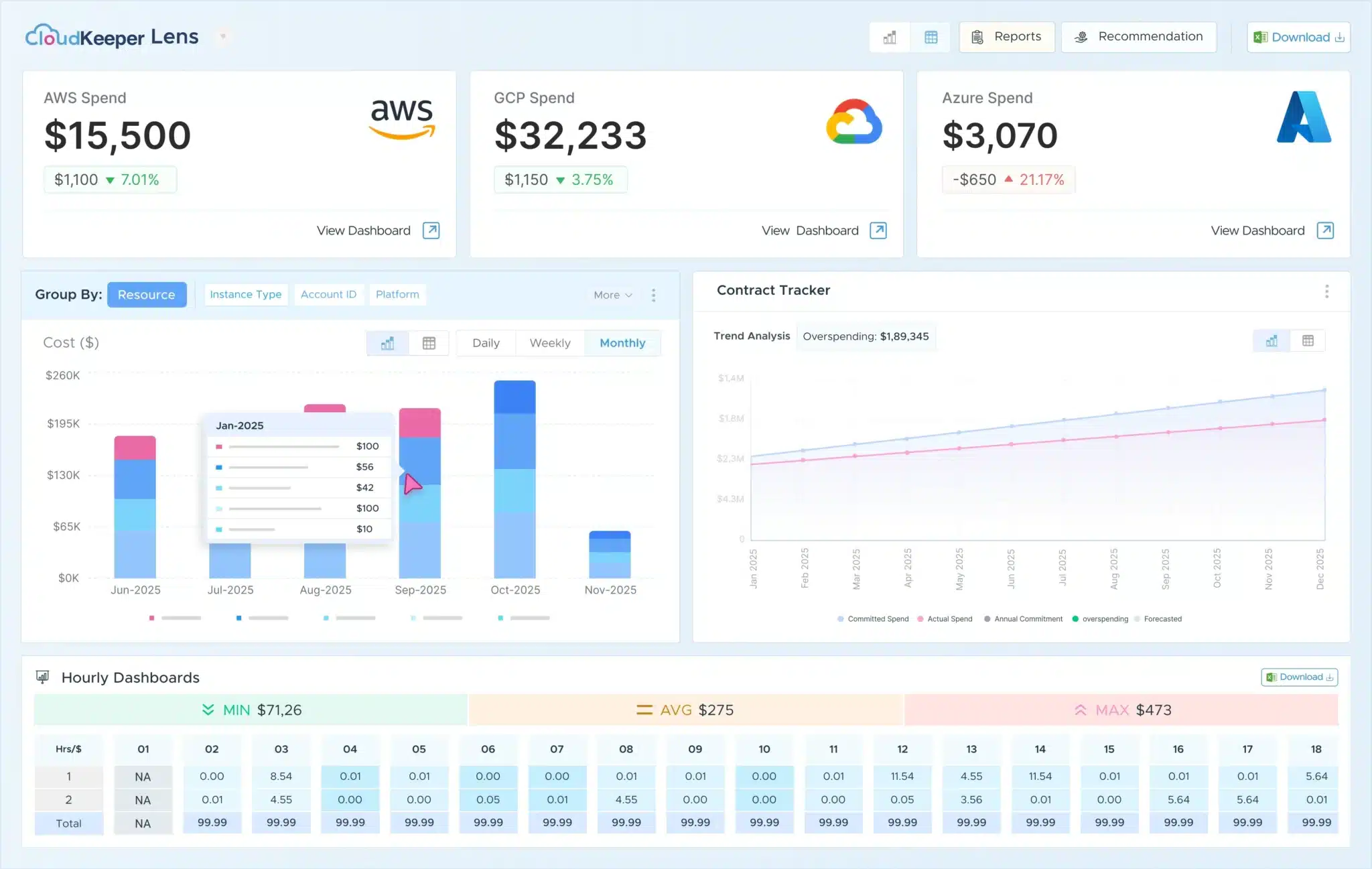
How it works: CloudKeeper aggregates spend across its whole customer base to negotiate better rates than any single company could get alone, then passes a guaranteed discount back to you, typically 15 to 25% on supported AWS services. You’re billed through CloudKeeper rather than directly by AWS. It does have GCP and Azure partnerships too, but the direct group-buying discount mechanism is really AWS-specific. On GCP and Azure, CloudKeeper’s value leans more toward optimization support and visibility than a resale-level price cut.
Pricing: No upfront fee. CloudKeeper charges based on your AWS bill, but at a reduced, guaranteed rate, so the savings are effectively built into what you pay.
Good fit when: You want guaranteed AWS savings from day one without negotiating your own enterprise agreement, and you’d rather have a team of experts on call than operate a tool yourself.
Worth considering alternatives if: Your primary spend is on GCP or Azure, where CloudKeeper’s discount mechanism is genuinely weaker than on AWS. Or if you’d rather build and run FinOps in-house than hand it to a managed partner.
21. DoiT – advisory and tooling bundled with cloud resale
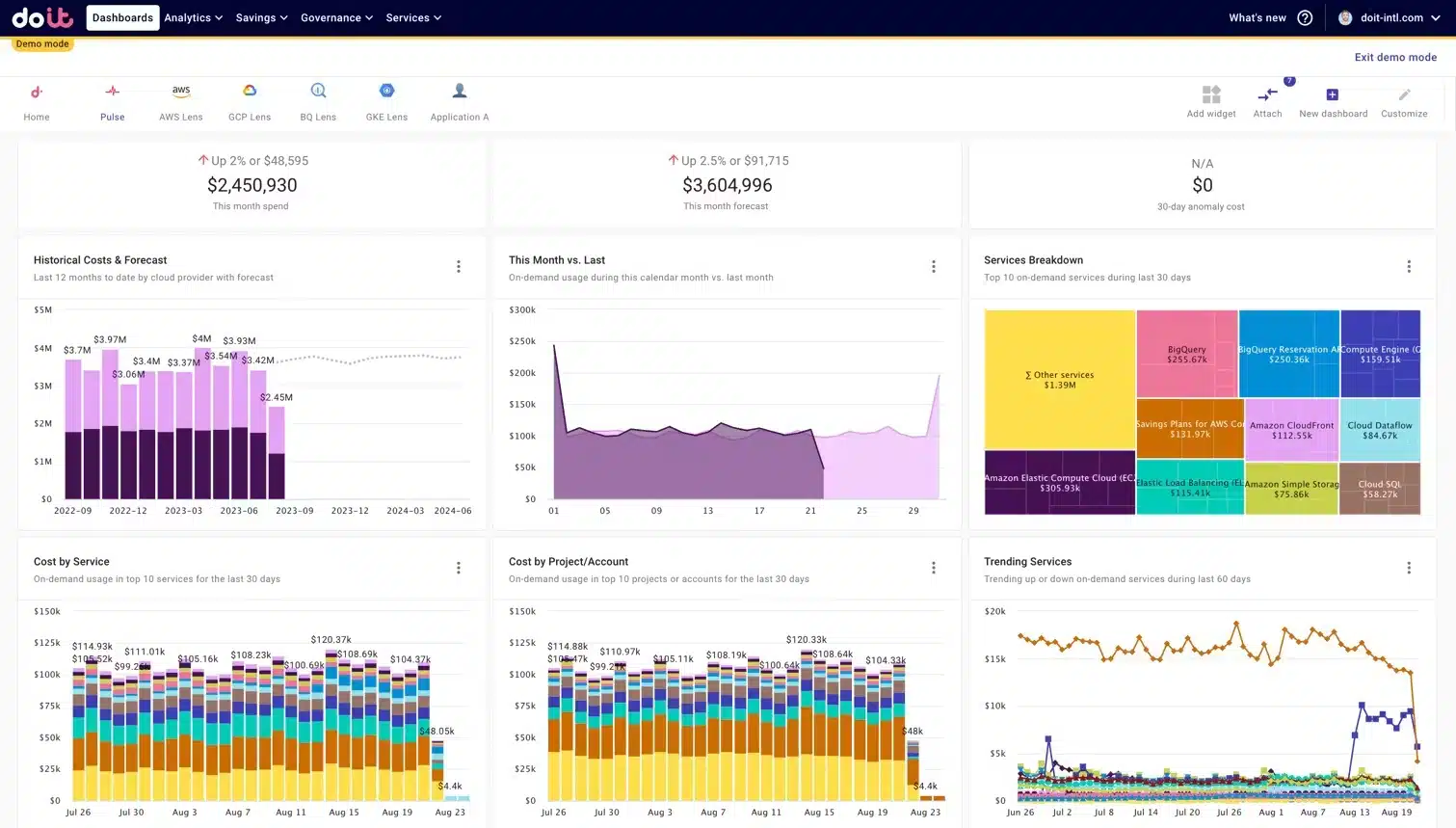
How it works: Cost analytics and optimization, things like Flexsave for commitment automation, anomaly detection, and real-time dashboards, come bundled with hands-on expert advisory, specializing in Kubernetes, GenAI, and multi-cloud operations. Rather than charging a separate license fee for the platform, the model is built around cloud resale margin. DoiT effectively becomes your billing relationship with the cloud providers, and the tooling and advisory ride along with that.
Pricing: Bundled into cloud resale margin rather than a standalone SaaS fee.
Good fit when: You want both tooling and expert advisory in one relationship, across all three major clouds, without building a dedicated FinOps team internally.
Worth considering alternatives if: You already have a FinOps team and just need software, not a bundled advisory or resale relationship. A standalone tool from the categories above likely gets you the same optimization without restructuring your cloud billing relationship entirely.
Know your number first. Upload your AWS bill and see your savings potential in 60 seconds.
Free baseline: AWS Cost Explorer, Azure Cost Management and GCP Cost Management
As you evaluate paid tools, it is also worth knowing what you already have for free. AWS Cost Explorer, Azure Cost Management, and GCP Billing are free, built into each of the top cloud service providers, and honestly, they’re where every cost optimization practice starts. They cover the basics well: cost tracking, budget alerts, and simple SP/RI recommendations.What they’re good at: they’re free, they’re already there, and there’s nothing to set up. If you’re spending under $100k a year and your team has the bandwidth to manage things manually, they’re often genuinely enough.
Where they start to strain: purchasing is manual, there’s no single view across multiple clouds, and Kubernetes visibility is thin at best.
Most teams keep the native tools running for anomaly alerts and budget tracking, then bring in a third-party tool once spend crosses $100k a year and manual optimization starts eating real engineering time.
Want the deeper version? See Usage.ai’s guide to AWS Cost Explorer for where it holds up and where it doesn’t.
Frequently asked questions
What's the difference between cloud cost management and cloud cost optimization?
Cloud cost management is the broader discipline. It covers visibility, allocation, governance, budgets, and showback, basically, where the money's going and who owns it. Cloud cost optimization is the action piece that’s actually bringing the bill down, through commitments, rightsizing, scheduling, and cutting waste. Most teams above $1M a year end up needing both, but rarely from the same tool. Management platforms tend to be strong on reporting; optimization platforms tend to be strong on execution.
How do I figure out which cloud cost problem I actually have?
A good place to start is your effective discount rate. If it's under 25%, that's usually commitment overpayment, and commitment automation is the right first move. If your discount rate looks fine but the bill keeps climbing anyway, that points to idle or over-provisioned resources. If Kubernetes costs are the ones growing fastest and allocation is unclear, a K8s-native tool is the better starting point. And if you can't even break the bill down by team or product yet, a visibility platform should come before any optimization tool.
Do these tools affect infrastructure performance?
Commitment optimization tools like Usage.ai, ProsperOps, and nOps operate at the billing layer with read-only access, so they never touch your infrastructure directly. Kubernetes tools that actively resize clusters, like Cast AI in autopilot mode, can introduce brief latency during scale events, worth knowing going in. Visibility tools are read-only across the board. None of these affect steady-state production workloads.
What happens if cloud spend drops and we end up overcommitted?
This is exactly where cashback versus credits stops being a marketing line and becomes a real financial difference. If a commitment purchased through Usage.ai underperforms, you get cashback in real dollars. ProsperOps, like most of the category, returns cloud credits instead, useful only if you keep spending at similar levels on the same provider. Native cloud tools offer no protection at all here; you're locked in for the full term regardless of what happens to usage.
Can you run multiple cloud cost tools at the same time?
Yes, and above $1M a year, it's actually the norm. A typical stack looks like native tools for alerts and anomaly detection, one commitment automation tool, a Kubernetes tool if that's a meaningful cost driver, and a visibility tool for reporting. Since each one is solving a different problem, the overlap between them stays minimal.
If you notice any material information that is incorrect, outdated, or no longer applicable, please contact us at navanita@usageai. We’ll review the information and update the article where appropriate.