New See exactly what you're overpaying AWS in under 60 seconds. Try the Calculator for free

AWS Trainium vs GPU Instances: What Actually Costs Less for AI Training

Updated June 25, 2026
18 min read
On this page

Most teams evaluating Trainium ask the wrong question. They compare hourly on-demand rates — trn1.32xlarge at $21.50/hr vs p4d.24xlarge at $32.77/hr — see a 34% price difference, and assume the decision is obvious. It is not.

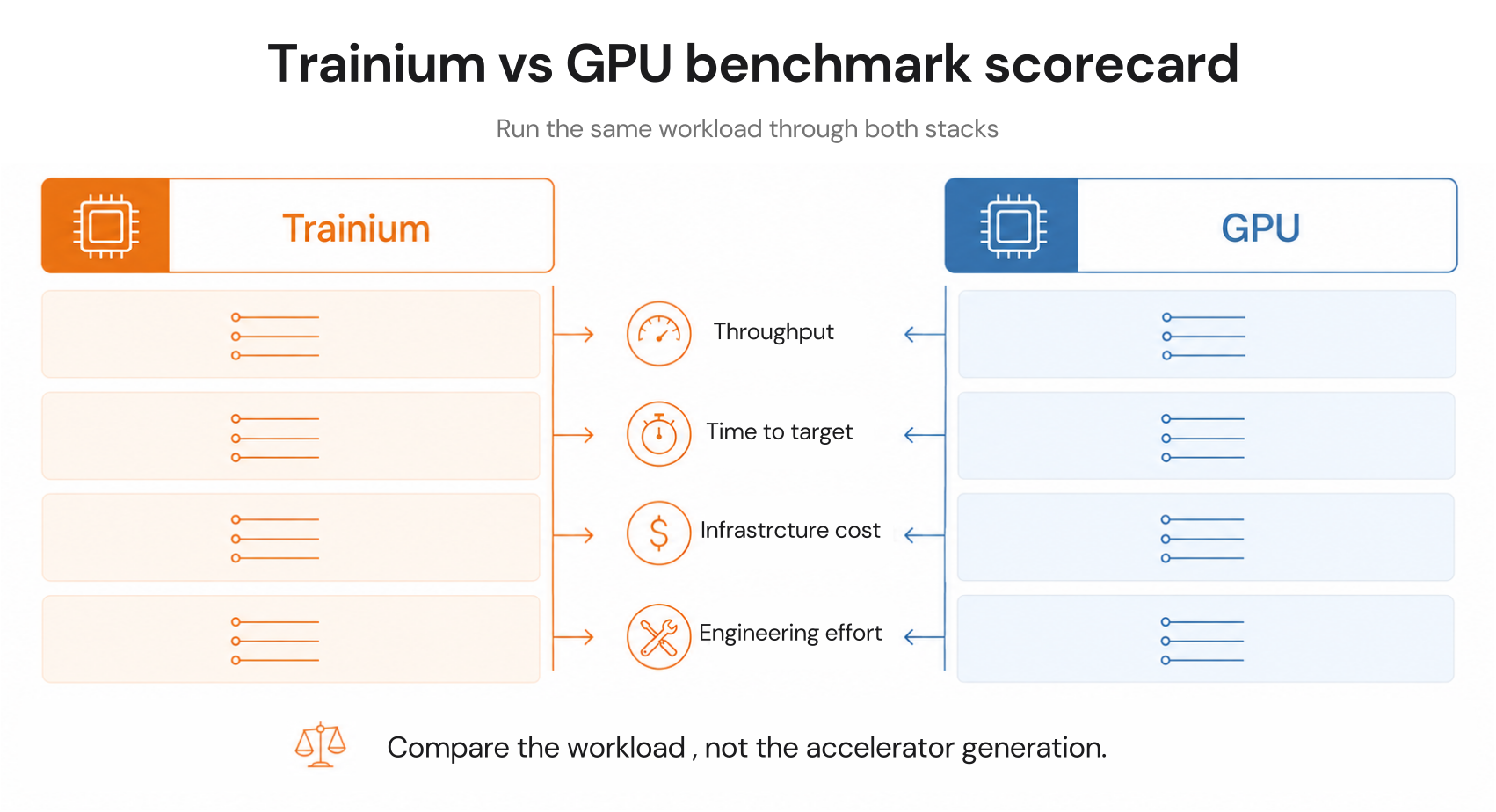
The real question is total cost to train a specific model to a target accuracy on your existing stack. That number includes the Neuron SDK migration cost, the performance difference on your actual model architecture, the spot pricing behavior for each family, and (critically) what commitment strategy makes sense once you have decided which instance to use.

This post answers all four. It covers every Trainium generation currently available, real pricing across on-demand, Spot, Reserved, and Savings Plans, the exact workloads where Trainium wins and where GPU wins, and the commitment purchasing framework that most guides never address.

The Verdict: Trainium or GPU?

Before the deep dive, here is the direct answer for the three most common scenarios.

Trainium wins when: You are training transformer-based models (LLMs, diffusion models, BERT variants) at scale, jobs run for days or weeks, your team has PyTorch experience and bandwidth to integrate the Neuron SDK, and you are on AWS long-term. Ricoh reduced training costs by 50% fine-tuning a Llama-3-Swallow-70B model on Trn1. Stockmark reduced costs by 20% pretraining a 13B parameter LLM. AWS officially claims up to 50% cost-to-train savings over comparable EC2 instances for Trn1 (verify at aws.amazon — performance varies by workload).

GPU instances win when: You need maximum ecosystem flexibility (CUDA libraries, custom operators, cutting-edge architectures), jobs are short experiments where the Neuron SDK compilation overhead matters, you are using model architectures not yet supported by Neuron, or your team cannot absorb the Neuron SDK learning curve on current project timelines. If GPU is the right call and you are choosing between managed inference platforms, see why your LLM bill on Bedrock, Vertex AI, or Azure OpenAI runs 1.5-2x what you budgeted.

Neither is obviously right when: You are fine-tuning with LoRA or QLoRA on smaller models, running reinforcement learning or models with non-standard architectures, or evaluating Trainium for the first time without 30 days of production data to base a commitment on.

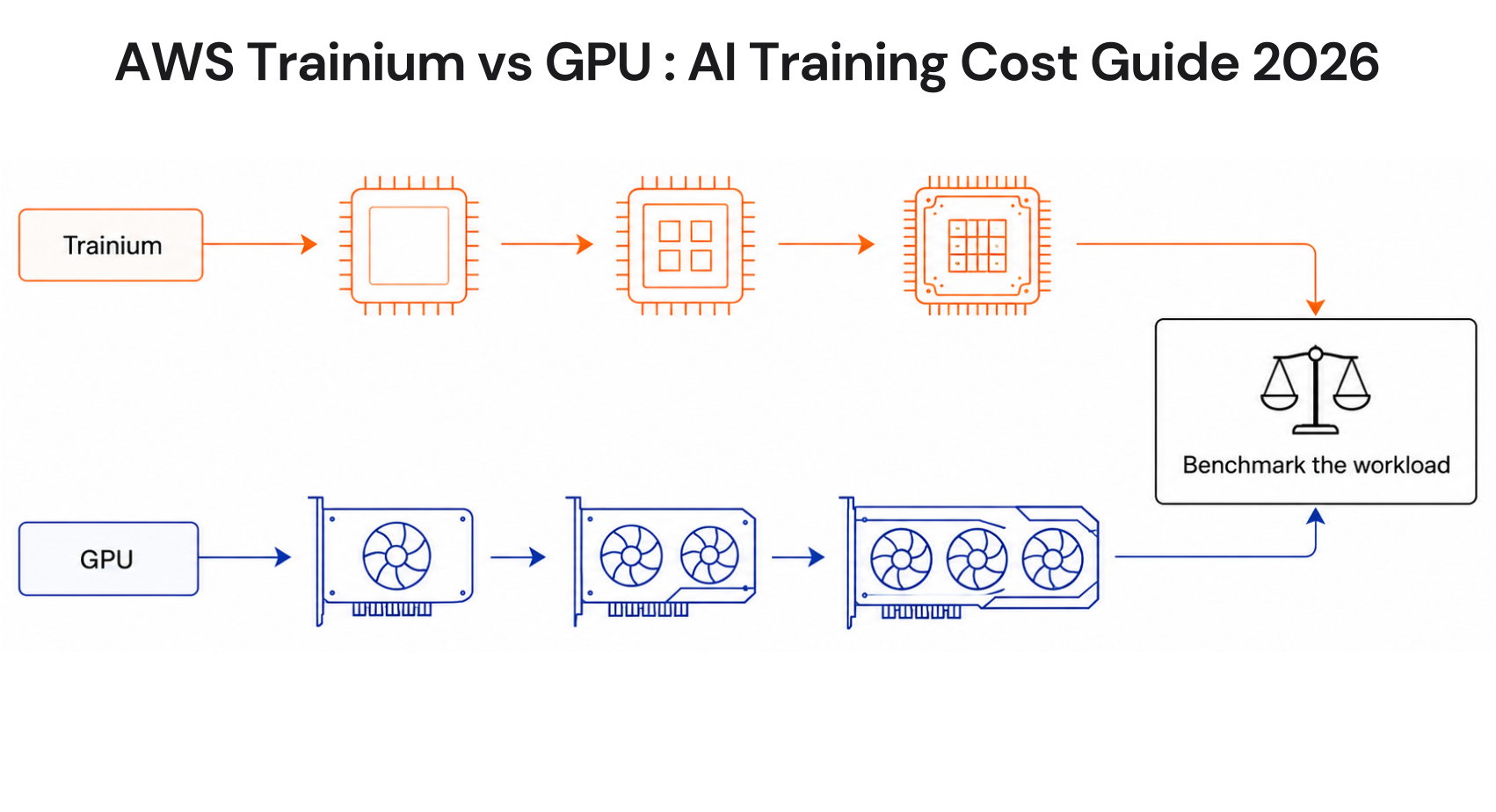
Decision framework for AWS Trainium vs GPU instances showing workload-specific recommendations.

AWS Trainium vs GPU: The Complete Pricing Comparison

All prices approximate, us-east-1, Linux, as of June 2026. Verify at aws.amazon, rates change.

Trainium Instance Pricing

Instance Accelerators Accelerator Memory On-Demand 1-Yr Reserved 3-Yr Reserved Best For
trn1.2xlarge 1x Trainium 32 GB $1.34/hr $0.79/hr (save 41%) $0.47/hr (save 65%) Single-chip experiments, small model fine-tuning
trn1.32xlarge 16x Trainium 512 GB $21.50/hr $12.60/hr (save 41%) $7.59/hr (save 65%) Large-scale distributed training, 13B-70B models
trn1n.32xlarge 16x Trainium 512 GB $24.78/hr $14.52/hr (save 41%) $8.59/hr (save 65%) Network-intensive distributed training (1,600 Gbps EFA)

Note: Trn2 instances (Trainium2 chips) are available but specific on-demand pricing varies by configuration and availability zone. Trn2 instances offer 30-40% better price performance than P5e/P5en instances per AWS official documentation. Verify current Trn2 pricing at aws.amazon — rates change.

GPU Instance Pricing (Training-Focused Families)

Instance GPU GPU Memory On-Demand 1-Yr Reserved 3-Yr Reserved Best For
g5.xlarge 1x A10G 24 GB $1.006/hr Available Available Single-GPU inference, 7B model fine-tuning
g5.12xlarge 4x A10G 96 GB $5.672/hr Available Available Mid-scale inference, 13B fine-tuning
p4d.24xlarge 8x A100 40GB 320 GB $32.77/hr Available ~$12.48/hr (save 62%) Large distributed training, 30B-70B models
p5.48xlarge 8x H100 80GB 640 GB ~$98.32/hr Available Available (save up to 62%) Foundation model training, 70B+ models

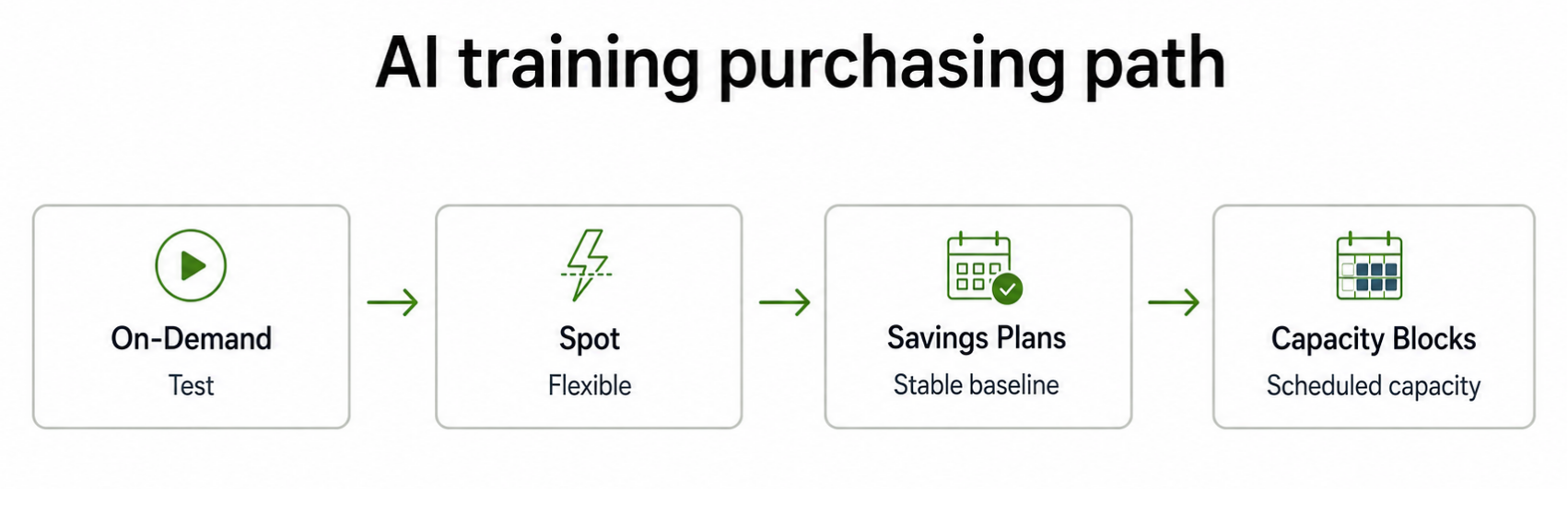
3-year Reserved pricing on P4d saves up to 62% per AWS documentation. AWS also offers EC2 Capacity Blocks for both Trn1/Trn2 and P4d/P5 — reservation-based pricing for scheduled burst training windows up to 6 months in advance (verify at aws.amazon — rates change). For the full EC2 instance pricing reference across all families, see AWS EC2 Pricing Guide: All Models Explained.

The Direct Cost Comparison: trn1.32xlarge vs p4d.24xlarge

This is the comparison most teams run when evaluating Trainium:

Metric trn1.32xlarge p4d.24xlarge Trainium advantage
On-demand hourly $21.50 $32.77 34% cheaper
On-demand monthly (continuous) $15,695 $23,922 $8,227/mo saving
3-yr Reserved effective hourly $7.59 ~$12.48 39% cheaper
3-yr Reserved monthly $5,541 $9,110 $3,569/mo saving
Spot (approximate range) $6.45-$10.75/hr ~$9.84-$16.39/hr 35-40% cheaper
Neuron SDK required Yes No GPU wins on flexibility
CUDA ecosystem No Yes GPU wins on compatibility

Trainium is cheaper at every pricing tier. The question is whether the Neuron SDK migration cost and workload compatibility constraints are worth the savings for your specific situation.

Running AI training workloads on AWS?

Usage.ai scans your EC2 usage and identifies uncovered training compute, over-committed capacity, and commitment opportunities across Trainium and GPU instance families in 30 minutes with read-only billing access. 

See how much you could save

What Is AWS Trainium?

AWS Trainium is a custom ASIC designed by Amazon specifically for deep learning training workloads. Unlike NVIDIA GPUs designed for general-purpose parallel compute, Trainium’s architecture is optimized at the silicon level for the specific mathematical operations that dominate transformer training: matrix multiplication, gradient communication, and collective operations across distributed chips.

Three generations are currently available or announced:

  • Trainium (Trn1 instances, 2022): 16 chips per trn1.32xlarge, 512 GB accelerator memory, 800 Gbps EFA networking. AWS claims up to 50% cost-to-train savings over comparable EC2 instances. Requires the AWS Neuron SDK.
  • Trainium2 (Trn2 instances, 2024-2025): 16 chips per Trn2 instance, 1.5 TB HBM3, 3.2 Tbps EFA networking. AWS claims 30-40% better price performance than P5e/P5en instances. 3x more energy efficient than Trn1. Supports up to 64-chip UltraServers via NeuronLink.
  • Trainium3 (re:Invent 2025): 8 large NeuronCores per chip, 2.52 PFLOPS FP8 per chip, 144 GB HBM3e, 4.9 TB/s bandwidth. 2x MXFP8 compute vs Trainium2. Deployed in UltraServers scaling to 144 chips delivering 362 PFLOPS. Built-in hardware support for Mixture of Experts (MoE) routing. AWS notes that LNC=8 support (preferred by broader ML research community) is not planned until mid-2026.

All three generations require the AWS Neuron SDK to access hardware performance.

AWS Trainium chip generation timeline showing Trn1, Trn2, and Trn3 with performance and cost improvements at each generation.

The Neuron SDK: The Real Cost of Switching to Trainium

Every Trainium cost analysis that ignores the Neuron SDK is incomplete. The SDK is not optional, it is the only path to Trainium’s performance advantages.

What the Neuron SDK does: It compiles your PyTorch or JAX model into optimized instructions for Trainium’s NeuronCore architecture. The compiler handles operator fusion, memory layout optimization, and distributed training coordination across chips.

Current Neuron SDK maturity (June 2026):

  • Native PyTorch support via TorchNeuron: run existing PyTorch code with minimal changes (swap cuda for neuron on tensors)
  • HuggingFace Transformers: supported natively, models migrate with minimal code changes
  • vLLM on Neuron: supports OpenAI-compatible APIs, continuous batching, speculative decoding
  • FSDP, DTensor, DDP: standard distributed APIs work directly on Trainium
  • torch.compile: supported

What requires extra work:

  • Custom CUDA kernels: must be rewritten using the Neuron Kernel Interface (NKI) or removed
  • Reinforcement learning: less mature support than standard transformer training
  • Unusual architectures (non-transformer): may need additional validation
  • LNC=8 logical NeuronCore configuration: not available until mid-2026 on Trainium3

The honest migration estimate: For a team running standard transformer training with HuggingFace and PyTorch, migration to Trainium typically takes 1-2 weeks for a first working job, 4-6 weeks for production-grade performance optimization. For teams with significant CUDA kernel dependencies, the migration timeline extends substantially and may not be worth pursuing for short-term projects.

The Neuron SDK learning curve is the #1 adoption blocker cited by teams evaluating Trainium. The cost is the engineering time to migrate and validate.

Spot Pricing: Where the Real Short-Term Savings Live

For fault-tolerant training workloads, any job with checkpointing every 15-30 minutes, Spot instances deliver the largest per-hour cost reduction on either instance family.

Instance On-Demand Approximate Spot Range Approximate Spot Saving
trn1.32xlarge $21.50/hr $6.45-$10.75/hr 50-70%
p4d.24xlarge $32.77/hr ~$9.84-$16.39/hr 50-70%
p5.48xlarge ~$98.32/hr Variable, limited availability 50-70% when available

Note: Spot pricing varies significantly by region and availability zone and changes frequently. P5 Spot availability in us-east-1 is constrained due to sustained AI/ML training demand in 2026. Always check current Spot pricing in the EC2 console before planning Spot-based training budgets (verify at aws.amazon, rates change).

Combining Spot with Trainium: A trn1.32xlarge at Spot rates ($6.45-$10.75/hr) versus a p4d.24xlarge on-demand ($32.77/hr) represents a 67-80% cost reduction. For teams willing to implement checkpointing and accept occasional interruptions, Trainium Spot is the lowest-cost training option on AWS for compatible workloads. For the broader GPU cost picture across all three clouds, see our guide to GPU cost optimization across AWS, GCP, and Azure.

SageMaker Managed Spot Training handles checkpointing automatically. For self-managed EC2 training, implement checkpointing every 15-30 minutes, a worst-case interruption costs at most 30 minutes of recompute, not the entire job.

SageMaker vs Raw EC2 for Training: The 15-40% Surcharge Question

SageMaker adds a 15-40% surcharge over raw EC2 pricing for ML instances. This is not hidden, it is the cost of managed infrastructure (automatic termination, checkpoint management, experiment tracking, built-in monitoring).

For most teams, the surcharge is worth it because:

  • SageMaker Managed Spot Training saves 60-90% on compute through Spot with automatic resume — the Spot savings dwarf the management surcharge
  • Automatic instance termination prevents idle GPU charges ($1,573 for a forgotten p4d.24xlarge over a weekend)
  • No infrastructure management overhead

The exception: teams running very large-scale, long-duration distributed training jobs on clusters of 100+ Trainium or GPU instances, where the management overhead cost accumulates to tens of thousands of dollars per month. At that scale, raw EC2 with SageMaker HyperPod for orchestration is typically more cost-effective.

Worked Cost Examples: Real Training Scenarios

Example 1: Fine-tuning a 7B LLM with LoRA (small team, single GPU)

Target: Fine-tune Llama 3.3 7B with LoRA on a custom dataset. Estimated runtime: 6 hours.

Option Instance Hourly Rate 6-Hour Cost Notes
GPU on-demand g5.xlarge $1.006/hr $6.04 No SDK overhead, start immediately
GPU Spot g5.xlarge ~$0.35/hr (est.) ~$2.10 65% saving, requires checkpointing
Trainium on-demand trn1.2xlarge $1.34/hr $8.04 Neuron SDK required, 1-2 week setup
Trainium Spot trn1.2xlarge ~$0.47/hr ~$2.82 Cheapest option after Neuron migration

Verdict for this scenario: GPU wins for a one-off 6-hour job. The Neuron SDK setup cost exceeds the savings on short runs. Trainium only makes economic sense for teams running this job repeatedly — at 20+ runs per month the SDK investment pays back in under a week.

Example 2: Pre-training a 13B LLM from scratch (mid-scale team)

Target: Pre-train a 13B parameter LLM on 200B tokens. Estimated runtime: 8 days on a 256-chip cluster.

Option Instance Cluster Config Estimated Total Cost Notes
GPU on-demand p4d.24xlarge 16 instances ~$102,400 $32.77/hr x 16 x 192 hrs
GPU Reserved (3-yr) p4d.24xlarge 16 instances ~$38,400 $12.48/hr x 16 x 192 hrs (save 62%)
Trainium on-demand trn1.32xlarge 16 instances ~$66,048 $21.50/hr x 16 x 192 hrs
Trainium Reserved (3-yr) trn1.32xlarge 16 instances ~$23,330 $7.59/hr x 16 x 192 hrs (save 65%)
Trainium Spot trn1.32xlarge 16 instances ~$19,776-$32,976 $6.45-$10.75/hr x 16 x 192 hrs

Ricoh achieved 50% cost reduction and 20% energy efficiency improvement training Llama-3-Swallow-70B on Trn1. Stockmark reduced training costs by 20% pretraining a 13B LLM on 256 Trainium chips. AWS customer citations sourced from aws.amazon.

Verdict for this scenario: Trainium wins convincingly at on-demand and reserved pricing tiers. On Spot, Trainium and GPU are both highly cost-effective. The Neuron SDK investment is easily justified for teams running recurring training jobs at this scale.

Example 3: Foundation model training (enterprise scale, 70B+ parameters)

At the largest scale, training a 70B+ parameter model requiring 8 or more trn1.32xlarge instances for weeks, the savings compound significantly:

8 trn1.32xlarge instances x 30 days continuous:

  • On-demand: $21.50 x 8 x 720 = $123,840/month
  • 3-year Reserved: $7.59 x 8 x 720 = $43,718/month
  • On-demand saving vs p4d.24xlarge equivalent: $23.57/hr per instance x 8 x 720 = $135,792/month in savings

At this scale, the commitment decision is the most impactful financial lever available — more impactful than any model optimization or spot strategy.

Bar chart comparing AI training costs for 7B fine-tuning, 13B pretraining, and 70B+ training across GPU and Trainium instance families at different pricing tiers.

The Commitment Question Nobody Answers: Savings Plans vs Reserved Instances for Trainium

Once you have decided to use Trainium, how do you commit to it without locking yourself in to an architecture that might not fit your next project?

Option 1: EC2 Instance Savings Plans on Trn1/Trn2

EC2 Instance Savings Plans lock to a specific instance family in a specific region. A Trn1 Instance Savings Plan covers trn1.2xlarge and trn1.32xlarge usage in your committed region at the Savings Plan discount rate. If your workload migrates to GPU instances, the Savings Plan continues charging you, the commitment does not transfer. For a full breakdown of how RI and Savings Plan mechanics interact, see AWS Reserved Instances: Complete Guide to Pricing, Types and Savings.

Option 2: AWS Compute Savings Plans (recommended)

AWS Compute Savings Plans cover any EC2 instance family, any size, any region, including both Trainium (Trn1/Trn2) and GPU (P4d/P5/G5) families. A Compute Savings Plan purchased to cover your training compute baseline applies automatically whether the workload runs on trn1.32xlarge or p4d.24xlarge. This is the critical structural advantage: it removes the instance-family lock-in risk that makes teams reluctant to commit while Trainium is still being evaluated.

Compute Savings Plans deliver up to 66% savings vs on-demand (verify at aws.amazon, rates change). This is slightly less than the maximum available via EC2 Instance Savings Plans or Reserved Instances on Trainium (65% on 3-year term), but the flexibility premium is worth it for teams not yet certain their workload will stay on Trainium permanently.

Option 3: EC2 Capacity Blocks for scheduled burst training

For teams with predictable but non-continuous training windows, a weekly training run, a quarterly model refresh, EC2 Capacity Blocks allow reserving Trn1/Trn2 or P4d/P5 capacity up to 8 weeks in advance for durations up to 6 months. This delivers guaranteed capacity without a long-term commitment. Pricing is higher than Reserved Instances but lower than on-demand for planned workloads.

The commitment risk that applies specifically to Trainium: Teams adopting Trainium for the first time do not have 12-24 months of stable Trainium usage data to commit against confidently. Committing to trn1 Reserved Instances before completing a successful production training run is a meaningful financial risk. The Compute Savings Plan approach, covering both Trainium and GPU under one commitment, removes this risk by ensuring the commitment generates value regardless of which instance family you ultimately run.

For a broader comparison of AI agents built specifically for FinOps workflows, including how they handle multi-cloud commitment automation, see the 2026 roundup.

The Lock-In Problem: What Happens If You Over-Commit on Trainium

AWS cut H100 (P5) pricing by approximately 44% in June 2025. Teams that locked into 3-year P5 Reserved Instances before that cut may now be paying more than on-demand customers for the same capacity. This is a documented 2025 event affecting teams that committed aggressively at peak GPU pricing.

The same risk applies to Trainium. New chip generations (Trn2, Trn3) arrive roughly every 18 months. A 3-year Reserved Instance commitment on Trn1 purchased today extends through June 2029. By then, Trainium3 and Trainium4 will be the production generations, and Trn1 Reserved Instance holders will be paying committed prices for prior-generation hardware.

Three ways to manage this risk:

  1. Use Compute Savings Plans instead of instance-specific RIs. Compute Savings Plans cover any EC2 instance;  when Trn2 supersedes Trn1, your commitment migrates automatically.
  2. Commit to 70-80% of your floor, not your average. The floor is your minimum sustained training compute, the capacity running regardless of project cycles. Committing to the floor ensures the commitment stays utilized even when project demand drops.
  3. Use Usage.ai’s Insured Flex Commitments for quarterly adjustments. For teams that want commitment-level discounts without accepting multi-year lock-in on a rapidly evolving hardware architecture, Usage.ai’s Insured Flex Commitments adjust quarterly, carry no penalty for scaling down, and include a buyback guarantee on underutilized capacity, paid as cashback in real money, not credits. Usage.ai holds the commitment on its own balance sheet and passes the discount through to the customer.

These three levers, Compute Savings Plans, floor-based commitment sizing, and quarterly-adjusting Insured Flex Commitments sit inside a broader FinOps for AI practice that connects infrastructure spend to model performance and business outcomes.

Insured Flex Commitment: An SP/RI-equivalent discount structure that delivers commitment-level savings on cloud compute without requiring multi-year lock-in or upfront payment. Commitments adjust quarterly. Scale down with no penalty. Underutilize? Cashback paid in real money, not credits.

Running recurring AI training workloads on AWS?

Usage.ai identifies your Trainium and GPU compute baseline, recommends the right commitment type, and automates purchasing with 24-hour refresh and zero lock-in risk. 

Calculate your training compute savings

Trainium vs GPU: Side-by-Side Comparison Table

Dimension AWS Trainium (Trn1/Trn2) NVIDIA GPU (P4d/P5)
On-demand hourly (32xlarge equivalent) $21.50 (Trn1) $32.77 (P4d) / ~$98.32 (P5)
3-year commitment discount Up to 65% off on-demand Up to 62% off on-demand
Spot savings 50-70% off on-demand 50-70% off on-demand
SDK requirement AWS Neuron SDK (required) CUDA (de facto standard)
Framework support PyTorch, JAX (via Neuron) All major frameworks
HuggingFace support Yes, native Yes, native
Custom CUDA kernels Must rewrite with NKI Fully supported
Model architecture support Transformers, diffusion, CNN All architectures
Distributed training NeuronLink + EFA NVLink + EFA
Migration effort 1-6 weeks depending on CUDA dependency None (existing standard)
Best for Long-run LLM training, established PyTorch teams All workloads, maximum flexibility
Savings Plans coverage Yes — Compute SP covers Trn1/Trn2 Yes — Compute SP covers P4d/P5
Lock-in risk on commitment Compute SP mitigates; RI has family lock Compute SP mitigates; RI has family lock
AWS official claim Up to 50% cost-to-train savings (Trn1) Benchmark reference point
Trainium2 claim 30-40% better price-performance vs P5e/P5en P5e/P5en reference point

Choose Trainium When / Choose GPU When

Choose AWS Trainium when:

  • You are training transformer-based LLMs, diffusion models, or BERT-family models at scale
  • Training jobs run for multiple days or weeks, long enough for Neuron SDK setup to pay back
  • Your team uses PyTorch or JAX with HuggingFace; migration path is 1-2 weeks
  • You are running on AWS long-term and want to reduce your training compute baseline
  • You are evaluating Compute Savings Plans and want the flexibility to cover both Trainium and GPU under one commitment

Choose GPU instances when:

  • You need CUDA ecosystem compatibility; custom kernels, unusual architectures, cutting-edge models
  • Training jobs are short experiments (hours, not days) where SDK overhead exceeds savings
  • Your model architecture is not well-supported by the Neuron SDK (RL workloads, custom operators)
  • You need maximum flexibility to switch instance families without migration effort
  • You are running on multi-cloud and need portable training code without AWS-specific SDK dependencies

Do not choose based on hourly rate alone. The trn1.32xlarge at $21.50/hr is 34% cheaper than the p4d.24xlarge at $32.77/hr on paper. On a 6-hour LoRA fine-tuning job, the absolute difference is $68. On a 30-day foundation model pre-training run, the difference is $8,208 per instance per month at on-demand rates. The longer the training run, the more Trainium’s economics compound.

Evaluating Trainium for your training workloads?

Usage.ai gives FinOps and ML platform teams a single view of their EC2 training compute baseline, commitment coverage gaps, and savings opportunities across Trainium and GPU families with automated commitment purchasing and no lock-in. 

See how Usage.ai works

You’re Overpaying AWS. See by How Much in 60 Seconds.Upload your AWS bill and get your exact overspend number for free. No account access, or commitment required.FIND MY SAVINGS

Frequently Asked Questions

1. What is AWS Trainium and how does it differ from GPU instances?

AWS Trainium is a custom ASIC purpose-built for deep learning training, optimized for the matrix operations that dominate transformer workloads. Trn1 instances claim up to 50% cost-to-train savings over comparable EC2 instances. The key difference: Trainium requires the AWS Neuron SDK, while GPU instances use CUDA, which supports all major ML frameworks without modification.


2. Is AWS Trainium cheaper than GPU instances?

At on-demand pricing, trn1.32xlarge costs $21.50/hr vs $32.77/hr for p4d.24xlarge, a 34% difference. At 3-year Reserved pricing, Trainium drops to $7.59/hr vs approximately $12.48/hr for P4d. Trainium2 claims 30-40% better price-performance than P5e/P5en. The savings only justify the Neuron SDK migration cost for training jobs running days or weeks, not short experiments.


3. What is the AWS Neuron SDK and is it hard to use?

The Neuron SDK compiles PyTorch or JAX models for Trainium hardware. As of June 2026, it supports native PyTorch, HuggingFace Transformers, vLLM, and standard distributed APIs with minimal code changes. Teams running standard transformer training typically get a working Trainium job in 1-2 weeks. Teams with custom CUDA kernels face longer timelines, those kernels must be rewritten using the Neuron Kernel Interface.


4. Should I use Savings Plans or Reserved Instances for Trainium workloads?

AWS Compute Savings Plans are generally the better choice. They cover both Trn1/Trn2 (Trainium) and P4d/P5 (GPU) under one commitment; if your workload migrates between families, the discount applies automatically. EC2 Instance Savings Plans or RIs on Trn1 deliver slightly higher discounts but lock you to the Trainium family. For teams new to Trainium, the flexibility premium is worth the marginal discount difference.


5. What are EC2 Capacity Blocks and when do they make sense for AI training?

Capacity Blocks let you reserve Trainium or GPU instances for a scheduled future window, up to 8 weeks ahead for durations up to 6 months. They suit teams with predictable training schedules: monthly model refreshes, quarterly fine-tuning runs, planned foundation model projects. They guarantee capacity without a 1-3 year RI commitment, at a price higher than Reserved Instances but lower than on-demand.


6. What happens if I over-commit on Trainium Reserved Instances?

You pay the committed rate regardless of usage, no refund or adjustment exists. AWS cut P5 pricing approximately 44% in June 2025; teams with pre-cut 3-year RIs paid above current on-demand rates. The same risk applies to Trainium as Trn2 and Trn3 supersede Trn1. Mitigation: use Compute Savings Plans covering any EC2 family, commit to 70-80% of your usage floor, or use Usage.ai’s Insured Flex Commitments with quarterly adjustments and a buyback guarantee.

Cut cloud cost with automation
Latest from our blogs